fbpx
Connect with us

Startup Central

Best Podcasts For Designers

Published

on

In the past few years podcasts have increasingly become an outlet for entertainment, news, sports, politics, music, etc. It seems like everyone is hosting or co-hosting a podcast these days about any topic imaginable. Though most people do a podcast purely from the standpoint of conveying some sort of message, some have parlayed podcasting into a full career in media. A podcast is simply a long form conversation or interview which essentially informs or entertains the listener in some way. They’re uncensored so most prefer this format as opposed to radio, which seems to be a fading medium. If you consider yourself a creative thinker, a designer, or developer in some form here’s some of the best podcasts you should check out!


Adventures in Design

Adventures in Design is a daily podcast hosted by two graphic designers, Mark Brickey and Billy Baumann. “Adventures” is an entertaining, yet informative gossip show, which incorporates relatable “Shop Talk”. Brickey and Baumann focus on people who have successfully fused design and happiness into their professional lives.


The Deeply Graphic Design Cast

If you’re looking for a graphic design podcast targeted to freelancers or agency designers, The Deeply Graphic Design Cast by Wes McDowell may be one of the best podcasts for you. Wes is a graphic and web designer from Los Angeles who is characterized as both a serial freelancer and agency designer. He is joined by co-hosts Mikelle Morrison, Nick Longo, Brandon Voss, Kristi Duce, and Sam Cox. Their show is described as the web and graphic design podcast that offers both practical and creative design advice you can use. The creative hosts tackle relatable design topics and answer listener questions every episode!


Unmistakable Creative

An iTunes Subscriber once described Unmistakable Creative by saying, “If TED Talks met Oprah, you’d have the Unmistakable Creative”. The show has fielded over 600 interviews with guests ranging from best selling authors & entrepreneurs to ex-cons. The show interestingly characterizes itself as a place for “wide eyed wanderers and starry eyes dreamers”. This is one of the best podcasts if you’re searching for diversity of guests and topics. It allows for a wide range of listeners who consider themselves free spirited, rebellious, and passionate humans.


Design Details

Simply put, Design Details is “a show about the people who design our favorite products”. Hosted by Bryn Jackson and Brian Lovin each hour long episode while lacking structure provides a casual conversation atmosphere. Their guests have featured a wide variety of different designers who specialize in UX, visual design, product design, game design, etc.


Developer Tea

Developer Tea is a unique podcast because of the length of each episode. This is a podcast that you can literally listen to in about ten minutes. On your lunch break, on your commute in traffic, or while washing dishes you can be informed about development and manage time simultaneously. The show is hosted by Jonathan Cutrell, a developer who and director of Technology at a company called “Whiteboard”, in Chattanooga, TN. Jonathan says that he wants to help designers “level up” and achieve their goals.


Let’s Make Mistakes

If you scour the reviews online, you will see conflicting opinions from the listeners of “Let’s Make Mistakes”. Another podcast that frequently lacks structure and often goes off on tangents, the hosts still discuss design in an effective manner. Though there may have been a few changes in the co-hosts Mike Monteiro is a main stay and fan favorite. An opinionated voice on the show provides a great balance to his two counterparts in whatever creative topic they decide to discuss in each episode.


Design Matters with Debbie Millman

In 2005, Debbie Millman created a radio show called “Design Matters”. Though it started as a small idea surrounded by a great vision, the show has progressed to be a staple in one of the best podcasts for community. Millman saw the show as a great way to interview some of the designers that she admires most and ask them everything that she ever wanted to know. Millman is not just a podcaster she also made history by being the first design podcast to distribute episodes free on iTunes. 200 episodes later, the show has gained awards, recognition, and critical acclaim and has grown exponentially since 2005.


Design Guy

If you’re looking for structured, condensed design principles explained to you, Design Guy podcast is the place to look. Even though the show is focused primarily on graphic design, the listener can still gain useful general design information from these “timeless principles”.


Boagworld

This particular web design podcast, Boagworld, is hosted by British UX designer Paul Boag, along with Marcus Lillington. If you are looking for an informative show that tackles all things web design, this may be one of the best podcasts for you. They have been joined by a diverse cast of guests over the show history, and always provide a unique take on the design field. If you’re looking to shake things up a bit, while gaining valuable information this is the podcast to check out.


The Creative Agency Podcast

For entrepreneurs/designers who are interested in owning or working in the creative/digital agency space you may have some questions that cannot be answered from a mere Google search. “Creative Agency” focuses on growing and managing a creative agency. Chris Bolton hosts and interviews a myriad of entrepreneurs on the best practices to staying afloat in the agency space. Check it Out!

Business

How to Determine Which Social Network Is Right For Your Business

Published

on

social network for business

Often times startups hop on every major social network to look “present,” but fail to keep up with all of their accounts. Sometimes being present online, but failing to be consistent on your profiles is worse than not having a social account at all. Imagine a customer browsing your website, and they decide to hit the “Facebook” icon to like your page so that they can stay updated on your sales. As they are linked to your company’s page- they see posts from 2014. They will start questioning how legit your business is or if your business is still active. You could seriously lose a potential customer! Keeping up to date with a company page is a lot of work, and you can’t afford to be on every single social media platform. You need to understand which network (or networks) fits the best for your business, and focus on that.  

Facebook: The Universal Hub

Let’s start with Facebook. Facebook has over 1 billion monthly users worldwide- and 73% of the US adult population, which means that you can basically reach consumers in every industry. It is a great place to start to test your social media campaigns. Facebook is best for building brand awareness, staying familiar with your current customers, and grabbing the attention of potential customers. To have a Facebook profile, you need to stay committed to posting at least once a day, with high quality content (pictures and videos do a lot better than plain text). Although Facebook does work for B2B businesses, it is where the B2C business truly shines. But, regardless of the industry or the size of your demographics, you will most likely be able to bring exposure to your company and establish a true community around your brand. Facebook is the only social media platform you should be on no matter what field you are in.

Twitter: The Real-Time Conversation

The second most talked about social media network is Twitter. Twitter has 230 million monthly users- and on this platform the users have a higher tendency to follow brands than any other network. Twitter is most popular with young adults ages 18 -29, living in very popular urban areas. Twitter is best for building brand awareness, release breaking news, building relationships with customers and influencers and for handling public complaints (users tend to vent on Twitter). The types of businesses that do best on Twitter are: musicians/influencers, publications, news organizations, marketing companies, and sports related businesses. To have a Twitter profile, you must post a few times a day, and you should be interacting with your industry’s community.

Instagram: The Visual Storyteller

Instagram is becoming one of the fastest growing networks, and brands are getting so creative with their marketing strategies! Instagram has over 500 million monthly users- most are female, younger than 35, living in urban areas. According to Forrester Research- Instagram users were 58 times more likely to engage with brands compared to Facebook and Twitter. Instagram is best building brand awareness, interacting with customers and influencers, staying familiar with existing customers, and grabbing the attention of potential customers. Instagram is usually best for B2C companies, but users are slowly moving from Facebook and Twitter into Instagram so that may change soon for the B2B world. The types of businesses that do best on Instagram are: fashion brands, retailers, Etsy shops, bloggers, home décor brands, active/sports/fitness related. On Instagram, visual storytelling is an art form, so brands need to be willing to post consistent high quality content and able to engage with followers regularly.  

Pinterest: The Inspiration Engine

Another fast growing network is Pinterest. It use to be just for moms looking for recipes, brides looking for wedding décor, and new parents looking for baby advice, but it has evolved into much more. Pinterest has over 110 million monthly users. 73% of users are females between the ages of 18-50. Pinterest is best for driving referral traffic back to your blog, video, or store. Pinterest is best for B2C businesses whose niche is: cooking, arts and crafts, clothing/fashion, baby items, home décor/design, event décor, or gift items. This is a goldmine for creative industries as you can communicate directly to the customer. Since users are constantly “repining,” you may receive free marketing from fans that repin your image to their followers. To have a business Pinterest profile, you must be ready to update it every time you post a blog, throw an event, or have a new item in stock. People want easy, digestible content like infographics, quotes, blog title graphics, close ups of décor, outfit ideas, etc. Make sure to title your picture appropriately, write a relevant description that has relevant keywords, and link it back to your website.

LinkedIn: The Professional Network

LinkedIn is the only social network that is specifically for B2B companies. It was designed for educated professionals looking to advance their careers and stay well connected within their industries. LinkedIn has over 106 million monthly users, both male and female ranging in ages 25-64. Most users have a bachelor’s degree or higher. LinkedIn is best if business development is a core focus. It is a great tool to build brand awareness, promote career opportunities, and educate potential customers on your products and services. To have a LinkedIn company page, you must be ready to update it a few times a week sharing company updates, content that relates to your industry, and interact with industry related groups. Unlike most social media networks, LinkedIn is the place where everything you communicate should be professional.

The Verdict: Where Should You Start?

To determine which social network(s) is right for your business, finish this sentence: “My target audience is on _________.” The next step is getting started on the one or two best options. Once you get the hang of it and create a community of followers, you can move on to adding another social media platform to your list. Whatever you choose, just be sure to be consistent in posting high quality content. You NEED to be active on social media if you want to have a successful business.  The beauty of social media is that it is FREE marketing. It may take a few months of dedication of working on your profile, gaining followers and building your engagement. But if you apply the right tactics, overtime you will see an increase in awareness of your brand and interest in your product or services.

And for other stories, read more here at Owner’s Mag!

Continue Reading

Business

170 Web Design Questions to Ask Your Clients

Published

on

Confused about what type of questions to ask a prospect in the crazy world of tech?

Today, a high-performing website has to balance brand, user experience, speed, accessibility, SEO, and conversion goals across devices. That’s why the smartest web builds start with something basic – web design questions.

Having a solid grasp of what your clients want will help you uncover what the site is truly for, including the features it needs. It will also reduce revisions and keep everyone on the same page, including timelines and technical aspects.   

Here’s a curated list of 170 web design questions to ask your client before you begin. Think of this as a menu: pick what fits the scope, the platform, and the complexity of the build.

If you’d like to add more to this list, feel free to comment below or email us your additions.

Current Website Web Design Questions

– What is the purpose of your current website?

– Are there any aspects of your current website that you love?

– Are there any aspects of your current website that you hate?

– Is there anything on the current website that needs to be removed entirely?

– Is there anything on the current website that must absolutely stay?

– Do you have multiple locations?

– Where are they located?

– Do you offer different products or services per location?

– What is your business’s unique value proposition (UVP)?

– What are the services you want to highlight on your website?

– Why do visitors currently come to my website?

– Is your website easy to navigate and is it easy to find information?

– Are your current website visitors being converted into sales?

– Are competitors’ websites more functional and have they recently been redesigned?

– Does the content on my website deliver the right message?

– Is your website a good representation of your business?

– Does your current website instill trust and confidence?

– Is it easy to update your website?

– Are visitors who come to your website being tracked and analyzed?

– Does your current website make it easy for website visitors to contact you?

– What tools and apps do you use to run your business?

Web Design Questions About the Redesign

– Why do you want a new website?

– Do you have a proposed sitemap prepared?

– In an ideal world, what do you want your website to become?

– What are your specific goals for your new website that will help indicate if your investment is profitable?

– How quickly do you want to achieve these goals?

– Is there anything that you would like to have included in the new website that you lack currently?

– Will your copy need to be reviewed and approved by legal and compliance?

– Will your legal team need to create the privacy policy for the site?

– At the end of this project, how do you qualify it as a success?

Web Design Questions About Competitive Analysis

– Who are your top seven competitors?

– What about these companies makes then stand apart from others?

– What elements of these companies and/or their online activity would you like to model after

in your redesign?

– What do you currently like about your competitor’s websites?

– What do you hate about your competitor’s websites?

– What are some sites that you like the style of, features, and functionality of?

Web Design Questions About Branding

– Do you have brand guidelines?

– If not, do you need help putting this together?

– What are the brand guidelines?

– Are there any color preferences for the new website?

– Do you have the hex codes for your current brand colors?

– Have you created buyer personas?

– If you did; how many do you have and will we need to set up conversion funnels for each persona?

– Do you have a site architecture completed?

– Do certain products and/or services speak to a different types of clients?

– What differentiates your product or service from your competition

– Is there any legacy on your current website?

– Do you currently have duplicate content on your site?

– What types of content will you publish on the site?

– How do plan to market the website once it is launched?

– What are some images that relate to your business?

– Will you be updating and reusing content and/or images from your current website?

– Do you need help creating new visual components for your website?

– What are some visual components that you’d like to add to your website?

– Do you have a tag line?

– What is your elevator pitch?

– Do you have a mission statement?

– What differentiates your company from your competitors?

Web Design Questions Related to Marketing and Advertising

– Do you have a documented content strategy?

– What types of marketing are you currently involved in or practice on a regular basis?

– Why kind of ads will you be running? (Google, Facebook, native, display, search)

– Do you have a current advertising budget?

When it comes to marketing (in general), what are your biggest challenges?

– When it comes to obtaining qualified leads, what are your biggest challenges?

– When it comes to closing leads, what are your biggest challenges?

– Will you be blogging on your website?

– Who will be blogging on your website – in-house writers, blog writing services, or guest bloggers?

– When do you see most customers go to your website?

– Do you currently use marketing automation software?

– Do you create ebooks, white papers, and other resources are placed behind a form?

– Do you send email marketing communications?

Web Design Questions Related to Sales and Lead Generation

– Which marketing tools are integrated with your website (email, CRM, landing pages, automation)?

– Would you like to personalize content so that the content shown is targeted and relevant for different types of visitors?- Which marketing tools are integrated with your website (email, CRM, landing pages, automation)?

– Would you like to personalize content so that the content shown is targeted and relevant for different types of visitors?

– Do you use a CRM to store sales and customer information?

– Are there any short-term or long-term goals that need to be considered in the website redesign?

– What social media elements would you like integrated?

– Do you need a subscription option or other offer?

– What is the target demographic of your website visitors?  Are there specific sectors, industry segments, company sizes, geography that needs to be focused on more than others?

– What types of emails do you send to subscribers, prospects, leads, and customers?

– Do you want automated emails to be triggered by actions customers take on your website?

– Do you want the ability to create, edit, and publish landing pages and site pages?

– Would you like to run predictive lead scoring every few months to automatically determine the properties and weight of each factor to create a lead score?

– Have you performed A/B tests of your landing pages and calls-to-action to increase clickthrough rates?

Lead Generation and Contact Page Questions

– How do you currently track leads on your website?

– How do you want to collect customer information?

– Are you comfortable with having your phone number on your website?

– What is the email address you want on your website?

– Can you speak to your customer experience?

– How does a user become a customer of yours on your current website?

– Do you currently include relevant call-to-actions on content posts?

– Do you collect information from visitors and store this in a CRM or use it to inform marketing efforts?

– What fields do you currently or want to include in forms?

– Do you use call tracking to track online campaigns?

SEO Questions

– Do you need assistance with search engine optimization?

– How do you maintain SEO—ongoing, occasional, or not at all?

– Do you have someone who can review content for SEO best practices, internally?

– How are meta titles and descriptions currently created—manually, with tools, or with automation?

– Do you have Google Analytics 4 (GA4) set up, and do you have access to it?

– Do you have access to Google Search Console or Bing Webmaster Tools?

– Based on what you know right now, what keywords or phrases would “you” use to search for your products and/or service offering?

– What search terms are your competitors targeting?

– Of the words you just listed, which ones would you like to target with the new website?

– Do you have existing content that can support these keywords or phrases?

– Do your existing website and content rank for these phrases?

– What are your top-performing keywords?

– Which site pages rank high in SERPs?

Web Traffic Questions

– What are your most trafficked pages on your website?

– What percentage of visits are from organic sources?

– What percentage of traffic are referrals from other sites?

– Which referral channel gives your website the most traffic?

– What percentage of traffic is from social media sites?

– What percentage of traffic is from email marketing?

– What percentage of traffic is from direct or people who type your URL into the search bar?

– What percentage of traffic is from mobile devices?

– What percentage of your traffic comes from mobile versus desktop devices?

– What sources — social, referral, organic, etc. — generate traffic from mobile and tablet users?

– How many landing pages do you have?

– What are your top-performing landing pages?

– What are your top-performing blog posts?

– How many visits does your site get each month?

– How many page views does your site get each month?

– How many leads do you generate each month?

–  How long do people typically spend on your website?

– What is the bounce rate for your site?

– What is the average amount of sales generated by your site each month?

– What is the page load time of your site?

– How many inbound links are pointing to your current site?

– Is your current site optimized for mobile users?

Reporting Questions

– Do you like data?

– What types of reports and data would you like to receive from our team?

– What reporting format do you prefer (dashboard access, scheduled reviews, async summaries)?

– How would you like to access reports (live dashboards, summaries, or exported files)?

– Would you like the reports to be converted into videos?

Website Functionality Questions (UX and UI)

– Are there specific mobile usability or accessibility considerations we should design for?

– How often will you be updating the content on your site?

– What functional requirements are needed within the new website?

– Is there any specific feature that is needed for your website?

– Do you want users to be able to comment on blog posts and other types of content?

– Do you need to integrate chat features?

– Will you need an internal search engine for your site?

– Do you plan to post audio/video files to the site?

– Do you have a video hosting service or will you be uploading videos to Vimeo or YouTube to embed videos on your site?

– Will you need people to log in on the site either with a username and password or by using social logins?

– Will users need the ability to post product reviews?

– Do you want people to be able to share content from your website?

– Will visitors have to enter credit card information and other personal details on any section of the website?

– Do you plan to sell anything through your website?

Development and Hosting Questions

– Who is your current website host?

– If switching hosting companies, where is your your DNS controlled?

– Do you have any and all logins?

– Hosting

– Domain name

– Website

– Where do you host your site?

– Do you know the current level of hosting you have?

– Do you have or need an SSL certificate?

– Do you have specific accessibility requirements? (Possibilities include, larger text, language conversion, blind-accessible)

– Do you need cookie consent management or privacy compliance features (GDPR, CCPA, or similar)?

– Do you have an existing content management system you prefer or would you like our suggestions on the proper CMS?

Project and Budget Questions

– What is your budget for this project?

– What is your yearly budget for website improvements?

– What kick-off date do you prefer?

– Who all is responsible for reviewing and providing feedback on the site?

– Who will give final approval for the site prior to launch?

– Will you manage the site once it’s completed?

– Will you require training on how to properly maintain the site?

At Owners Magazine, we care deeply about creating an incredible experience for our customers. What better way to get to know our clients than to ask them fun questions? The world of business can be so serious, and with the way our society is becoming, we decided to throw a wrench into your average questions.

DISCLAIMER: These questions don’t work for every company. It all depends on your company culture and how your customers view you.

Get To Know Your Clients Better

– At which store would you like to max-out your credit card?

– If you could have one superpower, what would it be?

– If you could be one character in any movie, Tv show, cartoon, who would you be?

– What movie title describes your life?

– What is your favorite TV show?

– What is your favorite video game?

– If you could choose one Pokemon that relates to your personality, who would it be?

– Do you have any nerdy addictions?

– Have you ever refitted an item, and if so, what did you regift?

– What’s the strangest talent you have?

– Do you have any nicknames?

– Which way does your toilet paper hang on the wall – over or under?

– What is that one song that you’re afraid to admit that you like?

– What are three things still on your bucket list?

– If you could eat one thing for the rest of your life, what would it be?

Continue Reading

Startup Central

10 Best Startup Software for 2026 Every New Business Should Use

Published

on

Entrepreneurs put in significant effort to keep costs to a minimum, more so if you’re a new business owner. You want to save on everything by getting the most cost-effective options. This will allow them to do more with the limited budget they have. Here is a list of the top startup software you can use to begin the new year with optimum savings:

1. Hootsuite
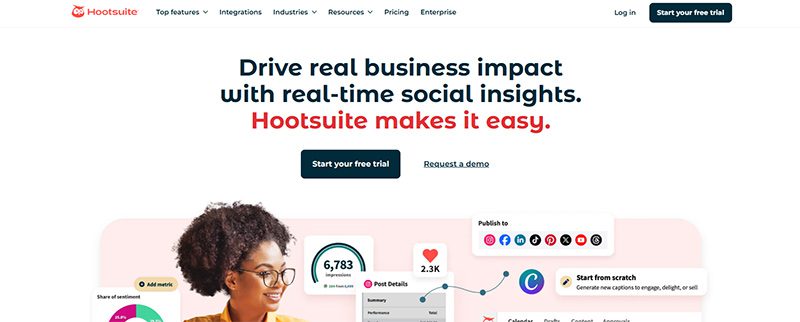
An online presence is a necessity for new businesses. Hootsuite can help you create content and get more followers quickly and easily. It is one of the most popular startup software, with a user-friendly interface and affordable pricing plans. 

It has a 30-day free trial that allows you to explore the platform. Not only that, Hootsuite will help you monitor the Return On Investment (ROI) of all your social media campaigns. This will let you know which works and which doesn’t. It has three premium plans that start at $149 per user per month, billed monthly.

2. Google Analytics
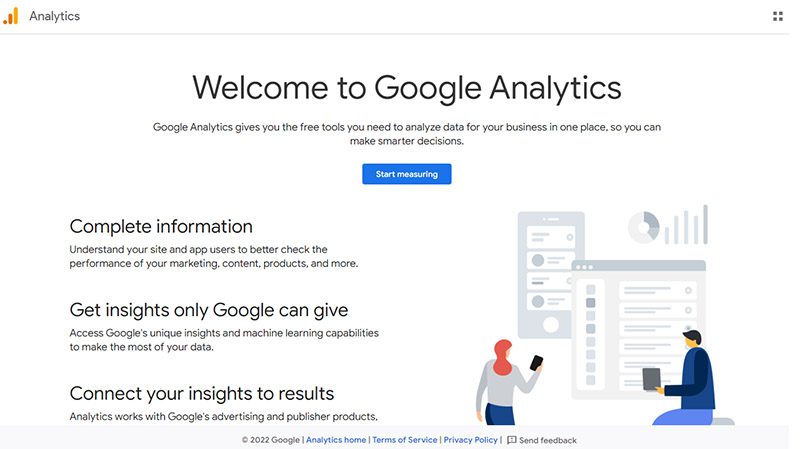
Google Analytics screenshot

Understand your website better with Google Analytics. This startup software will let you track the traffic coming to your website. This will allow you to tweak whatever strategies you have in place, as it tells you what needs improvement.

You can use Google Analytics 4 (GA4) free of charge, but it comes with limitations such as data sampling, limited data retention, and fewer advanced features than its GA360 paid version (with costs that start at $50,000 per year). It will help you understand your customers’ journey and improve your marketing ROI. It will provide insightful data that can aid you with your marketing strategies. 

3. SendPulse
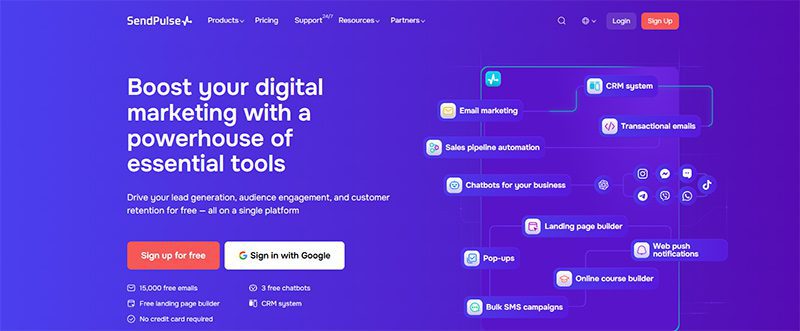
Excellent communication with your customers helps build stronger connections and loyalty. Whatever messaging channel you choose, SendPulse is a superb startup software. It includes lead generation tools as well as promotional channels such as email, SMS, social media, and messenger chatbots. It also offers a free CRM tool and many other features.

SendPulse has a free plan ideal for startups, but if you want to upgrade, there are three premium plans to choose from. Prices start at $8 per month.

4. FreshBooks
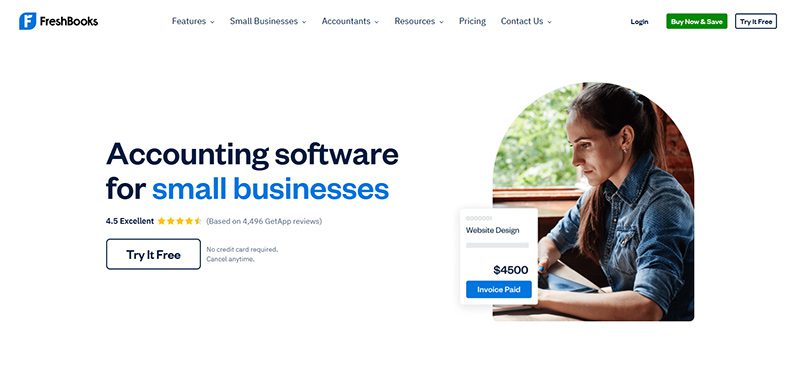
Once your business is running, you’ll need an accounting and invoicing software. That’s when you’ll need FreshBooks, an app that automates invoicing, bookkeeping, payment tracking, and many other financial tasks. In just a few clicks, you can view your financial status through its Profit and Loss Statements (PLS) feature, do taxation summaries, and check expenditure reports.

FreshBooks offers four pricing plans, which start at $8.40 per month. If you need more services, they offer a custom plan, for which you’ll need to contact them for a quotation.

5. HubSpot CRM
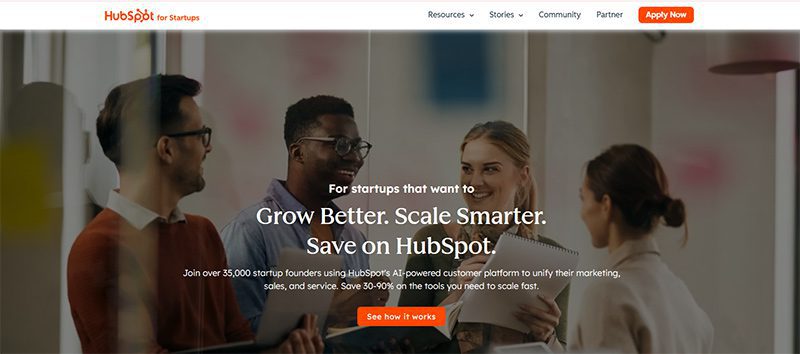
Primarily a CRM (Customer/Contact Relationship Management ) tool, HubSpot CRM is a must-have startup software. It lets you manage contacts, sales, pipelines, lead generation, and digital marketing, among many others. It consists of multiple tools or ‘hubs’ that you can buy separately. 

HubSpot CRM offers two pricing plans that start at $10 per month per seat. If you consider what this startup software can do, you’ll know it’s worth every penny. 

6. Penji
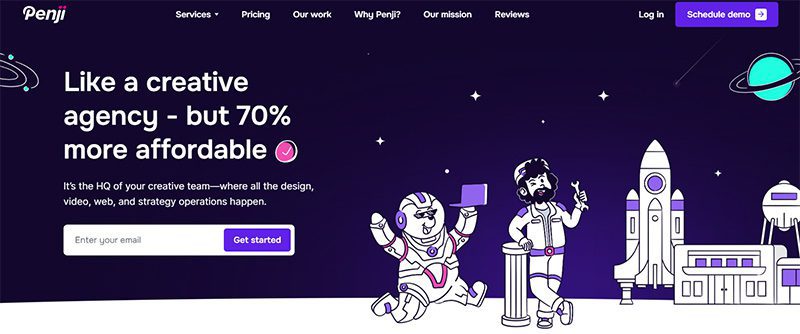
Starting your business involves advertising and marketing. And to do this effectively, you’ll be needing graphic design. It can elevate your business in ways you can’t even imagine. For this, you need Penji, an unlimited graphic design service that lets you request all your visual assets. 

For as little as $499 per month, you can request logos, digital ads, social media graphics, and many other branding collaterals. They have two other plans, plus a 30-day money-back guarantee that lets you decide without making a huge commitment.

7. Piktochart
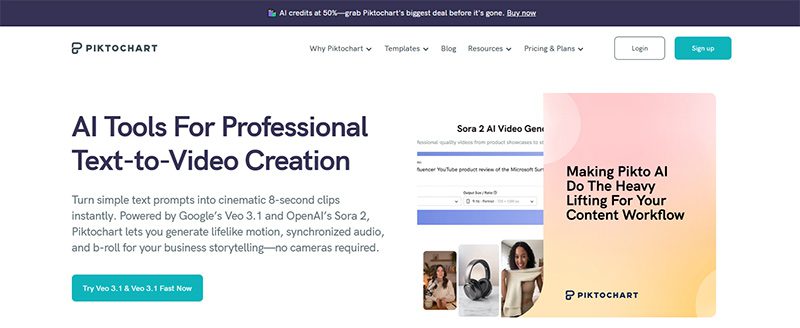
According to statistics, infographics are the fourth most-used type of content marketing. They can increase traffic to your website by 12%. To create interesting and engaging infographics, you can use Piktochart. With this startup program, you can add videos, charts, interactive maps, and many other elements to your infographic and embed them on your website or blog.

Piktochart offers a free plan that’s suitable for startups and medium-sized businesses. If you want to enjoy more of its features, you can get any of its premium plans that start at $29 a month.

8. WordPress
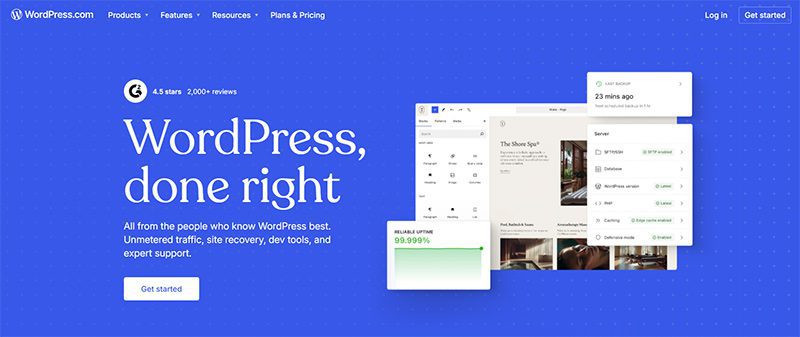
Join the over 585 million websites that use WordPress, the world’s most popular website builder. It is an open-source content management system, which means it’s free to use. You can build the website of your dreams using this startup software’s plugin architecture and template system. It can help you create a website with responsive design, SEO, social sharing, and many other features. 

Aside from the free plan, WordPress has four premium plans with pricing that starts at $9 per month and goes up to $70 a month if you pay monthly. 

9. Salesflare
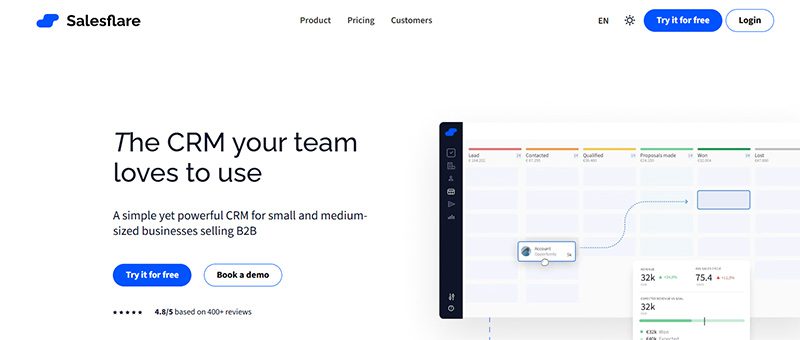
Another CRM tool ideal for startups, Salesflare automates many repetitive tasks to make handling your business easier and faster. It can help with your email applications, social media accounts, company calendars, and many other processes. It also provides you with crucial data such as sales funnel analysis, quota management, sales funnel analysis, and many others.

Salesflare offers simple and affordable pricing. It has three pricing plans that start at $39 per month and go up to $124 a month. It also has a free trial that lets you try the software without a credit card.

10. MailChimp
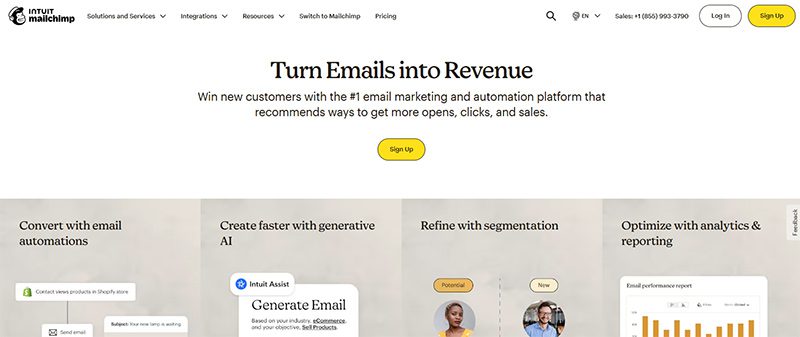
If you’re thinking of strategies to add to your marketing campaigns, you need to add email marketing. It is one of the most effective, but it can involve a laborious process. To make it easy, use MailChimp, a marketing platform that lets you manage and communicate with your clients, customers, and prospects. With it, you can customize your emails, generate leads for your database, and perform many other email-related tasks.

MailChimp has a free plan if you want to try out the service first. However, its three premium plans offer many valuable features you won’t get from the free plan.

Final Thoughts

Growing your business can be an exciting yet arduous endeavor. There is a multitude of concerns, issues, and tasks you need to take care of. Fortunately, there are startup software that you can get to make your life easier. Whether free or paid, these are absolutely helpful and worth looking into. 

Continue Reading

Trending