
Technology
Top 10 Social Media Scheduler Apps to Automate Your Postings


Creating, scheduling, and publishing posts on social media is time-consuming. But social media marketers can now save time by using social media schedulers. That said, which one would be the best for your business? Here are the ten best social media scheduler apps to use!
Best Time and Day to Post on Social Media
Before we discuss the top 10 social media scheduling apps, you might wonder what’s the best time to post on social media. Search Engine Journal and Sprout Social reveals that the best days to do it are Tuesdays to Thursdays. Meanwhile, the best time to post it is from 9 AM to 10 AM on those days. Avoid posting on Sundays.
But should you follow this?
The thing is, you don’t have to follow this social media best practice. One method of knowing the best time and day to post for your business is through testing. For example, you can post at 2 PM ET for two weeks. Then, you can run a new test by switching to 3 PM after two weeks.
Now, let’s hop into the top 10 social media scheduler apps you can try.
1. Buffer

Buffer is an all-in-one social media management tool. On top of being a social media scheduling tool, you can also level up your social media marketing. You can add the first comment on your Instagram post and drive more traffic to your website. Aside from that, you have control before publishing your TikTok posts. Buffer will send you a notification, and you can approve the post before it goes out.
Pricing:
- Free
- Essentials – $6/mo/channel
- Team – $12/mo/channel
- Agency – $120/mo/channel
2. Hootsuite

Hootsuite has been a well-known social media scheduler since the early 2010s. And the social media management tool is still the leading choice for 200,000+ businesses worldwide. Once you subscribe to Hootsuite, you can access their Hootsuite Planner. This enables you to schedule posts anytime. Plus, you can publish bulk posts on different social media channels, such as Facebook, Instagram, Twitter, and LinkedIn.
Pricing:
- Professional – $49/mo
- Team – $249/mo
- Business – $739/mo
- Enterprise – Contact sales
3. Agorapulse

If you need a collaborative social media scheduler, Agorapulse is one of the best options for your team. Team members can approve, reject, and leave feedback on draft posts before scheduling them. And if you manage different brands, you can organize and store files with folders. Aside from that, they have a rescheduling feature. This allows you to republish an old post and promote it again on your social media channels. Plus, if you’re on the go, they have an app too!
Pricing:
- Standard – $59/mo
- Professional – $99/mo
- Advanced – $149/mo
- Custom – Contact sales
4. SocialPilot

If you want an all-around social media scheduler, SocialPilot should be one of your top choices. You can publish posts on the following platforms:
- TikTok
- YouTube
- Google Business Profile
Aside from that, you can publish 500 posts in one go! You don’t have to worry about posting every week or month. You can be ahead and save time to do other tasks!
Pricing:
- Professional – $30/mo
- Small Team – $50/mo
- Agency – $100/mo
- White Label – $200/mo
5. Sprout Social

eCommerce businesses and agencies will benefit from using Sprout Social. For eCommerce businesses, they can integrate Shopify and Facebook Shops into Sprout Social. You can share your assets seamlessly on Sprout Social.
Meanwhile, agencies can benefit from Sprout Social because of its asset library and message approval workflows feature. This allows collaboration between your teams and clients.
One other neat feature of Sprout Social is content suggestions. If you run out of inspiration, Sprout Social can provide posts to help you create engaging posts.
Pricing:
- Standard – $249/mo
- Professional – $399/mo
- Advanced – $499/mo
- Enterprise – Request a demo
6. MeetEdgar

If you want to organize your social media posts according to categories, MeetEdgar should be one of your top choices. The platform allows you to create “Categories.” This enables you to organize the content you want to share on a specific social media platform. Aside from that feature, you can also easily upload your assets in your library and import content. Finally, get an overview of your postings for the next two weeks and review them before it’s published!
Pricing:
- Eddie – $29.99/mo
- Edgar – $49.99/mo
7. SocialBee

SocialBee is an excellent choice for social media experts who need more control over scheduling and publishing. You can choose to publish your content on ALL active social media platforms or select channels. Plus, SocialBee has a recurring schedule feature where you can repost old content at a later time. However, you can reverse the recurring feature by “expiring” a post. You can stop it when it reaches a number of shares or until a certain time.
Pricing (Solopreneur):
- Bootstrap – $19/mo
- Accelerate – $39/mo
- Pro – $79/mo
Pricing (Agency):
- Pro25 – $79/mo
- Pro50 – $149/mo
- Pro100 – $279/mo
- Pro150 – $379/mo
8. Later

Does your business love reposting user-generated content? Later is the best option for your business. You can follow a hashtag on the dashboard and share the post immediately on your social media channels. When uploading assets, you can use the library or connect your Google Drive or Dropbox account for seamless uploads. Finally, you can download their Chrome extension for faster sharing of images to share on your social media accounts.
Pricing:
- Starter – $18/mo
- Growth – $40/mo
- Advanced – $80/mo
9. Pallyy

If you run an agency and need a social media scheduling tool, you should consider Pallyy as your primary social media management tool. You can create brand folders to organize posts. You can also select what post you’re publishing on the dashboard. Plus, it’s easy to collaborate with team members and leave drafts for next time. With Pallyy, you can post on popular social media sites like Facebook, Twitter, Instagram, and TikTok.
Pricing:
- Free
- Premium – $15/mo
10. Planable

Planable is another social media scheduler focused on team collaboration. Before a team member schedules or publishes a post, other team members can chime in with feedback. Plus, like most apps on this list, you can preview a post before publishing it to your social media channels. Many businesses that used this app have saved time by scheduling multiple posts to various channels.
Pricing:
- Free
- Basic – $11/user/mo
- Pro – $22/user/mo
- Enterprise – Contact sales


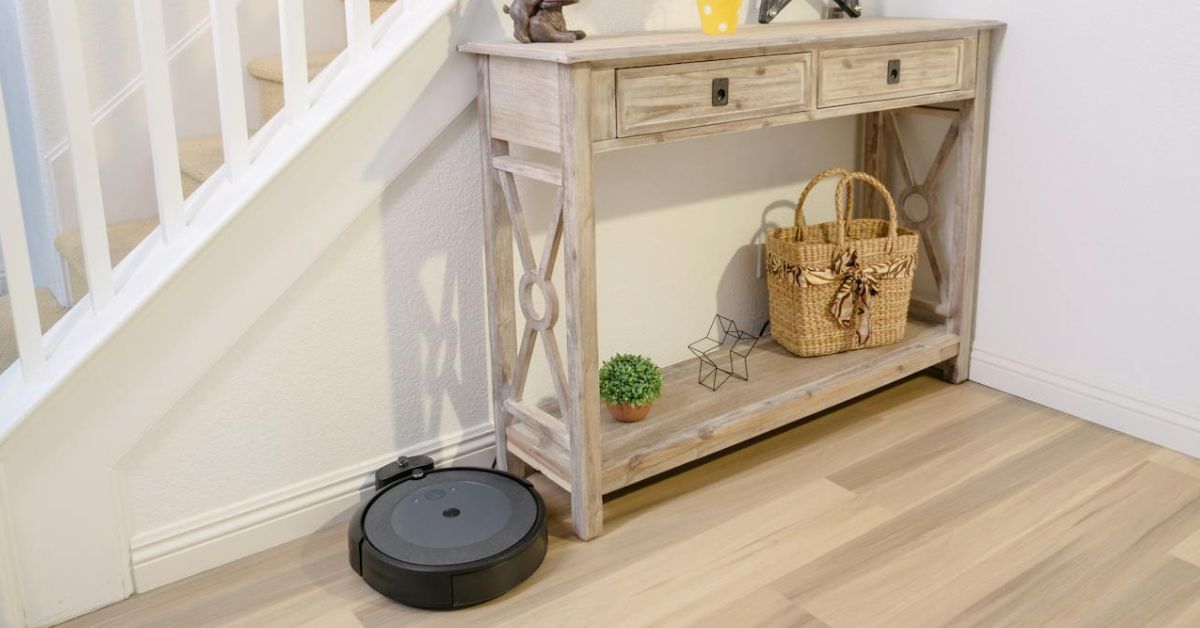
Robot vacuums stand out as a common element of smart living. This modern chore assistant helps achieve spotless floors at the tap of a button. However, dozens of robot vacuums are available in the market today, making your search for the most reliable device tricky. If you want to own one this year, consider the ultimate cleaning power of Shark Matrix Plus 2-in-1 Robot Vacuum.
Shark Matrix Plus 2-in-1 Overview
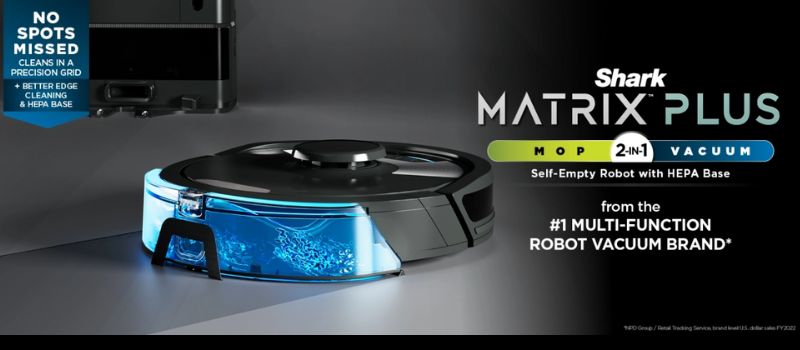
Source: sharkclean.com
The Shark Matrix Plus 2-in-1 Robot Vacuum and Mop represents an innovative cleaning technology catering to the diverse needs of modern households. This sleek device is more than just a vacuum. It is proof of Shark’s commitment to efficient and innovative cleaning. With features like Sonic Mopping, Matrix Clean, and a HEPA Bagless Self-Empty Base, it guarantees to transform how we think about household chores.
The product is designed to work on various surfaces with precision and care. The Sonic Mopping Technology can tackle even the toughest dirt and stains gently and effectively. It uses a vibrating cleaning pad that mimics the motion of hand scrubbing. Coupled with the Matrix Clean system, it provides deep cleaning, ensuring no dirt, pet hair, or dust is left behind.
The Shark Matrix 2-in-1 does not just clean floors; it understands them. The Home Mapping technology feature creates a detailed map of your living space, ensuring every corner is covered and cleaned efficiently. It allows users to choose specific rooms for cleaning or set no-go zones, providing complete control over the cleaning process.
Likewise, it offers a powerful solution for households that worry about pet hair and other allergens. Its HEPA Bagless Self-Empty Base catches and contains 99.97% dust and allergens, helping you achieve a healthier living environment. In addition, the CleanEdge technology tackles pet hair, making this robot vacuum an ideal choice for pet owners.
But wait, the features don’t end there. The Shark Plus 2-in-1 is WiFi-enabled and compatible with Alexa for voice commands and remote control via an app. So, even if you are away from home, you can let your intelligent chore assistant make your home spotless. With a few taps on your smartphone, you can start, stop, or schedule cleaning sessions.
Shark Matrix Plus 2-in-1 Technical Specifications
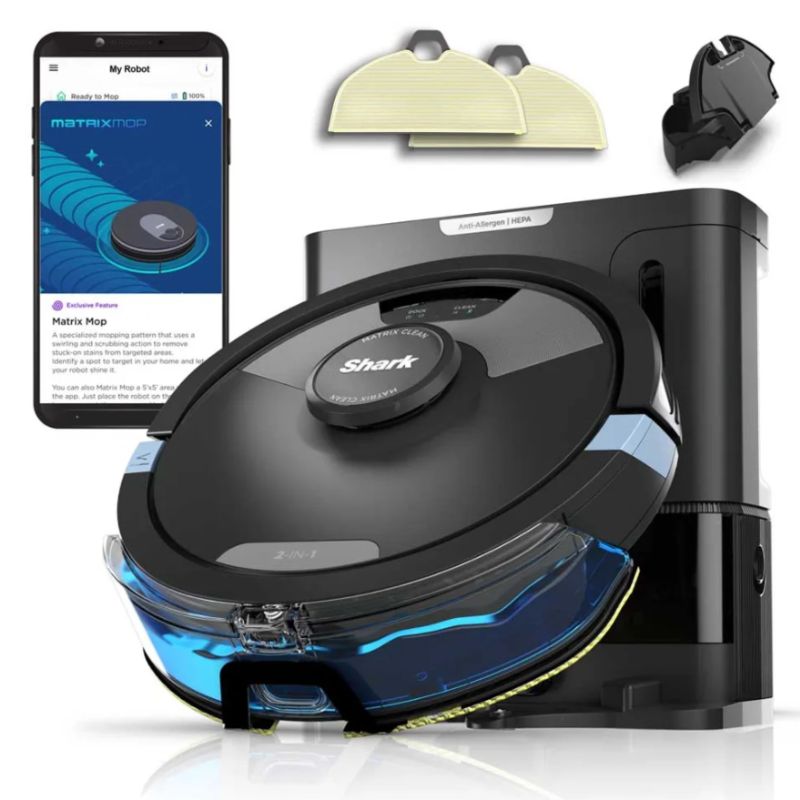
Below are the detailed specifications of the Shark Matrix Plus 2-in-1 Robot Vacuum and Mop:
Special Features:
- Self-emptying Base that can hold up to 60 days of dirt and debris
- Reliable HEPA Filtration that captures and traps 99.97% of dust and allergens
Brand: Shark
Model Name: Shark RV2610WA
Unique Feature: High Precision Sensors, HEPA Filter
Color: Black/Silver
What’s Included in the Package:
- Shark Matrix Plus 2-in-1 Robot
- XL HEPA Self-Empty Base
- 1 Filter
- 1 Side Brush
- 2 Microfiber Reusable Mopping Pads
- 12oz. Starter VACMOP Cleaning Solution
Features:
- Tackle Stuck on Stains. The Sonic Mopping scrubs hard floors 100x per minute. Start Matrix Mop in the app to get 50% better stain cleaning in targeted zones for extra deep cleaning.
- Self-Cleaning Brushroll. It thoroughly cleans carpets and directly tackles hardwood floors, effectively removing debris, hair, and dirt from every surface in your home.
- Precision Home Mapping. 360° LiDAR vision accurately maps your home so your robot can methodically clean. The device can also detect and avoid objects in its path, day or night, and adapt to everyday changes in the home.
- Ideal for Homes with Pets. With powerful suction, sonic mopping, and Shark’s self-cleaning brush roll, the robot quickly picks up pet hair and eliminates stuck-on pet messes.
- Ensures No Spots Missed. The robotic vacuum cleanses in a precision matrix grid with Matrix Clean, taking multiple passes over dirt and debris. The Shark RV2610WA delivers 30% better carpet cleaning versus the RV2610WD model.
- Self-Emptying and Self-Charging. It has a storage capacity for up to 60 days of dirt and debris, and its bagless base eliminates the need for additional disposal bags. With the Recharge & Resume feature, the robot automatically recharges and resumes cleaning from where it left off.
- Incredible Suction and Sonic Mopping. The device serves as a powerful whole-home vacuum for carpets and floors, with the added convenience of emptying its dustbin. Additionally, it functions as a potent vacuum that simultaneously sonic mops hard floors. The battery life extends up to 60 days.
- HEPA Filtration and Anti-Allergen Seal. The True HEPA filtration captures and traps 99.97%* of dust and allergens, reaching as small as 0.3 microns, all within the base.
- Cleans Edges and Corners. The CleanEdge Detect technology uses blasts of air and corner recognition to effectively remove debris. This innovative feature pulls debris into the cleaning path, resulting in 50% better edge cleaning compared to the RV2610WD with CleanEdge turned off.
Pros:
- Accurate and fast mapping
- A self-emptying base is reliable and convenient
- Smartly avoids collisions and stuck wheels
- Don’tWon’t leave wet floors a sopping mess
Cons:
- Tend to be too noisy for nighttime operation
Conclusion
If you’ve had poor experiences with vacuums wanting to switch or are a beginner, the Shark Matrix Plus 2-in-1 is the best option. Overall, the Shark Matrix Plus 2-in-1 Robot Vacuum & Mop RV2610WA is a marvel of cleaning technology, designed to make life easier and homes cleaner.
It’s not just about the innovative features like Sonic Mopping or the HEPA Bagless Self-Empty Base. It is how Shark Matrix Plus 2-in-1 integrates these fantastic features to provide a seamless and efficient cleaning experience. Everything about the Shark Matrix Plus is crafted to enhance your cleaning routine. For those seeking a futuristic, efficient, and powerful cleaning companion, the Shark Matrix Plus is a clear choice.

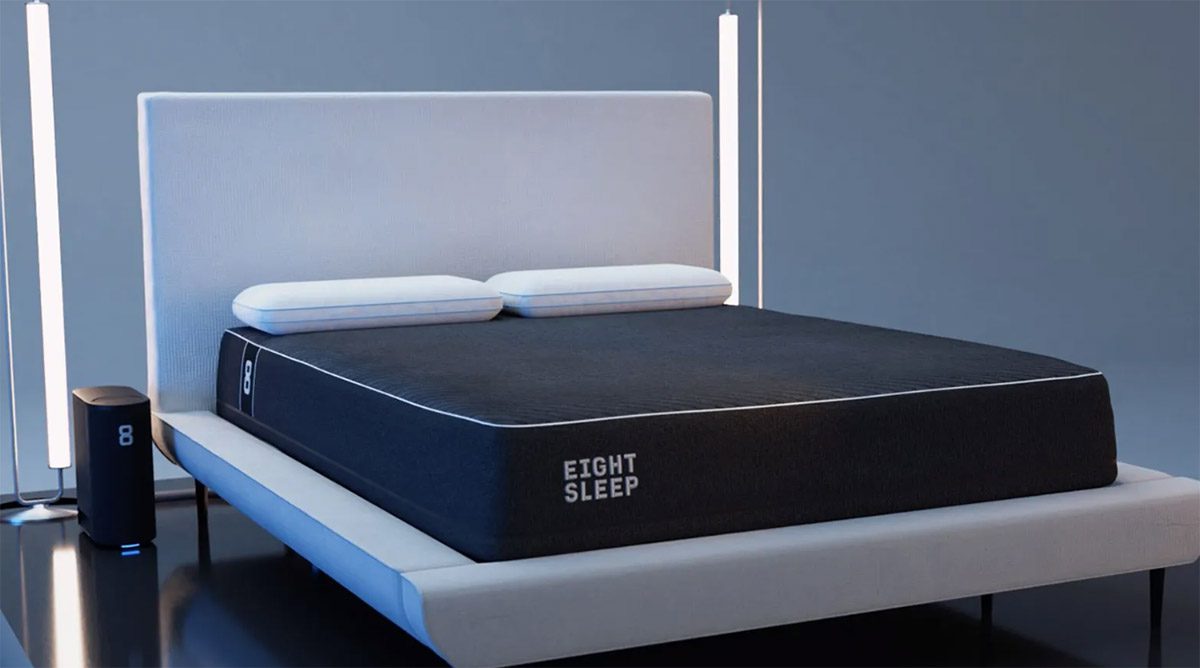
The Eight Sleep POD Mattress has plenty of unique features that would grab the attention of anyone looking for better sleep. And if you’re a tech enthusiast, you’d also want to explore its cutting-edge attributes. Promising to revolutionize rest and relaxation, let’s take an in-depth look at this marvel of a mattress.
Key Features
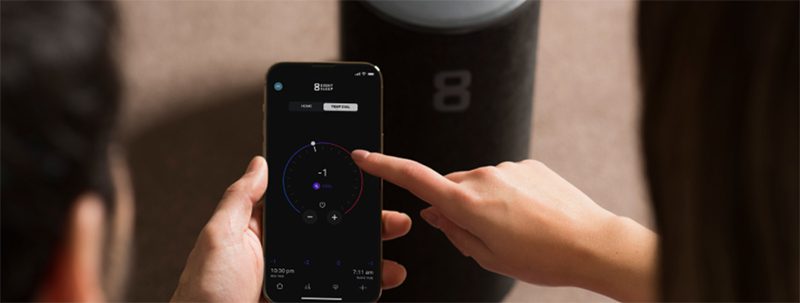
The Eight Sleep POD Mattress has the following features that would excite any tech enthusiast or someone simply looking to sleep better:
- The Intelligent Sleep System: this technology aims to provide cooling and heating regulating features to give you optimal sleep.
- Active Grid: this is Eight Sleep’s dynamic support and pressure relief feature for a more restful sleep.
- Sleep Tracking: tracks your sleep, health, and environment.
- Smart Home Integration: this feature lets you personalize your sleep experience through compatibility with other home devices.
- Smart alarms: enables you to customize a chest-level vibration-based alarm on both sides of the bed without disturbing your partner.
- Luxurious Build: aside from its incredible technology, the Eight Sleep POD Mattress has a multi-layer construction that provides support and pressure-relieving comfort. Plus, it looks classy, elegant, and sophisticated.
Support and Comfort
While the comfort and support of a mattress are subjective and will depend on personal preference, the Eight Sleep POD mattress is relatively supportive and promotes a healthy spinal alignment. It comes in two versions: the POD mattress and the POD Pro Mattress.
The POD mattress has five layers of memory foam designed for relief and support. It has a top layer that’s soft and conforming and lower layers that offer deeper support and stability. Generally speaking, this mattress is considered medium-firm.
On the other hand, the POD Pro mattress is a hybrid mattress with memory foam, latex, and coils. It gives more bounce and responsiveness than the POD mattress. It also provides good pressure relief and support and is considered a medium-plush type.
The POD cover is another layer of comfort and functionality. It is made with breathable materials with air cells that help reduce pressure points. These millions of air cells contribute to dissipating heat, which is ideal for those who sleep hot.
Temperature Regulation
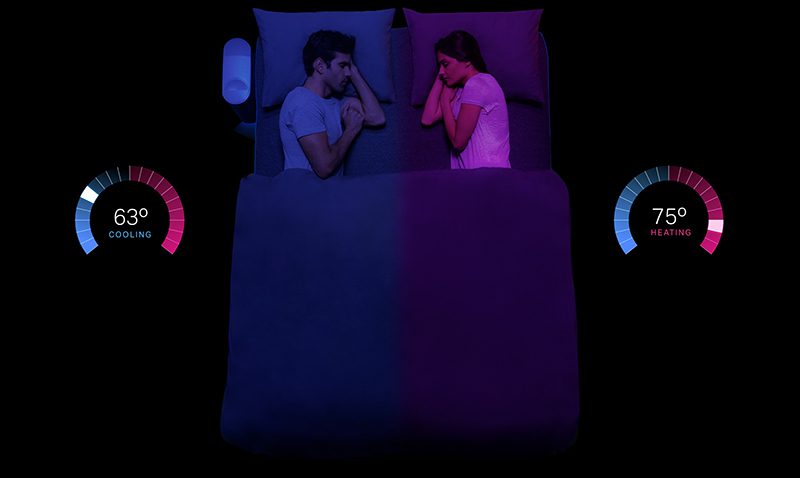
With unparalleled cooling and heating capabilities in the sleep industry, the Eight Sleep POD mattress is a blessing from mattress heaven. It automatically adjusts to your ideal temperature throughout your sleep. It is taking sleep optimization to a new level with its intelligent temperature control technology.
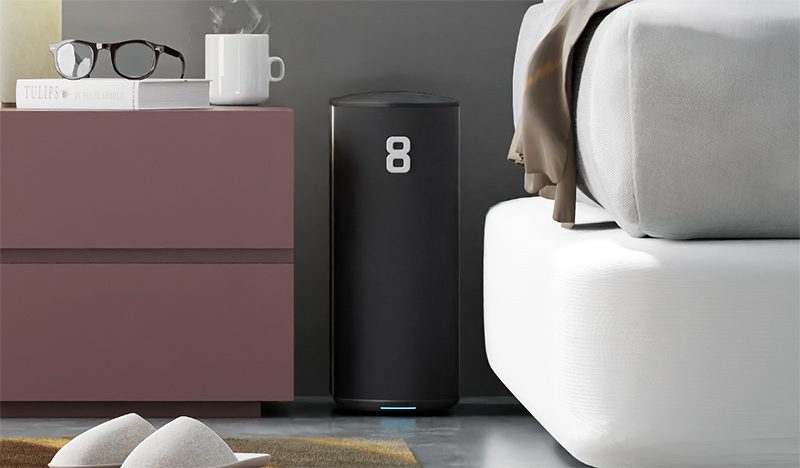
Thanks to its POD cover, the zip-on mattress cover comes with an ingenious “Active Grid.” It is a network of water tubes connected to a central hub that serves as your thermal conductor. You can set your desired temperature for both sides of the bed to provide personalized comfort.
It has adaptive intelligence that tracks your sleep stages and body temperature in real time. It gathers data to adjust the mattress’ temperature throughout your sleep. It provides science-backed optimization to cool down during the onset of your sleep. It gradually warms up toward the morning to promote a deeper and more restful sleep.
The POD copies this natural thermal cycle to give you optimal sleep stages. The POD also considers your bedroom’s conditions and external factors such as temperature and local weather. This ensures that you sleep well despite fluctuations in room conditions.
Sleep Tracking and Insights
Many bed brands offer sleep-tracking capabilities, but the Eight Sleep POD mattress goes beyond the basics. It comes with sensors that capture a variety of data, which includes the following:
- Heart rate variability (HRV): to indicate your nervous system’s health and recovery.
- Respiratory rate: gives you insights into the depth of your sleep and potential sleep apnea.
- Skin temperature: can provide you insights into your body’s natural thermal regulation during sleep.
- Body movement: it tracks restlessness and sleep inefficiency.
The Eight Sleep POD mattress also has an app that provides data on your sleep stages, sleep quality score, trends, and comparisons and will give you personalized recommendations based on these. All these can help you optimize your sleep routine, improve sleep hygiene, track progress, and set your goals.
With all these capabilities, you’ll get more than just statistics. This mattress helps you gain a deeper sense of self-awareness by letting you understand your sleep patterns and how they are connected to your overall health and well-being.
Pricing and Value
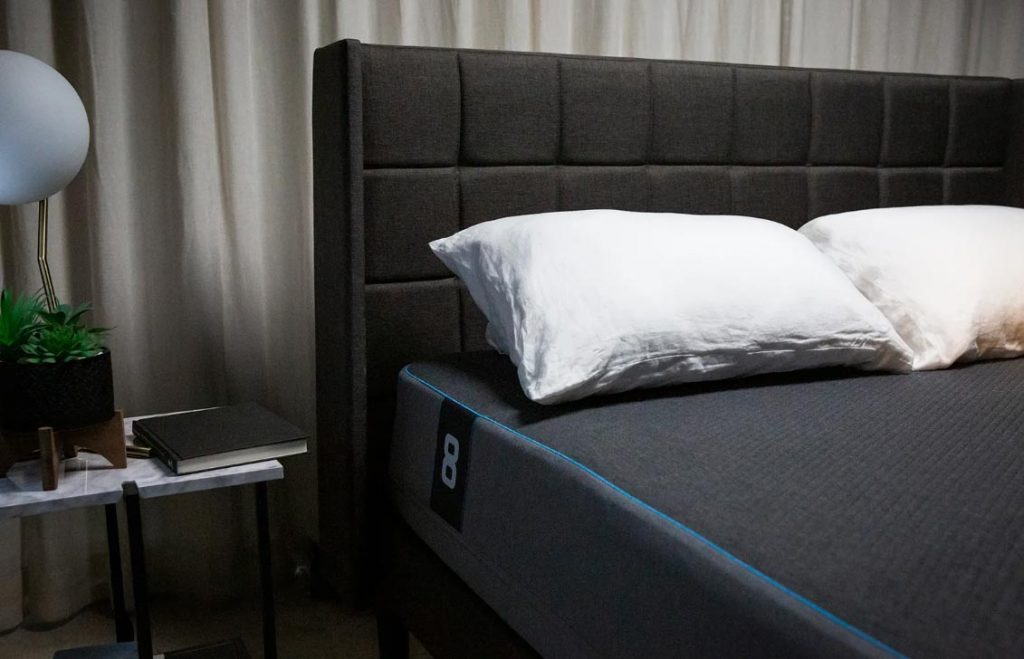
With all the Eight Sleep POD Mattress’s bells and whistles comes a premium price tag. The POD cover price starts at $2,245 for the Queen size, the POD mattress is around $3,245, and the POD Pro Mattress costs around $3,745. You can also purchase the optional 8+ Pro Membership for approximately $15 to $24 a month if you want to unlock advanced features and data insights.
Pros and Cons
Let’s take a look at the Eight Sleep POD Mattress pros and cons to help you make an informed decision at a glance:
Pros:
- Advanced sleep tracking features and insights
- Customized temperature control
- high-quality mattress
- Convenience and automation
- Health benefits
Cons:
- High price tag
- additional costs for subscription fees
- not suitable for all body types, sleep preferences, and budget
Is the Eight Sleep POD Mattress for You?
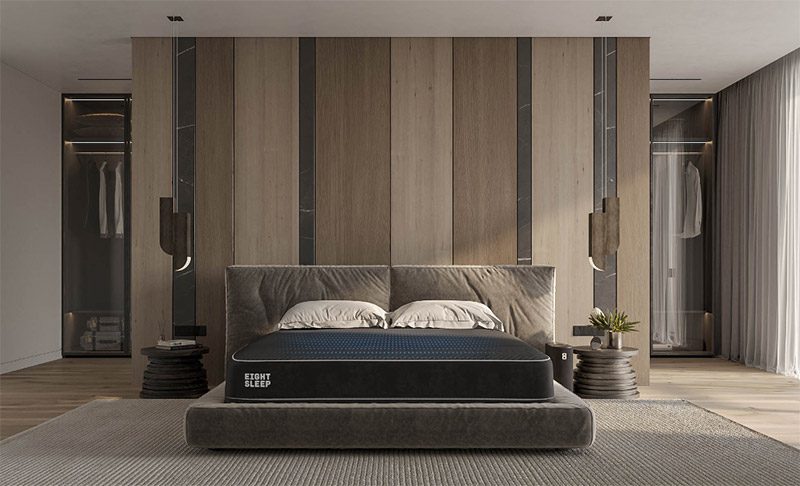
This would depend on various factors. Your needs, budget, and preferences come into play to see if this mattress is right for you. You may want to ask yourself the following questions to find out if the Eight Sleep POD Mattress is worth your while:
- Are you struggling to regulate the temperature when you sleep?
- Is deep sleep a priority for you? Do you want to optimize your sleep patterns?
- Will you be comfortable with a high-tech sleep solution with future developments?
- Have you looked at different alternatives with this type of mattress?
Final Thoughts
If you’re still in the dark about whether to get the Eight Sleep POD Mattress, you may want to take advantage of its 30-night trial period before you make your decision. It is an expensive investment, one that you might want to think about three times over. However, with its fantastic features, this might be the best sleep solution you can give yourself.
If you want to manifest the saying, “Pet hair, don’t care,” then this BobSweep PetHair SLAM review is for you! Keeping your house clean can be a massive challenge if you have pets that shed. Constantly sweeping up that loose fur can be tiring, that’s why you need help in the form of this hybrid robot vacuum. Let’s find out what it is all about.
Overall Design and Build
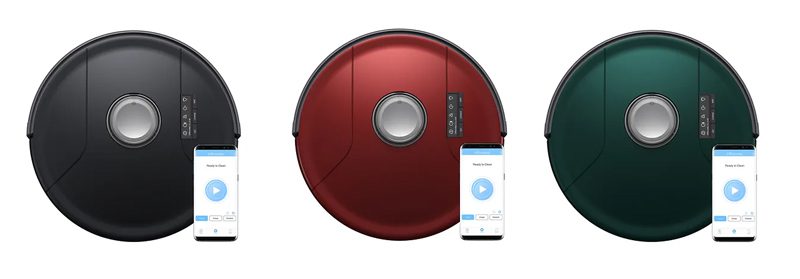
Looking sleek with its modern design, the BobSweep PetHair SLAM comes in three colors: Jet (black), Jade (green), and Jasper (red). Its dimensions are 13 x 13 x 4 inches, and it weighs 6.5 lbs, with rounded edges that allow it to navigate tight spaces easily. Getting rid of dirt and fur under your furniture is made effortless.
This robot cleaner has a high-gloss black finish with metallic accents, giving it a sophisticated and elegant look. It is made with durable ABS plastic, giving the robot a robust and scratch-free build. This means it can withstand everyday collisions and bumps without breaking, denting, or cracking. Plus, it looks good enough to blend with your home decor.
Its tempered glass top lets you see through the dustbin while the rubber bumper protects it from accidental collisions. It has silicone wheels that give traction on hard floors and carpets. Overall, the BobSweep PetHair SLAM design is a unique marriage of style and functionality.
Performance and Cleaning
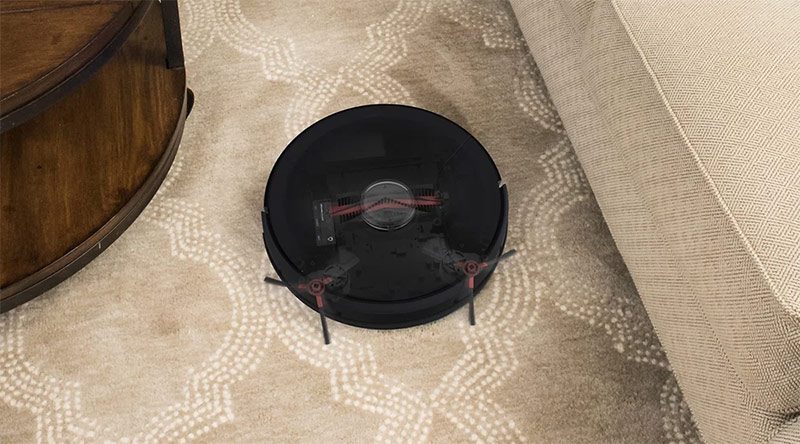
The BobSweep PetHair SLAM is a lean, mean cleaning machine, thanks to its LiDAR mapping system that creates an accurate map of your home. It promises impressive precision that prevents it from missing corners or getting lost. You can control this via the app by setting “Draw NoSweep™” to avoid areas such as those with delicate vases, rugs, or pet feeding stations.
It has an adjustable suction that provides powerful vacuuming capabilities. Its TurboLift™ Vacuum feature can easily lift fur off floors with its triple brush system designed to capture pet hair, dander, and dust bunnies. Its noise level stays low to keep your home peaceful even at night.
The BobSweep PetHair SLAM has a mopping feature that you can use to clean up light spills and dust. However, this feature is only an attachment, and this robot is primarily a vacuum. For larger spills, you will still need a traditional mopping or deep cleaning.
This robot vacuum also has additional features, which we listed below:
Auto Recharge: you’ll never run out of juice midway through a cleaning session with the BobSweep PetHair SLAM. It is smart enough to monitor its battery levels, so when it is running low, it automatically comes back to its docking station to recharge itself. Then, it resumes its cleaning where it left off. This way, you’ll be sure to get a completed and uninterrupted cleaning, which is especially helpful in larger homes.
Audio Alerts: The BobSweep PetHair SLAM will notify you about its cleaning status, errors, and other functions. You won’t have to second-guess if the cleaning is done or there are issues.
Large Dustbin: you won’t have to frequently empty the dustbin, thanks to its large capacity.
Stair & Obstacle Detection: the Bob is equipped with advanced sensors that help the robot identify stairs and other obstacles to prevent falls and bumps.
Drak Carpet Cleaning: BobSweep has a feature that uses cleaning algorithms to automatically adjust the power suction to clean carpets without damaging their hairs. You no longer have to worry about dark carpets fading or wearing away.
The BobSweep PetHair SLAM App
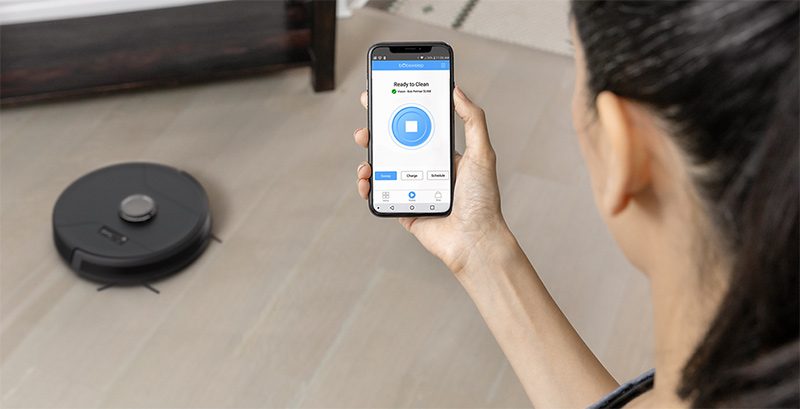
The BobSweep PetHair SLAM has its own app that you can use to control and monitor your robot vacuum. It has a clean and intuitive interface that displays the robot’s status, battery level, and a map of the cleaned areas. You can also schedule cleaning sessions via the app with just a few taps to create your desired cleaning routines.
In addition, you can also start and stop the cleaning process through the app. It also integrates with smart home systems such as Google Assistant or Amazon Alexa. When you connect Bob to Wi-FI, it can identify different rooms and map areas of your home at first glance.
Maintenance and Battery Life
The BobSweep PetHair SLAM has an impressive battery life. It lets you clean your homes for up to 120 minutes on a single charge. This means uninterrupted cleaning as it covers a wide range of floor space. This is the ideal robot for large spaces with multiple pets.
Recharging is also easy as you only need to place Bob on its docking station, and the magnetic connection will do the rest. You only need to wait around 3 to 4 hours for the robot vacuum to fully charge, which you can monitor through the app or the cleaner’s LED indicators.
Furthermore, maintaining the BobSweep PetHair SLAM requires no complex rules and tedious work. You need to empty the dustbin after cleaning and clean the filters weekly with warm water and a gentle detergent. You should also remove the brushes and wash them, although less frequently, especially if they get clogged heavily. Replacing the filters and brushes every 6 to 12 months is also recommended, depending on your usage.
The Pros and Cons
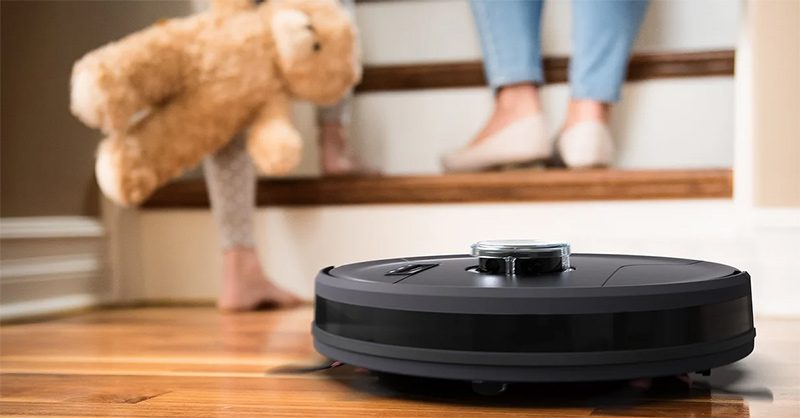
The BobSweep PetHair SLAM is an efficient robot vacuum cleaner. However, it also has its downsides. Here is a list of its pros and cons:
Pros:
Powerful cleaning capabilities: LiDAR mapping, triple brush system, 2x boosted suction power, can handle both hardwood floors and carpets.
Smart features: intuitive Android/iOS app for monitoring, scheduling, and other controls.
Convenient features: long battery life, audio alerts, auto recharge, and large dustbin.
Compact size: easy maneuverability, can clean tight spaces easily.
Cons:
High price: on the expensive side compared to other robot vacuums in its category.
Mopping limitations: effective for light spills only
Maintenance: requires regular maintenance, such as bin-emptying, which is automatic for other robots.
Conclusion
The BobSweep PetHair SLAM is an effective robot vacuum perfect for homes with multiple pets. Whether you have dogs, cats, or ferrets, you’ll love this vacuum’s impressive features.

Unlimited Graphic Design Companies Of 2023 + Promo Codes (Updated)

10 Best Banh Mi Restaurants In and Around Tulsa

99Designs: An Honest Review From a Non-Designer

Graphics Zoo Review: Is this unlimited graphic design service worth it?

5 Highest Rated Design Services Used by Big Brands & Agencies

The 3 Best Graphic Design Services to Try in 2024
