Technology
Shark Matrix Plus 2-in-1: The Best Robot Vacuum of 2024


Robot vacuums stand out as a common element of smart living. This modern chore assistant helps achieve spotless floors at the tap of a button. However, dozens of robot vacuums are available in the market today, making your search for the most reliable device tricky. If you want to own one this year, consider the ultimate cleaning power of Shark Matrix Plus 2-in-1 Robot Vacuum.
Shark Matrix Plus 2-in-1 Overview
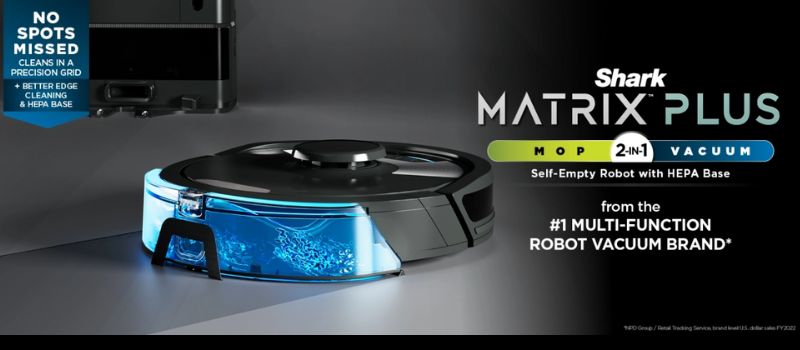
Source: sharkclean.com
The Shark Matrix Plus 2-in-1 Robot Vacuum and Mop represents an innovative cleaning technology catering to the diverse needs of modern households. This sleek device is more than just a vacuum. It is proof of Shark’s commitment to efficient and innovative cleaning. With features like Sonic Mopping, Matrix Clean, and a HEPA Bagless Self-Empty Base, it guarantees to transform how we think about household chores.
The product is designed to work on various surfaces with precision and care. The Sonic Mopping Technology can tackle even the toughest dirt and stains gently and effectively. It uses a vibrating cleaning pad that mimics the motion of hand scrubbing. Coupled with the Matrix Clean system, it provides deep cleaning, ensuring no dirt, pet hair, or dust is left behind.
The Shark Matrix 2-in-1 does not just clean floors; it understands them. The Home Mapping technology feature creates a detailed map of your living space, ensuring every corner is covered and cleaned efficiently. It allows users to choose specific rooms for cleaning or set no-go zones, providing complete control over the cleaning process.
Likewise, it offers a powerful solution for households that worry about pet hair and other allergens. Its HEPA Bagless Self-Empty Base catches and contains 99.97% dust and allergens, helping you achieve a healthier living environment. In addition, the CleanEdge technology tackles pet hair, making this robot vacuum an ideal choice for pet owners.
But wait, the features don’t end there. The Shark Plus 2-in-1 is WiFi-enabled and compatible with Alexa for voice commands and remote control via an app. So, even if you are away from home, you can let your intelligent chore assistant make your home spotless. With a few taps on your smartphone, you can start, stop, or schedule cleaning sessions.
Shark Matrix Plus 2-in-1 Technical Specifications
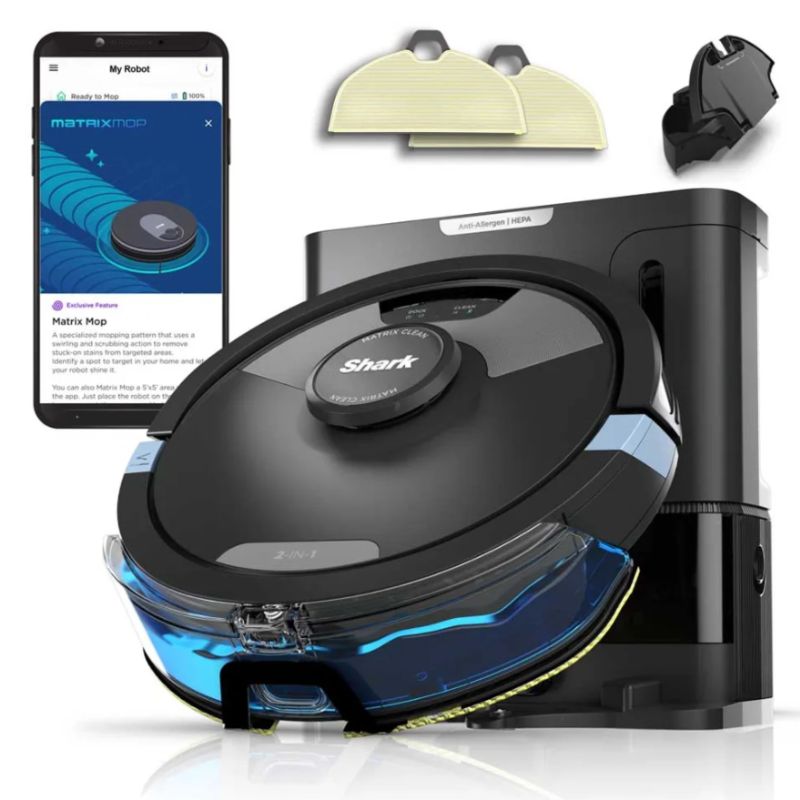
Below are the detailed specifications of the Shark Matrix Plus 2-in-1 Robot Vacuum and Mop:
Special Features:
- Self-emptying Base that can hold up to 60 days of dirt and debris
- Reliable HEPA Filtration that captures and traps 99.97% of dust and allergens
Brand: Shark
Model Name: Shark RV2610WA
Unique Feature: High Precision Sensors, HEPA Filter
Color: Black/Silver
What’s Included in the Package:
- Shark Matrix Plus 2-in-1 Robot
- XL HEPA Self-Empty Base
- 1 Filter
- 1 Side Brush
- 2 Microfiber Reusable Mopping Pads
- 12oz. Starter VACMOP Cleaning Solution
Features:
- Tackle Stuck on Stains. The Sonic Mopping scrubs hard floors 100x per minute. Start Matrix Mop in the app to get 50% better stain cleaning in targeted zones for extra deep cleaning.
- Self-Cleaning Brushroll. It thoroughly cleans carpets and directly tackles hardwood floors, effectively removing debris, hair, and dirt from every surface in your home.
- Precision Home Mapping. 360° LiDAR vision accurately maps your home so your robot can methodically clean. The device can also detect and avoid objects in its path, day or night, and adapt to everyday changes in the home.
- Ideal for Homes with Pets. With powerful suction, sonic mopping, and Shark’s self-cleaning brush roll, the robot quickly picks up pet hair and eliminates stuck-on pet messes.
- Ensures No Spots Missed. The robotic vacuum cleanses in a precision matrix grid with Matrix Clean, taking multiple passes over dirt and debris. The Shark RV2610WA delivers 30% better carpet cleaning versus the RV2610WD model.
- Self-Emptying and Self-Charging. It has a storage capacity for up to 60 days of dirt and debris, and its bagless base eliminates the need for additional disposal bags. With the Recharge & Resume feature, the robot automatically recharges and resumes cleaning from where it left off.
- Incredible Suction and Sonic Mopping. The device serves as a powerful whole-home vacuum for carpets and floors, with the added convenience of emptying its dustbin. Additionally, it functions as a potent vacuum that simultaneously sonic mops hard floors. The battery life extends up to 60 days.
- HEPA Filtration and Anti-Allergen Seal. The True HEPA filtration captures and traps 99.97%* of dust and allergens, reaching as small as 0.3 microns, all within the base.
- Cleans Edges and Corners. The CleanEdge Detect technology uses blasts of air and corner recognition to effectively remove debris. This innovative feature pulls debris into the cleaning path, resulting in 50% better edge cleaning compared to the RV2610WD with CleanEdge turned off.
Pros:
- Accurate and fast mapping
- A self-emptying base is reliable and convenient
- Smartly avoids collisions and stuck wheels
- Don’tWon’t leave wet floors a sopping mess
Cons:
- Tend to be too noisy for nighttime operation
Conclusion
If you’ve had poor experiences with vacuums wanting to switch or are a beginner, the Shark Matrix Plus 2-in-1 is the best option. Overall, the Shark Matrix Plus 2-in-1 Robot Vacuum & Mop RV2610WA is a marvel of cleaning technology, designed to make life easier and homes cleaner.
It’s not just about the innovative features like Sonic Mopping or the HEPA Bagless Self-Empty Base. It is how Shark Matrix Plus 2-in-1 integrates these fantastic features to provide a seamless and efficient cleaning experience. Everything about the Shark Matrix Plus is crafted to enhance your cleaning routine. For those seeking a futuristic, efficient, and powerful cleaning companion, the Shark Matrix Plus is a clear choice.



AR gaming glasses are nifty gadgets that blend the real world with digital content. Imagine wearing regular glasses, but instead of just seeing your surroundings, you also see game elements like maps, characters, or stats right in front of you. They use augmented reality (AR) tech to overlay these visuals onto your view, making your gaming experience more immersive. It’s like playing a game where the action happens around you in real life. These glasses can make gaming more interactive and engaging, giving you a futuristic edge in your gameplay. And having the best pair of AI glasses is a gamer’s dream! Here are the top seven AR glasses for gaming worth checking out.
1. Horus X
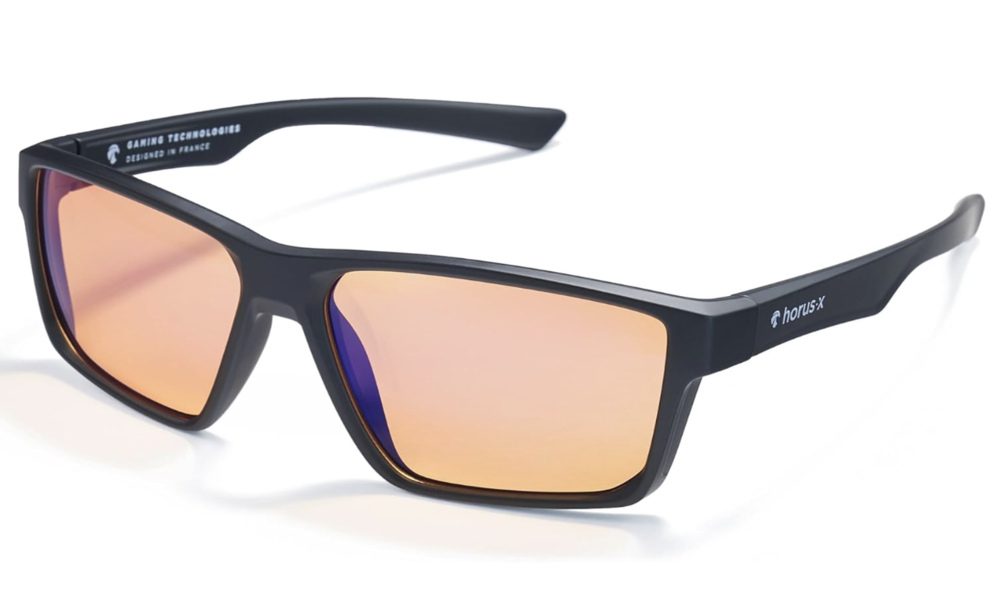
If you spend over a thousand hours in front of the computer, the Horus X is the best AR gaming glasses. It shields your eyes from blue light and reduces AMD fatigue and headaches via advanced tech filters. It’s also lightweight, weighing only 26 grams, with a sleek polycarbonate frame, ensuring comfort in every session. The Horus X is anti-reflective, scratch-resistant, and anti-UV. You get a lifetime warranty, a 100 percent money-back guarantee, and 24-hour responsive customer support.
2. Air 2 AR Glasses
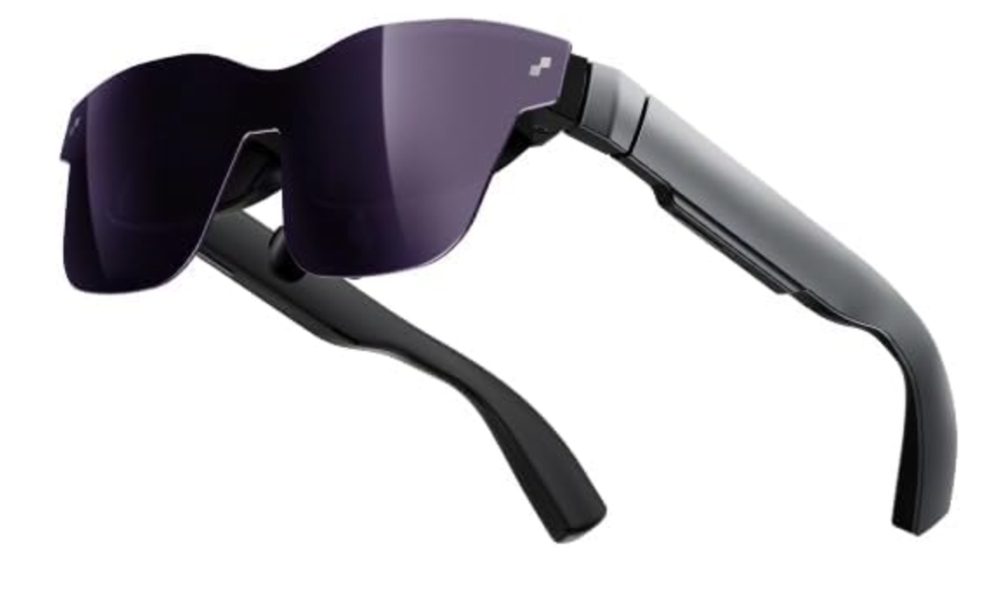
The Air 2 AR glasses boast a high-definition display with a Micro OLED display technology. It offers 120Hz refresh rates, ensuring smooth and seamless game transitions and 600 nits of brightness. The 1080p resolution also allows for precise and vibrant images. This is the pair of AR glasses to get if you’re looking for versatile compatibility. It works with Nintendo Switch, Steam Deck, PS4 Slim, PS5, Xbox Series, ROG Ally, iPhone 15/15 Pro Max, MacBook, and iPad. It also offers a customizable fit, letting you choose from nine adjustment levels.
3. ANYLUV Gaming Glasses
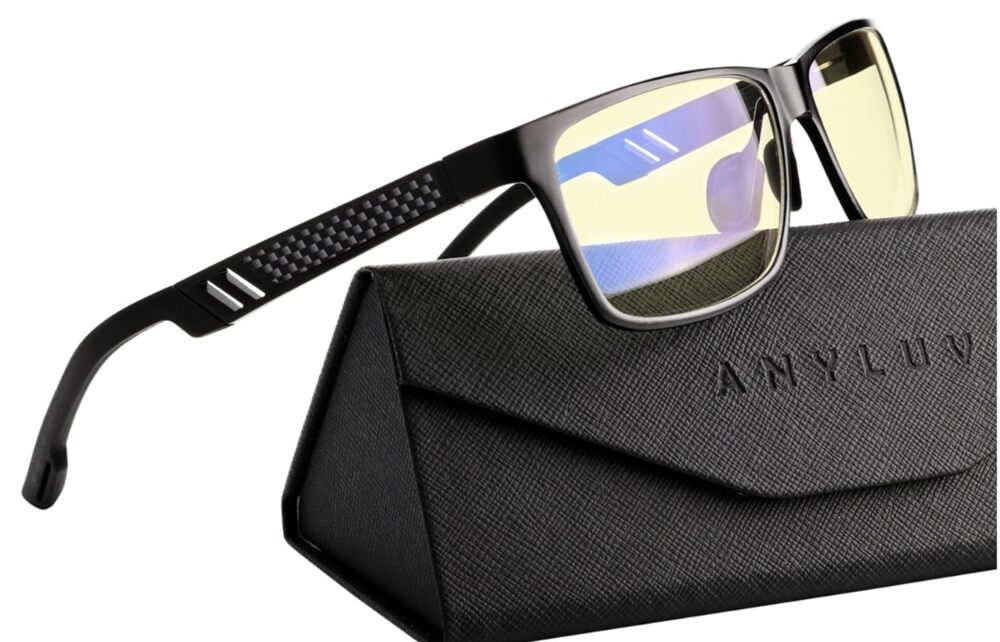
This particular AR gaming glasses is created for men. It blocks up to 65 percent of harmful rays, reducing eye fatigue. This AR gaming glasses is suitable for daytime and nighttime gaming. It offers low-color distortion lenses that give you a perfect balance between viewing quality and eye protection without the annoying heavy tint. It also has a high-energy blue light filter that enhances focus on tasks and games. Plus, this pair comes in an elegant triangular folding box, making it an excellent gift for an avid gamer.
4. Viture One XR/AR Glasses
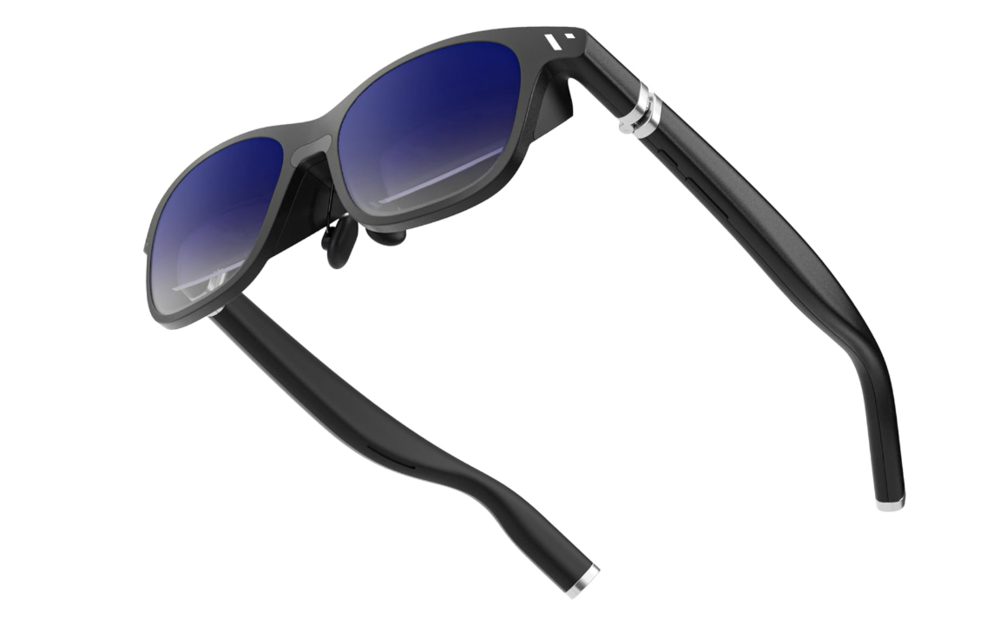
You can see the future with these Viture One XR gaming glasses! It boasts an adjustable electrochromic tint, allowing you to see images clearly. It offers a seamless virtual screen compatible with most USB-C video and power devices, including iPhone 15/15 Pro, Steam Deck, and MacBook. Enjoy a 55 PPD virtual screen with 1080p at 60fps and HARMAN-engineered audio, reducing noise leakage, and ensuring an immersive and unforgettable audio-visual experience.
5. Rokid AR Joy Pack AR Glasses
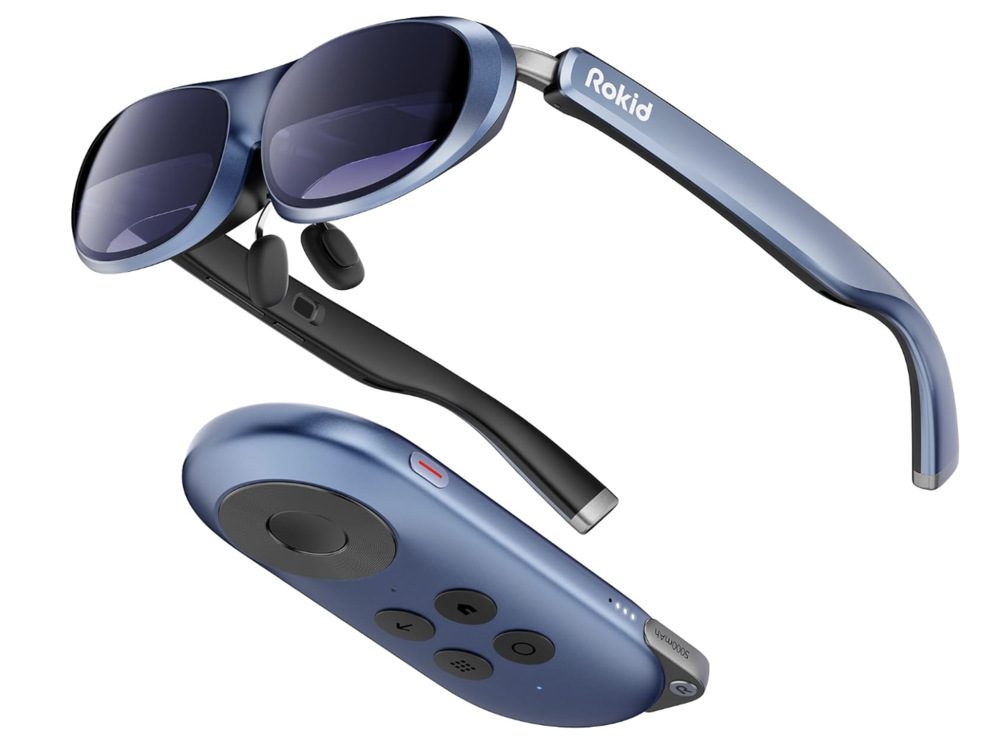
Nothing beats the world’s first gaming and streaming AR glasses. The Rokid AR Joy Pack AR glasses give you the best viewing experience for immersive big-screen movie nights with loved ones. It’s an entire ecosystem of gaming and streaming with HDCP support and Android TV 12 compatibility, which lets you access millions of TV episodes and movies from Peacock, Disney+, Hulu, and more. The Rokid AR Joy Pack AR gaming glasses also feature a 360-degree OLED display, weighing 75 grams. It offers eye comfort and diopter adjustment, with TÜV Rheinland-certified for eye comfort, with adjustable diopters from 0.00D to -6.00D. You can also enjoy limitless entertainment with plug-and-play USB-C, HDMI adapter, or wireless adapter connections.
6. Gunnar
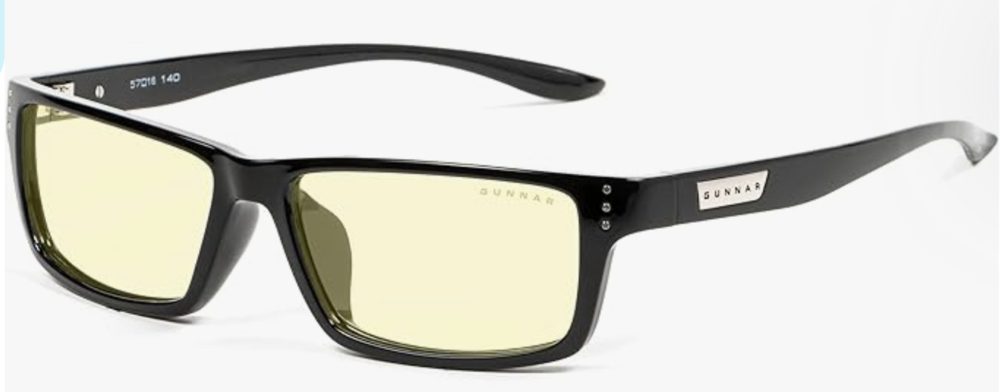
This is the doctor-recommended eye protection for avid gamers. The Gunnar’s gaming glasses have patented lens technology and are endorsed by doctors to protect and enhance vision. This pair prevents migraines, headaches, dry eyes, and blurry vision from prolonged screen time and blue light exposure. Unlike cheaper options, Gunnar glasses specify how much the peak blue light spectrum is blocked. This pair of AR gaming glasses also offer dual-sided anti-reflective properties that reduce glare and reflections, with a hard coat for durability. These are ergonomically designed with a lightweight frame at 26 grams, 58mm lens width, 16mm bridge, and 143mm temple for all-day comfort.
7. TCL NXTWEAR S
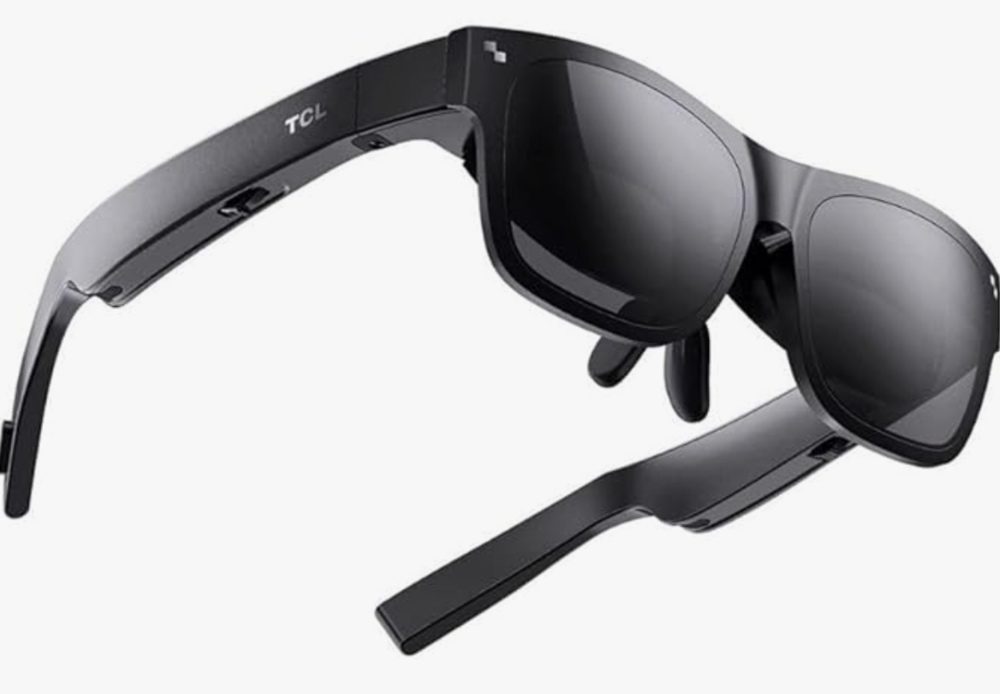
For a next-level immersive experience, the TCL NXTWEAR S gaming glasses will drown you in a 201-inch dual Micro OLED display. It offers up to 400 nits of brightness, ensuring clear images even outdoors. You can also switch between 2D and 3D modes with one click, with a 1920×1080 display for the former and a 3840×1080 display for the latter. Similar to the Rokid AR glasses, this is a TÜV Rheinland-certified pair for low blue light and flicker-free viewing. Experience robust bass with Super Linear Unit 0.5mm technology and precise speakers with acoustic phase cancellation for privacy. Enjoy versatile compatibility by connecting to smartphones, tablets, PCs, and gaming consoles via Magnetic USB Type-C DisplayPort.

Forget about wearing ordinary glasses when you’re out and about. AR glasses are the newest craze if you want an unforgettable experience. Here are some of the best AR glasses that will shape the future of augmented reality eyewear.
What to Look for in Good AR Glasses
Today, a limited number of AR glass manufacturers exist. However, this will only encourage companies to venture into AR glass innovation. Before buying one, consider these factors to ensure you get every bang for your buck.
Lightweight
First and foremost, AR glasses must be lightweight and comfortable to wear all day. Although the introduction of Smart glasses wasn’t unnoticed, the failure to create a compact one was apparent. The first few AR glasses were bulky and heavy. Aesthetics is crucial when making these glasses, and you must see that they don’t hamper your daily routine or outdoor viewing.
High-resolution images
Another crucial factor to consider when getting AR eyewear is its ability to offer high-resolution images. The user must be able to distinguish the real-world view from the projected AR image. There must be a right balance of image clarity so that wearing these glasses doesn’t obstruct the user’s vision.
Functional
In addition to quality images and display, ensure you choose a pair of AR glasses that delivers a seamless user experience. It has to run smoothly and ensure maximum power management. For instance, pairing with apps, microphones, cameras, and more must be easy. Bluetooth and WiFi features must be included in the item. Plus points if you buy AR glasses with cutting-edge sensors!
Crisp, bright display
Most AR glasses come with two different types of displays: scanning-based and panel-based. You must weigh the trade-offs, such as a lower-quality display for lower power consumption or a high-quality display that compromises power consumption, which means decreased battery life.
Here are the top eight AR glasses worth buying in 2024:
1. Rokid Max AR Glasses
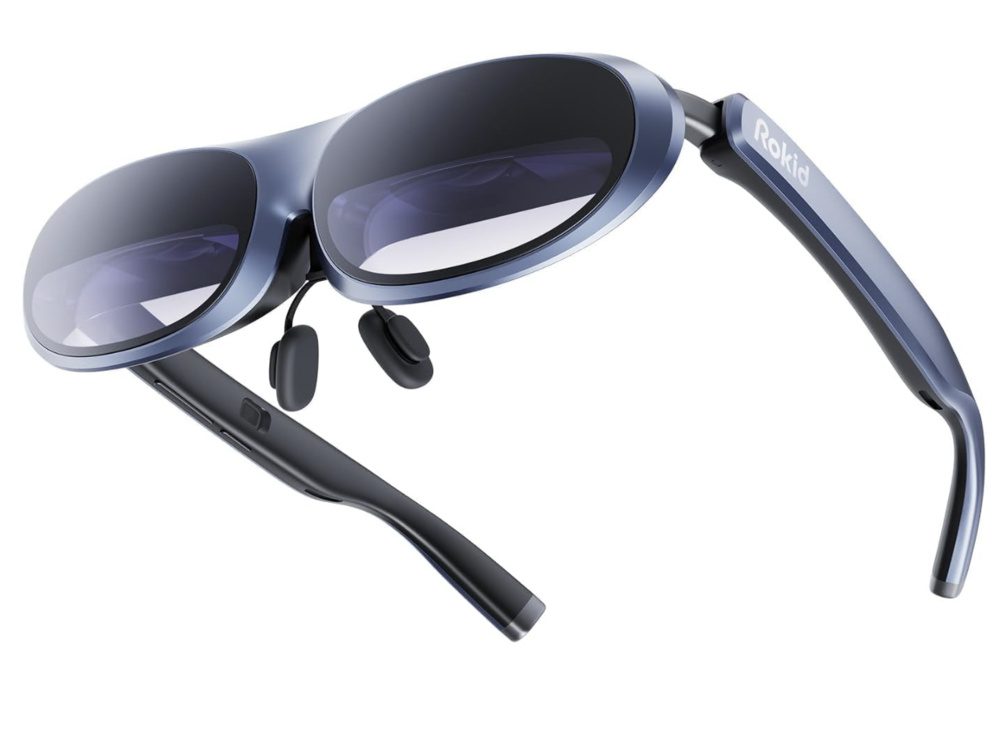
The Rokid Max AR glasses are the 360-inch immersive visual experience you need. If you want breathtaking visuals with a micro-OLED display and 600 nits of brightness, this is the pair for you. Delivering vibrant and stunning visuals, watching movies, and playing games will never be the same. It has a 50-degree field of view, which doesn’t limit your vision, and a 120Hz refresh rate to ensure smoother screen transitions.
Price: $399
2. Air 2 AR Glasses
This is another option for getting richer and sharper visuals without compromising power consumption. It’s integrated with Sony’s Next-Gen Micro-OLED display with 1080p image resolution. The Air 2 AR glasses also boast broad compatibility, ensuring the glasses pair well with iPhones, Steam Deck, PS4/PS5, Switch, Xbox Series, MacBook, iPad, and ROG Ally. Don’t worry about the fit; its nine-level face adjustment feature ensures you get ideal viewing comfort all day.
Price: $357.65
3. Viture One Lite XR Glasses
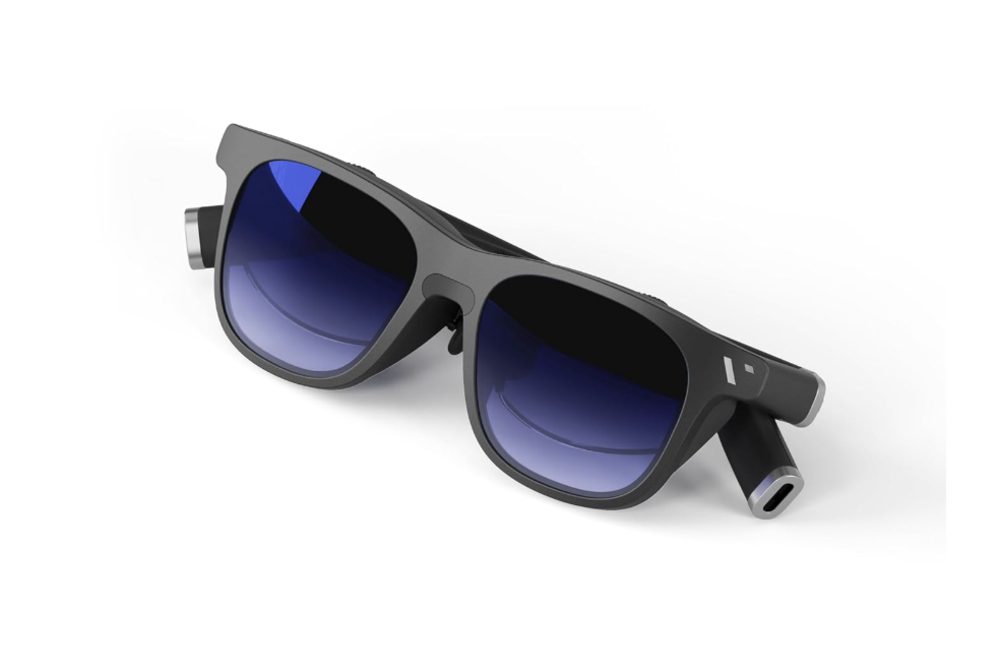
Here’s a pair of AR glasses that can virtually pair with any device with USB-C capability. It boasts top-notch audiovisual quality and offers a giant 55 PPD screen display with 1080p at 60fps. The Viture One Lite XR glasses come with a state-of-the-art reverse sound field feature spearheaded by the company HARMAN. This ensures noise leakage reduction to 30 decibels, even from eight inches away from the speakers.
Price: $349
4. TCL Rayneo Nxtwear S+ AR Glasses
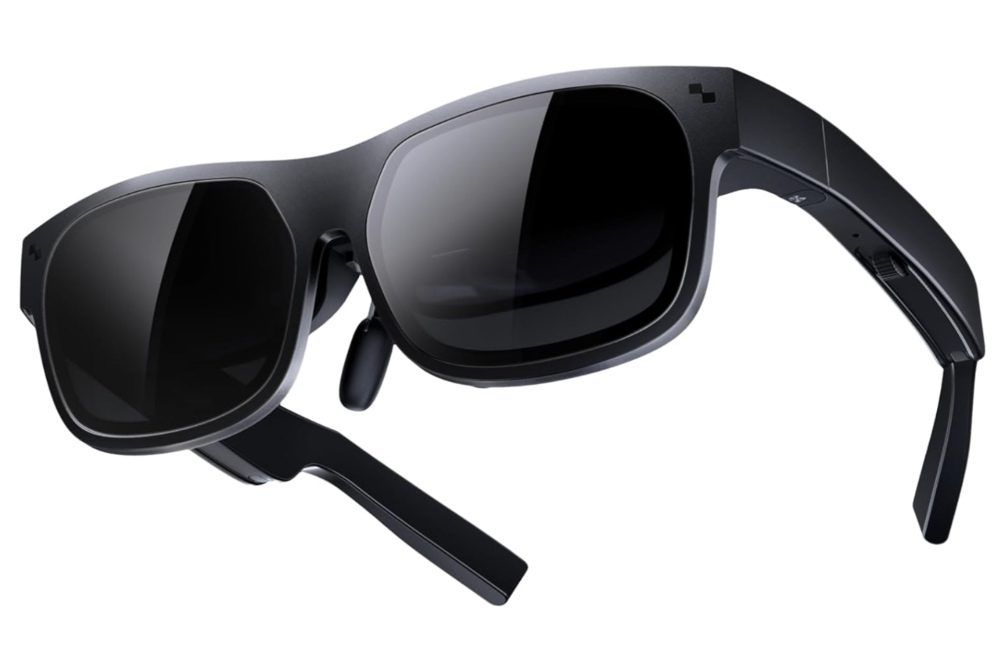
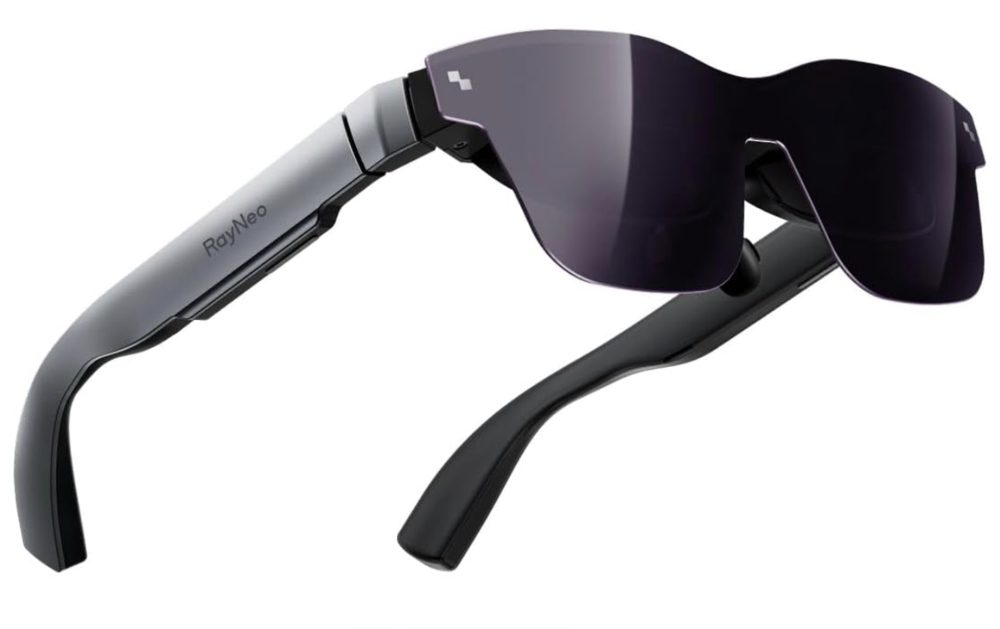
Enjoy an ultra-wide 49-degree field of view and a 215-inch screen with excellent micro-OLED displays at a six-meter distance. The TCL Rayneo Nxtwear S+ AR glasses let you switch between 2D and 3D modes with just one click. With its 120Hz refresh rate and gaming display, you’ll also enjoy seamless screen transitions. The audio quality is also superb, with Super Linear 0.5mm technology for a more robust bass sound even at maximum power.
Price: $379
5. XReal Air 2 Pro AR Glasses
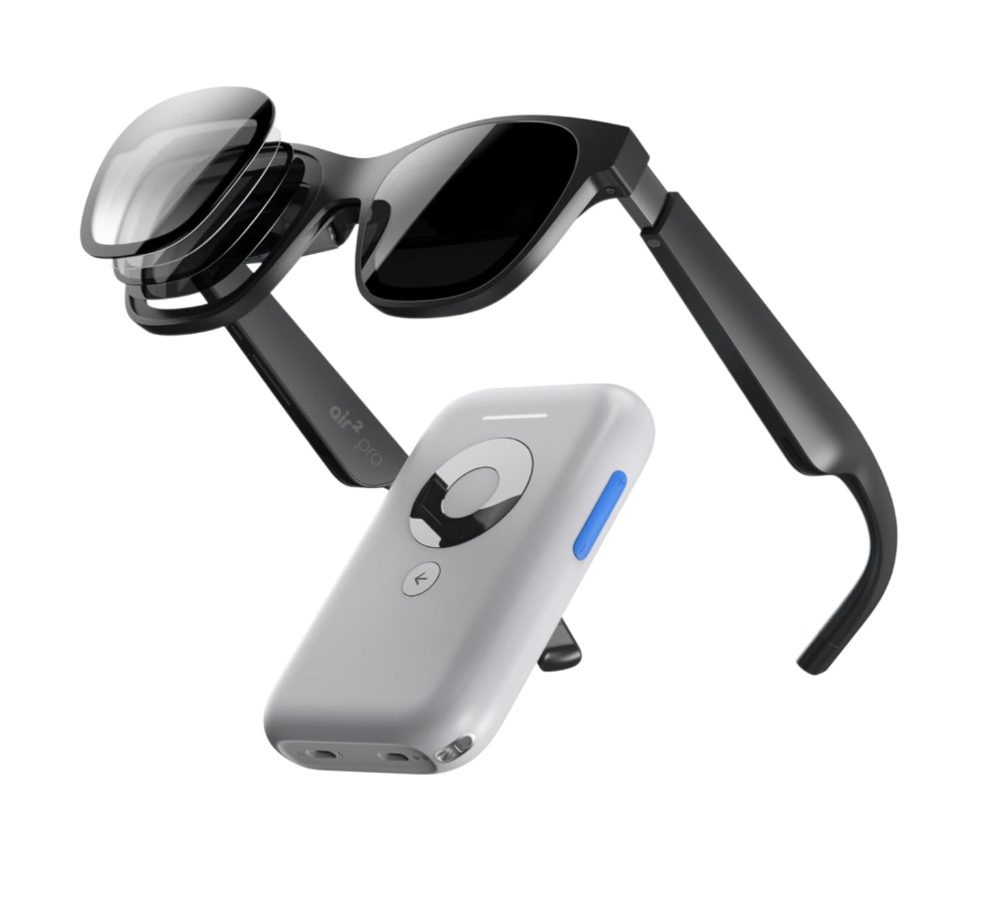
Experience immersive Spatial Display with XReal Air 2’s 3DoF technology, which allows screen adjustments in mid-air. Smooth Follow mode reduces display movement in dynamic environments. Enjoy optimal light blocking with one-touch Immersion Control featuring three Electrochromic Dimming levels. These glasses are lightweight at 75 grams and have a comfortable design, including a zero-pressure nose pad and ultra-soft temples. The Cinematic Sound System delivers rich audio with minimal sound dispersion.
Price: $549
6. Meta Quest 3 128GB
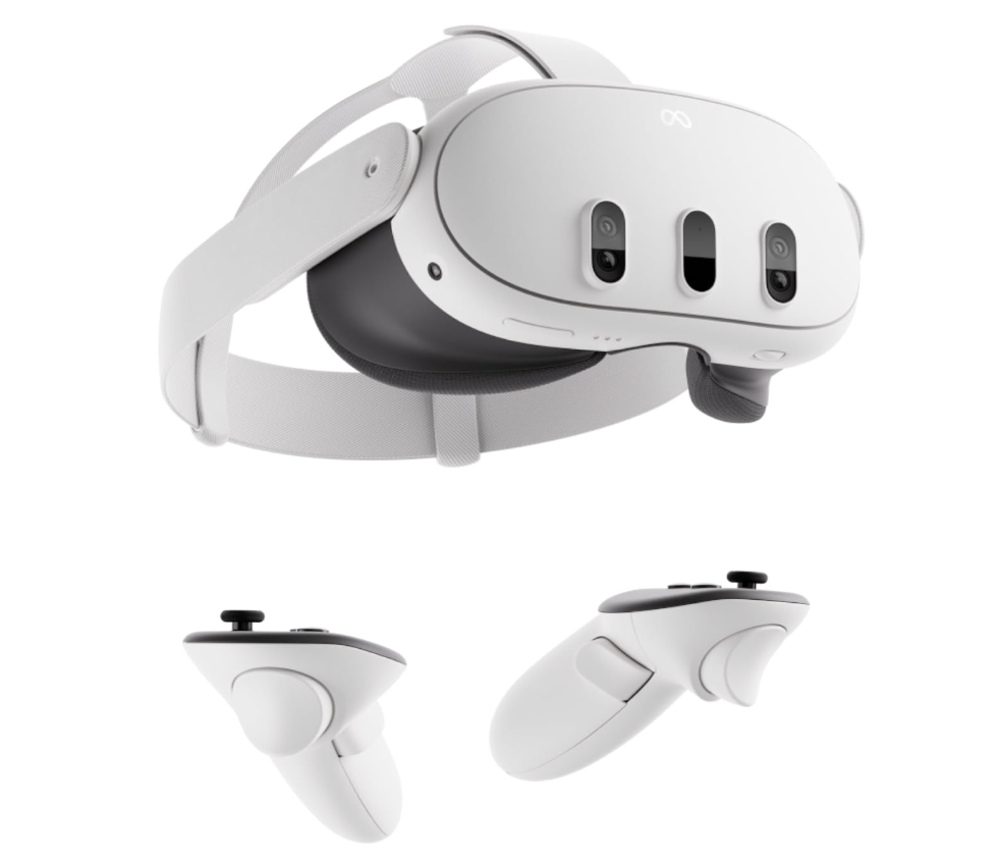
The Meta Quest 3 128GB is the most powerful Quest AR glasses yet. It features a next-level performance with twice (or more) the graphic prowess of the Quest 2. This model boasts a 4K+ Infinite Display, an improvement from Quest 2 by up to 30 percent. It also has a 40 percent increase in volume compared to its predecessor, as well as rich 3D audio with boosted sound clarity. You can have the option to extend the battery life beyond its 2.2 hours of normal usage via the Battery Saver mode.
Price: $499
7. T1 AR Audiovisual Glasses with T-Box
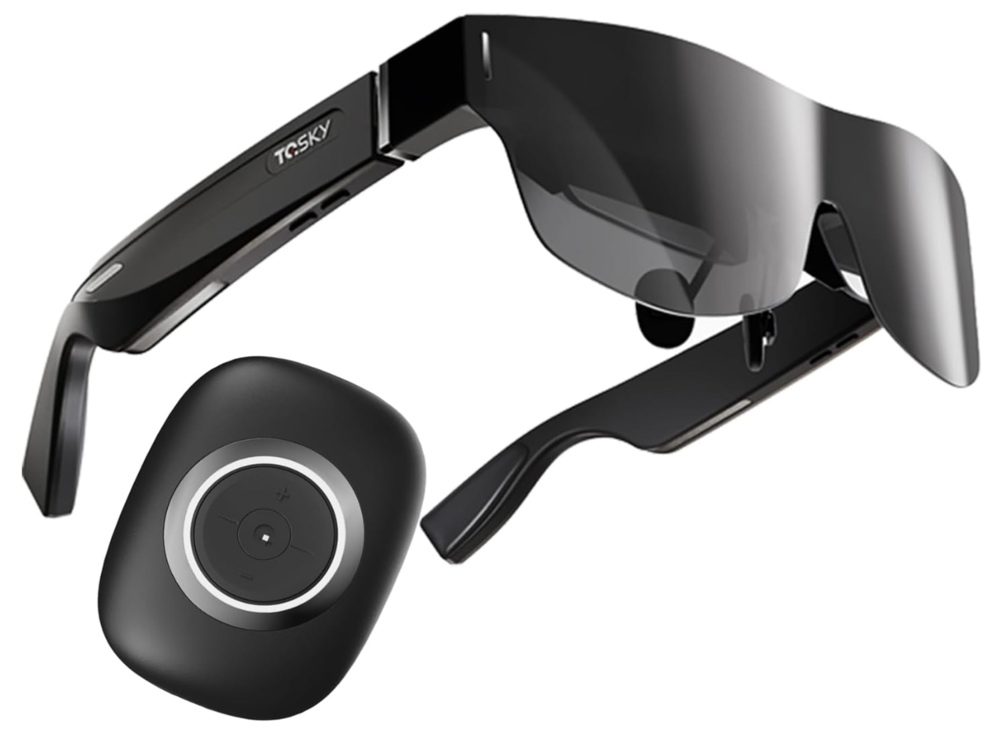
Enjoy Hi-Res Audio with T1 AR Audiovisual glasses! Using Directional Transmission of Ultrahigh Frequency Acoustic Signals, it controls the angle of sound wave propagation for lifelike audio. Dual speakers and open directional stereo deliver rich and deep sound, making you feel like you’re in the room with your favorite artist every time you press play! Unfortunately, due to High-bandwidth Digital Content Protection, T1 Smart Glasses don’t support wireless mirroring of content from Netflix, Hulu, Disney, etc. But if you don’t mind this and prefer to experience an enjoyable private cinema, this is your best bet!
Price: $549
8. Rokid AR Joy Pack AR Glasses
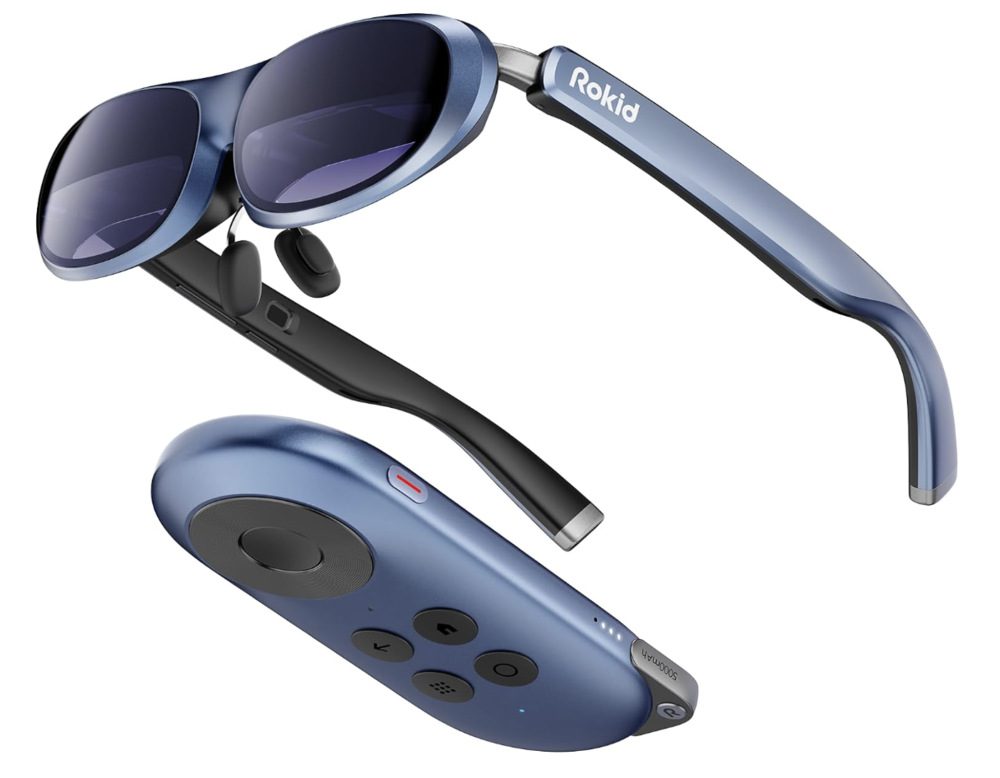
Rokid is the world’s first streaming AR and gaming glasses, which can take you to another realm through its quality display. It’s fully compatible with Android TV 12 and offers HDCP support, giving you access to millions of movies and episodes from Disney+, Hulu, Peacock, Google Play Apps, etc. With its 360-degree OLED display, you’ll enjoy watching your favorite episodes and playing your go-to games on this pair of AR glasses.
Price: $499

Wondering what to give your father, brother, or boyfriend for their upcoming birthdays? Or just thinking about what gadget to get yourself? Don’t worry about driving down to the nearest hardware or sports stores. You can definitely find one on Amazon. And don’t worry about searching as well. We’ve done the searching for you. Here are the top 10 gadgets for men you can buy from Amazon.
1. Nesting Grill Baskets

This nesting grill basket comes with a unique and removable wooden handle. It has a threaded connection to ensure secure attachment, never spilling your favorite vegetables. Plus, the handles can withstand supreme heat, allowing you to easily manage the grill. The grill is also made of food-grade 304 stainless steel, including the wire mesh. The best part is how easy to stow away this nesting grill basket, as it comes with removable handles!
Buy on Amazon
2. Multitool Pen
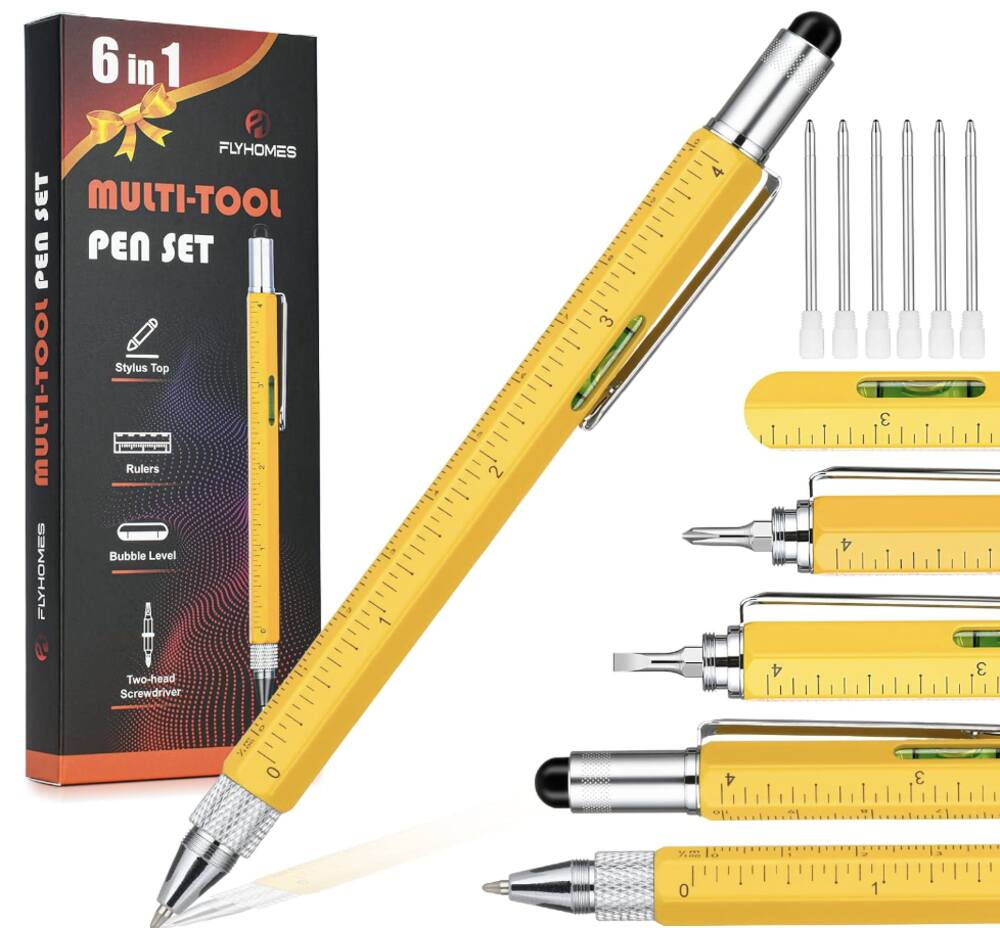
Whether buying a gift for your brother, father, son, or grandpa, you can never go wrong with this multitool pen. It’s a 6-in-1 multitool pen that comes with a bubble level, stylus pen, a ruler, a ballpoint pen, and two-headed screwdriver with a Phillips head and flathead. Of course, you’d also want to use this as a pen! It is made from durable aluminum material that offers a smooth writing experience.
Buy on Amazon
3. Multi-kitchen Gadget
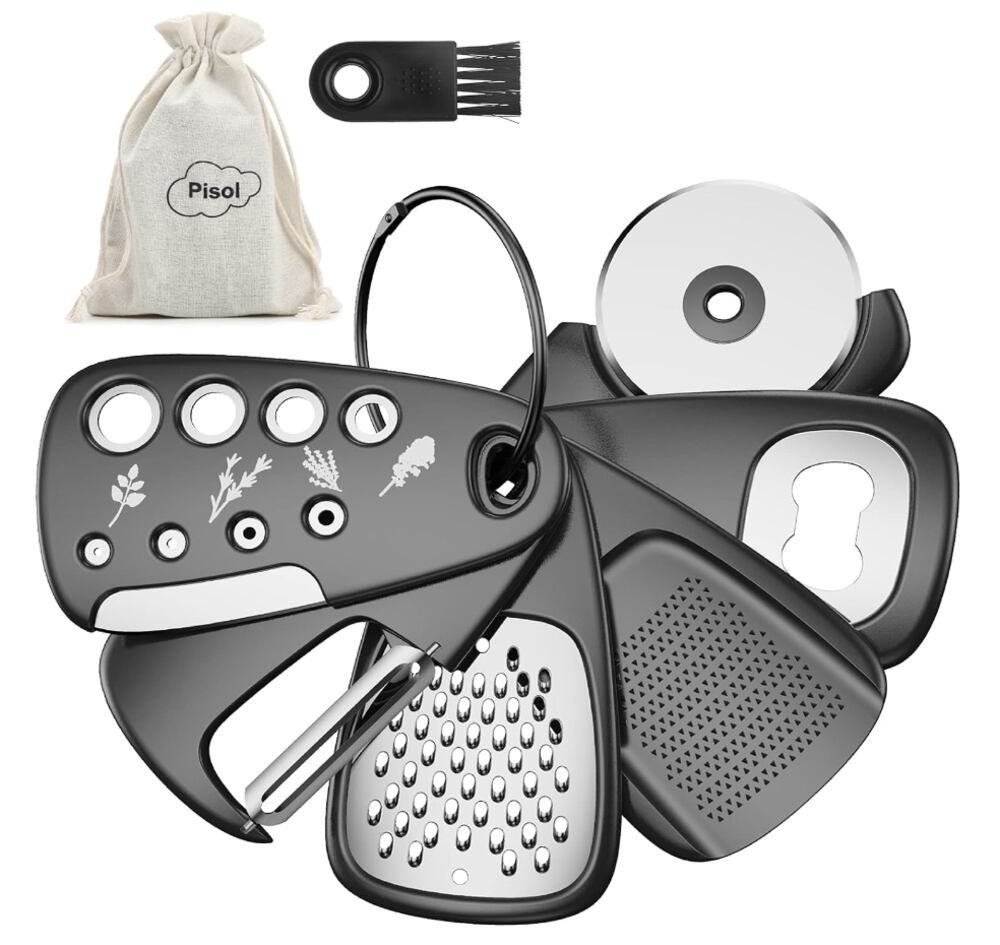
This is the multi-kitchen tool you need that comes with six useful gadgets. You’ll get a grinder, a grater, a pizza cutter, a bottle opener, a herb stipper, and a swivel peeler. Don’t be deceived by its small size as the blades are made from 410 and 430 stainless steel to ensure smooth grating, slicing, and peeling. It’s also lightweight and easy to store. You can stack the gadgets on top of each other in any order, hang it on the kitchen cupboard, or put it inside a kitchen drawer.
Buy on Amazon
4. Pepper and Salt Grinder Set

This electric pepper and salt grinder set is everything you need in the kitchen. Cooking will be much easier with this set’s sensor switch that doesn’t require pressing a button. You can simply flip the grinder and get those spices working. It also comes with multiple grinding levels, from coarse to finely-ground spices. Buying this item means you can get a 100-day replacement and money-back guarantee.
Buy on Amazon
5. Magnetic Wristband for Tools
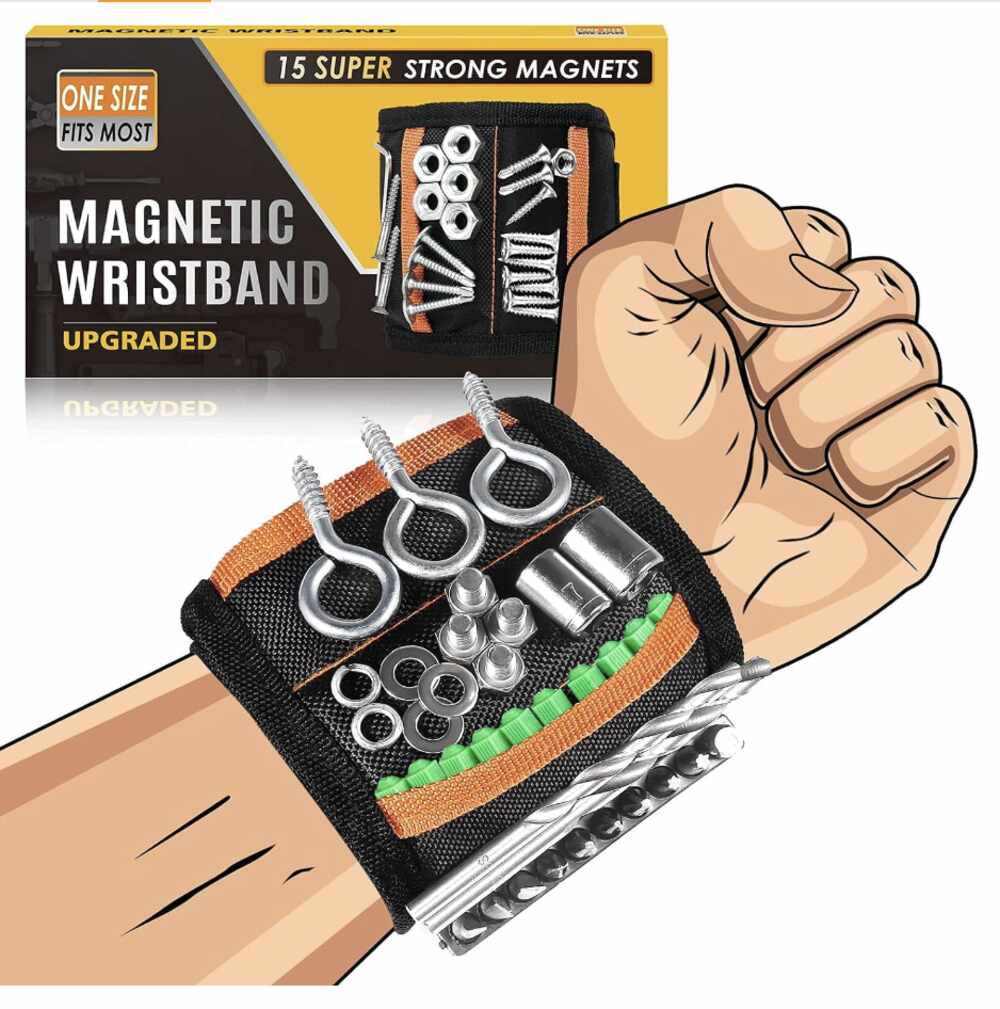
Looking for unique gifts for men? This magnetic wristband is perfect for dads, boyfriends, husbands, and handymen. Featuring 15 solid magnets and two small pockets, it securely holds screws, drill bits, and other metal tools, reducing trips to the toolbox. The adjustable Velcro ensures a snug fit for most wrist sizes. Weighing only 3 ounces, its lightweight and breathable design keeps your wrist comfortable. Ideal for DIY projects, this wristband saves time and effort by keeping essential tools within reach.
Buy on Amazon
6. Vegetable Chopper

If you’re thinking what to gift your guy friend who hates chopping veggies, this is the perfect gadget or kitchen tool. It has seven interchangeable inserts, including chopper and spiralizer blades, and it’s perfect for creating broad ribbons or thin spirals. Ideal for quick, healthy meal prep, the rust-resistant 420 stainless steel blades dice vegetables effortlessly. The soft grip handle and non-skid rubberized bottom ensure stability, while the catch tray and dishwasher-safe design make cleanup a breeze. Essential for any kitchen, this versatile tool comes with a 100% satisfaction guarantee.
Buy on Amazon
7. Wood Phone Docking Station

This multifunctional charging station and organizer is perfect for charging your phone and keeping daily essentials at hand. Made from solid ash wood with a non-toxic finish, its unique grain ensures each piece is distinct. The sturdy, polished stand fits any decor and includes wallets, glasses, watches, and more compartments. Easy to assemble, it’s compatible with all smartphones. Not only is it made from organic material, but it’s also packaged in an eco-friendly box, a perfect gift for men who are into sustainability.
Buy on Amazon
8. Nose Hair Trimmer
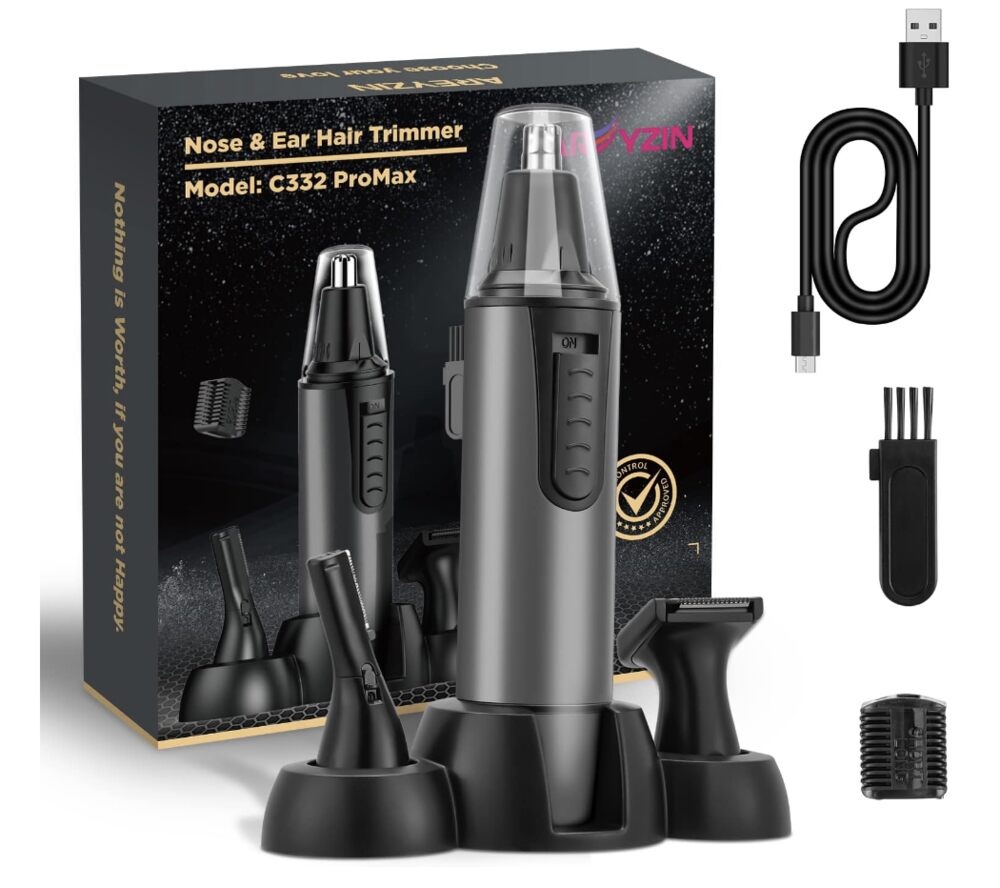
Nose hair won’t be a problem anymore if you have this nose hair trimmer at your beck and call. It’s also an excellent, easy gift for men that they’ll undoubtedly use. It’s a versatile 3-in-1 device with attachments for trimming nose hair, ear hair, eyebrows, and facial hair. Featuring a powerful 6500RPM motor and dual-edge blade, it ensures fast, painless hair removal. The USB rechargeable trimmer eliminates the need for AA batteries, offering convenience and portability. Its compact, energy-saving design is ideal for travel. Finally, IPX7 waterproof rating and removable trimmer head make cleaning easy.
Buy on Amazon
9. Keychain Screwdriver Tool

Do you frequently use a screwdriver? Then, this keychain screwdriver tool is a must-have! This key-shaped pocket tool is a 5-in-1 multi-function keychain screwdriver. It comes with a Cross and Flathead screwdriver, 8mm and 5mm Hex socket wrenches, and a bottle opener. It’s compact and versatile, ideal for tightening screws, opening bottles, and repairing various items like snowboards and bikes. Weighing only 2.3 ounces, it’s portable and perfect for outdoor activities. It’s made of durable chromium-vanadium steel, ensuring this tool will last for years!
Buy on Amazon
10. Universal Socket Tool

How about getting your male best friend this universal socket tool that makes life easier? This premium universal socket is a compact, well-constructed tool for Father’s Day and other special occasions. Its auto-adjust design fits standard 1/4” to 3/4” and metric 7 to 19 mm screws, nuts, and bolts. It also includes a 3/8″ power drill adapter for easy connection to drills and screwdrivers. Made from high-hardness chrome vanadium steel with 54 Chromoly steel pins, it adjusts to various fasteners instantly. Perfect for home maintenance and DIY enthusiasts, it comes with a satisfaction guarantee and 24-hour customer service.
Buy on Amazon

7 AR Glasses for Gaming in 2024

8 Best AR Glasses You Must Have in 2024

Top 10 Gadgets for Men 2024 on Amazon

Top 10 Affordable Gadgets for Women on Amazon

10 Best 2024 Video Games Every Gamer Will Love

Top AI Personal Assistants by Big Companies