Business
10 Practical Social Commerce Pinterest Strategies that Drive Sales

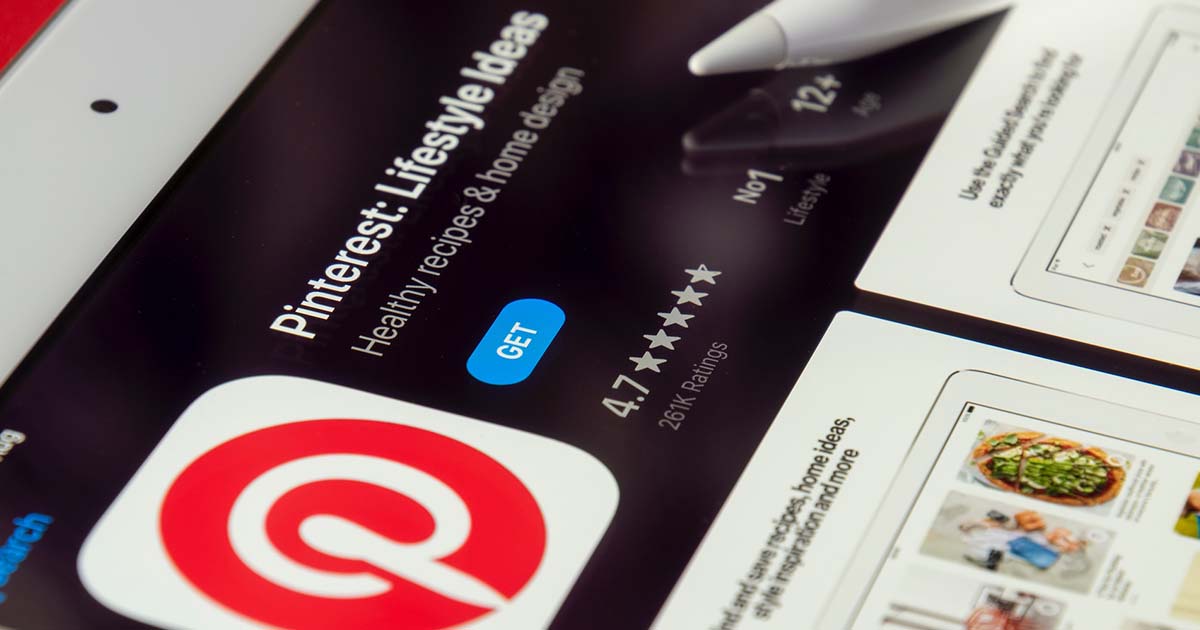
Pinterest has emerged as a leading player in social commerce among the social media platforms available. Businesses can build a strong presence on Pinterest by leveraging the platform’s many features. Learn more about social commerce Pinterest strategies that drive sales for any business.
Why Sell Products on Pinterest
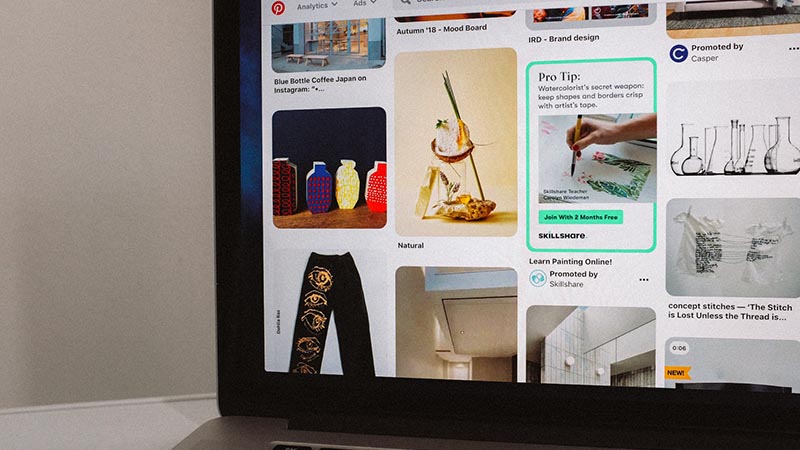
Pinterest started in 2010 as a place for women to browse and pin the latest fashion trends and home decor ideas. While women still make up the majority of Pinterest’s global audience, male and Gen Z pinners are up by 40% year over year. The platform shows impressive user growth aiming at higher sales and user engagements. Here are five reasons why you should sell on Pinterest.
- Large user base: Pinterest has 450 million monthly active users (MAUs) worldwide. That’s why it is an effective platform for businesses to showcase their products and reach potential customers.
- Visual platform: Pinterest is a prominent social media platform. Users can browse and discover products through images and videos.
- Increased traffic: Pinterest can drive traffic to your website, as each pin includes a link to the source. This can improve your website’s visibility and increase sales.
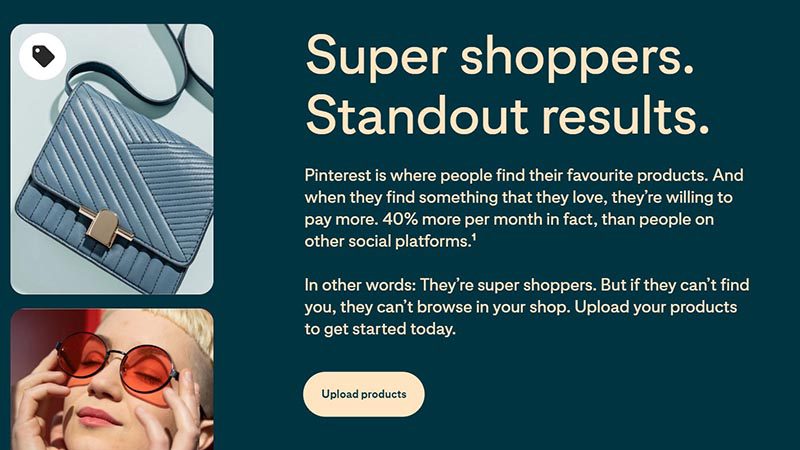
- Higher conversion rates: Based on research, Pinterest has higher conversion rates than other social media platforms. This means that there’s a higher chance that users will buy after discovering a product on Pinterest.
- Pin longevity: Pins on Pinterest have a longer lifespan than posts on other social media platforms. Your products can continue to be discovered and shared for months or even years after you first post them.
Here are a few strategies to help you succeed in utilizing Pinterest for social commerce.
1. Establish A Solid Foundation
Every business can only succeed with the proper groundwork. You have to create a Pinterest business account. This will allow you to access features such as Pinterest Analytics and Rich Pin.
2. Upload and Organize your Product Pins
To start, you should create browsable product pins for your catalog. Pinterest features multi-feed support for catalogs, allowing brands to upload their entire products in multiple product feeds using the same Pinterest Business account. It’s best to include different angles when uploading images on Pinterest. The platform allows users to take photos or use them for product searches.
3. Create Shoppable Pins
Shoppable pins allow users to purchase products directly from the pin. Ensure to include pricing, product descriptions, and a clear call-to-action to encourage users to buy. Shoppable Pins are also customized for a better mobile shopping experience.
4. Connect to Shopify
Increase brand discoverability by linking your Pinterest Business account to your Shopify store. More than 1.7 million Shopify merchants can bring their products in front of 500 million Pinterest users. The Pinterest-Shopify channel focuses more on building meaningful audiences for social commerce.
5. Track your performance
The final step is to add the Pinterest Tag to your site. Pinterest tag collects users’ behavior data and actions after seeing your ads. It offers granular insight and helps you measure your ads’ effectiveness according to shoppers’ engagement. Sellers may also utilize this data for site optimization. If you’re connecting Pinterest with Shopify, the tag will be automatically set up in your Pinterest profile.
6. Grow Brand Loyalty
Pinners are more open to new brands. Sellers should constantly work on establishing trust and loyalty with their users using Pinterest’s Verified Merchant Program. The verified merchant program (VMP) helps add credentials to sellers and build user liability.
7. Sell More with Pinterest Ads
Retailers should take advantage of the chance to advertise on Pinterest. Sellers can use Promoted Pins and targeted campaigns to reach more in-market shoppers. As a seller, you should understand how advertising works on Pinterest.
8. Create Promoted pins & targeted campaigns
Promoted Pins are similar to the organic pins merchants created for their shops. The only difference is sellers pay an amount of money so that more people will see this product pin in a given time. Promoted Pins help business owners grow brand awareness, promote products, and drive traffic to the official website. This differs from Buyable Pins, allowing customers to complete a purchase without leaving the platform.
Ad campaigns may vary based on your business goals. Sellers should run engagement campaigns to interact with shoppers at their consideration stage. For sales-oriented purposes, merchants can fixate on ready-to-buy shoppers and return them to the official website to complete an order. Research shows that weekly Pinners are 1.25x more likely to purchase multiple items. You can also re-engage with shoppers using Promoted Pins based on their browsing or cart history.
9. Utilize Mobile Ad Tools
Companies can raise brand awareness and reach new customers more cost-effectively using automatic bidding. When you turn on this feature, Pinterest will dynamically adjust your bids to maximize the number of conversions within your desired budget. Sellers need to use their mobile phones to set up the daily budget for the campaign, fill out billing information, and then publish the ad.
Business owners can even monitor ad metrics anytime from their mobile phones. Sellers can make quick modifications based on ad spend and clicks to achieve cost-effectiveness. Other features like multi-user access, campaign duplication, and reporting are all accessible within the Mobile ad tools.
10. Collaborate with Influencers
Establish partnerships with influencers in your niche to promote your products on their boards. It can also help reach a wider audience. Collaborating with influencers on Pinterest can effectively build trust and encourage more users to purchase your products.
Conclusion
Pinterest allows businesses to connect with millions of users and increase their online visibility. Companies can leverage the power of Pinterest to drive sales through these social commerce Pinterest strategies. It’s important to understand the unique audience and culture of Pinterest. From there, businesses can tailor their marketing efforts accordingly. With the right approach, Pinterest can become a valuable asset in any social commerce strategy.


Just when you thought the drama surrounding TikTok couldn’t get any juicier, the US government drops a bombshell. Just days ago, President Biden signed a bill that could ban TikTok across the entire country.
TikTok has been asked to find a “new, non-Chinese owner” within the next 9 months according to CNN. The company is within its rights to comply (which will be tough) or file a lawsuit. Unsurprisingly, TikTok’s parent company ByteDance is already leaning toward the latter, announcing it’s ready for a legal battle.
With over 170 million Americans entrenched in the app, the prospect of its sudden disappearance sparks more questions than answers. What does a “ban” actually entail? For one, it doesn’t mean you’ll face legal action as an individual who still uses TikTok. And it doesn’t mean the app will magically vanish if you already have it downloaded.
Instead, the ban threatens to remove TikTok from Apple and Google’s app stores, which means no more updates, security patches, or bug fixes. This could pose a security risk to TikTok’s loyal user base.
But fear not, social media enthusiasts, because while the chaos unfolds, brands and influencers can use this time to get clear on their strategy. While the rest of the digital world is losing its mind, you can set your brand up to thrive like never before.
Enter Penji: Your Secret Weapon for Social Media Domination
It’s hard to stay relevant and have an effective social media strategy when things are so volatile in the digital world. But that’s only really true if you’re working alone.
Particularly for marketing, design, branding, and social media agencies, getting help from professionals is crucial. You likely need copywriters, marketers, designers, and coders as the bare minimum.
So who’s Penji.. and who cares?
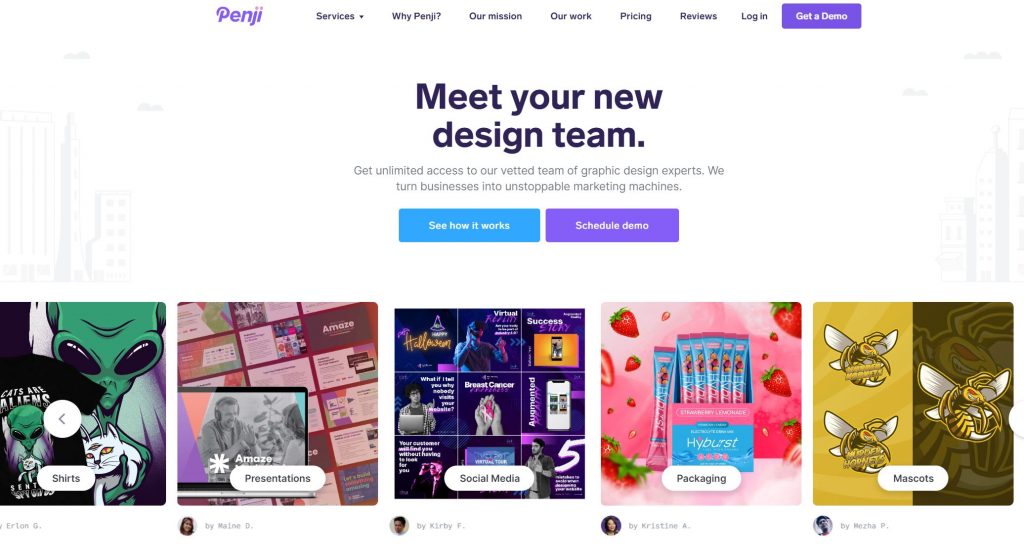
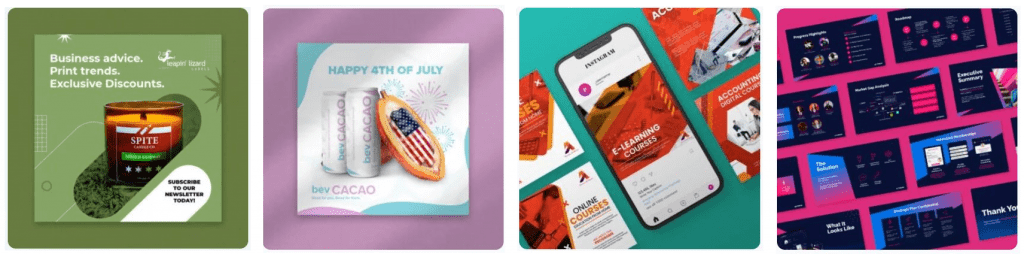
You could say Penji is an ‘all-in-one chaos solution’ for brands with lots to do and little time to do it. They’re a design team that creates the visual assets that power numerous brands year-round. Penji can create custom:
- Ad designs
- Organic social posts
- Custom illustrations
- Logos & branding
- Blog graphics
- Infographics
- Email templates
- Landing pages
- Web & app designs
- And more
If you can name it, Penji can probably design it. Brands are getting crazy results. For example:
RevenueZen saw a 25% increase in customer engagement and a 20% boost in sales after partnering with Penji for their new website.
Rush Order Tees upped their productivity by 2200% with the help of just 5 Penji designers who mastered their brand visuals.
How does it work?
Penji is an unlimited graphic design service, which means they don’t put limits on how many designs you can get each month. You pay a flat monthly fee and request any designs, anytime. There’s no contract, so you can cancel or pause anytime too.
Step 1: Create a Project: Go to Penji’s dashboard and select “Create a Project.” Choose a category (eg. logo) and provide all the details your designer needs to knock it out of the park.
Step 2: Get Matched Right Away: Once you’ve submitted your design brief, you’ll be matched with a pro designer via our AI matching system. From here, just sit back and relax.
Step 3: Review & Give Feedback: Within 24 to 48 hours, you’ll receive the first draft of your design. Provide point-and-click feedback directly on a project, and the designer will make revisions until you’re completely satisfied. There’s no limit to revisions, and you can swap designers if you don’t like the direction.
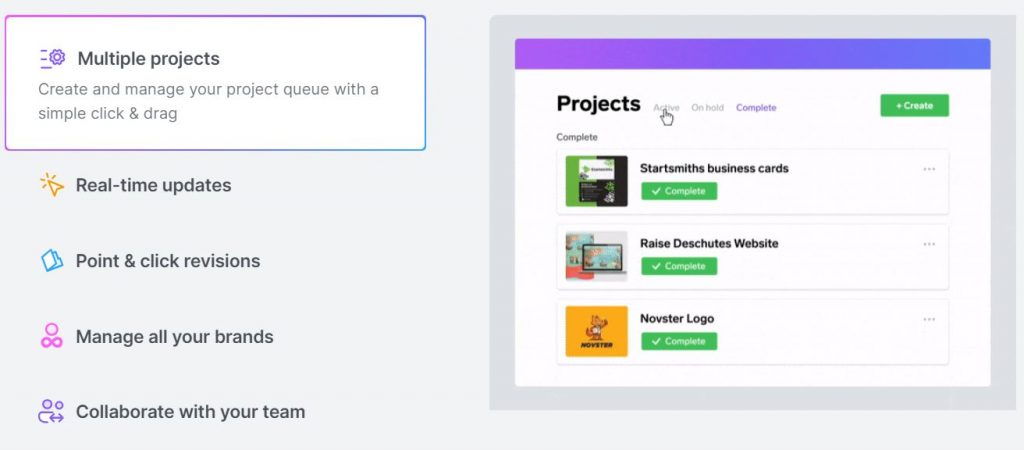
Step 4: Mark as Complete and Download: Once you’re happy with a project, simply mark it as complete. You can then download the files directly from the Penji platform, no need for external links or emails. Your files are securely stored in the cloud, ensuring easy access whenever you need them.
Not only can you communicate directly with your designers, but also creative assistants, project managers, or art directors depending on which plan you choose.
Never Hire an Unreliable Designer Again
For brands dealing with vetting and hiring headaches, Penji offers a hassle-free alternative. By eliminating the need for constant hiring/firing and payroll management, brands can bypass the headaches associated with maintaining a freelance (or in-house) team. Instead, you can tap into Penji’s pool of vetted creative talent, handpicked to meet the demands of even the pickiest clients.
Retain More Customers with a Bulletproof Brand Identity
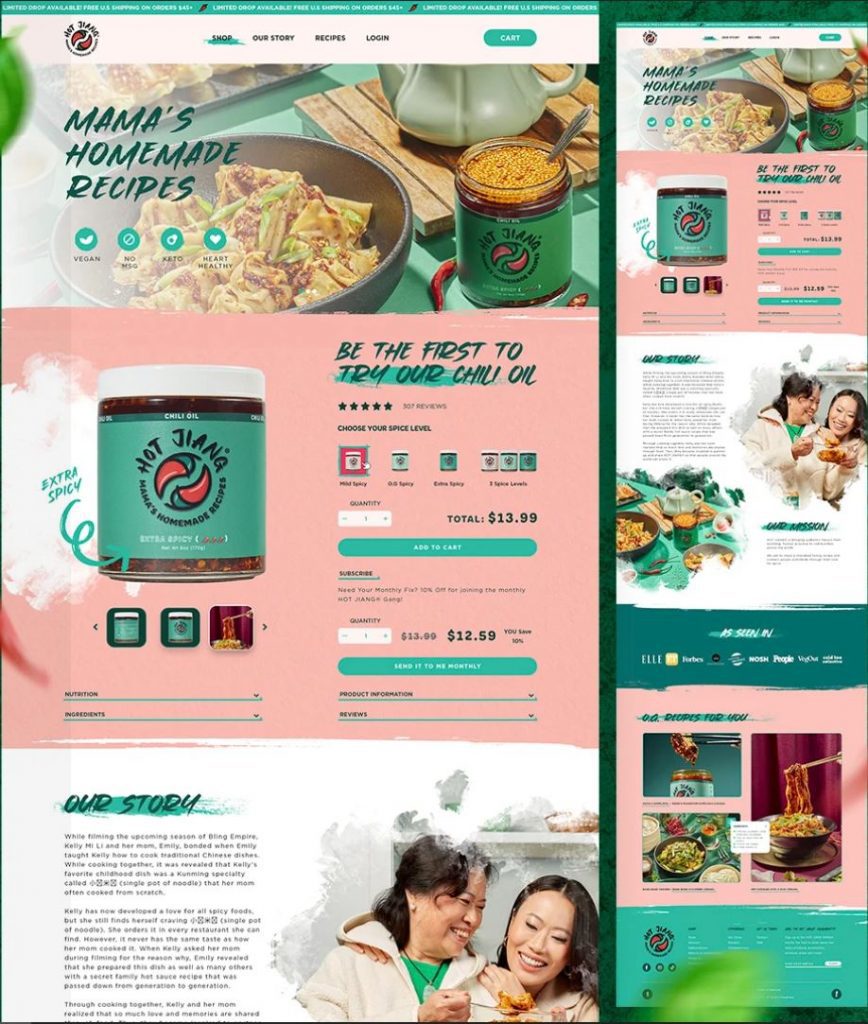
Customer retention is another area where Penji helps businesses shine. By providing on-brand, consistent quality across every project, you’ll build trust and loyalty with your clients. With a dedicated team of creatives, project coordinators, and quality control experts, Penji ensures you put your best foot forward at every touchpoint. That means your customers won’t hesitate to pick you over a competitor – the design does the convincing.
The bottom line? With costs roughly 70% lower than hiring in-house designers, Penji offers a cost-effective solution without skimping on quality or speed. You’ll boost your production rates drastically for a fraction of what you’re used to spending.
So don’t let the TikTok ban scare you away from focusing on social media growth. Partner with a design team that just gets you – and your social media strategy will start running like clockwork.
Ready to Win at Social Media?
If your interest is peaked and you’re ready to power your social media channels with more ease than ever, watch a quick demo to see how you can get all the designs you need in one place.

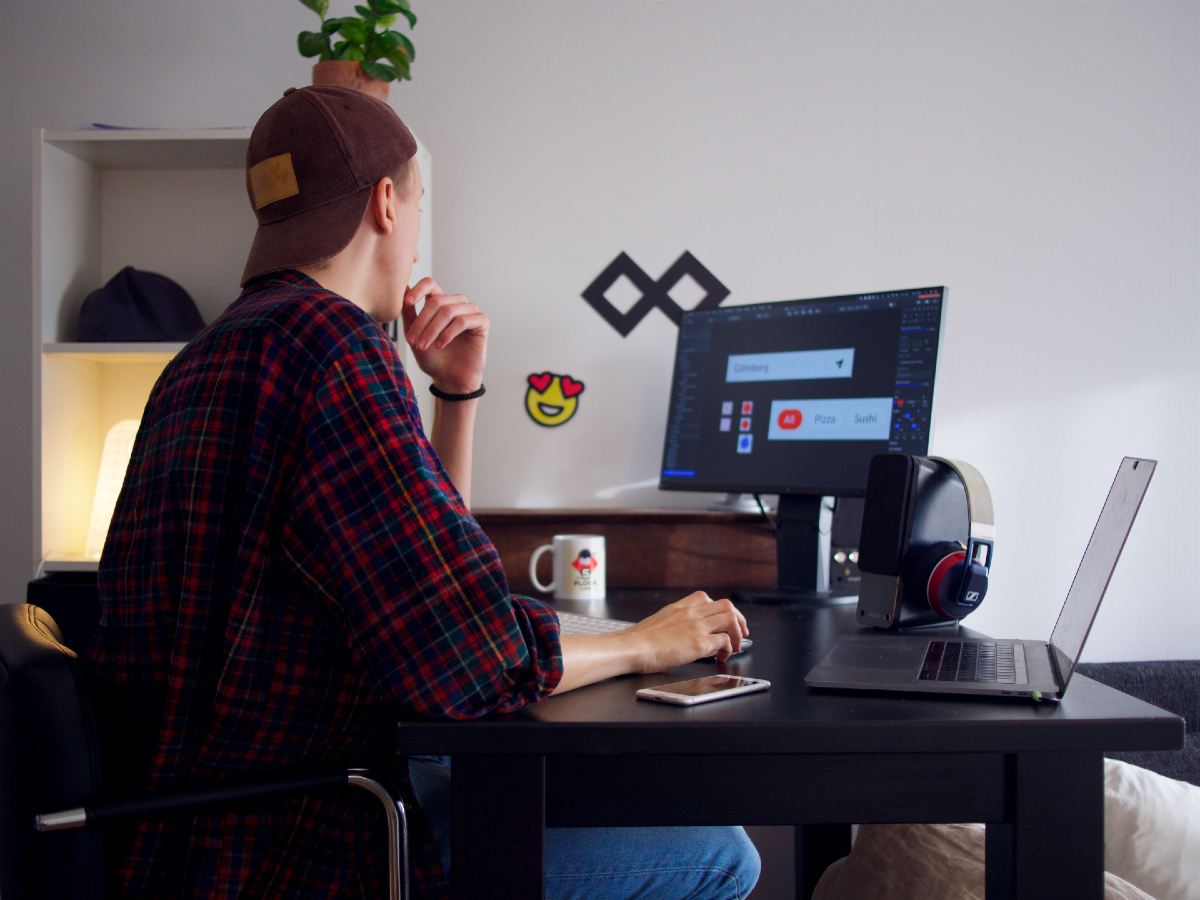
Due to the increased demand for affordable graphic design, various unlimited graphic design services has been popping up online. The graphic design industry expanded, offering more options to clients.
We can say that the scene is more competitive now than ever. However, let’s focus on Graphics Zoo for this article. We weigh in on if their services can keep up with the fierce competition in the “unlimited” section of the industry.
What is Graphics Zoo?
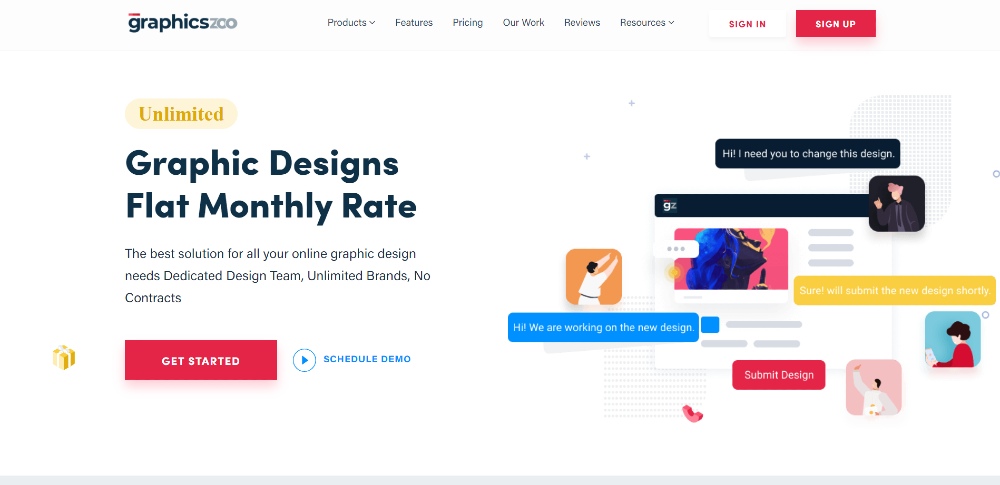
Graphics Zoo is an unlimited graphic design service that allows users to request designs on a monthly subscription. All clients have to do is create a submission with full specifications of their design requirements.
It’s also best to attach references to help designers take the creative path towards the client’s preferences. The great thing about an online graphic design service is its flat monthly rate, with no added fees for revisions.
Graphics Zoo Business Model
Unlimited graphic design is a type of business model which allows clients to submit numerous requests per account. After presenting the design preference, expect a 24-hour turnaround or more before you can receive your output. If you receive a design output that’s far from expectations, you can point out the changes you want to make for the revision. Graphics Zoo has a flat monthly rate with no contracts involved. It means you can cancel your subscription anytime without having any legal worries.
You might also like: Design Pickle VS Penji Review
Graphics Zoo’s Market
The design service is excellent for startups, bloggers, and entrepreneurs. As long as the business needs a continuous supply of custom graphic design, Graphics Zoo is worth a shot. Here are a few examples of companies that worked with Graphics Zoo:
- Enicode
- Bread of Life Inc.
- Western Rockies Federal Credit Union
- Perfect Imprints
- Green Guard
According to their website, Graphics Zoo has more than 750 satisfied customers with at least 50,000 approved projects. It’s also highly rated by their customers, earning whopping 4.9-star reviews.
Pros and Cons of Graphics Zoo
Graphics Zoo Pros
- PROOF management system
Graphics Zoo offers a robust system that provides a collaborative space for designers and clients. It streamlines the whole submission and revision process. Using the tool, the clients can click on any submitted designs to pinpoint areas that need revision. It also allows users to leave a comment to provide more instructions to the designer.
- Graphics Zoo offers a stellar project management system that allows efficient communication between both parties.
- Brand profile features add accuracy and efficiency per design project. It quickly provides the design’s purpose to designers.
- Graphics Zoo offers a comprehensive design selection across various graphic design categories.
- The ability to share one account among multiple users is helpful for most businesses.
- Excellent customer support and design project management system
- A team of versatile designers that can provide designs for any business types
Graphics Zoo Cons
- It’s possible to encounter ill-paired designers that are not fit for other project requirements. It might consume time because of countless revisions.
- You can only have one ongoing project per day. So if you’re a business with a high design output demand, you should opt for a plan with more designers.
- Graphics Zoo’s system only allows you to chat with the designers. If you’re more inclined to video calls, it might be a problem for you.
Graphics Zoo’s Pricing Plan
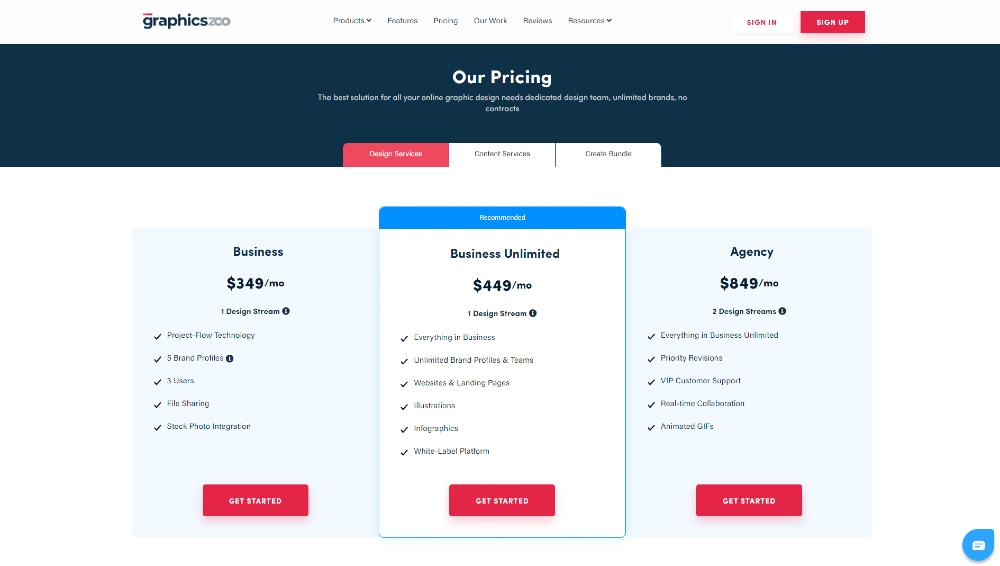
Graphics Zoo offers three monthly plans with robust features:
Business Plan
- $349 per month
- All basic features
- One dedicated designer
- Additional $349 for additional designer
- Five brand profiles
- Three users
- 14-day guarantee
Business Unlimited Plan
- $449 per month
- Everything included in the business plan
- Unlimited brand profiles
- Unlimited users
- White-label platforms
- Customized web design service
- 14-day guarantee
Agency Plan
- $849 per month
- Everything included in previous plans
- Two dedicated designer
- 30-day guarantee
- When starting a project with GraphicsZoo, making the most of their streamlined and user-friendly platform is crucial. Here are some key strategies for a successful collaboration:
- Use Slack for direct communication with your designer. This allows for instant feedback and praise, ensuring clear and efficient revisions or approvals.
- Prioritize clear and detailed communication. Never assume your designer has implicit understanding of your needs. Be explicit in your project briefs, and don’t hesitate to share comprehensive information about your brand and objectives.
- Remember, effective communication is as vital with your design team as it is in any other part of your business. The clarity and detail of your interactions can significantly influence whether the final design meets your expectations or falls short.
- By following these guidelines, you can foster a more productive and satisfying partnership with GraphicsZoo, leading to designs that perfectly embody your vision.
Tips for GraphicsZoo Users
When starting a project with GraphicsZoo, making the most of their streamlined and user-friendly platform is crucial. Here are some key strategies for a successful collaboration:
- Use Slack for direct communication with your designer. This allows for instant feedback, ensuring clear and efficient revisions.
- Prioritize clear and detailed communication. Never assume your designer has implicit understanding of your needs. Be explicit in your project briefs, and don’t hesitate to share comprehensive information about your brand and objectives.
Other Unlimited Graphic Design Companies
If you’re looking for more options with a similar business model as Graphics Zoo, we did the work for you. Here is our full list of unlimited graphic design services.

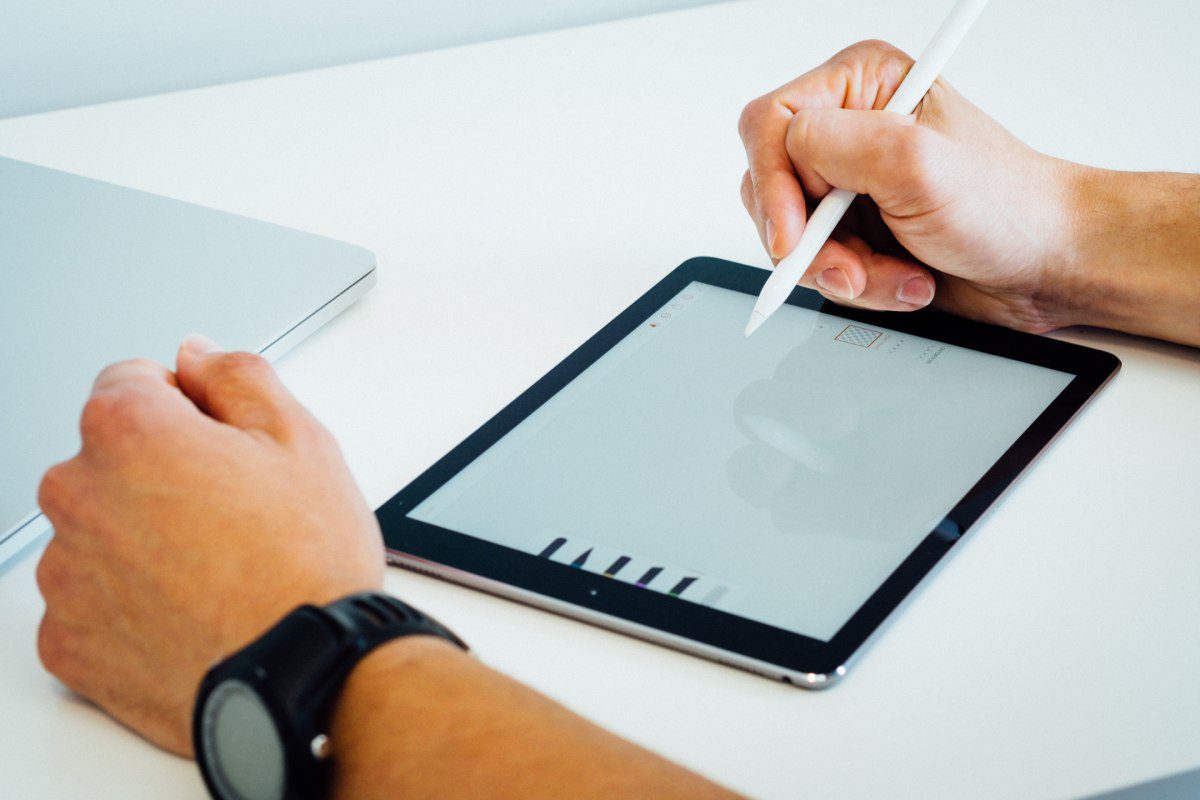
Investing in the best graphic design partner to help you fulfill your graphic design goals for multiple reasons, like branding, marketing, and advertising, is important. As such, you want a trusted design service to collaborate with and help you with your graphic design work. You don’t have to look further because we list the top five highest-rated design services!
Before we list them, know our criteria when choosing the top five.
- The design service should have over 100+ reviews combined on various review sites, like G2, Trustpilot, Google, Product Hunt, and Facebook.
- It should cover various design work, such as logos, marketing assets, web designs, and more.
1. Penji
Average rating range: 4.7 to 4.8
One of the most trusted design services by big brands and agencies is Penji. Over 25,000 brands and agencies trust the company for design work!
The unlimited graphic design service has a dedicated Agency plan to streamline design production. Agencies rely on Penji to help them manage various client projects. Plus, they can access motion designs, work with an art director and Figma web designer, and have unlimited storage space and users.
Agencies that have worked with Penji say they are the ideal design partner and are responsive to questions and projects. Plus, Penji has helped agencies meet deadlines because of the turnaround times.
Similarly, big brands can leverage the Agency plan to double their output. But the Marketing and Starter plans are available to help you with branding, illustrations, ad creatives, web designs, and presentation designs! Uber, Lyft, and Best Buy have partnered with Penji for their graphic design work!
Read our review of Penji here and get 25% off when you subscribe to the unlimited graphic design service!
Pricing:
- Starter – $499/mo
- Marketer – $995/mo
- Agency – $1497/mo
2. Flocksy
Average rating range: 4.6 to 4.8
Flocksy is another agency favorite since the design service offers various creative solutions. However, agencies and big brands can benefit from requesting over 70+ designs in one subscription for graphic design work.
Agencies and big brands can choose between the Gold and Platinum plans, depending on how fast they want to receive the output or how many projects a creative should work on in a day. Regardless of your agency or brand’s plans, you’ll also get copywriting and custom illustrations. However, the higher the plans, you can get video editing, voice-over and audio, motion graphics, and logo and branding guides.
Agencies that have worked with Flocksy say that they can finally delegate design work to designers. Plus, Flocksy helps them scale their agency.
The design service has helped clients since 2016, including big brands like American Airlines, Harley-Davidson, and State Farm!
Pricing:
- Silver – $499/mo
- Gold – $995/mo
- Platinum – $1695/mo
3. ManyPixels
Average rating range: 4.4 to 5.0
Another trusted design service is ManyPixels. The design service has served over 3,000 clients and completed over 150,000 designs! ManyPixels has worked alongside Teachable, Buffer, and Decathlon to help with design work.
Agencies and big brands can benefit from the Business and Designated Designer Plans. The Business plan doubles the output but has a 1 to 2-day delivery. Meanwhile, the Designated Designer plan allows you to collaborate with a designer in real time. Additionally, motion graphic design is available in this plan. Plus, they promise same-day delivery, too!
Some agencies prefer ManyPixels because they offer more affordable rates than in-house designers with the same or twice the output.
Pricing:
- Advanced – $549/mo
- Business – $899/mo
- Designated Designer – $1,199/mo
4. Kimp
Average rating range: 4.1 to 4.9
If you need video editing work on top of graphic designs, Kimp should be one of your top design service choices. However, if graphic design is your only need, you can get the most out of Kimp’s Graphics plan. Unlike other design services, Kimp doesn’t have a same-day turnaround time. But, the Graphics plan includes all graphic designs you can think of.
Kimp specifically has agencies in mind. That said, their agency partners believe that Kimp is an extension of their company and helps them get back on track.
Universal Music, Decathlon, and Single Grain have become their partner brands to help them with designs or videos.
Pricing:
- Graphics – $599/mo
- Graphics + Video – $995/mo
5. Design Pickle
Average rating range: 4.1 to 4.7
Last but certainly not least is Design Pickle. Agencies and brands have three plans to choose from when receiving graphics from Design Pickle. However, they can take advantage of the Graphics Premium plan, allowing them access to graphic design, illustrations, presentations, and motion graphics. They promise same-day turnaround times, but complex projects could be delivered the next day. Additionally, agencies and brands can talk with Design Pickle in real time through Slack.
Agencies say that working with Design Pickle helped them deliver their work timely. Plus, they believe the plans are more affordable than hiring a freelancer or an in-house one. As for brands, Design Pickle has worked with 7-11, Yahoo!, and Amazon for design work!
Pricing:
- Graphics – $649/mo
- Graphics Pro – $1249/mo
- Graphics Premium – $1949/mo
What Makes Unlimited Graphic Design Services the Top Choices?
Our top five list has one thing in common. They’re all unlimited graphic design services.
They are cost-effective solutions, providing one flat rate for all design work. You don’t have to pay hourly or per project! Additionally, you can consider graphic design services as an extension of your creative team or business! You don’t need to hire employees anymore, too. Unlimited graphic design services have a rigorous vetting process, hiring only the cream of the crop.
Some offer a risk-free trial or money-back guarantee, allowing you to try them before fully committing. You can also scale your business through various subscription plans. Moreover, you can cancel your subscription anytime! Plus, you don’t have to worry about paying for revisions since they have unlimited revisions!
Finally, you don’t have to worry about freelancers submitting their work late since graphic design services guarantee a 1 to 2-day or same-day turnaround time! Plus, graphic design services hire project managers or art directors to check designer work before submitting it to you!
Why Choose Graphic Design Services?
Graphic design services are a much more affordable and cost-effective solution. Here are reasons why you should choose graphic design services.
1. Saves You Time
Hiring freelancers takes days, even weeks to decide on the ideal employee to take on your design projects. You can save time by finding a graphic design service like an agency or subscribing to an unlimited graphic design service. These services have already done the vetting, which helps you cut the time needed to hire a freelancer. Plus, graphic design services have teams of designers on board, allowing you to change designers anytime when needed.
2. Choose Bundles or Subscribe to Plans
You can also save money by choosing a graphic design service instead of hiring freelancers. Some graphic design services offer packages or bundles to help you save money on branding or social media. Other graphic design services like the subscription model let you subscribe to plans and request multiple designs for a flat monthly fee! Plus, this model has unlimited revisions built into the plan. This means you don’t have to pay extra for revisions!
3. Partner with Reliable and Professional Designers
Since graphic design services do the hiring process, they ensure that designers working for them are reliable. Some freelancers have a bad reputation when working with clients. Graphic design services guarantee that you’ll communicate and work with amazing designers during your subscription or when your project has finished.
What Designs You Can Expect from Unlimited Graphic Design Services?
- Logos
- Business cards
- Web and app designs
- Presentation designs
- Marketing materials
- Marketing designs
- Digital ads
- Billboards
- Magazines
- Packaging
- Merchandise
- Illustrations

TikTok Is Toast: Get the Secret Weapon Brands are Using to Power Through

Can AI Chatbots Become Your Therapist?

BedStory® 12 Inch Memory Foam Hybrid Mattress

VSETT 9+ Electric Scooter Review (2024)

Ataman M2R Bullpup Air Gun Review

6 Top Adventure Travel Destinations

Roborock S8 Robot Cleaner 2024 Review
VSETT 9+ Electric Scooter Review (2024)
BedStory® 12 Inch Memory Foam Hybrid Mattress
Ataman M2R Bullpup Air Gun Review
Can AI Chatbots Become Your Therapist?