Business
Social Media Statistics That Matter to Marketers in 2021


Marketers rely on current social media statistics and trends to guide their campaigns and other social media-related activities. But which social media statistics would matter for 2021? We list the relevant social media statistics that will help you with your goals and marketing efforts.
Social Media Users
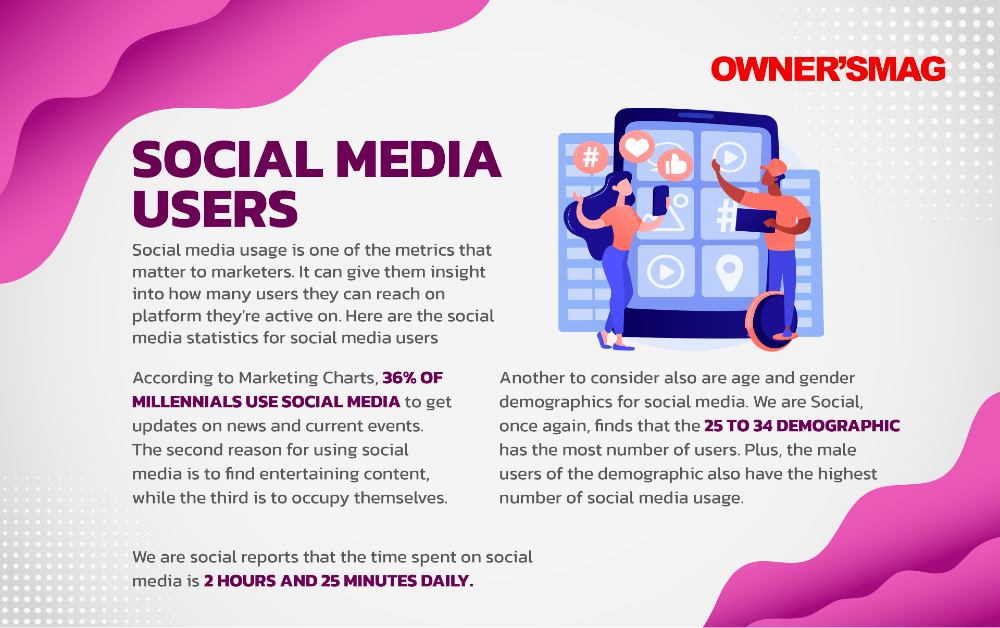
Social media usage is one of the metrics that matter to marketers. It can give them insight into how many users they can reach on platforms they’re active on. Here are the social media statistics for social media users.
1. Statista finds that the active number of users on social media is 4.2 billion. Plus, Facebook is the most used social media platform. Their figures have reached billions, as compared to other social media platforms.
2. According to Marketing Charts, 36% of millennials use social media to get updates on news and current events. The second reason for using social media is to find entertaining content, while the third is to occupy themselves.
3. We Are Social reports that the time spent on social media is 2 hours and 25 minutes daily.
4. Another to consider also are age and gender demographics for social media. We Are Social, once again, finds that the 25 to 34 demographic has the most number of users. Plus, the male users of the demographic also have the highest number of social media usage.
Social Media Platforms
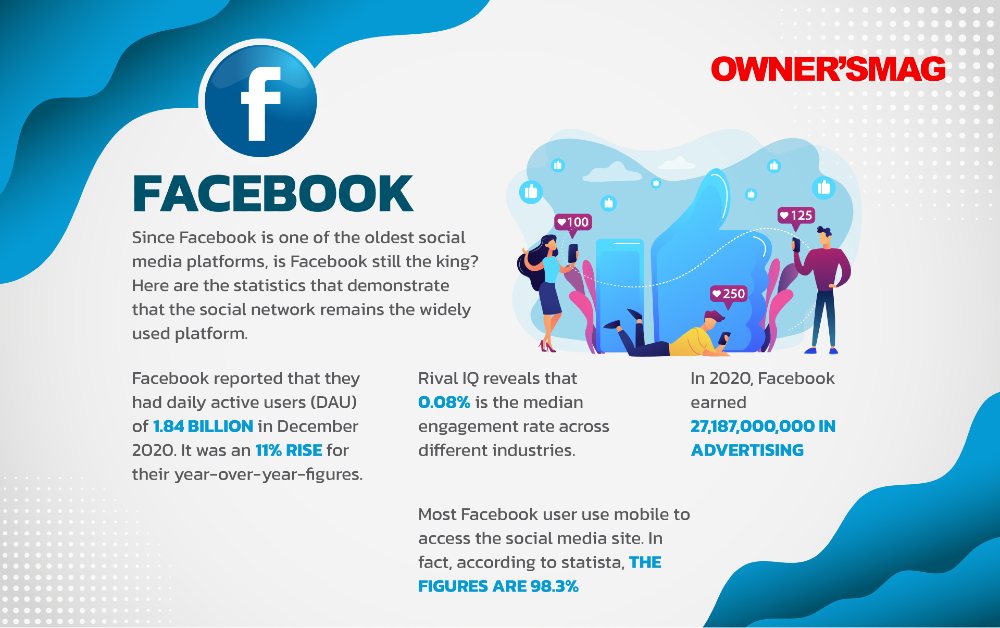
Since Facebook is one of the oldest social media platforms, is Facebook still the king? Here are the statistics that demonstrate that the social network remains the widely used platform.
5. Facebook reported that they had daily active users (DAU) of 1.84 billion in December 2020. It was an 11% rise for their year-over-year figures.
6. Rival IQ reveals that 0.08% is the median engagement rate across different industries.
7. In 2020, Facebook earned 27,187,000,000 in advertising.
8. Most Facebook users use mobile to access the social media site. In fact, according to Statista, the figures are 98.3%.
9. Facebook revealed that they have 10 million active advertisers on the platform. Most of which are small and medium businesses.
10. Statista also finds that social media marketers used links as the number one content type on Facebook.
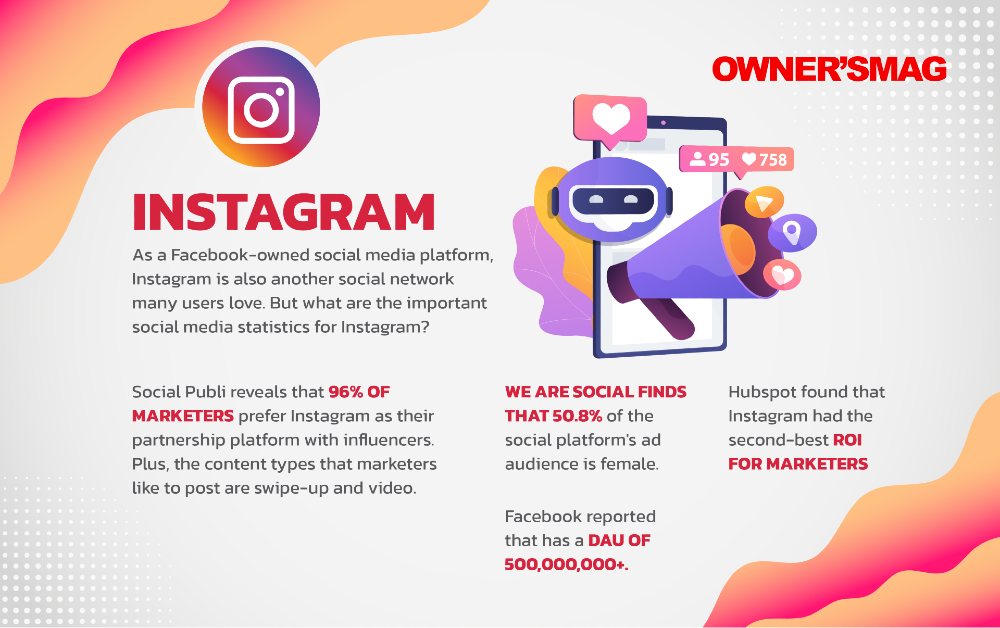
As a Facebook-owned social media platform, Instagram is also another social network many users love. But what are the important social media statistics for Instagram?
11. Facebook reported that Instagram has a DAU of 500,000,000+.
12. Hubspot found that Instagram had the second-best ROI for marketers.
13. We Are Social finds that 50.8% of the social media platform’s ad audience is female.
14. Social Insider found that Instagram had the highest engagement rates for brands. Engagement rates increased from 1.09% to 1.16% in the first half of 2020. This was compared against Facebook and Twitter. Even if Twitter had the lowest engagement rates, brands still decided to post 36% more content.
15. Social Publi reveals that 96% of marketers prefer Instagram as their partnership platform with influencers. Plus, the content types that marketers like to post are swipe-up and video.
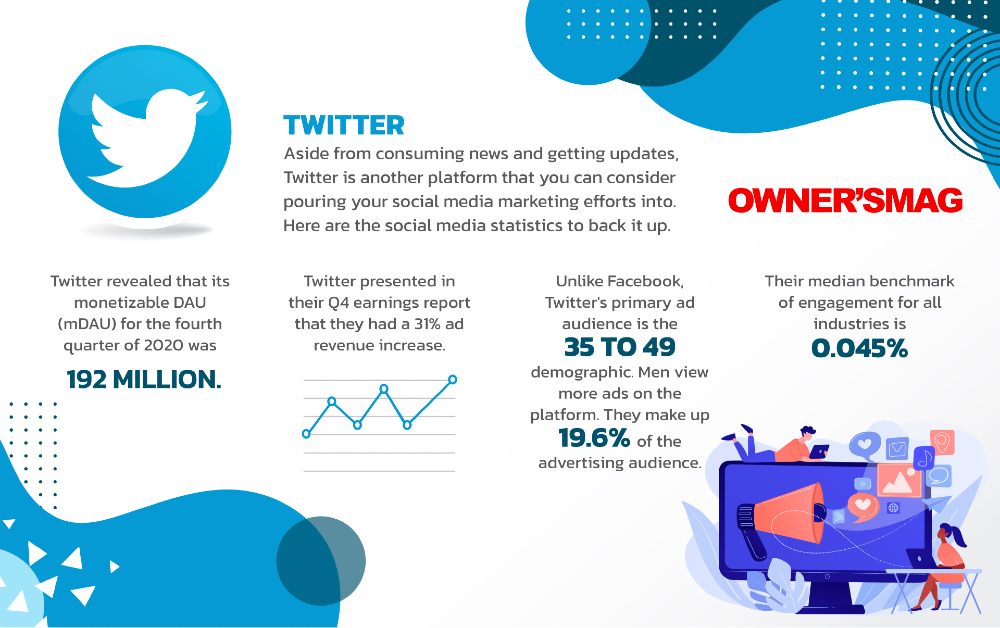
Aside from consuming news and getting updates, Twitter is another platform that you can consider pouring your social media marketing efforts into. Here are the social media statistics to back it up.
16. Twitter revealed that its monetizable DAU (mDAU) for the fourth quarter of 2020 was 192 million.
17. Twitter presented in their Q4 earnings report that they had a 31% ad revenue increase.
18. Unlike Facebook, Twitter’s primary ad audience is the 35 to 49 demographic. Men view more ads on the platform. They make up 19.6% of the advertising audience.
19. Their median benchmark of engagement for all industries is 0.045%.
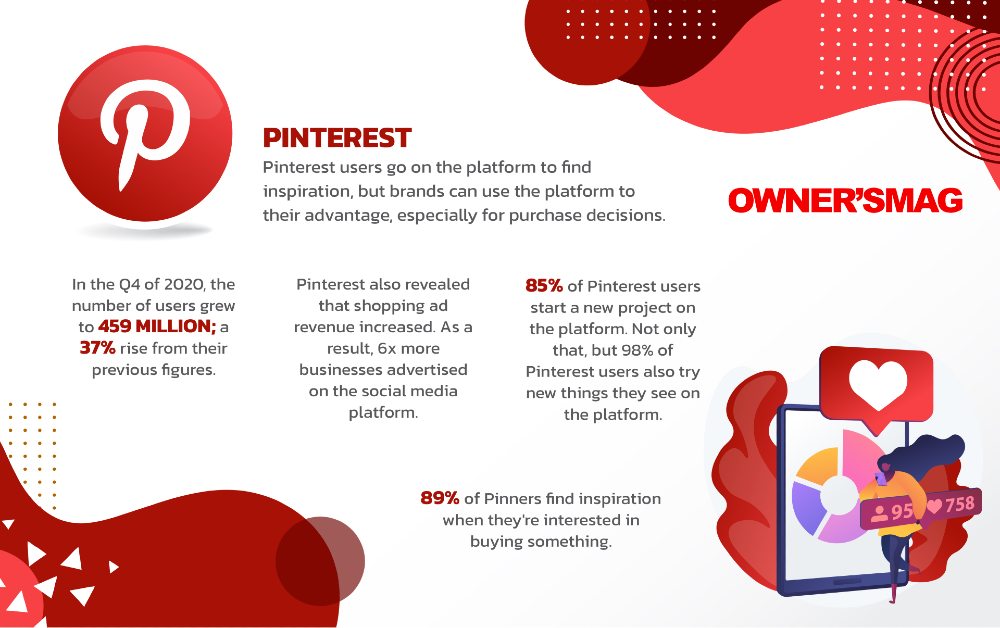
Pinterest users go on the platform to find inspiration, but brands can use the platform to their advantage, especially for purchase decisions.
20. In the Q4 of 2020, the number of users grew to 459 million; a 37% rise from their previous figures.
21. Pinterest also revealed that shopping ad revenue increased. As a result, 6x more businesses advertised on the social media platform.
22. We Are Social reported that the female ad audience for Pinterest is 77.1%, while for men, it’s only 14.5%. Marketers can reach the 25 to 34 demographic; women in that demographic make up 30.4% of the overall ad audience.
23. 85% of Pinterest users start a new project on the platform. Not only that, but 98% of Pinterest users also try new things they see on the platform.
24. 89% of Pinners find inspiration when they’re interested in buying something.
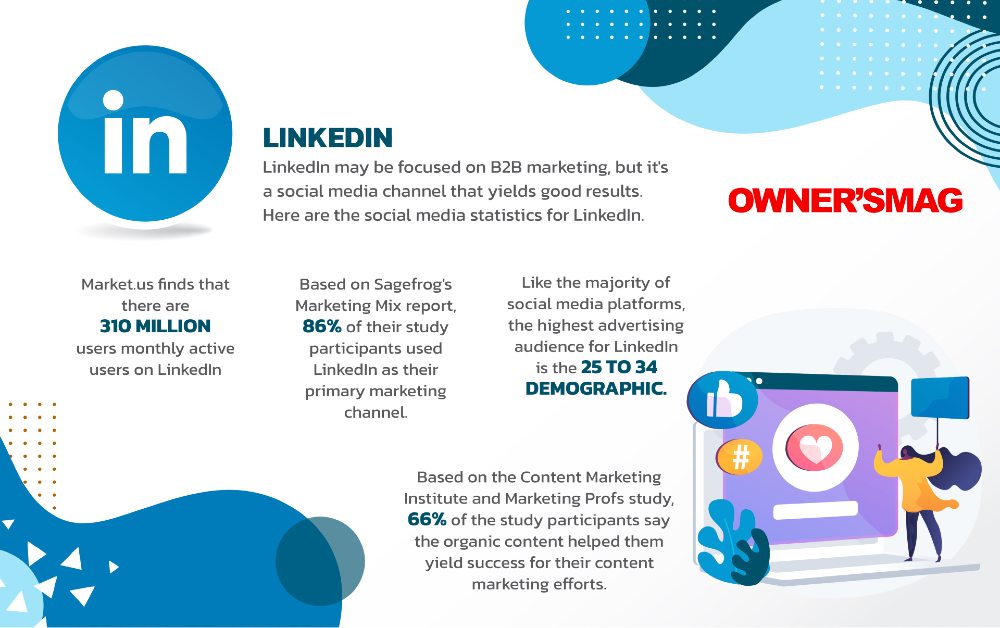
LinkedIn may be focused on B2B marketing, but it’s a social media channel that yields good results. Here are the social media statistics for LinkedIn.
25. Market.us finds that there are 310 million users monthly active users on LinkedIn.
26. Based on Sagefrog’s Marketing Mix report, 86% of their study participants used LinkedIn as their primary marketing channel.
27. Like the majority of social media platforms, the highest advertising audience for Linkedin is the 25 to 34 demographic.
28. Based on the Content Marketing Institute and MarketingProfs study, 66% of the study participants say the organic content helped them yield success for their content marketing efforts.
29. Those who want to get more engagement may have to publish long-form content on the platform. According to OkDork, posts with 1900 to 2000 words perform the best.
Snapchat
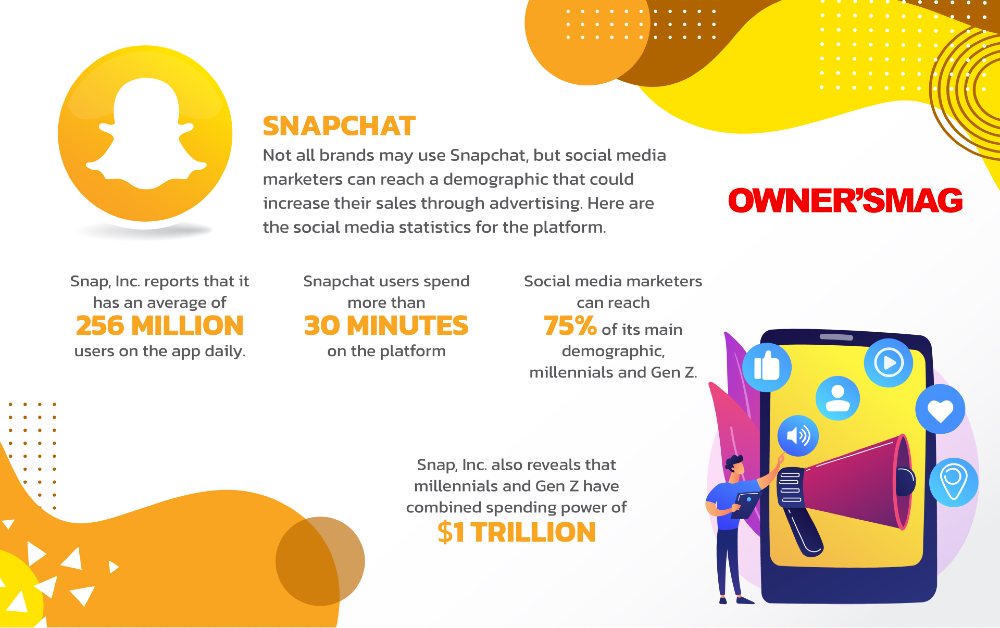
Not all brands may use Snapchat, but social media marketers can reach a demographic that could increase their sales through advertising. Here are the social media statistics for the platform.
30. Snap, Inc. reports that it has an average of 256 million users on the app daily.
31. Snapchat users spend more than 30 minutes on the platform.
32. Social media marketers can reach 75% of its main demographic, millennials and Gen Z.
33. Snap, Inc. also reveals that millennials and Gen Z have a combined spending power of $1 trillion.
Tiktok
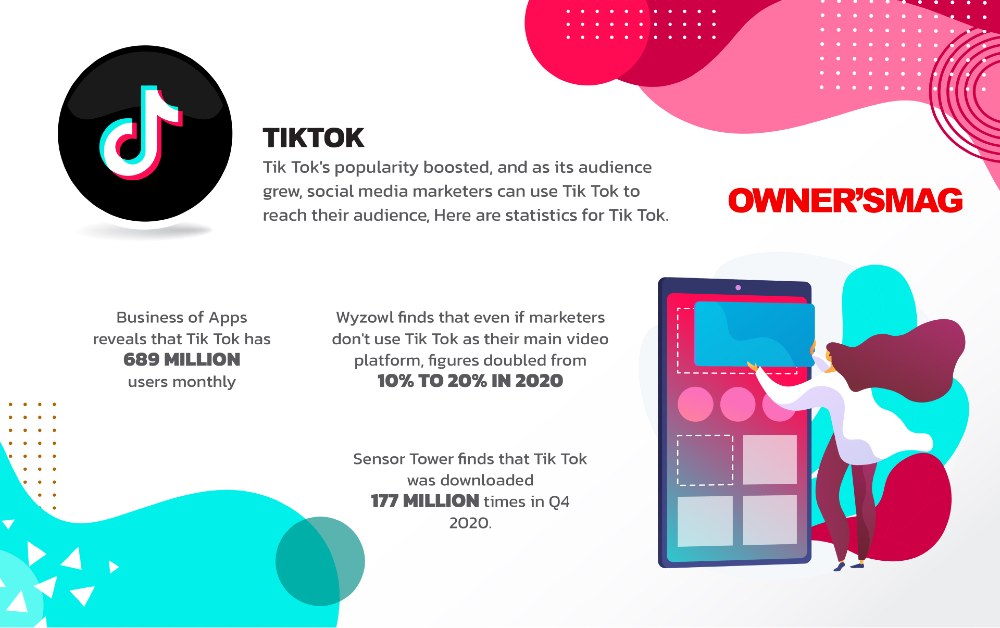
Tik Tok’s popularity boosted, and as its audience grew, social media marketers can use Tik Tok to reach their audience. Here are the statistics for Tik Tok.
34. Business of Apps reveals that Tik Tok has 689 million users monthly.
35. Wyzowl finds that even if marketers don’t use Tik Tok as their main video platform, figures doubled from 10% to 20% in 2020.
36. Sensor Tower finds that Tik Tok was downloaded 177 million times in Q4 2020.
Social Media Advertising
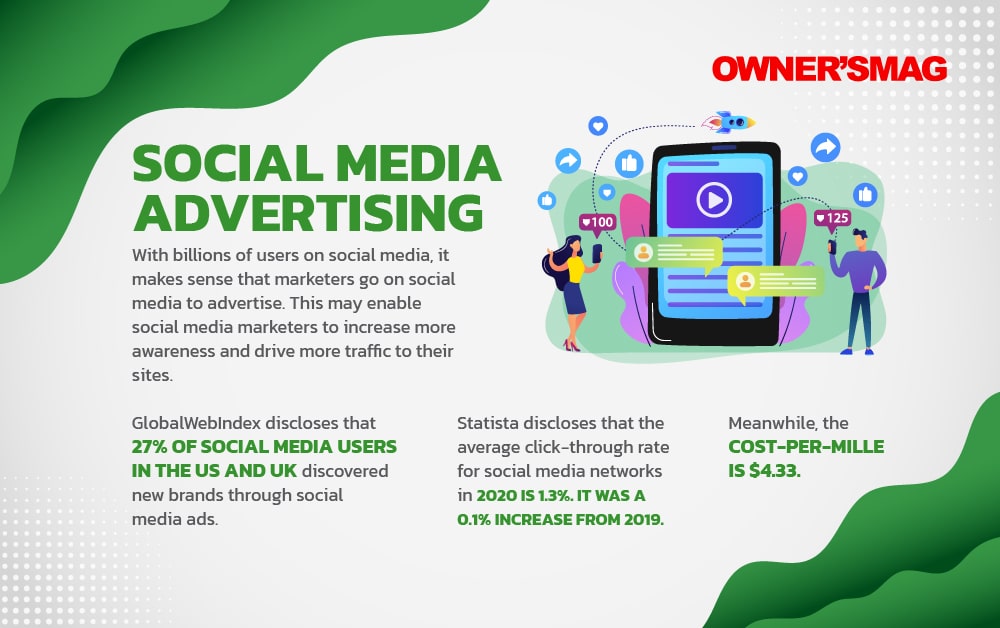
With billions of users on social media, it makes sense that marketers go on social media to advertise. This may enable social media marketers to increase more awareness and drive more traffic to their sites.
37. GlobalWebIndex discloses that 27% of social media users in the US and UK discovered new brands through social media ads.
38. Statista discloses that the average click-through rate for social media networks in 2020 is 1.3%. It was a 0.1% increase from 2019.
39. Meanwhile, the cost-per-mille is $4.33.
User and Consumer Behavior
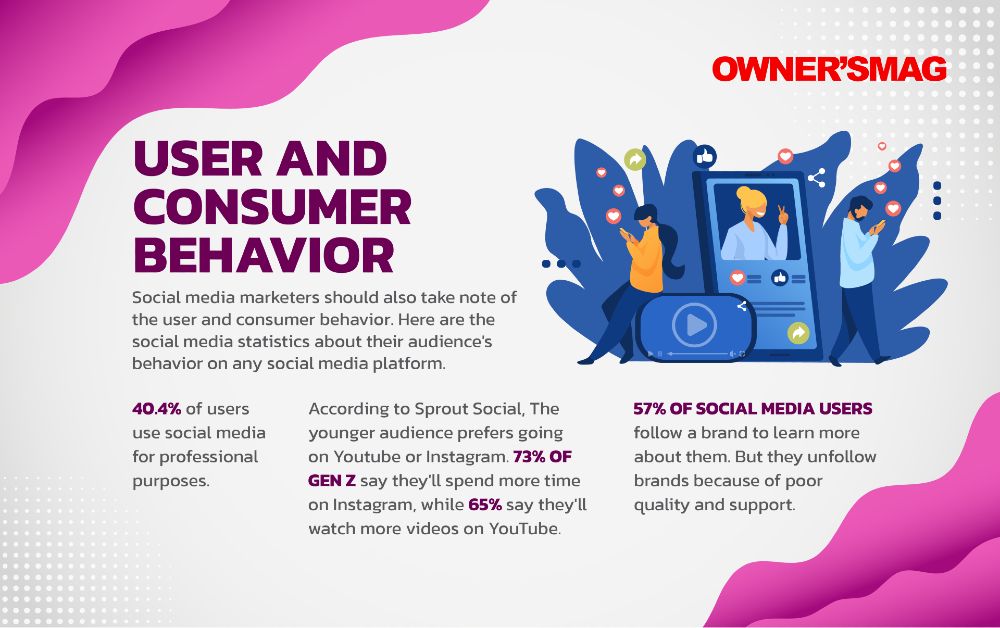
Social media marketers should also take note of the user and consumer behavior. Here are the social media statistics about their audience’s behavior on any social media platform.
40. We Are Social reports that 44.8% of social media users look for brand information on different social media platforms.
41. 40.4% of users use social media for professional purposes.
42. According to Sprout Social, The younger audience prefers going on YouTube or Instagram. 73% of Gen Z say they’ll spend more time on Instagram, while 65% say they’ll watch more videos on YouTube.
43. 57% of social media users follow a brand to learn more about them. But they unfollow brands because of poor quality and support.
Social Media Marketing
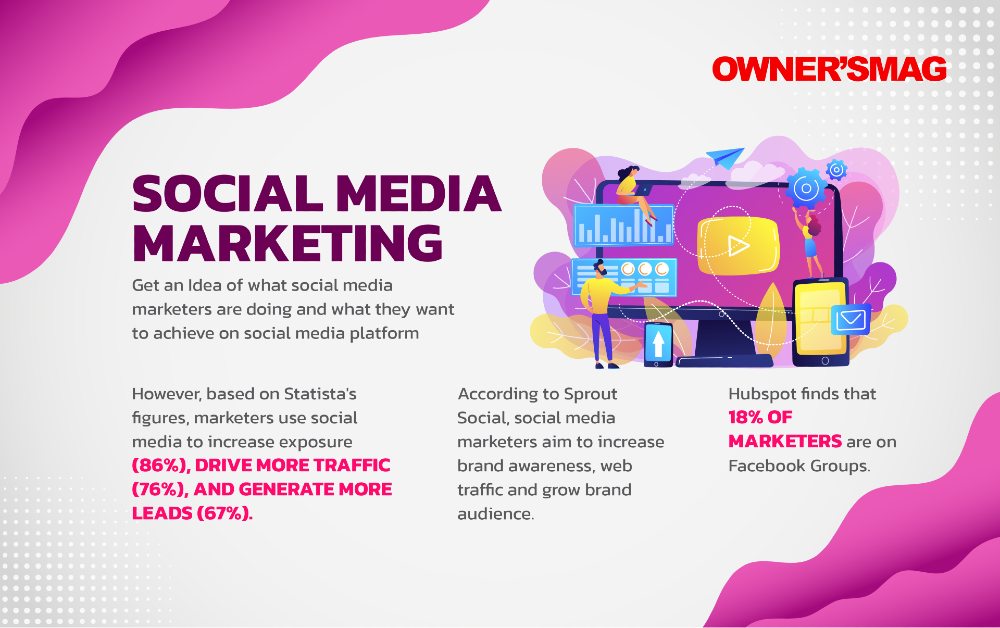
Get an idea of what other social media marketers are doing and what they want to achieve on social media platforms.
44. Hubspot finds that 18% of marketers are on Facebook Groups.
45. According to Sprout Social, social media marketers aim to increase brand awareness, web traffic, and grow brand audience.
46. However, based on Statista’s figures, marketers use social media to increase exposure (86%), drive more traffic (76%), and generate more leads (67%).



What was once old is new again: mid century modern is back in style. From architecture to furniture, the postwar look is in, and the hype extends all the way to office chairs.
Do you need a mid century modern office chair in your life? If so, there’s plenty to choose from. Your office chair should be tailored to your style, whether you like luxury, utility, or something in between.
That’s why we’ve put together our 10 favorite places to find your ideal mid century modern office chair.
What is mid century modern design?

After World War II, spirits were high in the US, and new technology was taking the country by storm. Mid century modern refers to the design concepts that came about during this time.
As opposed to the frilly, ornate designs of classical furnishings, mid century modern designs are angular, material, and functional. Wood is a common design element, especially teak. Mid century modern furniture may also have materials like glass, vinyl, and metal. Designs are simple and geometric, with bold accent colors to make them pop.
The mid century modern aesthetic never really went away, but it’s made a noted comeback in recent years. Some have chalked it up to Boomer and Gen X nostalgia, others point to mid-century-set shows like Mad Men and The Marvelous Mrs. Maisel.
Why should I buy a mid century modern office chair?

Mid century modern is the perfect fusion of style and utility. If you want to cultivate an office space that commands respect without being ostentatious, mid century modern is the style for you.
When it comes to office chairs, an MCM one is often made with sturdy wood and vinyl. They combine the ergonomics of a modern office chair with old-fashioned grace.
If you’re concerned with utility and utility only, a more bog-standard office chair may suit you. But a mid century modern office chair is great for someone who wants to wow colleagues with a mature, thoughtful business space.
Where can I get a mid century modern office chair?
1) Wayfair
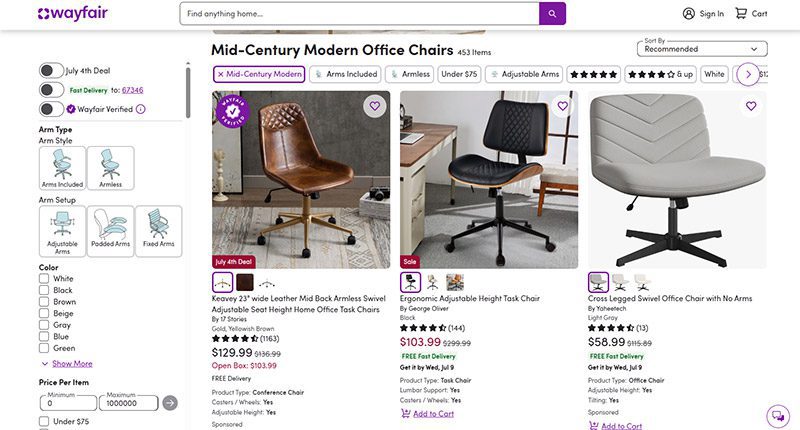
When it comes to furniture, Wayfair offers the best of both worlds. Their goods, including their mid century modern office chairs, are stylish and affordable. You can get a sturdy task chair for less than $100 or a more distinguished seat for less than $350.
MCM office chair examples: Dovray ($126), Bradford ($139), Lithonia ($133)
2) France & Son
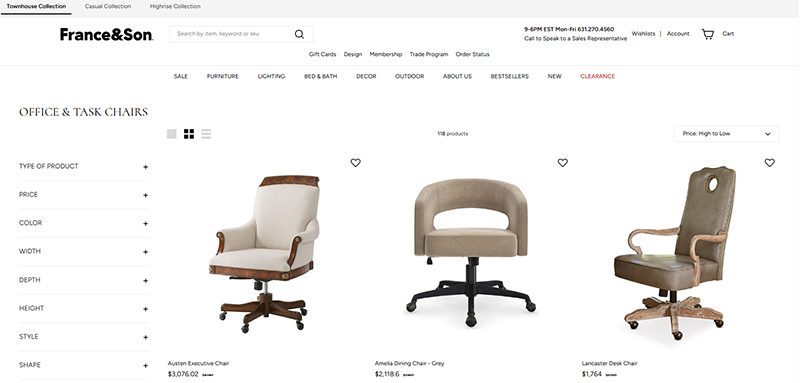
Wayfair’s chairs are affordable, but France & Son is the perfect option for luxury shoppers. Their mid century modern office chairs are robust and sleekly designed. If you dress to impress and enjoy the finer things in life, these are the chairs for you.
MCM office chair example: Brooks ($695)
3) Houzz
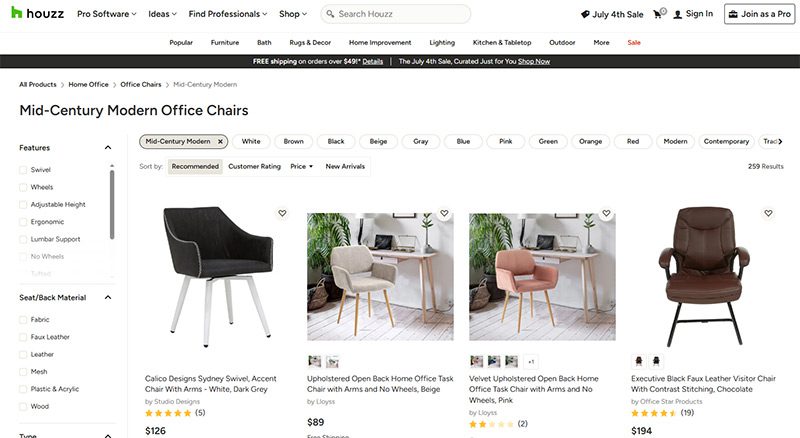
Started as a community for people to share home decor tips, Houzz has become a great ecommerce platform for finding stylish furniture. They’re more known for home decor than desk chairs, but they have plenty of great, affordable finds if you know where to look.
MCM office chair examples: Arvilla ($173), Rathburn ($259)
4) Laura Davidson
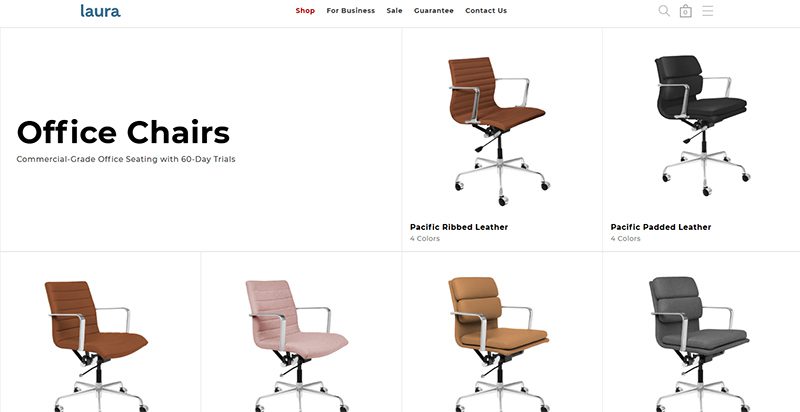
The Laura Davidson collection offers a fairly limited selection of classic office furniture. Still, there’s a reason they’re trusted by big-wigs like Apple, Disney, and Salesforce. Their chairs are sturdy and beautifully designed, reimagining classic Eames and Knoll designs.
MCM office chair examples: Rockefeller ($275), SOHO II Soft Pad ($450)
5) Icons of Manhattan
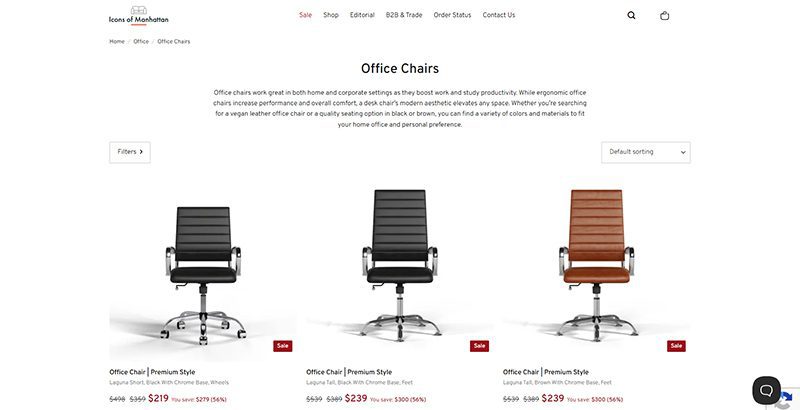
Icons of Manhattan has a simple philosophy: do one thing, and do it right. Their office chairs are handcrafted from premium materials and tailored to a mid-century modern style. If you want that Mad Men energy in your office (hopefully with a lot less angst), these are the chairs for you.
MCM office chair example: Ribbed Medium ($219)
6) Amazon
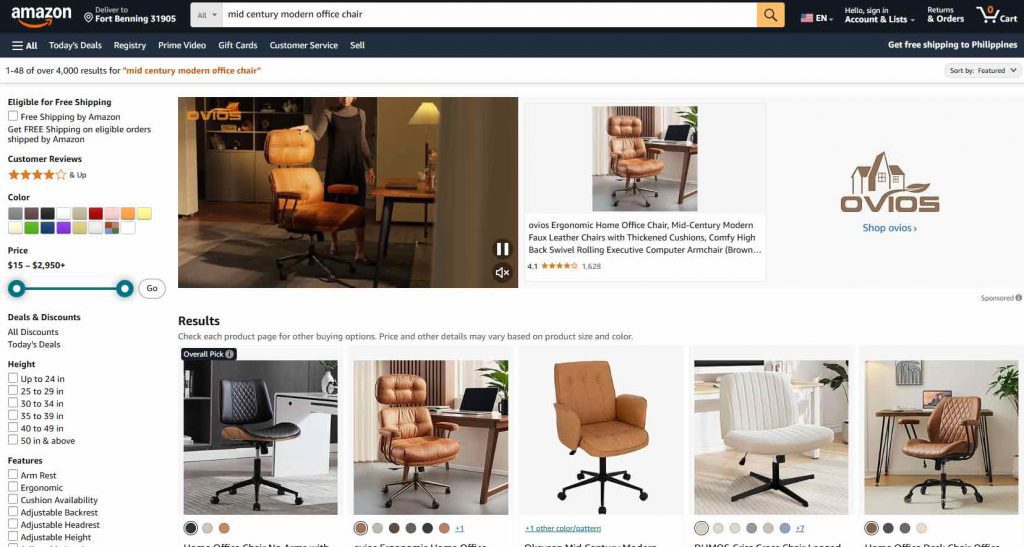
Yes, the internet’s premier shopping destination has a robust collection of mid century modern office chairs. Like with most products, their selection of seats is vast and can be hit or miss. Still, they’ve got stunning chairs available for any style, whether you care about comfort, class, or ergonomics.
MCM office chair examples: IDS Home Modern ($219), Art Leon MCM Swivel ($139)
7) AllModern
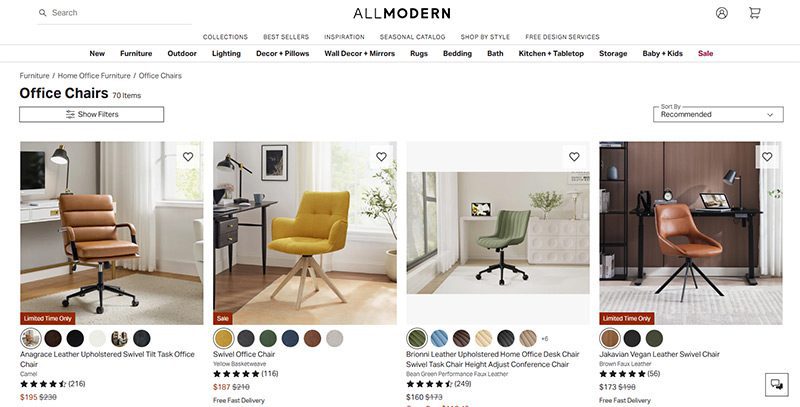
AllModern’s collection of desk chairs and other furniture truly embodies the mid century modern spirit. Their work is tight, angular, and functional above all. They’re part of the Wayfair family and they traffic in a number of modern styles, but their sleek chairs are perfect for any mid century modern space.
MCM office chair examples: Frederick ($229), Kealey ($349)
8) Overstock
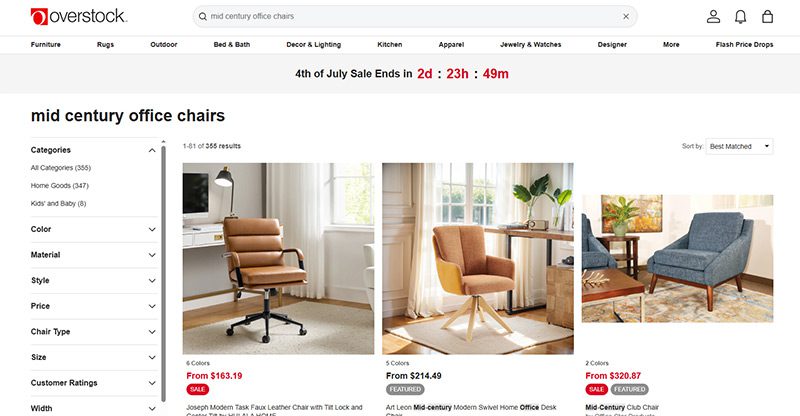
Overstock is known as a one-stop shop for quality home goods at sub-wholesale prices. If you want a spiffy mid century modern office chair that won’t break the bank, they’re the first place to look. While they’re somewhat less reliable than the more upscale platforms on this list, their selection is massive.
MCM office chair example: Joseph Modern ($163)
9) Walmart
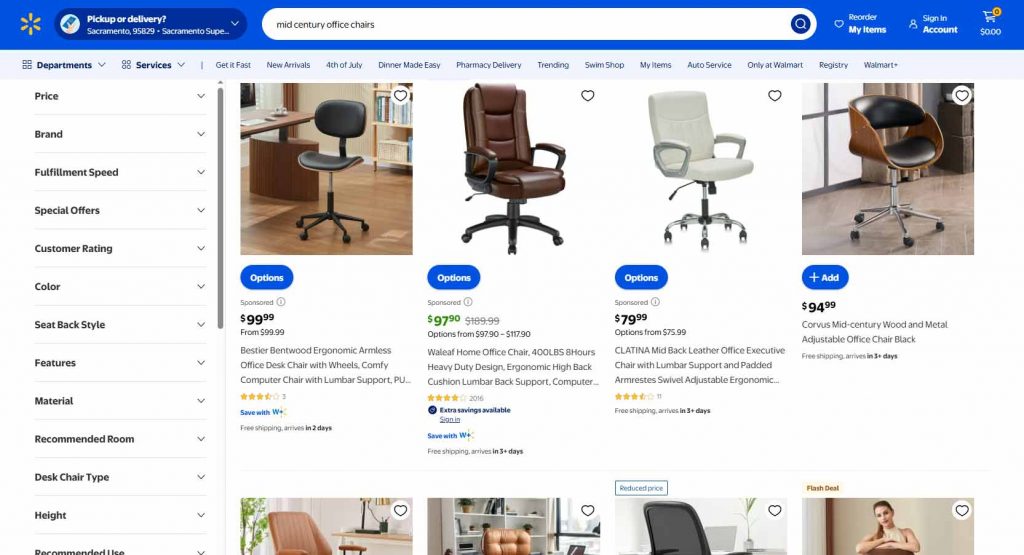
Hayneedle’s selection of mid-century modern office chairs falls somewhere between the minimal Laura Davidson and the endless Amazon catalog. Their array of mid-century designs is affordable and versatile, with chairs that match almost any style. While they may be part of the Walmart family, these chairs are anything but second-rate.
MCM office chair example: Waleaf ($97)
10) Target
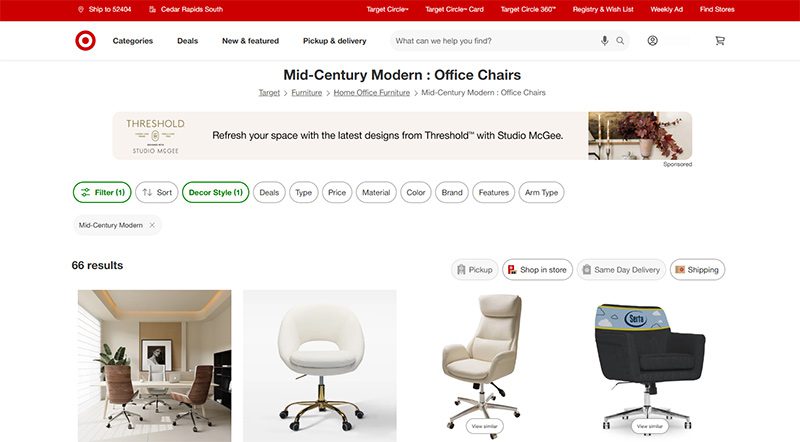
Why splurge when you can save? As usual, Target is a hidden gem, offering a sturdy selection of mid century modern office chairs for some of the cheapest prices out there. Many of the chairs they offer are from the same designers as these other stores—Christopher Knight, LumiSource, Armen Living, etc.—at reduced prices.
MCM office chair example: Lombardi ($136)


A quality payroll service is one of the most invaluable tools any entrepreneur can have. Whether you’re a small business owner or an HR manager, paying your employees on time is crucial. This makes choosing a service even more weighty, after all, it is a heavy administrative burden. The good thing is, you can outsource this duty to an online payroll processor.
According to statistics, 49% of workers begin a new job search after just two paycheck errors, and with 65% of workers living paycheck to paycheck, it’s more important than ever to ensure an efficient, effective payroll process.
These services can save you precious time and mitigate potential issues. To make it easy for you to choose, we listed the best online payroll services for 2025.
Top 5 Online Payroll Services
Gusto

Gusto is a great option for both new and experienced payroll administrators, boasting an incredibly clean user interface and a first-rate payroll setup. Gusto lets you manage your employee’s time off (vacation and sick pay), company health insurance, and worker’s comp. Gusto offers excellent mobile access, too. This allows employees to manage aspects of their Gusto profiles, view payday insights, and access Gusto Wallet financial tools.
Gusto offers four tiers of membership, the most affordable of which is the Contractor’s Only plan, which offers unlimited U.S.-based and global contractor payments, supporting more than 100 countries, plus 1099 creation and filing at a rate of $6 per person per month with no base price.
The other three are Simple, Plus, and Premium. Here’s a deeper look into each plan:
Simple
Price:
$40/mo + $6/mo per person
Plan details:
- Full-service single-state payroll including W-2s and 1099s
- Employee profiles and self-service
- Basic hiring and onboarding tools
- Gusto-brokered health insurance administration
- Employee financial benefits
- Payroll and time-off reports
- Custom admin permissions
- Integrations for accounting, time tracking, expense management, and more
Plus
Price:
$80/mo + $12/mo per person
Plan details:
(All Simple plan features +)
- Full-service multi-state payroll including W-2s and 1099s
- Next-day direct deposit
- Advanced hiring and onboarding tools
- PTO management and policies
- Time tracking and project tracking
- Workforce costing and custom reports
- Team management tools
- Full support
Premium
Price:
Bespoke pricing, reach out for a personalized quote
Plan details:
(All Plus plan features +)
- HR Resource Center
- Compliance alerts
- Access to certified HR experts
- Full-service payroll migration and account setup
- Health insurance broker integration
- R&D tax credit discount
- Waived fees and exclusive pricing
- Performance reviews
- Employee surveys and insights
- Dedicated support
QuickBooks Online Payroll
Founded in 1983, Intuit is a California-based financial software company. Since its inception, Intuit has developed into one of the best-known providers of accounting software. Their online payroll service, QuickBooks, includes the essential features you need to run payroll.
QuickBooks offers three tiers of membership. The least expensive membership covers basic accounting features, such as invoices. For more features, check out the Essentials and Plus memberships. Each plan’s features are as follows:
QuickBooks Simple Start (2025)
- Price: $38/month for 1 user
- Best for: Freelancers and small teams with basic payroll needs
Features:
- Automated bookkeeping
- 5 free ACH bank transfers/mo for bills
QuickBooks Essentials (2025)
- Price: $75/month for 3 users
- Best for: Small businesses needing deeper financial tracking
Features:
- Includes all Simple Start features, plus:
- Recurring invoices
QuickBooks Plus (2025)
- Price: $115/month for 5 users
- Best for: Growing businesses with HR and compliance needs
Features:
- Includes all Essentials features, plus:
- AI-powered profit & loss insights
- Anomaly detection and resolution
- Budgeting
QuickBooks Advanced (2025)
- Price: $275/month for 25 users
- Best for: Established businesses with HR and compliance needs
Features:
- Includes all Plus features, plus:
- Custom user management and permissions
- Custom report builder
- Data sync with Excel
- Revenue recognition
- Forecasting
OnPay

OnPay is a cloud-based full-service payroll processing system capable of running payroll according to a preset schedule, automatically disbursing wages, and calculating and withholding taxes.
OnPay can sync up with several other software your team is already using, making it easy to integrate the service into your team’s system. Another benefit of OnPays model is the simple, transparent pricing structure. No tiers; just one base rate.
Pricing:
$49/mo + $6/mo per employee
SurePayroll

SurePayroll’s award-winning service supports W-2 employees and 1099 contractors. Additionally, it handles 401(k) deductions and manages flexible spending accounts (FSA) and health savings accounts (HSA).
SurePayroll also offers a mobile app— available on both Apple and Android devices.
SurePayroll offers live support through its United States-based support team through chat, email, or phone.
Small Business Payroll
- Price: No Tax Filing: $20/month + $4 per employee, Full Service: $29/month + $7 per employee
- Best for: Small businesses and startups
Features:
- We file and deposit your federal and state taxes!
- Run payroll in 3 simple steps
- Schedule payroll to run automatically
- Unlimited payroll runs and free 2-day direct deposit
- Reports and pay stubs are available online 24/7
- Supports W-2 employees and 1099 contractors
Nanny & Household Payroll
- Price: Full-Service Household, $39/month, includes 1 employee, $10 per additional employee
Best for: Homeowners
Features:
- Signature-ready Schedule H
- We file & deposit your federal and state taxes!
- Run payroll in 3 simple steps
- Schedule payroll to run automatically
- Unlimited payroll runs and free 2-day direct deposit
- Reports & paystubs available online 24/7
- Supports W-2 employees & 1099 contractors
Be sure to choose a payroll service that works for your business, and provides you with the peace of mind that comes with a reliable bookkeeping system. Your employees will thank you.



What Is Tiktok Pink Sauce? The Viral Condiment, Explained

Did You Drop Your Smartphone in The Ocean? Here’s How to Retrieve It

Gift Guide: 25 Best Gifts for Women for All Occasions

History of the NBA: The Success Behind the Big League

Demio SaaS 2025 Review: Features, Pricing, Pros & Cons

Top 12 Uses for The Metaverse That Will Change Your Life

Top 10 Best Places to Buy a Mid Century Modern Office Chair
Top 10 Best Places to Buy a Mid Century Modern Office Chair
History of the NBA: The Success Behind the Big League

8 Best Equipment for YouTube Every Content Creator Needs
Demio SaaS 2025 Review: Features, Pricing, Pros & Cons
Did You Drop Your Smartphone in The Ocean? Here’s How to Retrieve It

Top 10 Small Business Organization Tools for 2025
Top 12 Uses for The Metaverse That Will Change Your Life
 Entertainment1 day ago
History of the NBA: The Success Behind the Big League
- Reviews2 days ago
Demio SaaS 2025 Review: Features, Pricing, Pros & Cons
- Lifestyle19 hours ago
Did You Drop Your Smartphone in The Ocean? Here’s How to Retrieve It
- Lifestyle1 day ago
Gift Guide: 25 Best Gifts for Women for All Occasions
- Top Stories19 hours ago
What Is Tiktok Pink Sauce? The Viral Condiment, Explained