
Technology
Threads vs. Twitter, what’s the difference?

Threads isn’t just a buzzword making waves online these days. Meta Platforms has created this Instagram subsidy that works like Twitter; unsurprisingly, people love it! The app garnered over 100 million signups within five days after launching last July 2023. On the flip side, Twitter reached over 100 million users six years after launching in 2006. To date, Twitter now has over 330 million active users.
Meanwhile, Threads is slowly gaining popularity and accolades from netizens over Twitter. But what are the differences between Threads and Twitter? Find out in this Threads vs. Twitter comparison guide.
Threads vs. Twitter differences
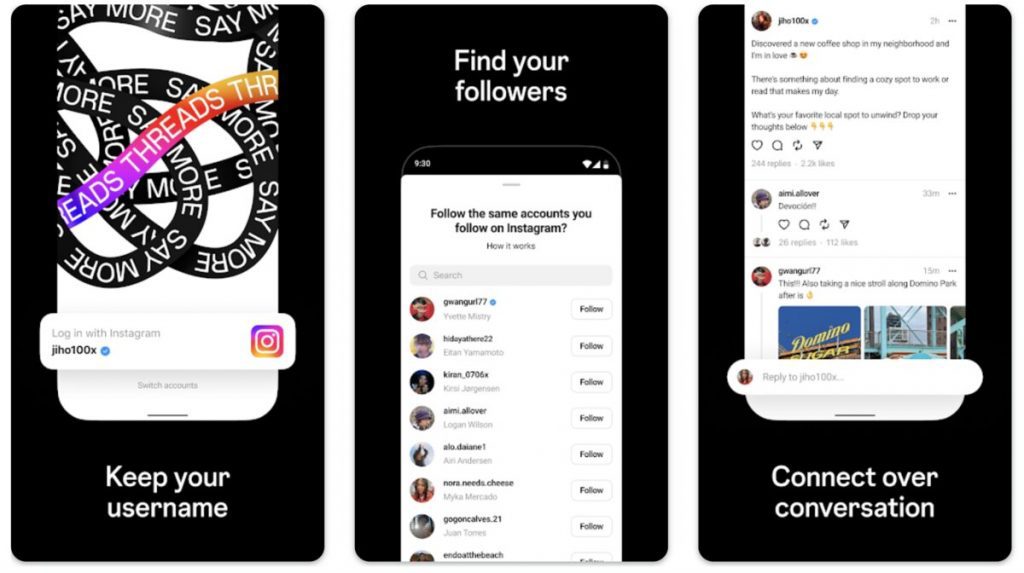
While both social media networks work similarly, a few nuances divide users. Twitter and Threads let users post brief text status updates that may or may not include links, videos, or images. Both platforms also allow users to interact with others and engage in posts. The only significant difference between Threads and Twitter is the privacy controls. On top of that, here are some Threads vs Twitter differences:
Privacy controls
The most apparent difference between Threads and Twitter is the privacy controls. Twitter posts are for the public, meaning people who follow you will see your tweets. People who also don’t follow you on Twitter may see your posts.
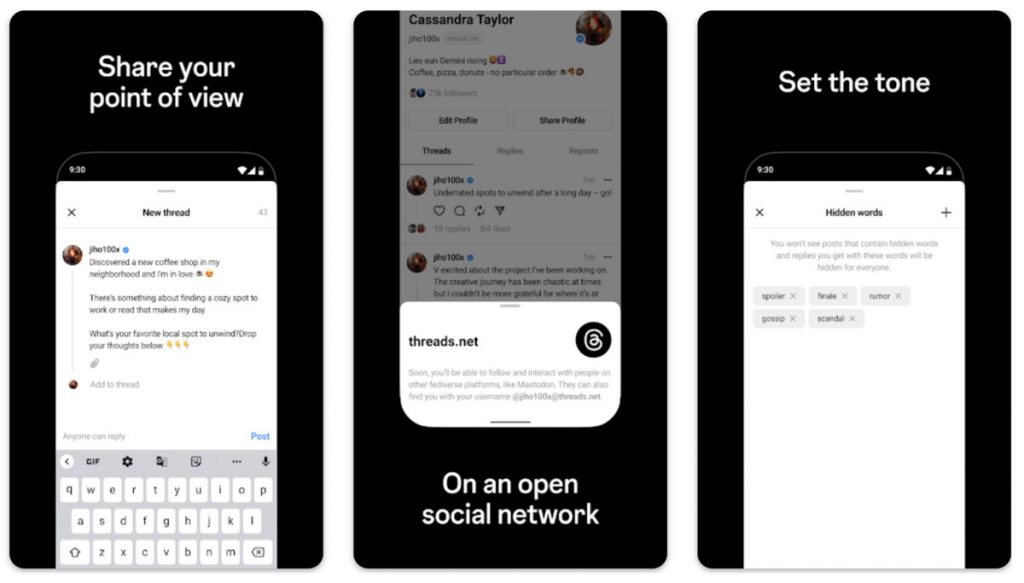
On the other hand, Threads is focused more on privacy. Although it’s a social media app, Threads strongly emphasizes privacy. Threads are shared with a close group of friends only, and users can customize who can engage with their posts.
Character length
Another Threads vs. Twitter difference is the character length for text posts. Twitter limits tweets to up to 280 characters. Meanwhile, Threads lets users posts text statuses of up to 500 characters.
Structure
The structure also differentiates both social media networks. While both social sharing platforms let users post text content, Twitter’s post structure is more concisesuccinct. That said, followers will find tweets more easily digestible because they’re shorter.
Conversely, Threads allows up to 500 characters. However, one unique feature of this app is it automatically creates a new thread if your post goes beyond 500 characters. This means following posts on Threads is easier as users can fully grasp the narrative since posts are interconnected. Threads offers a more immersive engagement experience for followers.
Followers
You can see tweets from others you don’t follow on Twitter. You can still view and engage with their posts even if there is no common connection between you and the tweet starter.
Meanwhile, Threads emphasizes close friends lists. You can share current activities, updates, videos, and images with a smaller list of friends. Threads allows for more intimate engagement and interaction with followers, while Twitter is built for more public sharing.
Direct messaging
Finding someone on Twitter and sending them a direct message is easy. Twitter has a direct message option where you can click one button and send a private message directly. However, Threads currently doesn’t have a direct message feature. But you can message someone with a Threads account via Instagram.
Since Threads requires an Instagram account before signing up, you can find them on IG and message them. Anyone who signs up for Threads must carry the same Instagram handle. Once you’re on the Threads app, you will find the Instagram camera icon at the top of the app’s interface. Click that, and it will direct you to the Threads user’s Instagram profile.
Audience
Twitter lets you interact with anyone with a Twitter profile. Twitter users can follow brands, celebrities, organizations, or individuals they’re interested in. Once you download the Threads app, you’ll be asked to follow the same Instagram followers. However, you can customize this by doing it manually. You can tap on the Instagram user’s profile and hit “Follow.”
Engagement
Every tweet on Twitter can be liked, replied to, or retweeted. Like Twitter, Threads lets users engage with threads by replying to threads or resharing. The only difference is Threads allows users and followers to engage with an entire thread instead of one tweet.
Posts/topics
As for the topics you can post on both platforms, users have full control over what content they want to share. Before Elon Musk rebranded Twitter to X, the platform was a social media network for announcements, product launching, news updates, link sharing, and personal opinions.
Conversely, Threads is used more for personal stories, activities, in-depth topics, tutorials, etc. Threads is more for personal updates than anything else.
Discoverability
Tweets can go viral quickly and are searchable within the platform. Through keywords, many users who don’t follow a particular Twitter user can see their posts when their inquiries match the content. That said, Twitter posts can go viral easily and quickly.
Meanwhile, Threads posts may spread slower than Twitter posts. Because Threads focuses more on private and more intimate sharing, threads don’t gain visibility and traction faster than tweets.
Accessibility
Another Threads vs. Twitter difference that might turn users away from the newest social media app is accessibility. Twitter is an independent app that can be accessed on mobile phones and desktops.
Its counterpart can only be accessed via mobile since it lacks full-fledged web support. It’s also an Instagram subsidiary, meaning everything is linked to your Instagram account.
Which platform is right for you?
Choosing the most suitable platform for sharing content depends on your preference. If you want a more intimate expression of thoughts and ideas, Threads is your social media app. However, if you want a social media channel that leans more towards recent events, tech, news topics, and business, Twitter, now known as X, is a better platform.



Software-as -a-Service (SaaS) is no longer just a convenient way to access software through the cloud. In 2026, the software-as-a-service business model is now the very backbone of how modern businesses operate and scale. In fact, data tells us that SaaS and enterprise software companies have raised about $4.7 billion in investments in 2024.
In this guide, let’s break down how the SaaS business model works, why it continues to dominate the software industry, and what has changed leading into 2026.
What Is SaaS?

SaaS is a delivery model of centrally hosted software that is licensed to customers via a subscription plan. If a company leases its software through a central, cloud-based system is technically a SaaS company.
These companies maintain responsibility and oversight of servers, databases, and any relevant software that allows people to access and use their products.
Some of the most popular SaaS giants in 2026 include:
- Adobe
- Google Workspace
- Salesforce
- Microsoft 365
- Notion
- Canva
- OpenAI
- Grammarly
In 2026, SaaS applications are often enhanced by built-in AI capabilities, such as in the cases of OpenAI, Grammarly, and many others.
The way that SaaS companies lease their product is through subscription plans. These plans can vary greatly from company to company. SaaS business models offer different services and different applications within their systems. Different subscription plans give different access to different services. Many offer a regular plan with one or two other plans that offer more access and increased services.
What Is The Software As A Service Business Model?

The software as a service business model includes a number of factors that are unique to it. There are three in particular that are important to take note of.
Recurring Payments
In SaaS, clients do not buy hardware. The software as a service business model involves providing a subscription service for software. Recurring payments typically take the form of Monthly Recurring Revenue (MRR), though many SaaS companies now track additional metrics like Annual Recurring Revenue (ARR), Net Revenue Retention (NRR), and expansion revenue.
When your customer signs up and subscribes, you will get some money upfront. It is imperative that this initial cash not be counted as revenue until it’s been properly earned. It is a liability until the terms of service have been completed. A customer can ask for that money back at any point if the service isn’t delivered.
Revenue recognition is one of the most fundamental aspects of running a successful SaaS company. Alongside subscriptions, SaaS companies also monetize through usage-based pricing, AI consumption pricing, or hybrid billing models that combine multiple approaches.
Heightened Customer Retention

All businesses care about customer retention. In SaaS business models, however, it is ten times more important. Customer retention is what keeps SaaS companies afloat. Because you cannot lay claim to all of your customers’ subscription money until the term of service has been completed.
If you sign a customer for one year or twelve months and they leave after two, then you’re without ten months of recurring revenue. As a result, it is critical to put a significant value on cultivating customer relationships and upselling.
An existing SaaS customer spends more money on average than a new one. It is in a SaaS company’s best interest to upkeep and maintain higher-quality customer service. If you don’t, or if the quality of customer service is poor, your customer is very likely to jump to a competitor.
No matter how great the product, poor customer service can break a company.
Consistent Updates

SaaS companies must continuously release updates, security patches, AI model improvements, and new automation capabilities to stay competitive and retain customers. Plenty of companies provide “next-gen” product versions, but SaaS has to continuously update and patch to stay above water.
This is now standard across modern cloud software, where continuous deployment and rapid feature iteration are expected by customers. Software vulnerabilities can put customer information at risk from hackers. Nobody wants that. That’s why continuously assessing and updating security fixes is a top priority in the software as a service business model.
Since SaaS companies host their own products, they can push updates as needed. They can release new features or enhance prior versions whenever they want. Between consistent updates and quality customer service, SaaS companies have the potential to be highly responsive to customer base feedback.
This is a real-time luxury that most other industries do not have.
How Are SaaS Companies Built?

Generally speaking, there are three critical stages as to how to build and develop a SaaS company: Setup, Growth, Stabilization.
Setup
This is the early stage where the company establishes its foundation. These are fairly typical processes. Founders discover the need for the products they intend to develop, identify their target market, and create the product.
This is also the opportunity to create an effective marketing campaign and sales strategy, consider various customer support plans, and organize finances.
Growth
Once the product has hit the market, it’s time to expand. This is arguably the fun part. Because there is seemingly no limit to how far a SaaS company can expand in its market, it’s possible for a SaaS company to expect new customers. This creates a sudden demand for marketing, sales, and customer service teams.
This is when a company has to act quickly in order to capitalize and secure a loyal customer base. Ideally, this growth will be accompanied by additional revenue. Companies then reinvest the capital back into their products and services. That way, they have the resources necessary to meet their customers’ needs.
Stabilization
Now that the business is beginning to acclimate with a steady incoming stream of customers, that means the company does not have to invest in more overhead. If the SaaS company has wisely invested in customer service software, marketing automation, and consistent product updates, it is on the right track to stabilization.
Why This Business Model Works

The SaaS business model is now a mature and dominant software delivery standard across nearly every industry. You can find the evidence of this in the vast investments in SaaS. How many office spaces use Slack to communicate? How many designers use Adobe? As our technology advances, so does the SaaS industry.
While the SaaS market remains full of opportunity, success in 2026 requires strong differentiation, AI integration, and clear customer value.
Featured Image Credit: Photo by Markus Winkler from Pexels


Nowadays, many of our tasks at work can be completed with a single click. However, there are still software solutions that offer more: they can automate everything and provide crucial data to help your business grow. Here are the ten best artificial intelligence solutions you should be exploring now.
1. IBM Watson Studio
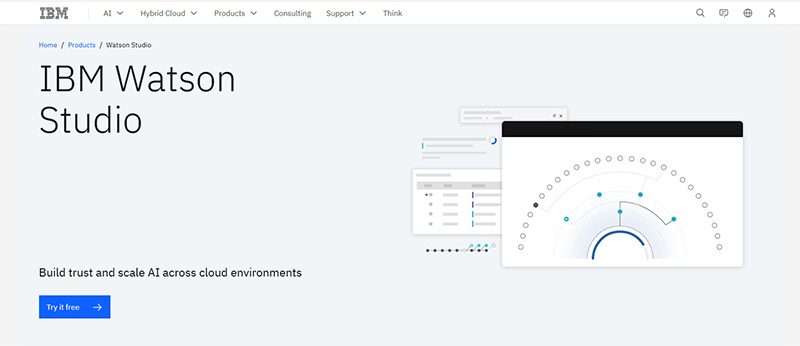
IBM Watson has been a trusted name in technology. It even garnered attention when it guest-starred on Jeopardy! But IBM Watson is now within reach for businesses with the IBM Watson Studio. This is one of the most utilized artificial intelligence solutions that financial and medical institutions could use.
Features:
- Build model pipelines
- Refine data with a graphical flow editor
- Visual tooling
- Open source framework
- Model embedding, monitoring, and management
- Data access through the cloud
- AI model drag-and-drop
- Transaction details
- Lifecycle automation
2. Salesforce Einstein
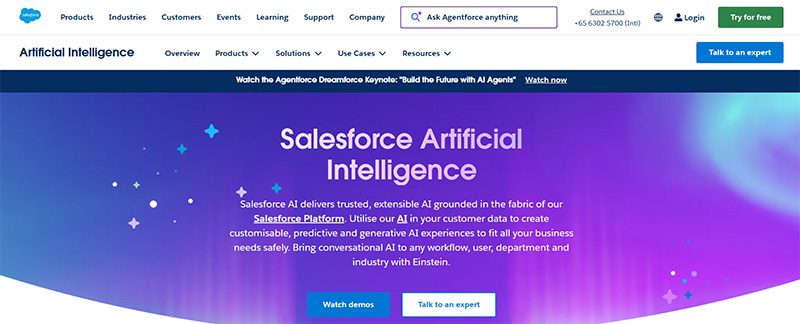
If you need to optimize your CRM tasks, using Salesforce Einstein is your best bet. If you want to get more leads and nurture them, Salesforce Einstein helps you understand them better through deep insights. Plus, you don’t have to do the guesswork anymore. Einstein will help you understand the next steps when nurturing leads and converting them into customers. Not to mention, Einstein can also help you with customer service.
3. Edgeverve ExtractEdge
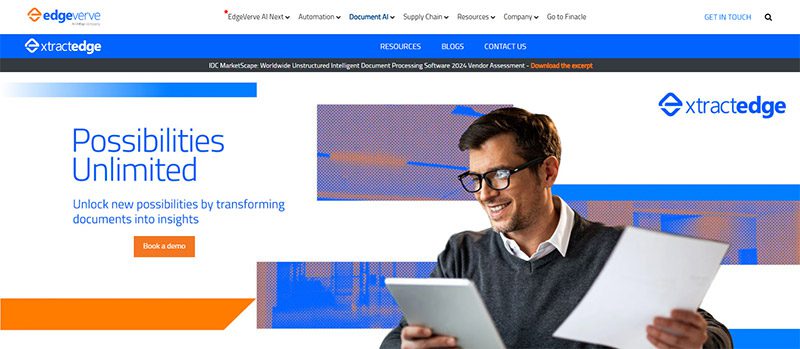
Optimize your business process with Edgeverve ExtractEdge. Previously known as Infosys Nia, your business will have a much more efficient way in processing documents. One of its benefits is getting intelligence from documents. From there, they process the data and help enterprises and businesses with their productivity and decision-making processes. Two industries that can greatly benefit from this artificial intelligence solution are banking and insurance.
4. Azure Machine Learning
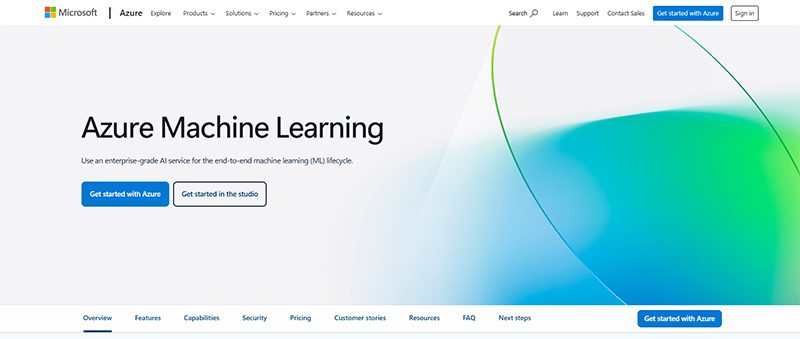
Get things done faster with your own frameworks and models through Azure Machine Learning. This artificial intelligence solution is ideal for data scientists and software engineers to automate and streamline several business processes using Machine Learning. Here are some of their notable features:
- Data labeling
- Collaborative notebooks
- Drag-and-drop machine learning
- Responsible machine learning
- Model registry and audit trail
- Managed endpoints
- Interoperability with other Azure services
- Data preparation
- Automated machine learning
- Reinforcement learning
5. H2O AI
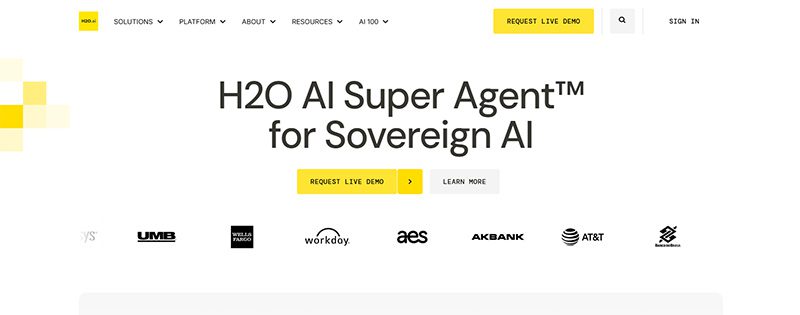
H2O AI is one of the most utilized artificial intelligence solutions because it is jam-packed with features. Not only that, H2O AI can be used by industries or institutions like financial services, governments, health, insurance, manufacturing, marketing, retail, and telecommunications.
With H2O AI, you can ensure that you can build accurate models quickly. Plus, they’re also transparent! You can also analyze business performance and know how to adapt to changes. Plus, you can become an innovator in your field!
Under their Make, Operate, and Innovate approaches, here are their platform’s capabilities:
- Feature Transformation
- Machine Learning
- Explainable AI
- Low Code App Development
- Machine Learning Operations
- AI AppStore
6. Coro
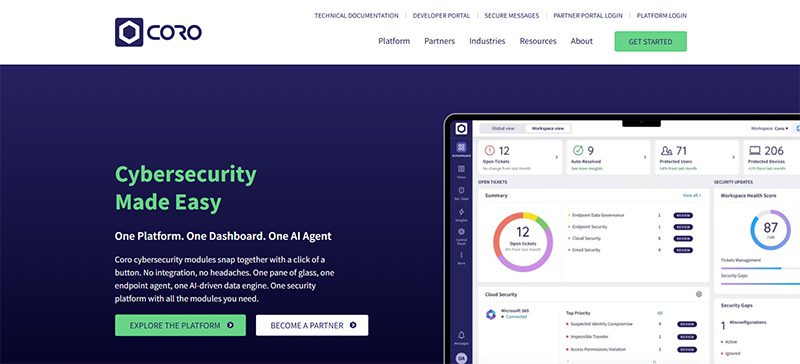
If your business is prone to cyberattacks or cannot afford to have a cyberattack, artificial intelligence solutions can protect you from that. One of them is Coro. Coro ensures that your company is protected from any hacking or malware infecting your emails, devices, and cloud apps! Aside from protecting you, Coro will alert you on your next steps to ensure you’re safe.
7. Vertex AI
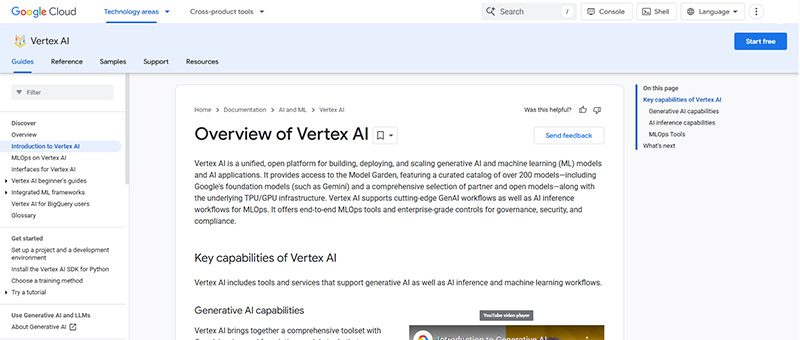
Vertex AI is Google’s own machine learning and AI platform. You can train and deploy your AI or machine learning models. Plus, you can also do the following:
- Data Labeling
- Feature Store
- Workbench
You can launch your models through the Google Cloud, and you can access or view data anytime through Cloud Logging and Monitoring.
8. Rendered.ai
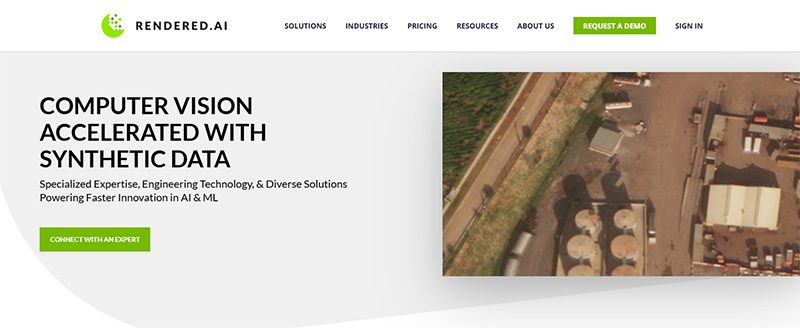
For your autonomous systems, defense applications, or advanced computer vision needs, there’s Rendered.ai. It specializes in generating physics-based synthetic datasets that make it easy for you to train AI models when real-world data is scarce, unavailable, or impractical.
- Autonomous Vehicles and Robotics – Simulate rare driving situations that are too costly or dangerous to see in real life.
- Defense and Aerospace – Can generate synthetic radar, infrared, and multispectral data for training AI models for mission-critical environments.
- Healthcare Imaging – Can create synthetic X-rays to improve diagnostic AI systems
9. Tealium
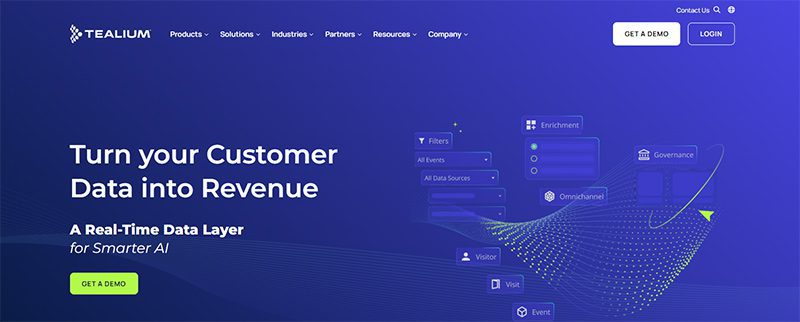
Marketers rejoice, Tealium is an artificial intelligence solution to optimize your marketing campaigns. Tealium ensures that you can grow and acquire your audience! They do it through segmentation and audience insights. But it doesn’t stop there. The AI solution also helps you with loyalty, retention, customer experience, and personalization. Other solutions are:
- Predictive insights and customer analytics
- Data collection and privacy
- Single view of the customer
- Operationalizing mobile data
The industries that can greatly benefit from Tealium are:
- Finance
- Healthcare
- Pharma
- Retail
- Sports & Entertainment
- Travel & Hospitality
10. Sisense
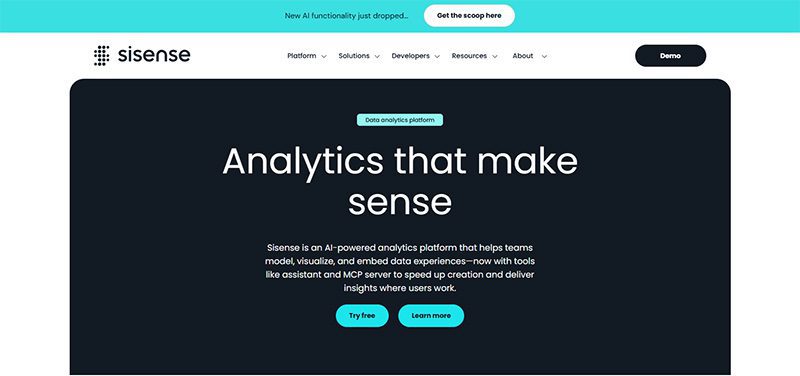
Here’s another business processing AI solution to help your business operate smoothly. Sisense will help you learn more about your company from every department. If you’re running marketing campaigns, Sisense can analyze them and improve your ROI. You can also get data to improve performance. Plus, you can mitigate risk through analytics.
Final Thoughts
Artificial intelligence solutions can streamline business processes, create models for data scientists and software engineers, and analyze data. With AI’s help, you can increase productivity and get more value for your business.

Here are the Best Design Agencies in New Jersey in 2026

The Biggest Hidden Cost in Agencies Isn’t Talent — It’s Throughput

The ‘Boring’ Internal Upgrade Behind Many $100M-Scale Companies

What’s the Best Logo Design Agency in Chicago?

The Software As A Service Business Model Explained

Best Design Agency in Washington – 2026 Top Picks

Top 10 Email Marketing Software Modern Businesses Need Today

How To Do Business Marketing For Free

OpenStudio – Business Management All-In-One
Top 10 Email Marketing Software Modern Businesses Need Today
The Software As A Service Business Model Explained

Top 10 Artificial Intelligence Solutions Your Business SHOULD Use

The Biggest Hidden Cost in Healthcare Isn’t Staff Time. It’s Operational Friction.

What’s the Best Design Agency in California? Our 4 Top Picks
 Business3 days ago
Top 10 Email Marketing Software Modern Businesses Need Today
- Business3 days ago
The Software As A Service Business Model Explained
- Uncategorized3 days ago
Best Design Agency in Washington – 2026 Top Picks
- Uncategorized3 days ago
What’s the Best Logo Design Agency in Chicago?
- Uncategorized7 hours ago
The Biggest Hidden Cost in Agencies Isn’t Talent — It’s Throughput
- Uncategorized8 hours ago
The ‘Boring’ Internal Upgrade Behind Many $100M-Scale Companies
- Uncategorized6 hours ago
Here are the Best Design Agencies in New Jersey in 2026


