Business
7 Crucial Trends in Graphic Design Technology You Should Know About

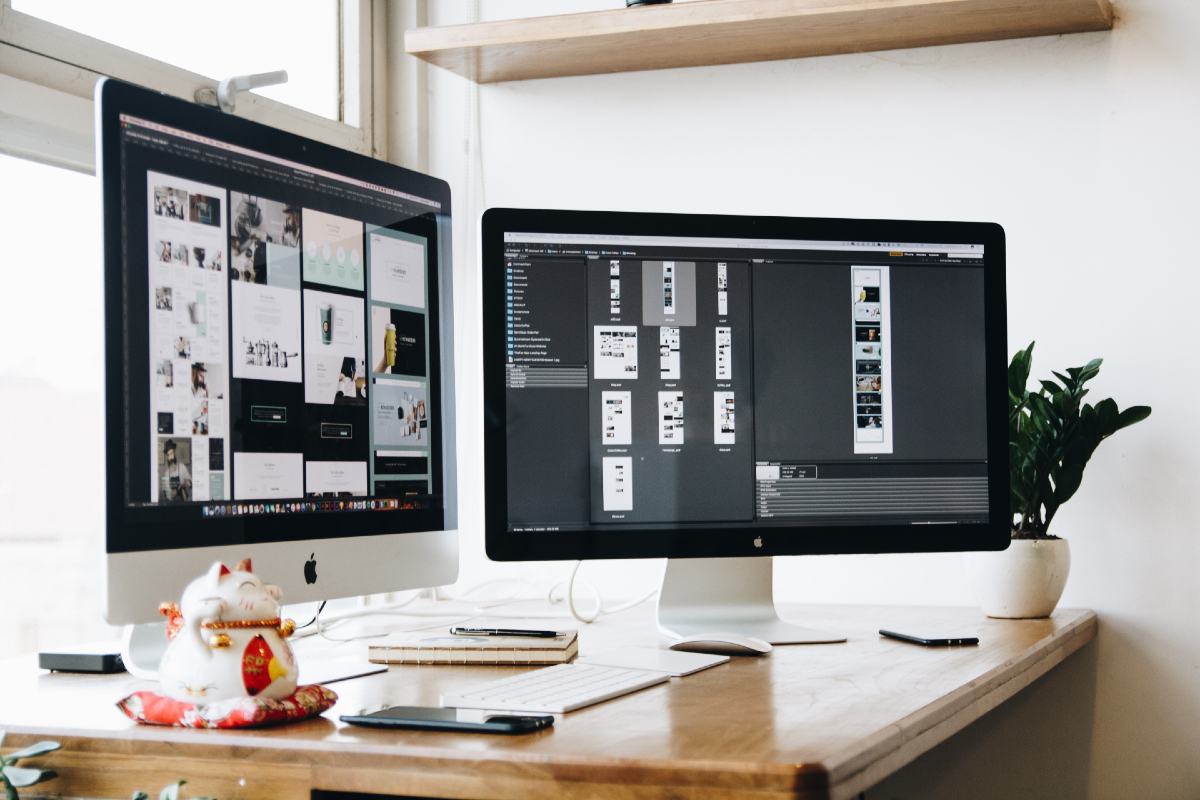
The value and need for the services of graphic designers are of pressing importance nowadays. Any business or company will know how crucial great graphic design work is to its brand and marketing strategies. And it’s no secret that technology geared towards improving the graphic design process has risen in the past few years. With emerging technologies in graphic design and a whole global talent pool at anyone’s disposal, there is absolutely no excuse for a company not to get a graphic designer.
As trends change and industries adapt to the ever-changing atmosphere of creative work, one must know where graphic design is going in the next few years. Whether you’re a graphic designer yourself or you hire graphic designers, it’s important to put one’s ear on the ground and listen to the rumbles of the digital industry and marketing world.
Here are seven crucial trends that graphic designers, marketers, and business owners should get a vibe of in 2021 and beyond.
1. Artificial Intelligence in Graphic Design
Artificial intelligence is on the rise and is changing the way we do business. In 2015, only 10% of businesses used some form of artificial intelligence in their operations. Oin 2019, that number rose to 37%, a 270% jump in such a short amount of time.
New technology in graphic design is moving towards making use of artificial intelligence in the design process. AI companies are venturing towards developing systems that use the massive online repositories of fonts, icons, and colors to develop algorithms that will produce sleek design work for companies.
But for graphic designers afraid of the day that robots will take over their jobs, there is little to worry about as artificial intelligence in graphic design looks to augment and not replace human designers. Creativity remains a human quality.
2. The Rise of Non-Adobe Graphic Design Software
It’s hard to imagine that there was once a time that Adobe held a near-monopoly on the graphic design software industry. Tools like Adobe Photoshop, Lightroom, InDesign, and Illustrator seemed to be the only viable options for editing graphics and making various collaterals and materials. But today, there are more options available to designers.
Services like Sketchapp, Pixlr, and Vectr are great alternatives to Adobe Suite products. Designers can also now use cloud-based design software Canva, which starts with a free plan. To check out all the available graphic design software available, check out this graphic design software guide by CompareCamp.
3. Increased Demand for Landing Page Design Software
Nowadays, people who run online businesses will have some form of landing or sales page to promote their products. A landing page is one long-form web page that sells one or a few products with a compelling storyline or sales script.
Previously, If you wanted to build websites, you needed fluency in HTML and CSS to happen. But today, various landing page design services are available online.
Services like Leadpages, Convertkit, Instapage, Shogun, and Kajabi allow people to create websites with a drag and drop interface and practically zero code work. These services also provide various landing page layouts that have proven conversion history with other users.
4. On-Demand Graphic Design Services
Another rising trend in the field of graphic design is the surge of on-demand graphic design services, a business model that gives customers access to a team of graphic designers whenever they need them. This model contrasts with the more traditional method of hiring a freelance graphic designer.
With on-demand graphic design companies, clients get a hold of a graphic design agency and ask the company to link them with a designer when needed. Compared to hiring a freelance designer, getting an on-demand graphic design service can provide certain benefits, including instant availability and a wider variation of styles. Of course, there is still a place for freelance graphic designers, but on-demand graphic services prove to be a good alternative to companies who don’t need a high volume of graphics for their business.
One good example of a company that provides on-demand design services is Penji, which offers entrepreneurs and small businesses access to a graphic designer who can create unlimited designs for as low as $399 a month.
5. Infographics Templates and Builders
In the last few years, infographics have taken the internet by storm. Nowadays, even B2B marketing places a big premium on infographics, with 65% of B2B marketers using some form of an infographic to promote a product or service.
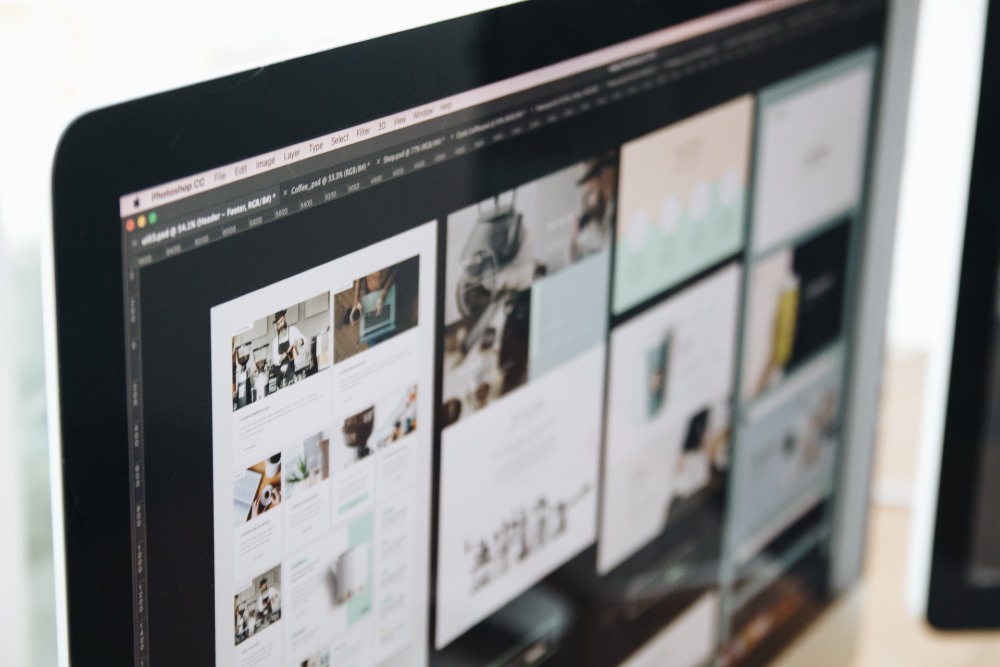
But anyone who wants to keep up with graphic design trends should know that there is now an extensive collection of infographics templates and infographic-generating online services available online. Now, graphic designers don’t have to start from scratch when making infographics, saving a lot of time and resources. Online tools like Piktochart and Venngage are great examples of such services.
6. Computer Systems Design
As high as the demand for graphic designers is today, the industry is hitting a tipping point. Experts say that the number of available graphic design jobs will decrease by 4% in the next few years. But even as the overall market for designers falls, there’s a subset of graphic designers that disproportionately goes against the flow.
As the number of needed designers in print and traditional media poises itself for a drop, there will be an increase in needed graphic designers in computer systems design. In fact, a report shows that there will be a 20% increase in computer systems graphic designers from 2016 to 2026.
7. Smarter Revision Software
One of the most tedious parts of the graphic design workflow is dealing with revisions. Designers have dealt with the seemingly never-ending back and forth of revisions and comments. A good chunk of the refurbishing of designs often happens because of a lack of communication between clients and designers, especially when communicating online.
As innovators look to address that need, some have become better at improving the revision process with graphic design technologies. A good example of such tools includes Wipster, Filestage, Usersnap, and Skitch.
Where Graphic Design is Heading Towards in 2021
The year is coming to a close pretty soon, and we’ll be welcoming another new year before we know it. As 2020 comes to a close, it’s time professionals in the creative space and business, in general, should start looking towards graphic design trends 2021 predictions. Like every other year, graphic design trends have changed immensely as people seek more novel ways to communicate messages.
But just as important for graphic designers and clients to know are the various technology trends shaping the way designers operate and work. Much has changed in little time as more services that help with the creative process pop out. Yet even as more and more softwares becomes available, creatives will be happy to know that the future looks bright for graphic designers everywhere as many of today’s tools look to streamline the creation process and allow artists to work smarter and more effectively.
Of course, that is if graphic designers stay with the times and continue watching over the horizon for the next tool that will provide them with hacks to improve their design processes. For anyone ready to adapt to the latest trend in graphic design and try new tools and processes, there can be a whole new world of possibilities and growth in the field of creative work.


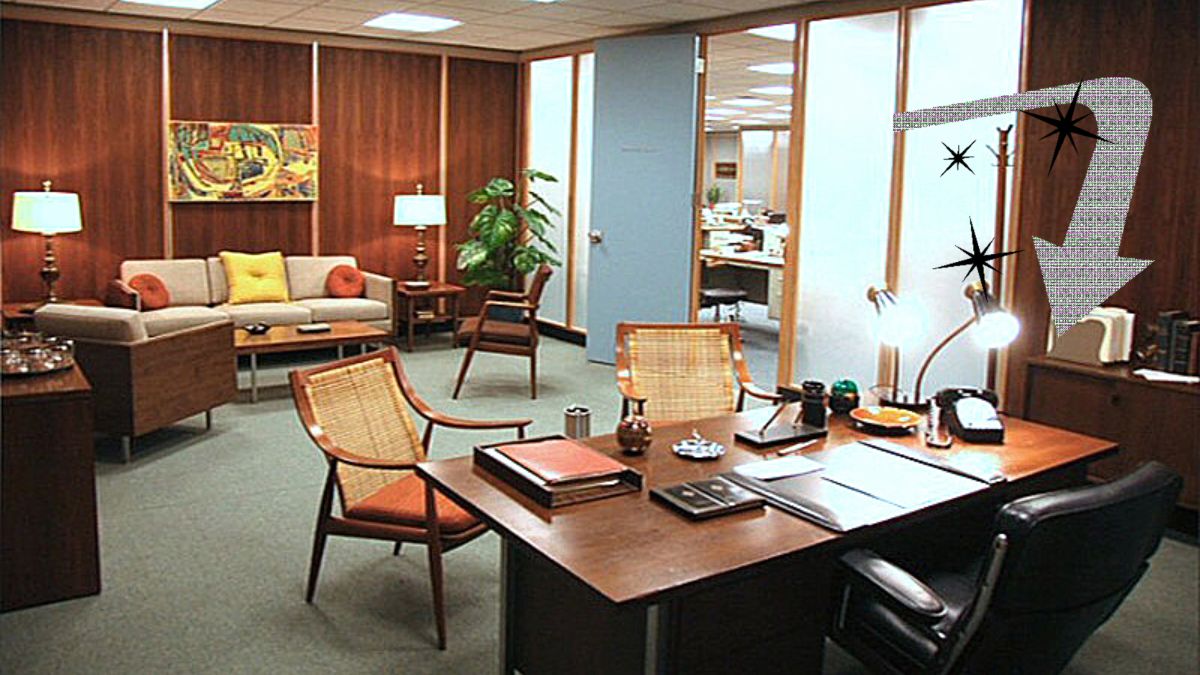
What was once old is new again: mid century modern is back in style. From architecture to furniture, the postwar look is in, and the hype extends all the way to office chairs.
Do you need a mid century modern office chair in your life? If so, there’s plenty to choose from. Your office chair should be tailored to your style, whether you like luxury, utility, or something in between.
That’s why we’ve put together our 10 favorite places to find your ideal mid century modern office chair.
What is mid century modern design?
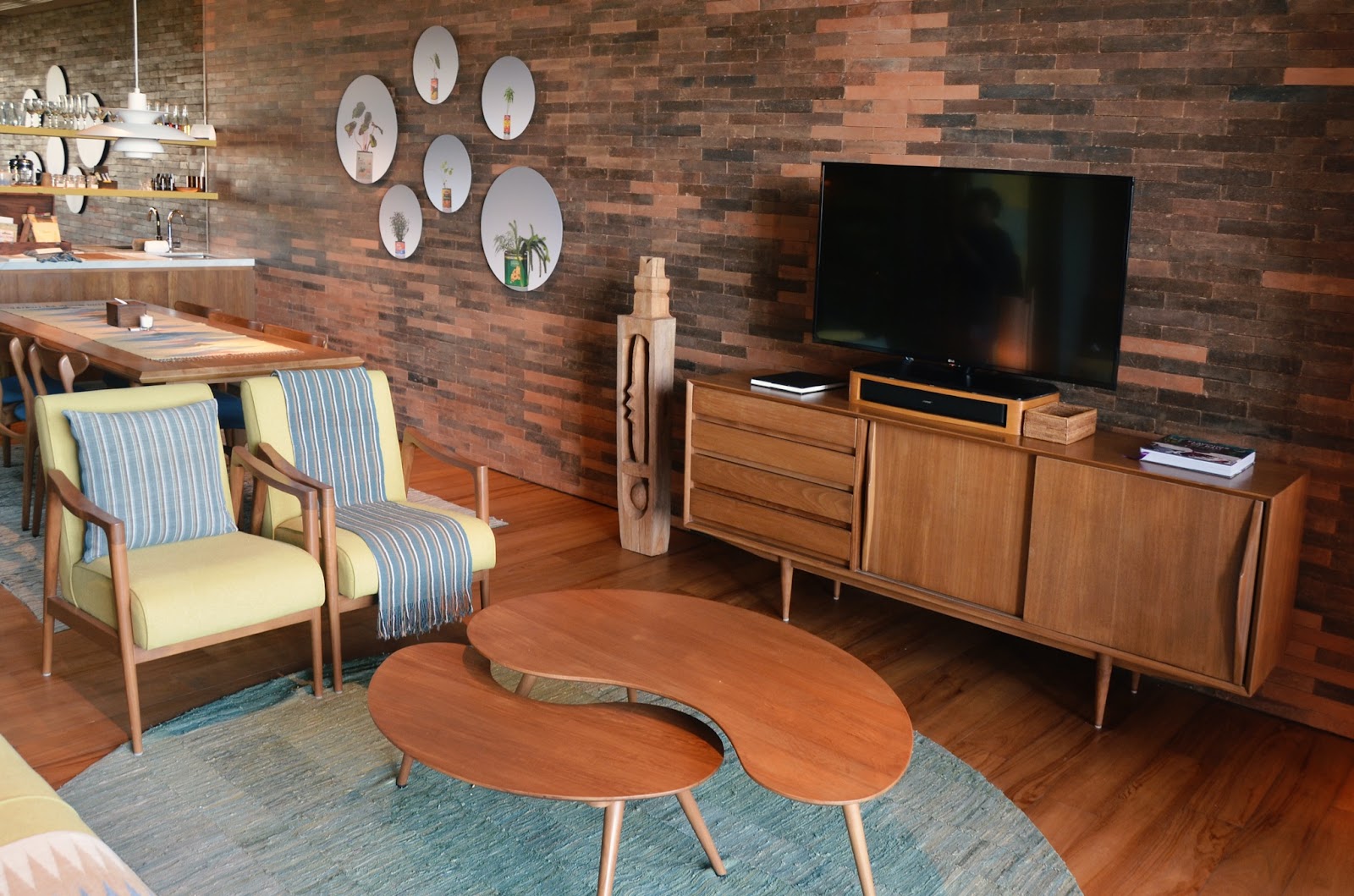
After World War II, spirits were high in the US, and new technology was taking the country by storm. Mid century modern refers to the design concepts that came about during this time.
As opposed to the frilly, ornate designs of classical furnishings, mid century modern designs are angular, material, and functional. Wood is a common design element, especially teak. Mid century modern furniture may also have materials like glass, vinyl, and metal. Designs are simple and geometric, with bold accent colors to make them pop.
The mid century modern aesthetic never really went away, but it’s made a noted comeback in recent years. Some have chalked it up to Boomer and Gen X nostalgia, others point to mid-century-set shows like Mad Men and The Marvelous Mrs. Maisel.
Why should I buy a mid century modern office chair?
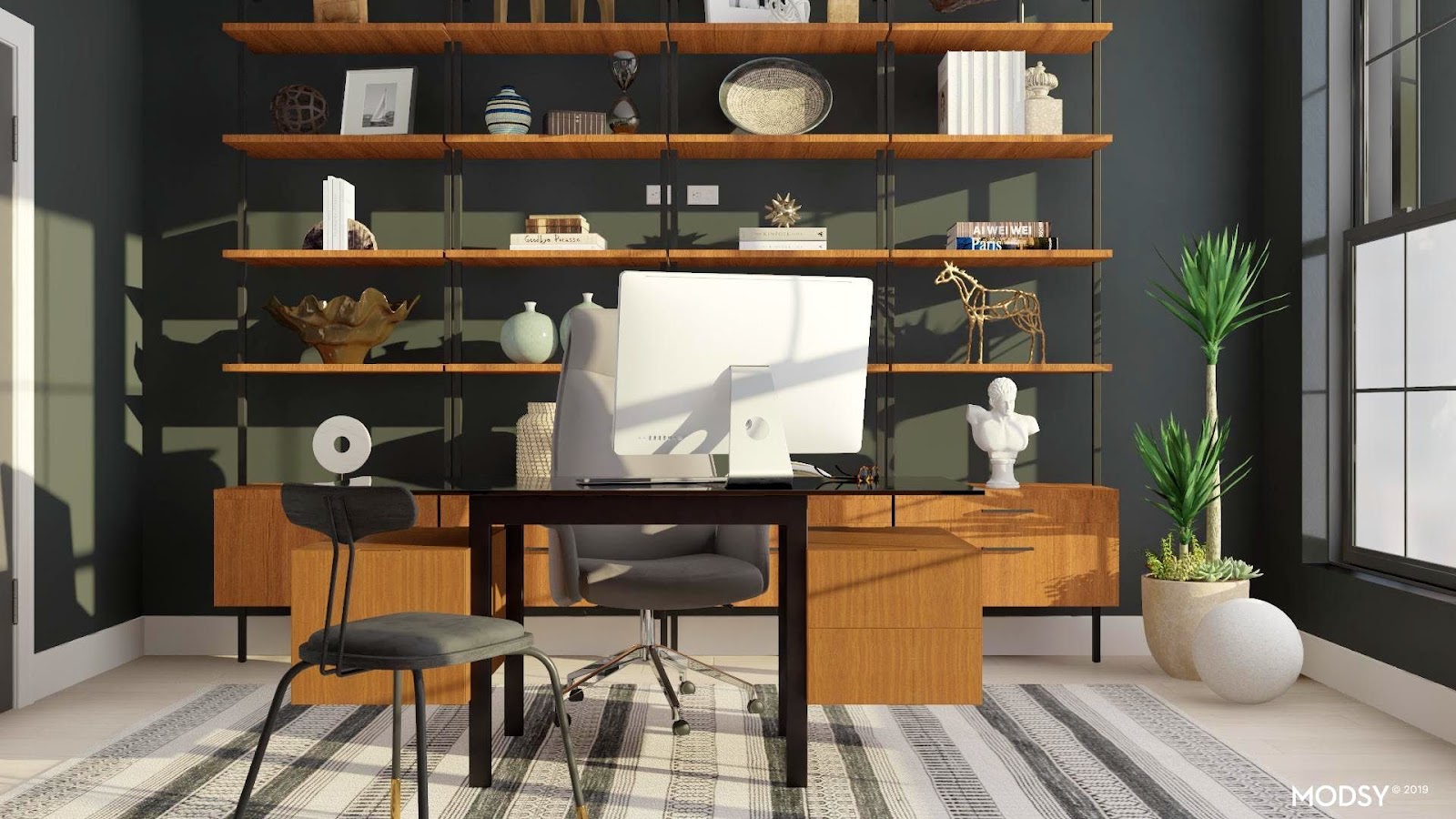
Mid century modern is the perfect fusion of style and utility. If you want to cultivate an office space that commands respect without being ostentatious, mid century modern is the style for you.
When it comes to office chairs, an MCM one is often made with sturdy wood and vinyl. They combine the ergonomics of a modern office chair with old-fashioned grace.
If you’re concerned with utility and utility only, a more bog-standard office chair may suit you. But a mid century modern office chair is great for someone who wants to wow colleagues with a mature, thoughtful business space.
Where can I get a mid century modern office chair?
1) Wayfair
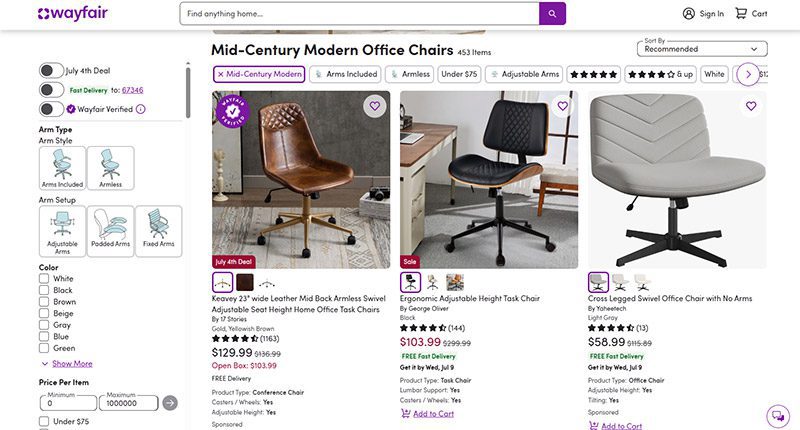
When it comes to furniture, Wayfair offers the best of both worlds. Their goods, including their mid century modern office chairs, are stylish and affordable. You can get a sturdy task chair for less than $100 or a more distinguished seat for less than $350.
MCM office chair examples: Dovray ($126), Bradford ($139), Lithonia ($133)
2) France & Son
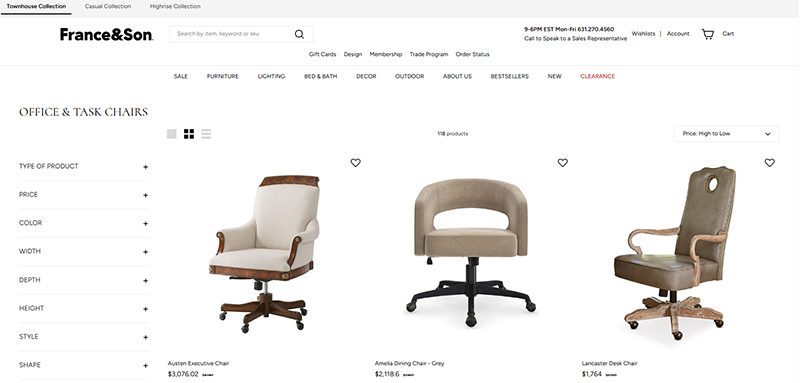
Wayfair’s chairs are affordable, but France & Son is the perfect option for luxury shoppers. Their mid century modern office chairs are robust and sleekly designed. If you dress to impress and enjoy the finer things in life, these are the chairs for you.
MCM office chair example: Brooks ($695)
3) Houzz
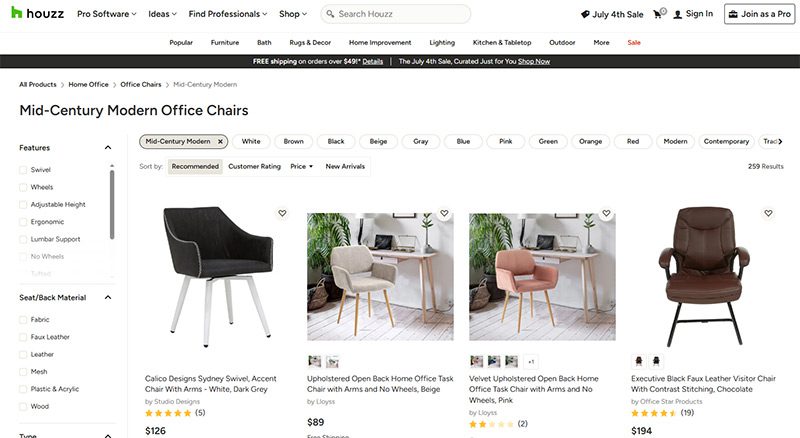
Started as a community for people to share home decor tips, Houzz has become a great ecommerce platform for finding stylish furniture. They’re more known for home decor than desk chairs, but they have plenty of great, affordable finds if you know where to look.
MCM office chair examples: Arvilla ($173), Rathburn ($259)
4) Laura Davidson
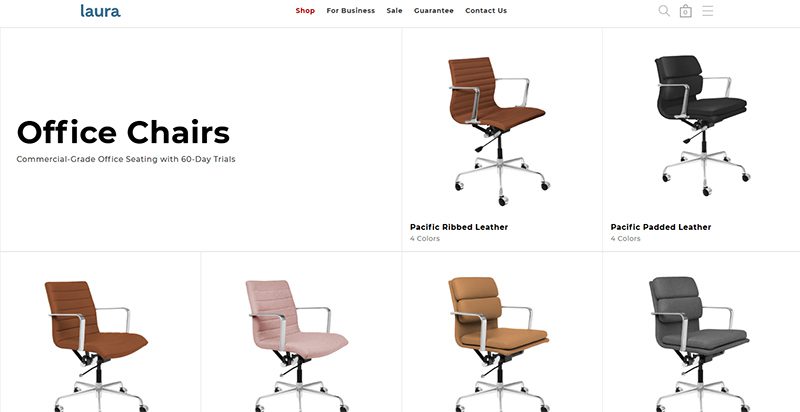
The Laura Davidson collection offers a fairly limited selection of classic office furniture. Still, there’s a reason they’re trusted by big-wigs like Apple, Disney, and Salesforce. Their chairs are sturdy and beautifully designed, reimagining classic Eames and Knoll designs.
MCM office chair examples: Rockefeller ($275), SOHO II Soft Pad ($450)
5) Icons of Manhattan
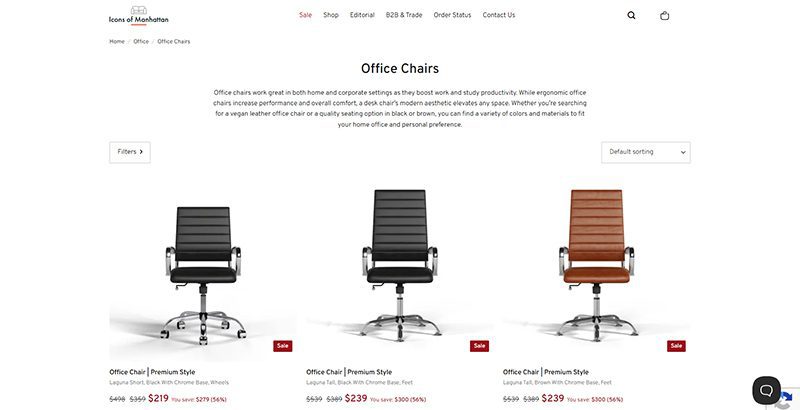
Icons of Manhattan has a simple philosophy: do one thing, and do it right. Their office chairs are handcrafted from premium materials and tailored to a mid-century modern style. If you want that Mad Men energy in your office (hopefully with a lot less angst), these are the chairs for you.
MCM office chair example: Ribbed Medium ($219)
6) Amazon
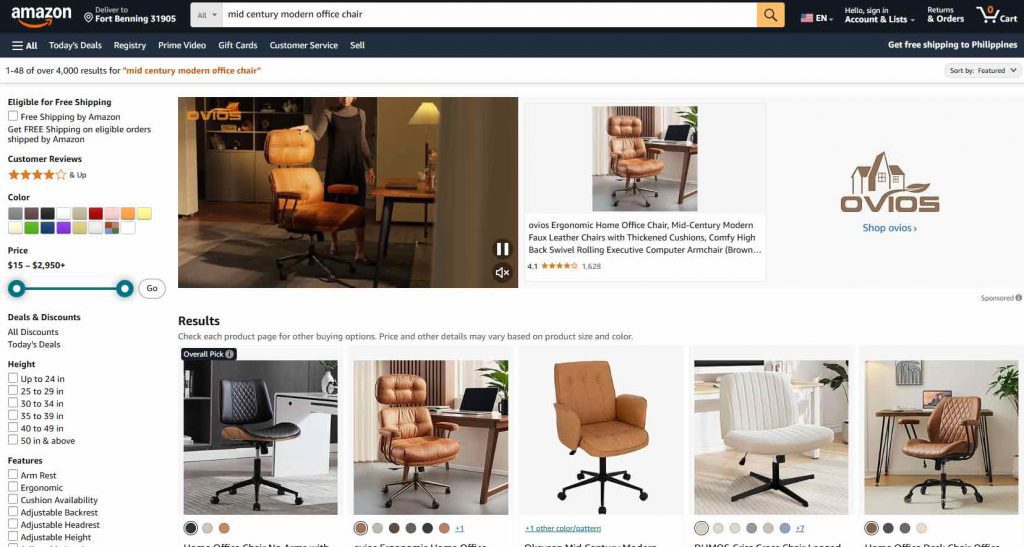
Yes, the internet’s premier shopping destination has a robust collection of mid century modern office chairs. Like with most products, their selection of seats is vast and can be hit or miss. Still, they’ve got stunning chairs available for any style, whether you care about comfort, class, or ergonomics.
MCM office chair examples: IDS Home Modern ($219), Art Leon MCM Swivel ($139)
7) AllModern
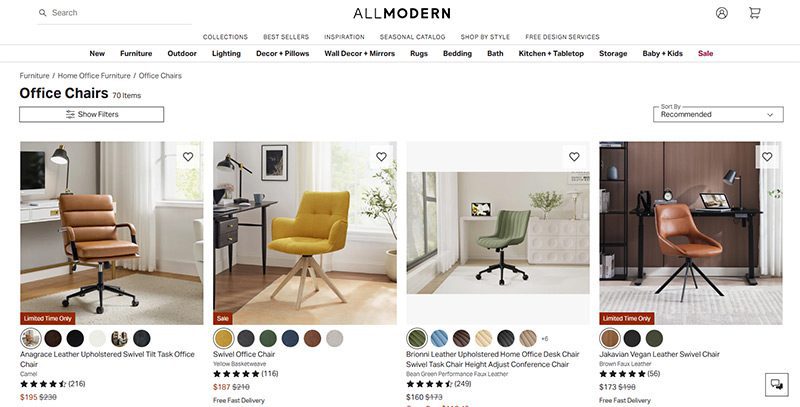
AllModern’s collection of desk chairs and other furniture truly embodies the mid century modern spirit. Their work is tight, angular, and functional above all. They’re part of the Wayfair family and they traffic in a number of modern styles, but their sleek chairs are perfect for any mid century modern space.
MCM office chair examples: Frederick ($229), Kealey ($349)
8) Overstock
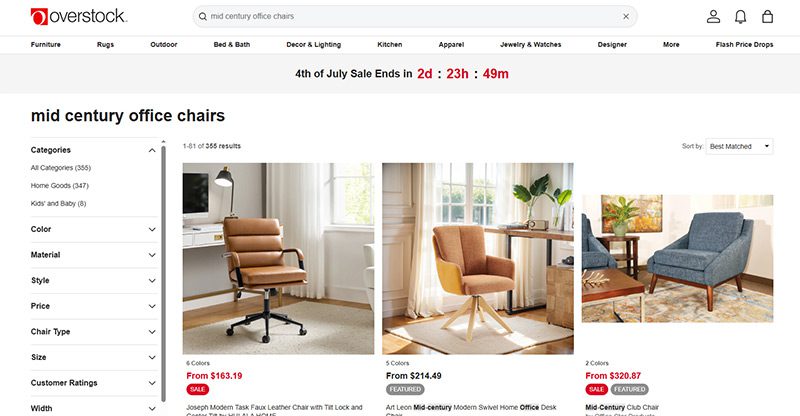
Overstock is known as a one-stop shop for quality home goods at sub-wholesale prices. If you want a spiffy mid century modern office chair that won’t break the bank, they’re the first place to look. While they’re somewhat less reliable than the more upscale platforms on this list, their selection is massive.
MCM office chair example: Joseph Modern ($163)
9) Walmart
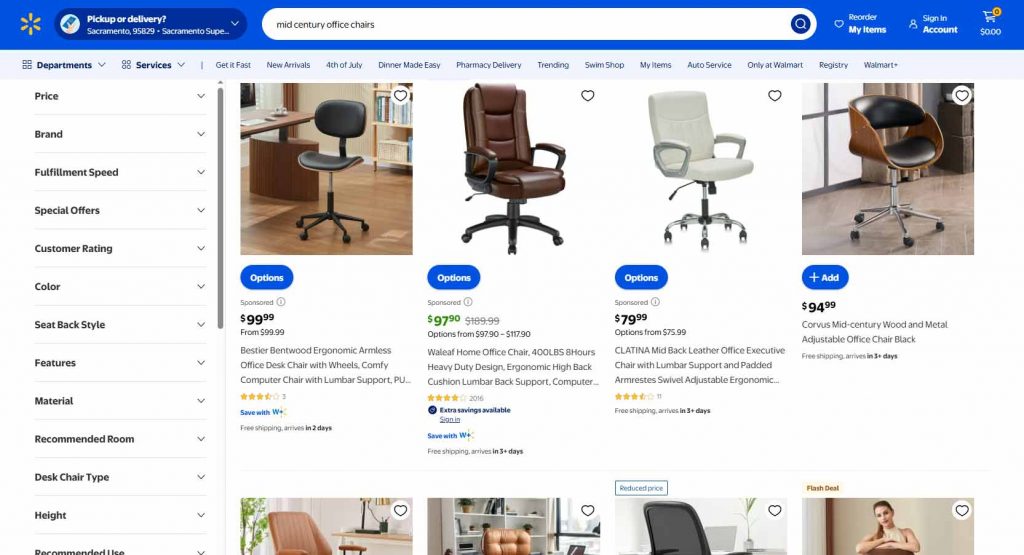
Hayneedle’s selection of mid-century modern office chairs falls somewhere between the minimal Laura Davidson and the endless Amazon catalog. Their array of mid-century designs is affordable and versatile, with chairs that match almost any style. While they may be part of the Walmart family, these chairs are anything but second-rate.
MCM office chair example: Waleaf ($97)
10) Target
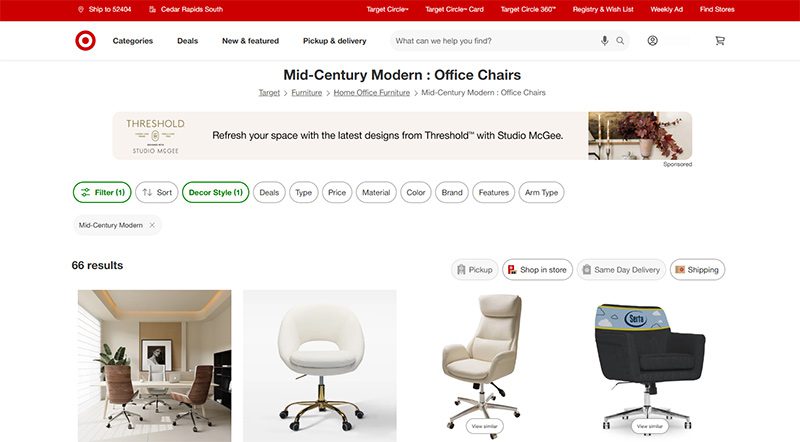
Why splurge when you can save? As usual, Target is a hidden gem, offering a sturdy selection of mid century modern office chairs for some of the cheapest prices out there. Many of the chairs they offer are from the same designers as these other stores—Christopher Knight, LumiSource, Armen Living, etc.—at reduced prices.
MCM office chair example: Lombardi ($136)


A quality payroll service is one of the most invaluable tools any entrepreneur can have. Whether you’re a small business owner or an HR manager, paying your employees on time is crucial. This makes choosing a service even more weighty, after all, it is a heavy administrative burden. The good thing is, you can outsource this duty to an online payroll processor.
According to statistics, 49% of workers begin a new job search after just two paycheck errors, and with 65% of workers living paycheck to paycheck, it’s more important than ever to ensure an efficient, effective payroll process.
These services can save you precious time and mitigate potential issues. To make it easy for you to choose, we listed the best online payroll services for 2025.
Top 5 Online Payroll Services
Gusto

Gusto is a great option for both new and experienced payroll administrators, boasting an incredibly clean user interface and a first-rate payroll setup. Gusto lets you manage your employee’s time off (vacation and sick pay), company health insurance, and worker’s comp. Gusto offers excellent mobile access, too. This allows employees to manage aspects of their Gusto profiles, view payday insights, and access Gusto Wallet financial tools.
Gusto offers four tiers of membership, the most affordable of which is the Contractor’s Only plan, which offers unlimited U.S.-based and global contractor payments, supporting more than 100 countries, plus 1099 creation and filing at a rate of $6 per person per month with no base price.
The other three are Simple, Plus, and Premium. Here’s a deeper look into each plan:
Simple
Price:
$40/mo + $6/mo per person
Plan details:
- Full-service single-state payroll including W-2s and 1099s
- Employee profiles and self-service
- Basic hiring and onboarding tools
- Gusto-brokered health insurance administration
- Employee financial benefits
- Payroll and time-off reports
- Custom admin permissions
- Integrations for accounting, time tracking, expense management, and more
Plus
Price:
$80/mo + $12/mo per person
Plan details:
(All Simple plan features +)
- Full-service multi-state payroll including W-2s and 1099s
- Next-day direct deposit
- Advanced hiring and onboarding tools
- PTO management and policies
- Time tracking and project tracking
- Workforce costing and custom reports
- Team management tools
- Full support
Premium
Price:
Bespoke pricing, reach out for a personalized quote
Plan details:
(All Plus plan features +)
- HR Resource Center
- Compliance alerts
- Access to certified HR experts
- Full-service payroll migration and account setup
- Health insurance broker integration
- R&D tax credit discount
- Waived fees and exclusive pricing
- Performance reviews
- Employee surveys and insights
- Dedicated support
QuickBooks Online Payroll
Founded in 1983, Intuit is a California-based financial software company. Since its inception, Intuit has developed into one of the best-known providers of accounting software. Their online payroll service, QuickBooks, includes the essential features you need to run payroll.
QuickBooks offers three tiers of membership. The least expensive membership covers basic accounting features, such as invoices. For more features, check out the Essentials and Plus memberships. Each plan’s features are as follows:
QuickBooks Simple Start (2025)
- Price: $38/month for 1 user
- Best for: Freelancers and small teams with basic payroll needs
Features:
- Automated bookkeeping
- 5 free ACH bank transfers/mo for bills
QuickBooks Essentials (2025)
- Price: $75/month for 3 users
- Best for: Small businesses needing deeper financial tracking
Features:
- Includes all Simple Start features, plus:
- Recurring invoices
QuickBooks Plus (2025)
- Price: $115/month for 5 users
- Best for: Growing businesses with HR and compliance needs
Features:
- Includes all Essentials features, plus:
- AI-powered profit & loss insights
- Anomaly detection and resolution
- Budgeting
QuickBooks Advanced (2025)
- Price: $275/month for 25 users
- Best for: Established businesses with HR and compliance needs
Features:
- Includes all Plus features, plus:
- Custom user management and permissions
- Custom report builder
- Data sync with Excel
- Revenue recognition
- Forecasting
OnPay
OnPay is a cloud-based full-service payroll processing system capable of running payroll according to a preset schedule, automatically disbursing wages, and calculating and withholding taxes.
OnPay can sync up with several other software your team is already using, making it easy to integrate the service into your team’s system. Another benefit of OnPays model is the simple, transparent pricing structure. No tiers; just one base rate.
Pricing:
$49/mo + $6/mo per employee
SurePayroll
SurePayroll’s award-winning service supports W-2 employees and 1099 contractors. Additionally, it handles 401(k) deductions and manages flexible spending accounts (FSA) and health savings accounts (HSA).
SurePayroll also offers a mobile app— available on both Apple and Android devices.
SurePayroll offers live support through its United States-based support team through chat, email, or phone.
Small Business Payroll
- Price: No Tax Filing: $20/month + $4 per employee, Full Service: $29/month + $7 per employee
- Best for: Small businesses and startups
Features:
- We file and deposit your federal and state taxes!
- Run payroll in 3 simple steps
- Schedule payroll to run automatically
- Unlimited payroll runs and free 2-day direct deposit
- Reports and pay stubs are available online 24/7
- Supports W-2 employees and 1099 contractors
Nanny & Household Payroll
- Price: Full-Service Household, $39/month, includes 1 employee, $10 per additional employee
Best for: Homeowners
Features:
- Signature-ready Schedule H
- We file & deposit your federal and state taxes!
- Run payroll in 3 simple steps
- Schedule payroll to run automatically
- Unlimited payroll runs and free 2-day direct deposit
- Reports & paystubs available online 24/7
- Supports W-2 employees & 1099 contractors
Be sure to choose a payroll service that works for your business, and provides you with the peace of mind that comes with a reliable bookkeeping system. Your employees will thank you.


What Is Tiktok Pink Sauce? The Viral Condiment, Explained

Did You Drop Your Smartphone in The Ocean? Here’s How to Retrieve It

Gift Guide: 25 Best Gifts for Women for All Occasions

History of the NBA: The Success Behind the Big League

Demio SaaS 2025 Review: Features, Pricing, Pros & Cons

Top 12 Uses for The Metaverse That Will Change Your Life

Top 10 Best Places to Buy a Mid Century Modern Office Chair
Top 10 Best Places to Buy a Mid Century Modern Office Chair
History of the NBA: The Success Behind the Big League

8 Best Equipment for YouTube Every Content Creator Needs
Demio SaaS 2025 Review: Features, Pricing, Pros & Cons
Did You Drop Your Smartphone in The Ocean? Here’s How to Retrieve It

Top 10 Small Business Organization Tools for 2025
Top 12 Uses for The Metaverse That Will Change Your Life
 Entertainment5 days ago
History of the NBA: The Success Behind the Big League
- Lifestyle4 days ago
Did You Drop Your Smartphone in The Ocean? Here’s How to Retrieve It
- Lifestyle5 days ago
Gift Guide: 25 Best Gifts for Women for All Occasions
- Top Stories4 days ago
What Is Tiktok Pink Sauce? The Viral Condiment, Explained