Business
The Best POS Systems for Small Businesses

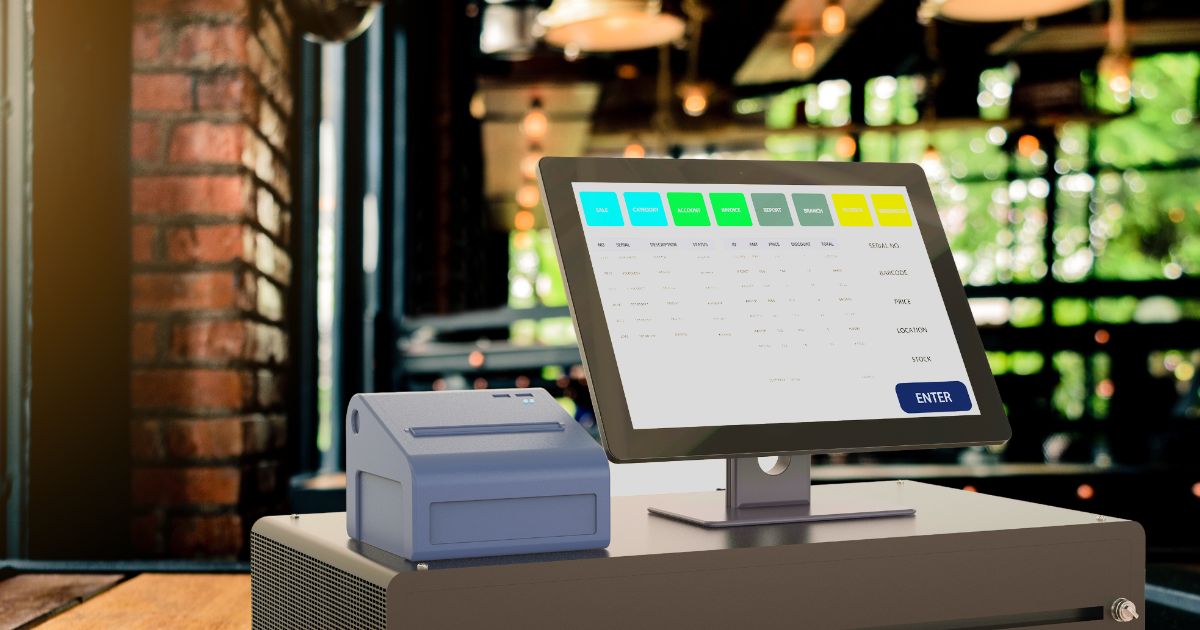
There are many hurdles to running a small business. More often than not, you are working with meager resources and even more limited staffing. Because of this, you need an efficient set of tools to help you manage everyday operations.
And one of the most critical suites to any retail business is a point of sale (POS) system. This tool allows business owners to cater to various payment options, whether online or in-person. Another great thing about POS systems is that they come with practical business features, depending on your industry.
Here are the ten best POS system for small businesses today:
1. Clover
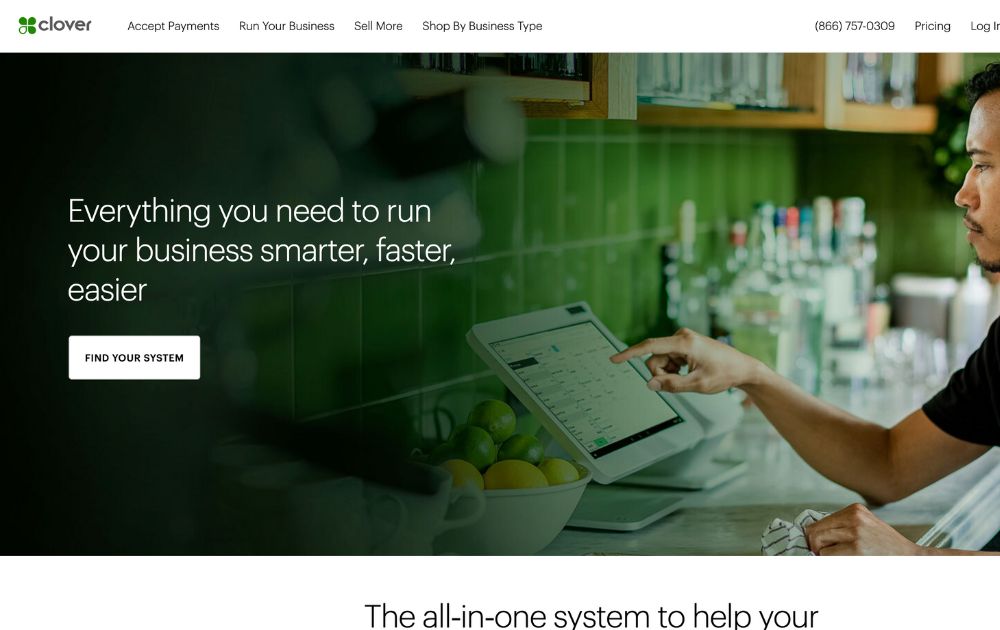
If you need a POS system for your small business right now, Clover can get it done for you. It has essential credit card processing tools and more. Users can link Clover with third-party apps for other functions like managing payroll. Clover Go, which works on Android and iOS tablets, is the best option for small business owners.
The suite’s virtual terminal allows owners to accept payments via a smart device. But the most appealing feature of Clover is its ease of use. Their terminals come pre-configured, so onboarding is mostly a smooth process.
2. Square
Square has good overall features, making it a top option for general retailers. Users can get barcode printing tools, sales reports, and stock management. Apart from that, though, it also has specific features and tools designed for individual contractors and restaurants.
Another plus is that Square accounts come with a built-in e-commerce store. Finally, POS users can expect speedy payments and buy now, pay later charges via Afterpay.
3. Chase
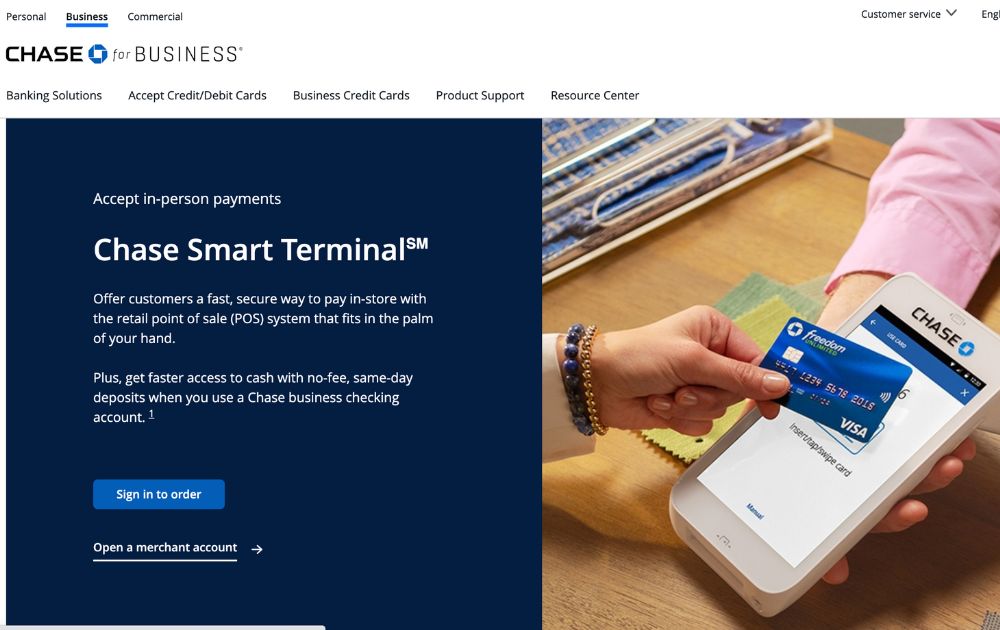
On the other hand, Chase has various hardware and virtual solutions that accept payments from multiple platforms. Users can expect to get physical tablets and standalone terminals for brick-and-mortar shops. And users can even make contactless payments and wireless credit card payment processing with the Chase Smart Terminal.
Aside from that, Chase also has e-commerce integrations for online stores. Because of these features, Chase is ideal for e-commerce shops and general retailers.
4. Shopify
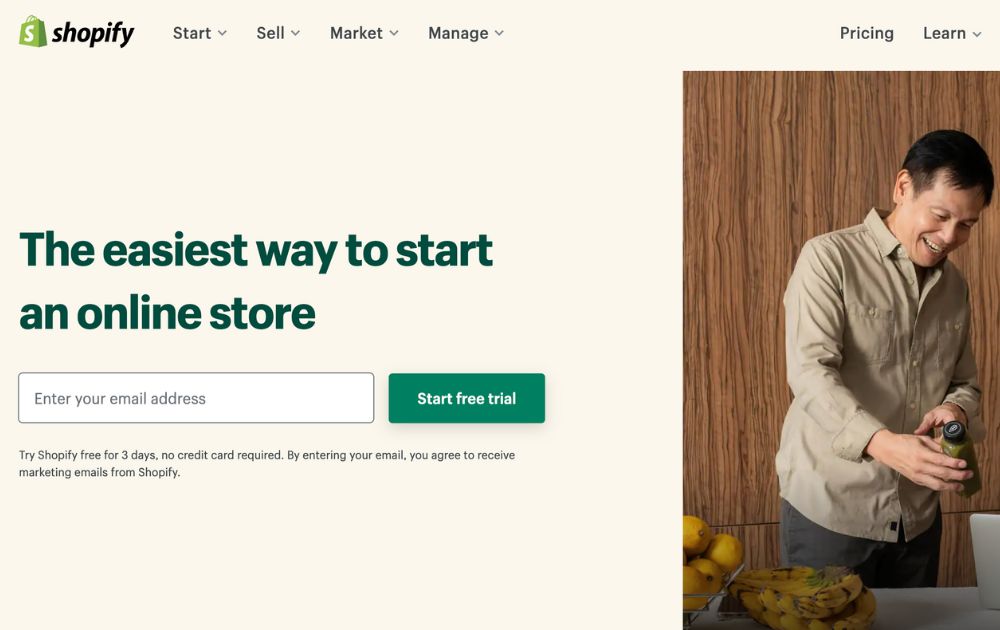
Shopify is the best mobile POS system for small businesses because it makes it easier for owners to start and complete payments in the same place. It’s also the best POS system for retailers that are on multiple channels. It has easy to use interface that online businesses can easily use.
Plus, it has advanced tools that help with inventory and customer relations. Finally, Shopify lets users integrate with Apple and Facebook for better customer support.
5. Toast
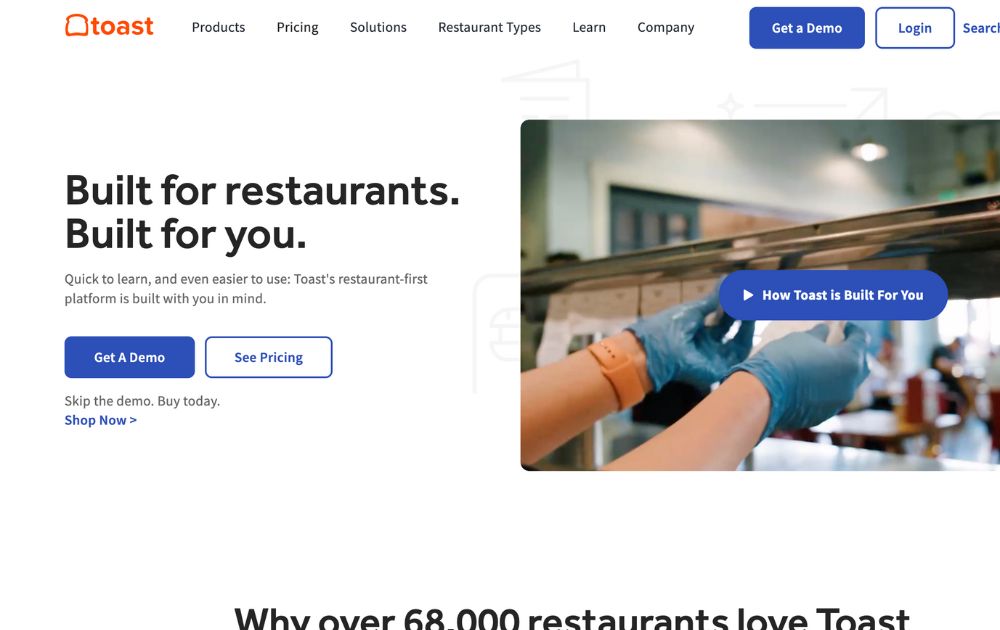
Toast offers POS systems for small businesses free of charge. Apart from this, they also have a good starter POS promo that’s ideal for businesses just starting out. Otherwise, they have pay-as-you-go and standard plans that lock users in for two years.
The system is great for restaurants because of its many valuable features. These include QR code payments, delivery tools, a table check splitting tool, and more. Toast also has a staff and inventory management tool.
6. Lightspeed
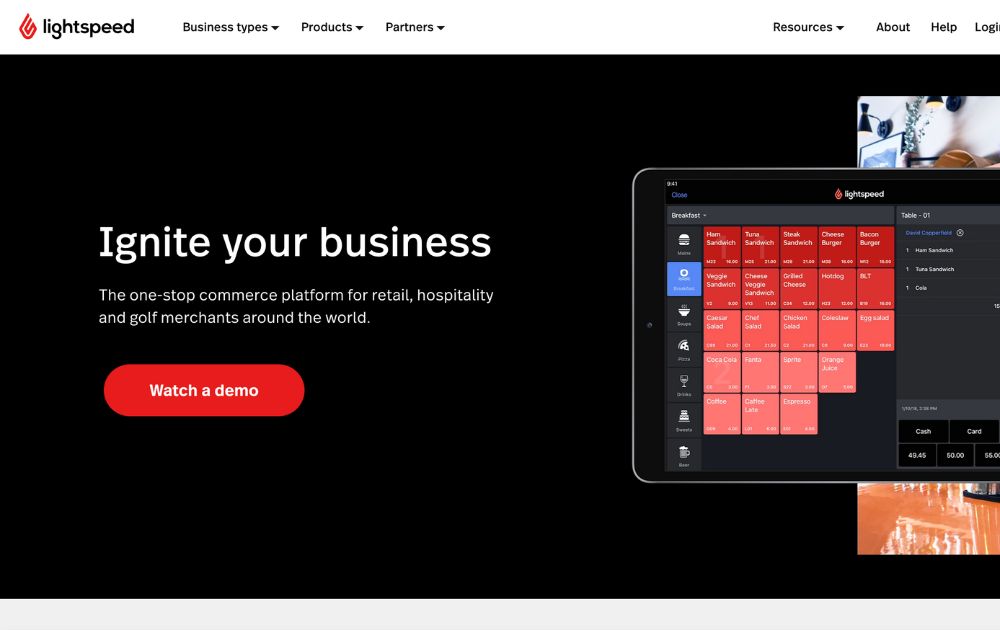
On the other hand, companies that need superb inventory tools can try Lightspeed. It has a matrix system to manage your stock and create smooth data visualization. Here, you can draw up matrixes of product variants to see which items need restocking.
Lightspeed works even when it’s offline. This POS system for small businesses is best if you are in the food and beverage industry, as well as physical retailers and restaurants.
7. Revel Systems
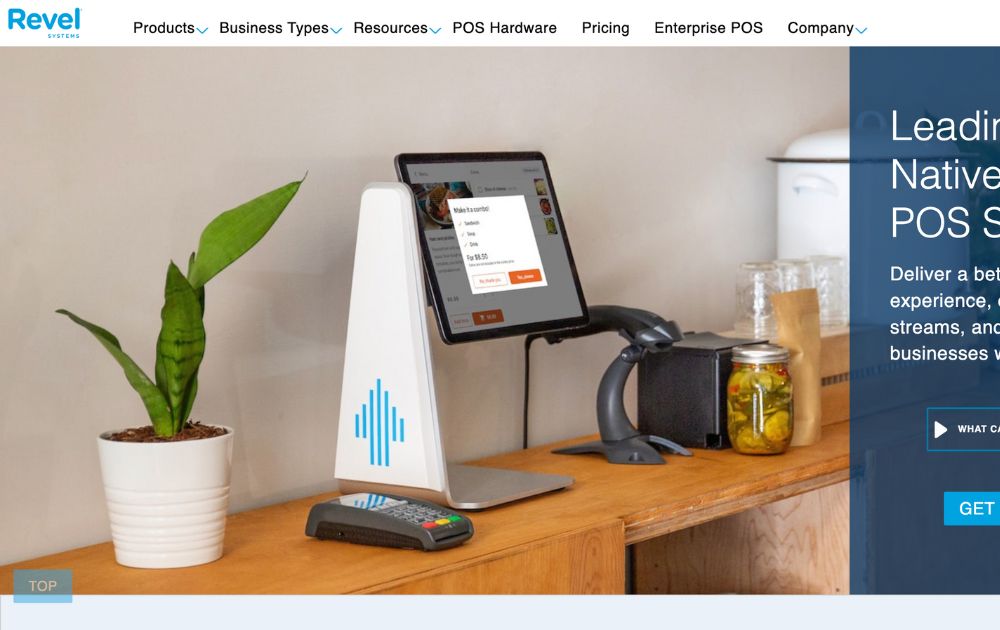
The best POS system for retail shops and restaurant is Revel Systems. Whether a general store or a busy retailer, you can count on Revel Systems’ hardware tools to finish payments.
Revel has iPad-based terminals that track stocks, orders, and deliveries for groceries and restaurants. In fact, its restaurant features include tracking tips, building menus, and managing tables. Meanwhile, its grocery tools include discount, loyalty, and gift card tools.
8. ITRetail
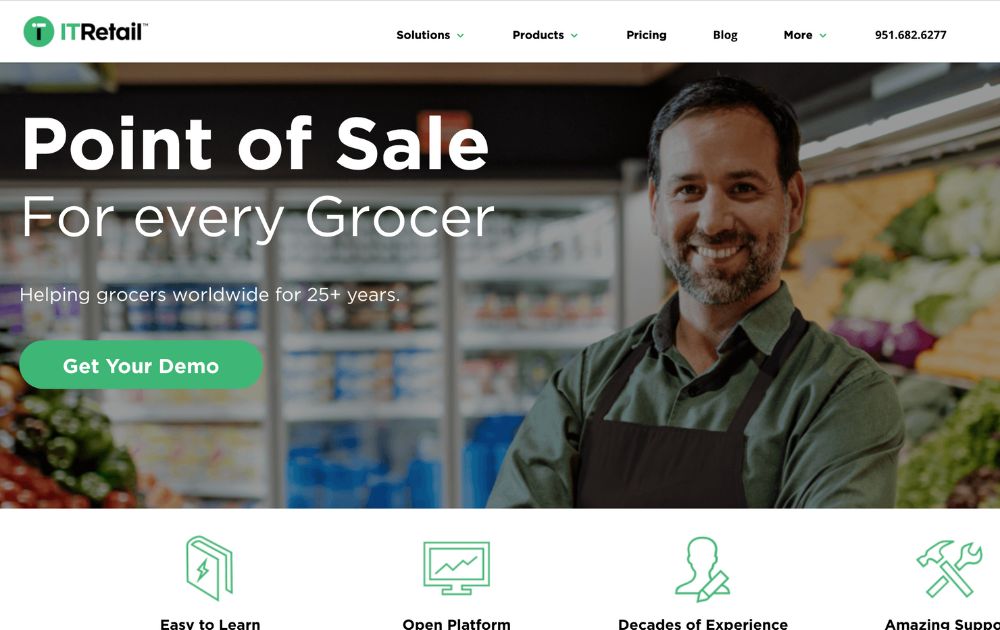
On the other hand, ITRetail is a POS system for small business that’s best for groceries and small markets. For one, it has strong and flexible checkout options. Customers can pay via debit, credit card, gift cards, or e-wallet. It also has a host of options should people need to self-checkout.
Apart from that, you can manage your stock via their mobile app. Users can customize CRM tools to monitor and track loyalty and rewards programs.
9. KORONA
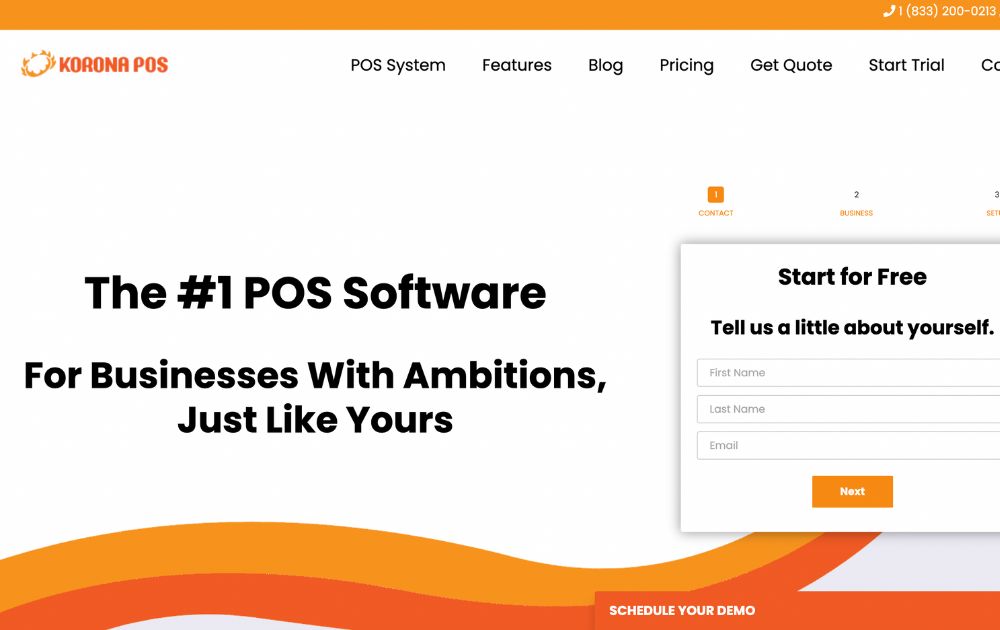
KORONA is a POS suite that is best for high-risk enterprises. This refers to liquor, vape, and even cannabis stores. However, KORONA can also support brick-and-mortar shops and ticketed venues. Most online reviews deem KORONA one of the most flexible POS because it links with major payment processors.
Aside from that, it’s also a top choice because of its stock tracking tools. It even has a ticketing function, making it a great event option.
Tips for picking a POS system
When you think about the qualities of a great POS system, it can seem like an unnecessary expense. However, a POS system can be a game-changer for a small business. Here are a few tips on picking a system to make sure that it will be a worthy investment.
Hardware and Software Compatibility
The first thing to look for when picking a POS system is whether it will be compatible with your hardware and software. Check if your POS system supports your computer operating system (like Windows or Mac). You also want to check if it works with your network and your printer or scanners. You don’t want to invest in a product that can’t work with your current systems. Keep in mind that POS systems come in various levels of functionality, so you can find one compatible with your existing technology.
Ease of Use
Another important thing to consider when picking a POS system for your small business is its easy use. The less time you spend on training your staff, the better. You want to find a POS system with an intuitive interface, making it easy for everyone from your office manager to your cashier.
Security
Another important thing to consider when picking a POS system is its security features. You want a system that is protected against fraud and theft.
Budget
Lastly, don’t forget about the budget when picking a POS system. You don’t have to overspend to get a great product. A good rule of thumb is to look for a system in the middle of the price range for your industry.


As a business, partnering with a design company that can help you reach your design, branding, and even revenue goals is essential. However, comparing companies can quickly turn into a full-time job. That’s why we’ve narrowed down the top design companies according to Trustpilot and Google, both well-established sites where real customers leave reviews.
Let’s look at the highest-rated graphic design companies and what they offer so you can choose what makes sense for your brand and budget.
1. Penji
Trustpilot rating: 4.8
One of the most trusted design services for startups and agencies is Penji. Penji’s business model is unique because they offer an unlimited graphic design subscription. You simply pay a flat monthly fee and get as many designs as you need for yourself or your clients. Their scope of service spans over 100 design categories, which means they can handle your website, branding materials, ad designs, packaging designs, and more. Agencies rely on Penji to help them manage various client projects and radically increase their design output if needed.
Penji has three plans to choose from, all of which are unlimited but the details vary. In higher plans, you can access motion graphics and even work with an Art Director and Figma Web Designer. The platform is user-friendly, making it easy to submit design briefs, collaborate with your team, and contact your assigned designer directly.
Unlike some of the companies on this list, Penji has a dedicated design team. So if you don’t want to take a chance on freelancers, you can get to know Penji’s designers and who works best with you. Read our review of Penji here and get 25% off when you subscribe. You can pause or cancel anytime.
What can you get from an unlimited graphic design service?
- Logos
- Business cards
- Web and app designs
- Presentation designs
- Marketing materials
- Marketing designs
- Digital ads
- Billboards
- Magazines
- Packaging
- Merchandise
- Illustrations
- And more
Pricing:
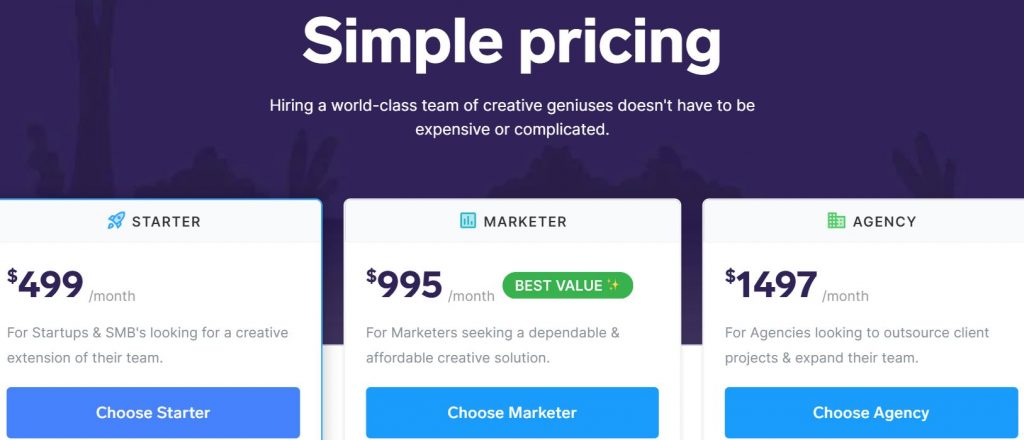
- Starter – $499/mo
- Marketer – $995/mo
- Agency – $1497/mo
2. Clay
Google rating: 4.8
Clay is a widely known and respected design agency that has worked with such names as Slack, Stripe, and Meta. They’re a full-service agency who specialize in branding, website design, and content creation. This is a diverse company that honed its creativity with past projects like a food app, a payroll management platform, an interior design website, and more.
Clay has a knack for covering all the details and ensuring they go all out for each project. Pricing is handled on a case by case basis as the company operates like a traditional full-service design agency. They’re a great option for brands with larger budgets who have specific projects they want to accomplish – eg. rebrands, app builds. They also offer art direction and classic graphic design services like illustration and animation.
3. Toptal
Trustpilot rating: 4.7
If you want to hire a freelancer, but you’ve been disappointed in the past, you might be hesitant to try again. Fortunately, Toptal has taken a different approach from platforms like Fiverr and Upwork. They offer a more upscale experience of freelance matching with highly experienced professionals (sometimes with impressive backgrounds like being a former Google employee). Many companies lean on Toptal for reliable freelancers including Zendesk and Doordash.
With Toptal, you can hire a freelancer part-time or full-time. You’ll simply answer a few questions about your business on their website. If you don’t like the work of the first designer you’re matched with in the early phase, Toptal will start the matching process over again so they can find you a better match.
Another benefit of Toptal is that they have professionals in various design niches. They offer UX and UI designers product designers, game designers, creative directors, and more.
4. Webdew
Trustpilot rating: 4.8
Webdew is a lesser-known company, but their review rating speaks for itself. Their skilled developers have a UI/UX focus and will take you through the entire design process from wireframe design to backend development. They also handle things like website migration and WordPress development.
Webdew is anything but a one-trick pony. They offer web design, video production, marketing, and Hubspot-related services. But if you’re looking for other graphic design services like logo design or illustration, you’ll have to look elsewhere.
5. DesignCrowd

Trustpilot rating: 4.7
DesignCrowd is an innovative platform that connects businesses with freelance designers from around the world. By leveraging the power of crowdsourcing, DesignCrowd allows clients to post design projects and receive a wide variety of submissions from designers. This approach not only provides clients with creative options but also allows designers to compete on a global stage, showcasing their skills and gaining new opportunities. The platform covers many design mediums like logos, websites, and t-shirts making it a versatile solution for enterprises of any size.
DesignCrowd’s process is straightforward and user-friendly. Clients start by outlining their design requirements and budget. This is then made visible to the platform’s extensive network of designers. Interested designers submit their concepts, and the client can provide feedback, request revisions, and ultimately choose their favorite design. The competitive environment encourages high-quality submissions so you get great results. Additionally, they offer a satisfaction guarantee, so there’s no risk.
The value of signing up for an unlimited design service
1. Saves You Time
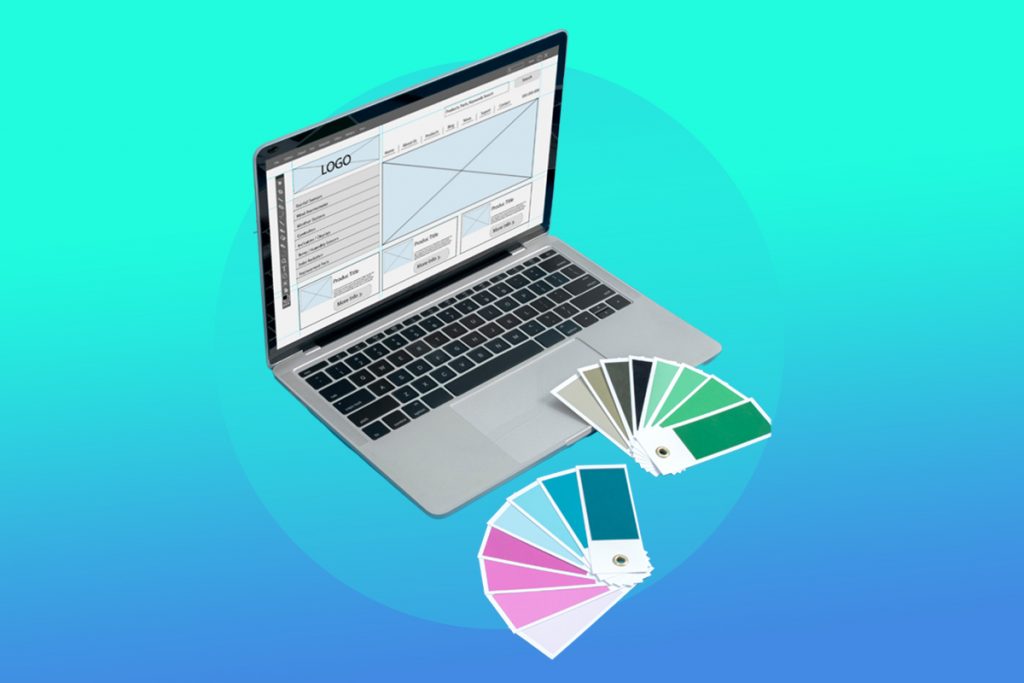
Hiring freelancers can take days or even weeks. You have to find the right person, check their availability, and direct them at each step of the design project. You can save time by subscribing to an unlimited graphic design service. These services have already done the vetting, which helps you cut the time needed to hire a freelancer & get usable work from them. These services have teams of designers with different skillsets so you can simply swap designers if you don’t like the direction you project is going in.
2. Saves You Money
Some graphic design services offer packages or bundles to help you save money that would be going to branding, social media managers, or ad creators. The design subscription model lets you pick to plan that offers only what you need and request multiple designs for a flat monthly fee. Unlimited revisions are built into the plan. So you’ll never pay extra fees or wait weeks for a simple project to be completed.
3. You Partner with Reliable Pro Designers
Since graphic design services manage the hiring process, they ensure the designers working for them are reliable and highly trained. Some freelancers are new to the industry, lack follow-through, or simply don’t know how to navigate professional conversations. Graphic design services guarantee that you’ll communicate directly with mature designers who respond to your requests and understand your vision.
4. You Double Your Design Output
For some companies like agencies, design output is critical. You need many different types of design projects completed by specific deadlines. You also need to manage multiple brands, which unlimited design teams are accustomed to helping agencies do.
With free trials and money-back guarantees, there’s no risk in trying out a new design service – You may just be surprised by how much work it takes off your team’s plate.


Just when you thought the drama surrounding TikTok couldn’t get any juicier, the US government drops a bombshell. Just days ago, President Biden signed a bill that could ban TikTok across the entire country.
TikTok has been asked to find a “new, non-Chinese owner” within the next 9 months according to CNN. The company is within its rights to comply (which will be tough) or file a lawsuit. Unsurprisingly, TikTok’s parent company ByteDance is already leaning toward the latter, announcing it’s ready for a legal battle.
With over 170 million Americans entrenched in the app, the prospect of its sudden disappearance sparks more questions than answers. What does a “ban” actually entail? For one, it doesn’t mean you’ll face legal action as an individual who still uses TikTok. And it doesn’t mean the app will magically vanish if you already have it downloaded.
Instead, the ban threatens to remove TikTok from Apple and Google’s app stores, which means no more updates, security patches, or bug fixes. This could pose a security risk to TikTok’s loyal user base.
But fear not, social media enthusiasts, because while the chaos unfolds, brands and influencers can use this time to get clear on their strategy. While the rest of the digital world is losing its mind, you can set your brand up to thrive like never before.
Enter Penji: Your Secret Weapon for Social Media Domination
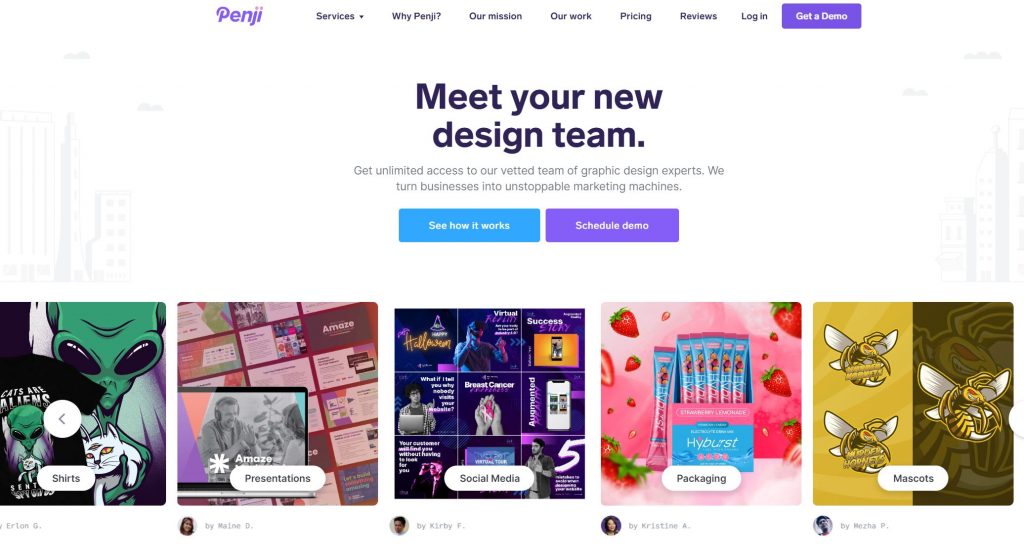
It’s hard to stay relevant and have an effective social media strategy when things are so volatile in the digital world. But that’s only really true if you’re working alone.
Particularly for marketing, design, branding, and social media agencies, getting help from professionals is crucial. You likely need copywriters, marketers, designers, and coders as the bare minimum.
So who’s Penji.. and who cares?
You could say Penji is an ‘all-in-one chaos solution’ for brands with lots to do and little time to do it. They’re a design team that creates the visual assets that power numerous brands year-round. Penji can create custom:
- Ad designs
- Organic social posts
- Custom illustrations
- Logos & branding
- Blog graphics
- Infographics
- Email templates
- Landing pages
- Web & app designs
- And more
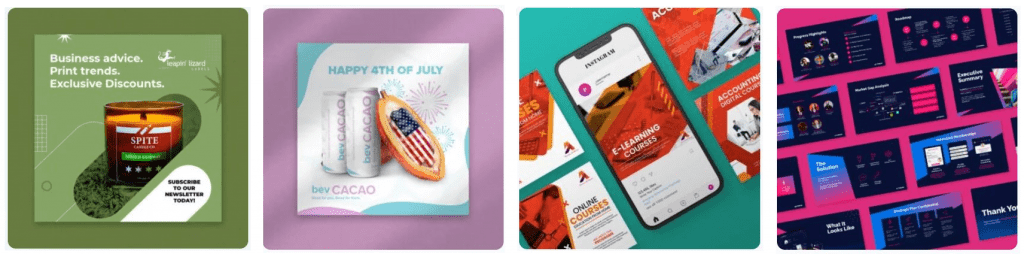
If you can name it, Penji can probably design it. Brands are getting crazy results. For example:
RevenueZen saw a 25% increase in customer engagement and a 20% boost in sales after partnering with Penji for their new website.
Rush Order Tees upped their productivity by 2200% with the help of just 5 Penji designers who mastered their brand visuals.
How does it work?
Penji is an unlimited graphic design service, which means they don’t put limits on how many designs you can get each month. You pay a flat monthly fee and request any designs, anytime. There’s no contract, so you can cancel or pause anytime too.
Step 1: Create a Project: Go to Penji’s dashboard and select “Create a Project.” Choose a category (eg. logo) and provide all the details your designer needs to knock it out of the park.
Step 2: Get Matched Right Away: Once you’ve submitted your design brief, you’ll be matched with a pro designer via our AI matching system. From here, just sit back and relax.
Step 3: Review & Give Feedback: Within 24 to 48 hours, you’ll receive the first draft of your design. Provide point-and-click feedback directly on a project, and the designer will make revisions until you’re completely satisfied. There’s no limit to revisions, and you can swap designers if you don’t like the direction.
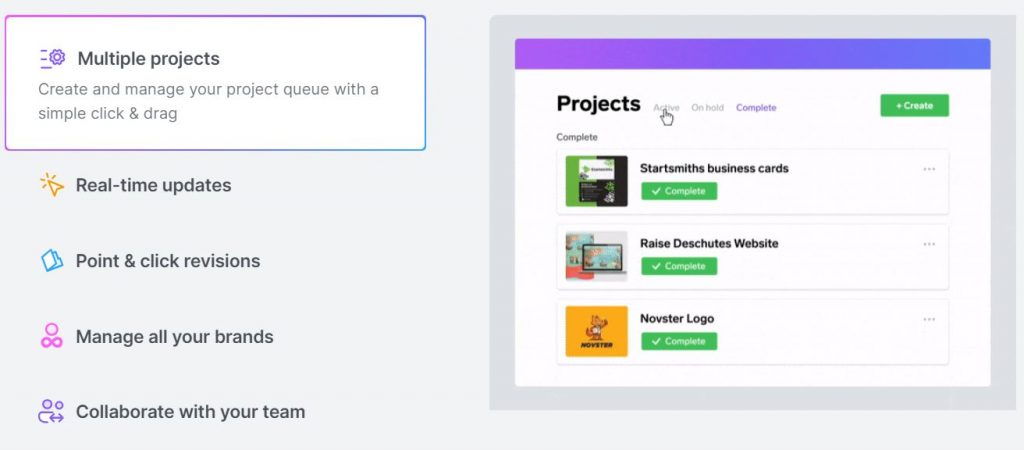
Step 4: Mark as Complete and Download: Once you’re happy with a project, simply mark it as complete. You can then download the files directly from the Penji platform, no need for external links or emails. Your files are securely stored in the cloud, ensuring easy access whenever you need them.
Not only can you communicate directly with your designers, but also creative assistants, project managers, or art directors depending on which plan you choose.
Never Hire an Unreliable Designer Again
For brands dealing with vetting and hiring headaches, Penji offers a hassle-free alternative. By eliminating the need for constant hiring/firing and payroll management, brands can bypass the headaches associated with maintaining a freelance (or in-house) team. Instead, you can tap into Penji’s pool of vetted creative talent, handpicked to meet the demands of even the pickiest clients.
Retain More Customers with a Bulletproof Brand Identity
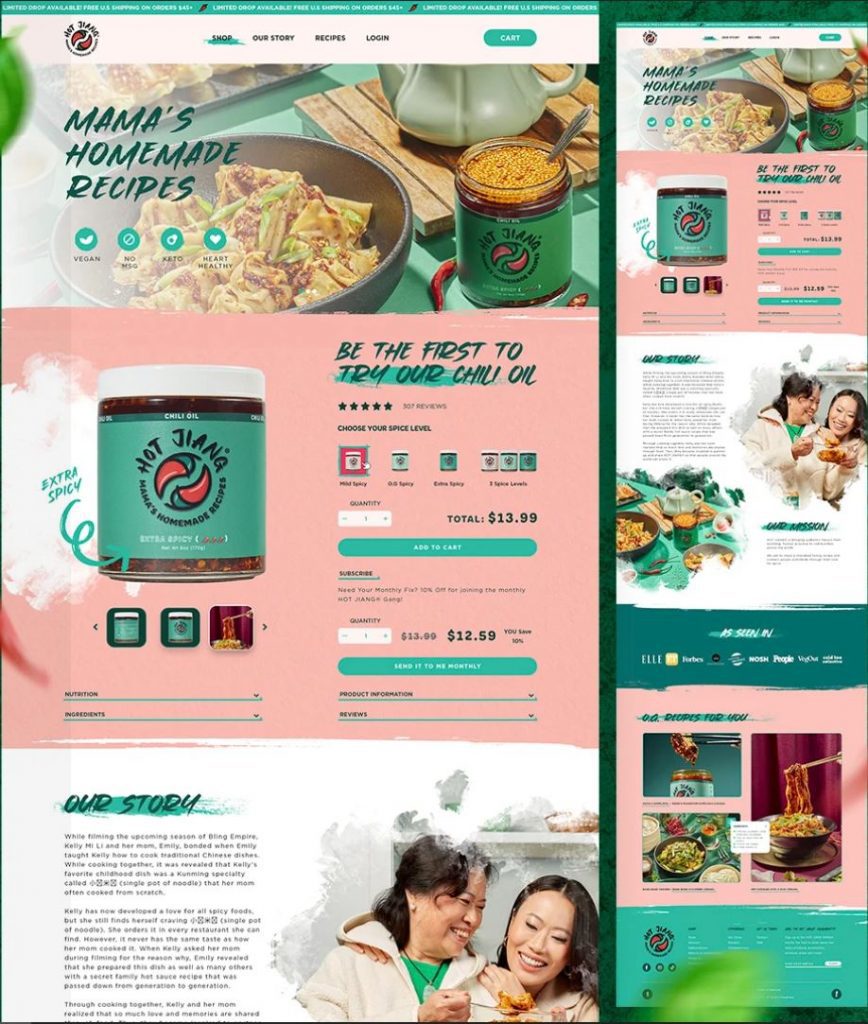
Customer retention is another area where Penji helps businesses shine. By providing on-brand, consistent quality across every project, you’ll build trust and loyalty with your clients. With a dedicated team of creatives, project coordinators, and quality control experts, Penji ensures you put your best foot forward at every touchpoint. That means your customers won’t hesitate to pick you over a competitor – the design does the convincing.
The bottom line? With costs roughly 70% lower than hiring in-house designers, Penji offers a cost-effective solution without skimping on quality or speed. You’ll boost your production rates drastically for a fraction of what you’re used to spending.
So don’t let the TikTok ban scare you away from focusing on social media growth. Partner with a design team that just gets you – and your social media strategy will start running like clockwork.
Ready to Win at Social Media?
If your interest is peaked and you’re ready to power your social media channels with more ease than ever, watch a quick demo to see how you can get all the designs you need in one place.
Solid graphic design is no longer a luxury – It’s a must-have. You don’t want to skimp out on design, especially when your competitors aren’t. Fortunately, accessing professional graphic design has never been easier. Businesses have multiple options: hiring freelance graphic designers, creating their own designs, or subscribing to graphic design services. In this post, we’ll look at the 3 leading platform for each of these avenues so you can decide who’s the best option for you: Fiverr, Penji, or Canva?
Companies Overview
Let’s start with a brief introduction to each company.
Fiverr
Fiverr is a freelance gig platform for hiring remote workers, like web developers, podcast editors, video editors, and many more. Graphic designers are also available to hire on Fiverr with a wide scope of services. On Fiverr, you can browse various design styles to find the right designer for your project.
Penji
Penji is a subscription-based graphic design service. You can subscribe and request as many designs projects as you want on a rolling basis. With Penji, you get access to 120+ design types, including web and app designs, presentation designs, motion designs, and illustrations. Plus access to art directors or project managers depending on what tier you choose.
Canva

Canva is a do-it-yourself graphic design application that will help you design anything related to your business. You don’t need graphic design experience to use Canva. They offer templates to help you get started with designs like YouTube thumbnails or ads. Plus, you can edit those templates based on your unique branding.
Features
Fiverr
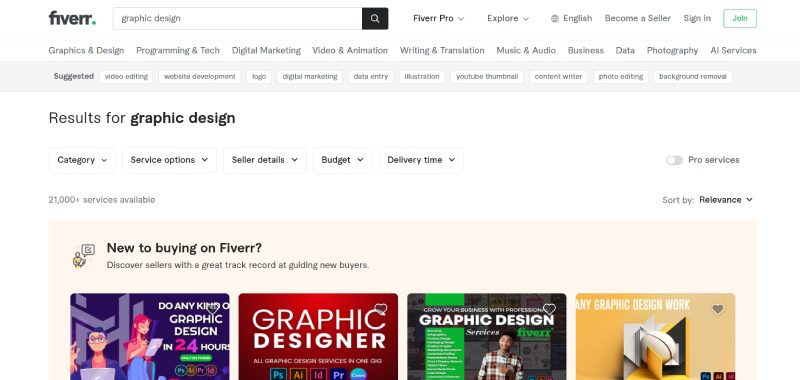
Fiverr provides businesses with two ways to find freelancers. First, you can find them using the search bar. Type “graphic designer” and find available designers to collaborate with. You can narrow your search by finding designers based on your design needs. For instance, you can browse “logo designers” instead of graphic designers.
As you select graphic designers, you can see that designers offer various plans depending on your design project. Plus, they indicate the following:
- Number of designs they can create
- Number of revisions
- Turnaround time
Plus, you can also find reviews from previous clients to know their working experience with one of your top choices.
The other way to find freelancers is the Fiverr Enterprise platform. Fiverr specialists will help you find the best graphic designers, creatives, and other employees for your team. Plus, the platform includes onboarding, management, payment, and compliance.
Penji
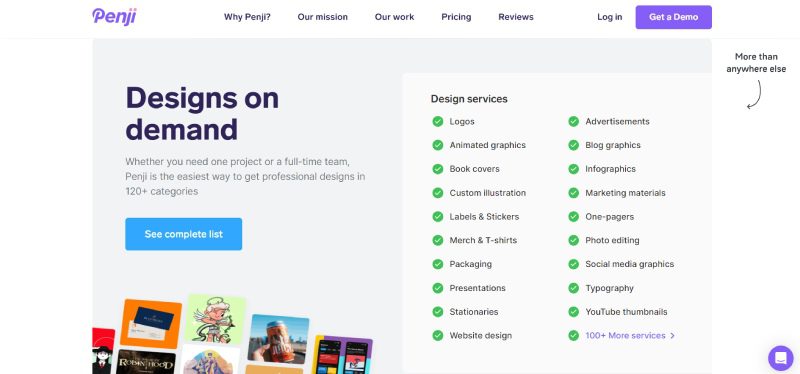
Penji has many features to get you started, from submitting your first request to chatting directly with your designers. You simple click “Create” in the top right corner of the dashboard, submit your design brief, and get matched with the appropriate designer right away.
Here’s what to expect when subscribed to Penji:
- Request 120+ designs
- Get matched with the best designer for your project
- Swap designers if needed
- Manage multiple brands
- Point and click revisions
- Team collaboration
- Designer chat window
- Real-time updates
Canva
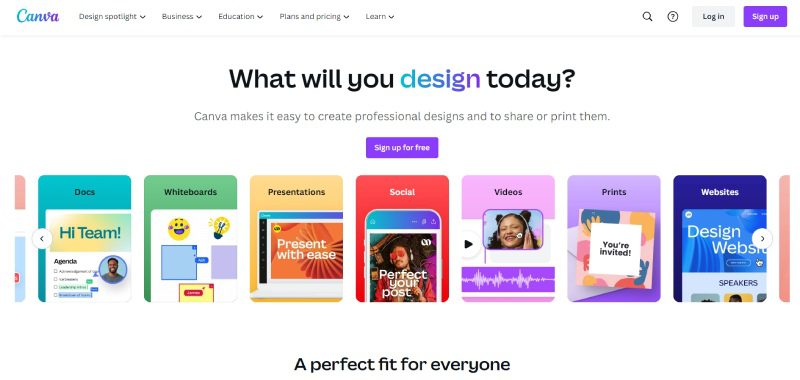
Meanwhile, Canva is a software loaded with many intuitive features to help you design your own projects. Features depend on the plan you choose. However, here are the basics:
- Drag-and-drop editor
- Access to 1 million templates, 3 million photos and videos, and thousands of design types
- AI-generated designs
- Printing and delivery
However, if you need more than that, you can access the following on the paid plans:
- Resize and translate designs
- Brand kits
- Remove backgrounds
- 1TB of cloud storage
- 24/7 customer support
Turnaround Time
Turnaround time for Fiverr freelancers depends heavily on the graphic designer. They will indicate how long the delivery date would be. Some designers are quick (1-2 days) while others will take weeks for more involved projects.
Penji guarantees a 1 to 2-day turnaround time on most designs. If you’re subscribed to the Agency plan, they can even ensure same-day turnaround. However, complex projects like web or app designs will take longer.
Of course if you are using Canva, turnaround time is simply however long the project takes you! Again, this can vary depending on your design skills and whether or not you find the design elements you’re looking for.
Pricing
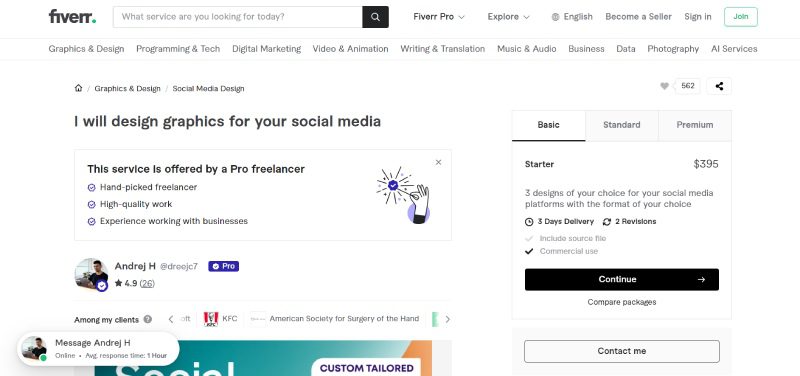
Fiverr pricing depends on what designs you need. But as the name suggests, Fiverr refers to the $5 starting point that freelancers can charge clients with when working with them. However, there’s always the risk of poor quality. It’s best to vet each designer carefully and choose something reasonably priced.
Penji’s pricing is simple because you pay a flat monthly rate for all design work. Here are the pricing options depending on what tier of service you choose:
Lastly, Canva has three pricing tiers, depending on your needs and budget.
- Canva – Free
- Canva Pro – $15/mo
- Canva for Teams – $10/mo (minimum 3 users)
Design Work and Production
Design work by Fiverr freelancers varies from experience level to design specialties. Many Fiverr freelancers produce decent work for clients, considering the rates they charge. However, not all design work from Fiverr is 100% the best. Considering Fiverr is the best for short-term work, expect one or few design variations for a project.
For Canva, we can use templates as the point of comparison for design work. Thousands of creators submit their templates to the graphic design software. Many templates look the same because it is the trend or looks modern. Regardless, Canva templates look decent to use as the base design for your brand. However, you need to modify it to your brand to avoid using similar templates from competitors or other brands.
Finally, Penji produces highly custom designs for clients. Because the price point is a bit higher, their design team can take the time to ensure you get the exact version of what you’re looking for. Penji isn’t a freelance platform, so you may get the chance to work with the same designers again and again (especially if you prefer their work).
Competitor Analysis
One fair comparison to make is between Fiverr and Penji since both deal with actual designers and their work. Here are a couple of comparison points for these two services to help you narrow your options further.
- Design variations – Fiverr freelancers can create a few variations. Meanwhile, Penji designers can produce multiple variations since you can switch between designers.
- Work volume – Fiverr designers can produce a limited number of designs, depending on plan inclusions. Ideally, they’re a good option for one-off projects. However, Penji can produce more than 10+ designs, especially if you have a monthly volume of designs.
- Comfort – Penji allows you to sit back and run your company since it’s an extension of your team. Meanwhile, you need to browse and interview freelancers on Fiverr. Plus, you have to worry about payment and management.
But if we were to put Canva back into the equation, Canva has the upper hand in pricing. Plus, if you’re creative enough, you can produce great brand designs without the help of designers.
Final Thoughts
Graphic design work can be done and delivered in three main ways: doing it yourself, hiring a freelancer, or subscribing to a graphic design service. In this three-way showdown, each has its strengths and weaknesses. The three services have different models, which could benefit users or subscribers in getting their designs. It’s up to you which is the best design service for your situation. Good luck!

7 AR Glasses for Gaming in 2024

8 Best AR Glasses You Must Have in 2024

Top 10 Gadgets for Men 2024 on Amazon

Top 10 Affordable Gadgets for Women on Amazon

10 Best 2024 Video Games Every Gamer Will Love

Top AI Personal Assistants by Big Companies