Business
Top 10 Dedicated Hosting Companies


By January 2020, 1.74 billion websites are live on the internet. Imagine how many servers are running just to keep these websites up. As the number of websites grows, hosting sites adjust to the demand. Luckily, small businesses or entrepreneurs have different options in deciding hosting companies for their websites.
We’ve narrowed down the Top 10 Dedicated Hosting Companies on the internet based on their price, value, and customer support.
1. HostGator

One of the most popular hosting companies is HostGator. It’s been in the hosting game since the early ‘00s and is one of the top choices by many small businesses, developers, and big brands. That makes them one of the Top 10 dedicated hosting companies on this list.
The HostGator dedicated server hosting starts at $119/mo for the Value Server with a four core and eight-thread CPU. The most expensive plan is $149, where you can get a 1TB SSD (Solid State Drive) and have a higher CPU capacity.
It offers the following features for its users:
- Unlimited bandwidth
- Customization between SSD and HDD (Hard Disk Drive)
- cPanel and WHM (Web Host Manager)
- DDOS protection
- Three dedicated IPv4 IPs
Users can choose to have a managed or semi-managed solution as well.
Blog Beginner says that HostGator’s dedicated server is best for those in the gaming business. Those with higher traffic can also benefit from the dedicated hosting server.
One of the cons of using HostGator is that there’s only one location for the server, which may cause a slowed down response time when someone isn’t accessing it from the US. HostGator receives mixed reviews about their support in general due to slow responses.
2. DreamHost

You can get a DreamHost Standard Server for $149/mo and 4GB ram as part of this plan. Pricing ranges from $149 to $379/mo.
Aside from that, you can get the following:
- 1TB HDD
- 100% uptime
- Root access
- DDOS protection
- Unique IPv4 & IPv6 addresses
DreamHost only has a Linux OS, which developers may favor more. Even so, Is It WP says that DreamHost makes it easy for users to navigate and manage its built-in cPanel.
Website Builder Expert seems to lean towards HostGator or Bluehost for dedicated servers because the two websites provide more features than DreamHost.
3. A2 Hosting
For A2 Hosting, you have four options for Dedicated Server Hosting to choose from:
- Unmanaged
- Discount SSD
- Managed Flex
- Core Flex
An unmanaged server starts at $99.59, while their popular option, the Discount SSD Server starts at $129.30/mo.
Many users praise A2 Hosting for their service, but there have been reports of sudden account suspensions from those who have used the service.
4. Hostwinds

You can customize your Hostwinds dedicated hosting server based on your preferences. Their plans start at $75.00, and you can modify the following in your plan:
- Server Drives
- RAM
- RAID
- Operating System
- Outbound Bandwidth
- IP Addresses
That’s a plus for developers because it allows for more flexibility. However, Blog Beginner finds that the dedicated server plans lack features.
5. Liquid Web
You have ten server options starting from $119/mo for a two-year plan on Liquid Web. You can also decide where you can choose the hosting server (For the US, it’s in Michigan, Arizona, while in the EU, it’s only in the Netherlands). Their most expensive hosting plan is $549.00.
Liquid Web recommends using the Intel Xeon 1230 server for high traffic and multiple websites. Customers can get the following features:
- 32 GB ram
- Two 240 GB SSD
- 5 TB bandwidth
They’ve received mixed reviews from users saying they had issues contacting support and had downtime as well. However, most of the reviews from Host Advice suggests that A2 is a reliable and responsive host with great customer support.
6. GoDaddy

Aside from being a website builder, GoDaddy has been a hosting service since 1997.
If you want to save up on a dedicated hosting service, the Economy plan is their most affordable for small businesses. Moving up from there, their dedicated server plan starts at $129.99/mo. For those with demanding hosting needs, Godaddy’s $419.99/mo plan comes with a 256 GB ram and two 1 TB SSD.
Other features included in the dedicated hosting server:
- Bare metal server
- RAID1
- cPanel/WHM or Linux CentOS control panel
Hosting Advice says that GoDaddy is easy to use for beginners due to the speed and performance of their servers. They also have one of the best customer support in the industry.
7. GreenGeeks

Among the other dedicated hosting sites on this list, GreenGeeks prides itself as one of the eco-friendly options for hosting. They recommend going for a Standard Server that’s $269/mo. Included in the plan are :
- 4GB memory,
- 2x 500 GB SATA Hard Drive
- 10,000 GB transfer
Their most expensive server plan (Pro Server) is at $439.
Customer service gets the most praise from their Dedicated Server users. Others that use GreenGeeks raved that they offer great value for what you’re paying. However, similar to Liquid Web, server locations are limited. Web Hosting Secret Revealed mentioned there was a set-up fee that some hosting sites don’t have.
8. InMotion
You have only two options for InMotion. The Bare Metal Dedicated Server starts at $75.69/mo, making it one of the most affordable options on this list. However, InMotion suggests that it’s for administrators and developers. For small business owners, you can purchase the Managed Dedicated Server for $115.69/mo.
InMotion recommends the Advanced plan priced at $176.59/mo. For those with more to spare, you can opt for the CC-2000 server priced at $529.49/mo.
Benefits of Inmotion’s Dedicated plans:
- Data transfer
- Free IPs
- Choice of data transfer (not available for the Essential Plan)
Support earns much praise from Inmotion users who left reviews in Host Advice. According to one customer, downtime is rare and that many software applications are available for the price. However, users find that InMotion features are lacking and that there’s no Windows support.
9. Ionos

Ionos has eight plan offerings for its users. The recommended plan for customers for the SSD plan is the XL-32 SSD priced at $110/mo for three months. Meanwhile, for the HDD plan, they recommend the XL-32 SSD priced at $90/mo for three months as well.
For those plans, you’ll get:
- Unlimited traffic
- Free domain
- RAID 1
If you’re opting for a cheaper plan, you can go for their A8i SSD or A8i HDD, the SSD is at $45/mo for six months, while the HDD is at $40/mo for six months. Reviewers and users alike like the pricing, and it’s good value. That’s why it’s one of the top 10 dedicated hosting companies.
According to Tech Radar, even during testing, the server response is also performing well. However, they noted that it’s configurations aren’t up to par with other hosting companies. Some customers find that its interface isn’t user-friendly too.
10. AccuWeb Hosting
AccuWeb Hosting has different offerings depending on the type of server you need and your region. The abundance of configurations is perfect for anyone looking to customize their hosting needs.
Accuweb offers the following options:
- Classic
- Advanced
- Infrastructure
- Storage
- High-Availability
- Game
For the US servers, the most affordable is the USA-Vint Hill plan, which starts at $90/mo. They do a breakdown of prices once you click on the order now button and see that the plan is priced at $150/mo. The price range for the classic USA servers is $105/mo to $150/mo, depending on your configuration.
Their most expensive plan for the USA servers is the Storage-74 server priced at $1120/mo.
According to PCMag, for their $360 plan, you can get 250 email accounts and have a Linux OS. Since there’s also different pricing, many find that the hosting website is affordable. However, some customers noted that tech support could do a better job.





Known for its legendary cowboy culture, iconic attractions, and deep historical roots, the Lone Star State is also home to thriving businesses. This is thanks to the plethora of graphic design agencies that help boost their visual identity. All you need to do now is choose one that fits your brand well. Here are the best design agencies in Texas you can choose from:
1. Penji
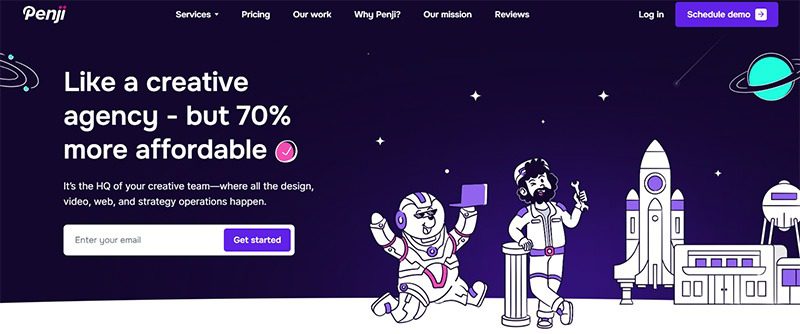
Offering the best unlimited graphic design services, Penji is a design-as-a-service platform that lets you get all your visual asset needs for one flat monthly rate. Its remote-first model allows it to take clients from around the globe, providing them with the highest quality graphic design services.
2. Tenderling

Specializing in hotels, apartments, real estate, restaurants, and wellness, Tenderling is an excellent option for businesses seeking the best design agency in Texas. This award-winning design agency is female-owned and HUB certified by the State of Texas. It offers brand strategy, development, execution, maintenance, and many other services.
3. The Matchbox Studio
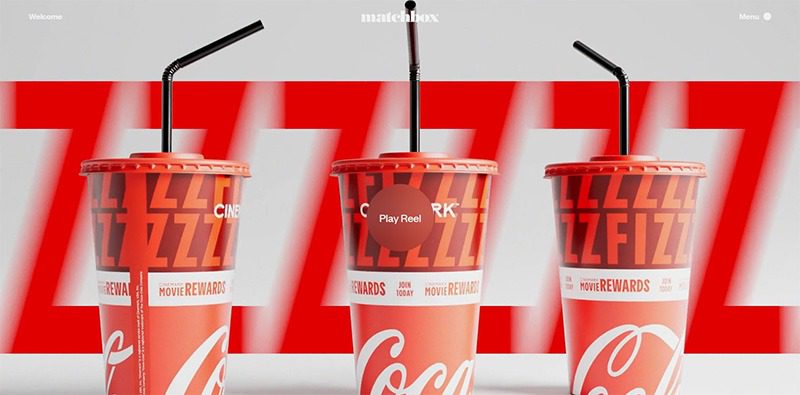
Having collaborated with some of the biggest names in the land, The Matchbox Studio takes pride in its work with FedEx, American Airlines, and Fossil. It has a team of strategists, artists, designers, and developers that helps businesses in the entertainment industry achieve attention-grabbing branding and digital design.
4. Left Hand Design
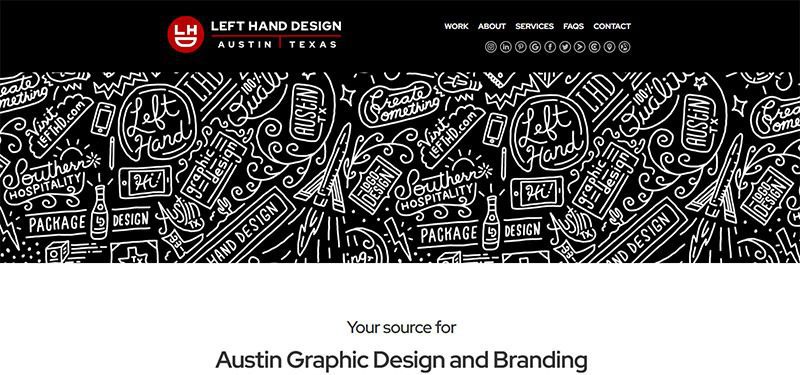
Offering a wide range of graphic design services,Left Hand Design shines in providing design and branding services to its Texas clients. It offers logo design, social media branding, web design, event branding, email template design, and printing services, among others. It also offers ecommerce, print ads, website development, and many other similar services.
5. The Label Collective
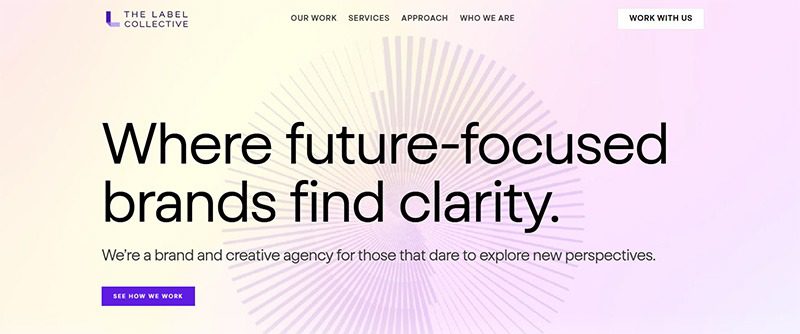
Another award-winner on this list of the best design agencies in Texas is The Label Collective. In addition, it is a women-owned business that offers a wide range of graphic design and related services. This includes brand strategy, visual identity, creative services, and brand management.


Having your own business provides a multitude of benefits, but why is it that not everyone is doing it? The majority of people see the prospect of leaving a steady paycheck behind as scary. They look at opening a business, a task that requires a first step that’s steeped in uncertainty, fear, and self-doubt. Here are a few steps you can take to create your own business without the hesitations:
Set Achievable Goals
Identify your goals and start listing smaller but attainable goals from them. This way, you will become less fearful and avoid being overwhelmed. Small goals will be easier to digest and reduce your chances of failure, enough to help build your confidence gradually.
Stop with the Perfectionist Mindset
You may want that website to be perfectly working or that version of your product to be as perfect as possible. According to Entrepreneur, mixing perfectionism with entrepreneurship is a bad idea. Getting started is hard enough. You’d do better if you ignored perfectionism. It will be so easy to set yourself up for disappointment when goals aren’t met. Make sure they are attainable.
Do Your Research
When starting a business, you’ll find yourself doing a lot of research. Don’t get tired of learning, as this is what will propel you toward success. The more you know about your niche, the better you’ll be equipped to handle it. In this day and age that information is just a few taps away, research, learn, and absorb.
Start Small
Easing into entrepreneurship can be the best route if starting big is daunting for you. Start with a part-time business, and as you grow and build confidence, you can add to it more and more. This will also let you keep your day job and still look forward to that paycheck until your business is stable enough to let you focus on it full time.
Have Realistic Expectations

The idea of having that perfect work-life balance when having your own business may only be a myth for beginners. Of course, it would be difficult, and if it were easy, everybody would be doing it. Having realistic expectations can help you prevent disappointments. The key is to have great support from family and friends and the understanding that you’ll have that balance soon if you remain persistent.
Go For Low-Risk Businesses
It would really be daunting if you start with a high-risk business, but if you go for something smaller, it wouldn’t be as scary as it seems. Make sure to align your goals with your resources. If you have a limited budget, it’s okay to find a business that matches your finances. Just thinking of production and marketing costs can stress you out, so start small.
Identify and Build Your Community
If you have the passion, grit, and a bit of cash, you’re well on your way to beating your fear of starting a business. Back these all up with an equally passionate community, and you have the foundation of a successful business. Build this community of investors, partners, and customers to help you gain confidence and the finances to get your business going. When you know you have a support group to lend you a hand, your fears will slowly melt away.
Believe in Yourself and Your Business
Don’t let fear get into your mindset. Start believing in yourself and your business, thinking that you don’t need others to be confident. You can boost it for yourself. Focus on what you need to do and steer clear of your insecurities and uncertainties. If they can do it, why can’t you? Just remember that failure is part and parcel of doing business and that it shouldn’t be a cause for fear.

What’s the Best Design Agency in Las Vegas?

What’s the Best Design Agency in Florida

What’s the Best Design Agency in Texas for Growing Businesses?

What’s the Best Design Agency in Indianapolis?

How You Can Effectively Beat the Fear of Starting a Business

170 Web Design Questions to Ask Your Clients

What’s the Best Design Agency in Detroit?
170 Web Design Questions to Ask Your Clients

Top 4 Best Blog Writing Services for Your Business
How You Can Effectively Beat the Fear of Starting a Business

What’s the Best Design Agency in Boston? Expert Picks for 2026
What’s the Best Design Agency in Detroit?
What’s the Best Design Agency in Indianapolis?