
Business
Review: The Truth About 99Designs

Getting graphic design work done can often be a challenge. Where do you even start? Hiring a full-time graphic designer is expensive and risky. Hiring a freelancer online can take a bit of time. And often times, your designer works in a completely different timezone, making collaboration near impossible.
That’s where 99Designs come in. The company offers a talent-sourcing platform where you can create a design contest and have designers from all over the world submit their entry. You pay 1 flat fee for the contest and guaranteed many drafts. Sounds too good to be true? Let’s find out!
99designs Review
In order to review 99designs accurately, we prepared several projects to submit on the platform. These projects are things that we actually have a need for and may use if the design results returned are good enough.
We’ll go through the entire process that 99designs laid out and follow all rules and instructions given to us. Upon receiving the design work, we’ll pass it around internally to 10 people in our office and simply give a yay or nay. Whatever the results are, will be the numerical grade given. Let’s begin!
What 99designs can do?
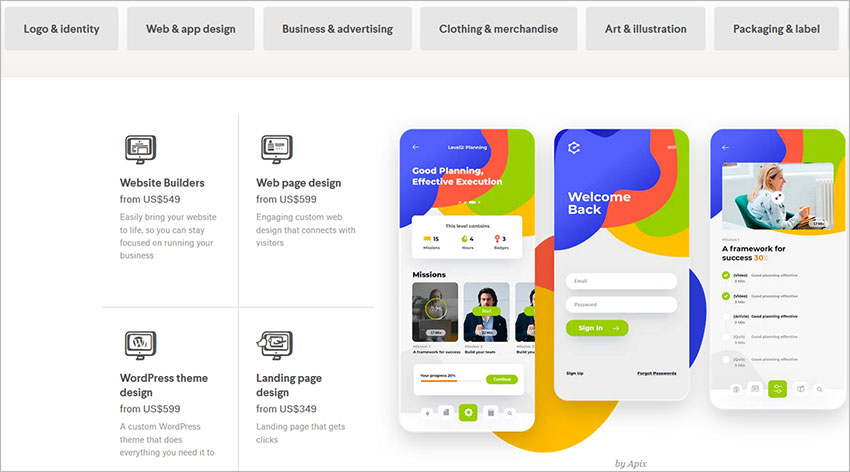
In short, just about anything but they’re limited to just graphic design. In our quick 99designs analysis, they offer the following design services:
- Logo & identity
- Web & app design
- Business & advertising
- Clothing/Merch
- Illustrations
- Packaging
- Books & magazines
- And more…(the remaining categories are a bit obscured or too niche to list)
It’s a fairly extensive list and seems like if you’re a new startup or business, they’ll cover most of your initial design needs.
What 99designs CANNOT do
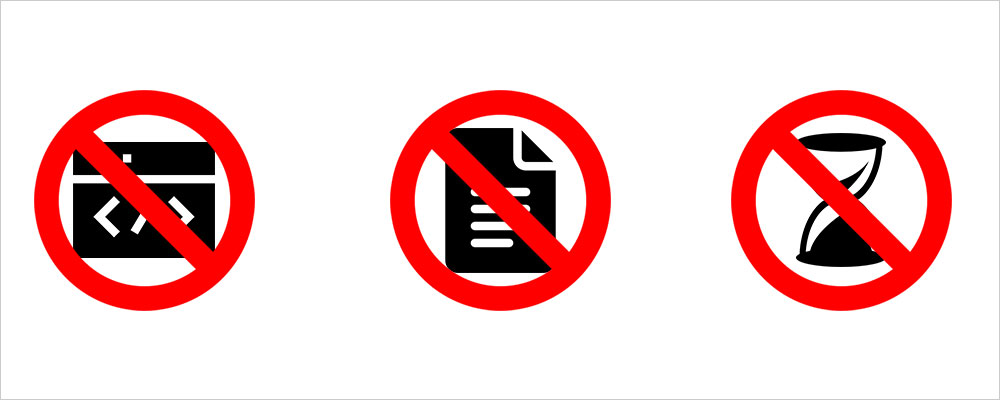
As the name implied, 99designs only offers graphic design. They can design a website or app for you, but you will need an independent development team to code it. 99designs also currently don’t offer content support, which isn’t that unusual. Whatever you want designed, you’ll need to provide all of the content before hand.
And that also means you need to do all the proofreading as well. Whatever you submit to be designed, will be designed. The designers usually won’t comment or question your grammar mistakes. So be sure to double and triple check all your content before submitting it to be designed.
Another thing to note, 99designs cannot deliver on time. The delivery runs on a rather flexible schedule that can take up to 2 weeks or longer. So if you need something done fast, 99designs may not be the best solution, even with the expedited delivery add-on purchase.
99designs’ ACTUAL pricing
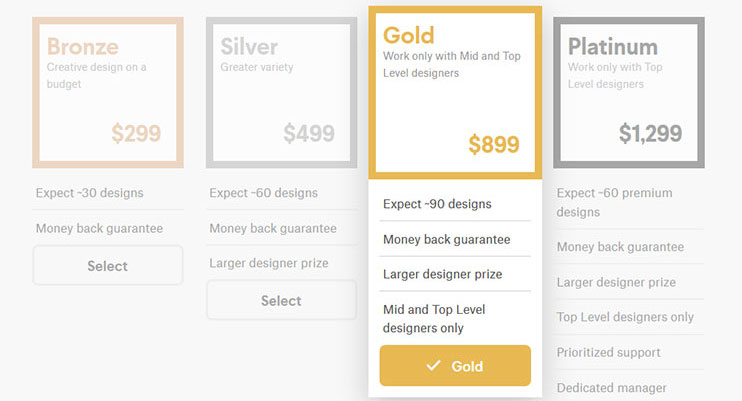
When we audit 99designs’ pricing structure, we found a few of their categories to be confusing. Categories such as Logos, Web & app design, and Business Advertising can be misleading or vague. For example, when choosing a logo design, you might think you have to buy one of their packages that starts at $349. But with a bit of patience and knowing where to navigate, you can actually just buy a single logo design without any add-ons.
To avoid confusion, I’m going to break down a few of the categories below just so you know exactly how things are priced.
4 Different Tiers
After you fill out the first page of the project brief, 99designs will ask you to pick a tier. The lowest tier will give you the fewest number of design submissions and will usually be assigned to junior artists. Meanwhile the more expensive tiers get more design submissions and often given to more experienced designers.
The price breakdown below assumes you’re going with the lower price tiers, since that’s what most people tend to choose.
Logo & identity prices
Logo alone: $299
Packages: 5 packages offered between $349 – $599
Web design, Website Re-design, and WordPress Theme design prices
The $599 promotional price is NOT for an entire website design or re-design. This is just for ONE page. If you want multiple pages to be designed, 99designs will charge you PER PAGE. The more pages you want designed, the most it will cost. However, you’ll get a steeper discount per page if you request multiple pages at once.
As of now, 99designs only offer up to 5 pages designed initially. If you need more than 5 pages designed, you’ll likely need to hire a designer from 99designs afterward to continue working on the project.
1 page = $599.
2 pages = $749.
3 pages = $899.
4 pages = $1049
5 pages = $1199
Landing page design prices
Landing pages are charged at a flat rate of $349 since it’s just 1 page. There are no options for multiple pages. If you want additional pages to be designed afterward, you’ll have to create another $349 landing page contest, and that’s not cost-effective. If you have a landing page with multiple pages, you’ll have to cough $599 for the web design package.
App design prices
For the advertised price of $599, you are NOT getting an entire app designed. You’re paying PER page of the app to be designed. The more pages you want done, the more it’ll cost. But it’s the initial page design that will cost the most. The more pages you need done, the cheaper it is per page to be designed.
1 screen = $599
2 screens = $699
3 screens = $799
4 screens = $899
5 screens = $999
Business & advertising
The prices for Business & advertising are all over the place and might not make any sense. For example, why does it cost $299 for an Album cover design…when it costs only $199 for a Podcast cover? They’re both square dimension graphics with basically the same requirements. If you need an Album cover design, you can just request a “Podcast cover” to save money.
Anyway, here’s a breakdown of what you can get at each different price points.
Starting at $149: Billboard, Tradeshow banner, Banner,
Starting at $199: Postcard, Flyer, Leaflet, Direct Mail, Poster, Podcast cover, Signage, Menu, Website header, Resume, Word Template, Tradeshow Booth, Other business advertising
Starting at $299: Album cover, Brochure, Booklet, Pamphlet, Email, Email newsletter, Powerpoint template,
Starting at $349: Car/truck/van wrap
Starting at $599: Infographic
Extra Add-ons
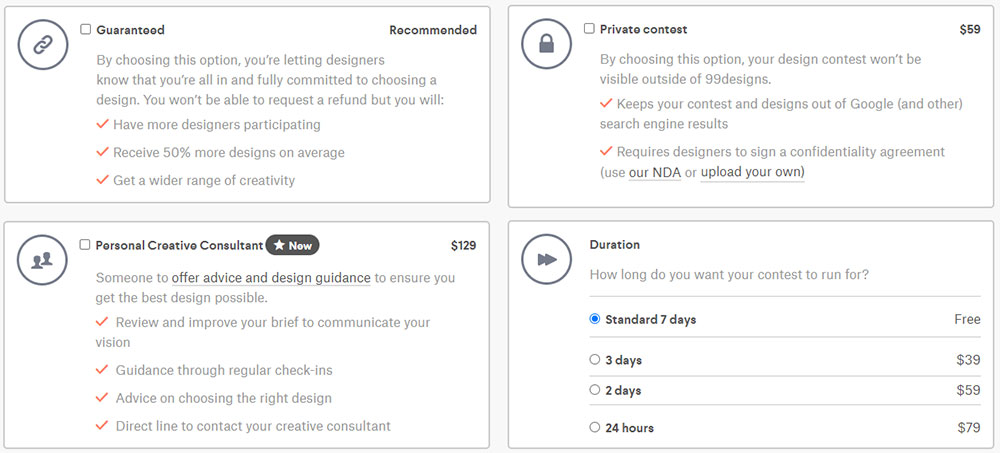
In addition to the base cost of the project, you can pay for additional add-ons.
Dedicated support: For a price of $129 extra, you can have access to dedicated customer support should you run into any problems.
Guaranteed: This doesn’t cost anything, but it basically negates your 100% money-back guarantee with 99designs. The reason they offer this is because how designers are paid. Often times, they’re paid pennies for participating in your design contest. Out of possible 20 – 30 design submissions, they will only get paid a reasonable fee IF you choose their design.
If you request a refund, no one gets paid. Therefore, if you choose this option, designers have more confidence that there’s a stronger chance you’ll commit.
Here’s what 99designs promises if you choose to negate your guarantee.
- Have more designers participating
- Receive 50% more designs on average
- Get a wider range of creativity
Private contest: This $59 add-on gives you the assurance that your design/intellectual property won’t be leaked onto Google or used by designer. Designer will sign an NDA to ensure they protect your privacy. You can even use your own NDA.
Duration: Typical turnaround for 1st draft is 4 days. Need the design in a hurry? Pay a small fee for expedited delivery.
99designs pricing review
Overall, the prices can fluctuate quite a bit depending on which tier you select and how many add-ons you buy. I wouldn’t say 99designs prices are cheap, because they’re fairly expensive for just 1 design. They are cheaper than hiring an in-house designer or a design agency, but there are definitely much cheaper options. The one benefit of 99designs’ model is that you get a lot of drafts for that price, so you have much more to choose from during each round of revisions.
How long it REALLY takes to get your designs
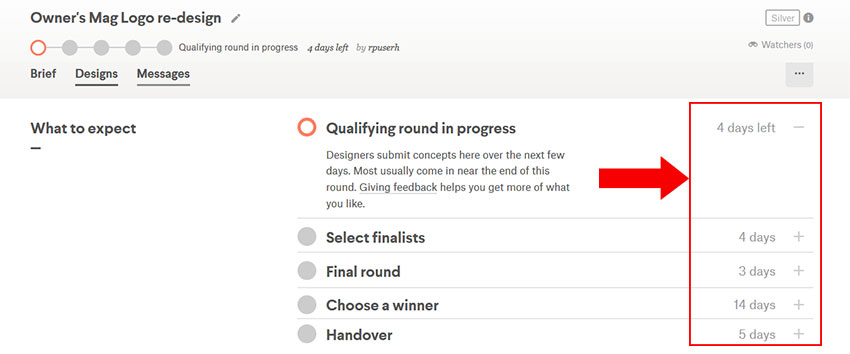
There’s 5 rounds total that you need to go through before you can get your design files. Each round can take anywhere from 1-2 days up to 14 days to complete. Most of that does depend on you. If you give feedback quickly, you’ll get your design files much faster. Here’s a breakdown of the 5 rounds.
Round 1: Qualifying round (4-5 days)
In this round, 99design sends your project out to all qualified designers in their talent pool. Designers can choose to accept or ignore your contest. Once enough designers have accepted your contest and submitted their design work, you move onto Round 2.
Round 2: Select finalists (4 days)
It’s probably 4-5 days now since you started the contest and your designs are finally in. You’ll have a lot of designs to choose from. Now you have 4 days to review the designs and select up to 6 designs that you like. Any designs you don’t select will be rejected. Designs you select gets to move onto the next round.
During this round, there’s a 99designs review feature that lets you share the submissions with others via a shareable link. You have 4 days to select your finalists! Once chosen, the contest will be moved to the 3rd round.
Round 3: Final round (3 days)
In this round, you’ll need to leave revisions for the selected finalists. Your finalists will work on as much revisions as you give them in this round. If you don’t like something, you can request more revisions and they’ll keep submitting. Keep in mind you only have 3 days for this round.
Round 4: Choose a winner
Contest is now officially over and a winner must be selected. In this round, you can create and send a poll to everyone you want feedback from to see which design is the best. You can only select 1 winner.
Round 5: Handover (5 days?!)
Your designer now has up to 5 days to hand over all of the design files and any copyright materials to you. Yes, you read that right. 5 days.
So…how long does it really take?
Let’s assume that you’re super responsive and you complete YOUR part the same day 99designs notify you…
Round 1: 4 days for all initial designs to come in
Round 2: 1 day to select finalists (because you’re responsive)
Round 3: 3 days for final round of revisions
Round 4: 1 day to pick a winner (because you want the files fast!)
Round 5: 1-5 days to get files
So you’re looking at between 10 – 14 days to complete a single design project. If you’re a new startup or business that doesn’t have strict deadlines to meet, this delivery window is perfectly fine. If you’re more established and looking for someone to help you meet an aggressive marketing schedule, 99designs may not work for you.
How to get QUALITY designs from 99designs?
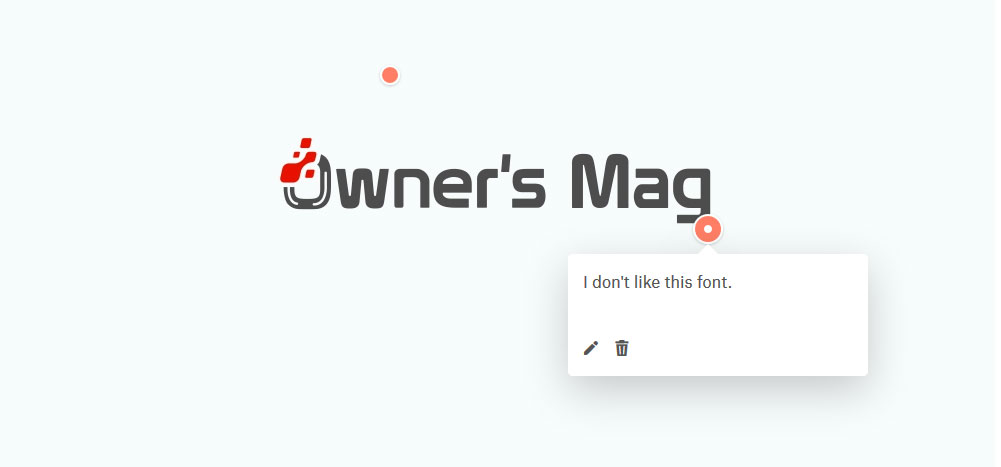
If you’re coming to 99designs with a limited budget for graphic design, then chances are your results will vary. From my experience, the lower tier designers often just use templated graphics from Freepik or Envato.
If you want high quality designs from 99designs, here’s what you’ll need to do.
- Sign up for higher tier: Choose Gold or Platinum plans. They’re significantly more expensive, but that’s what you need to get experienced designer’s attention.
- Fill EVERYTHING out: When creating your project brief, do not skip any steps. Fill out as much information as you can and spend time creating a solid brief.
- Give additional examples: The last field on most form will ask “Is there anything else you would like to communicate to the designers?”. Use this opportunity to give more information. Also include even more examples of what you like and don’t like. This helps the designer narrow down your preferences.
Pros & Cons of 99designs
We’ll start with the PROS
- Affordable compared to hiring an inhouse designer
- No hiring or managing of designers. They do all of that for you.
- Lots of designs to choose from for each round
- One platform can cover most of your design needs
- Easy to use platform
- Clear indicator of how far along your design is
- Offers a 100% money back guarantee
Now for the CONS
Who is 99designs really for?
99designs is best suited for startups, small businesses, entrepreneurs, and anyone just starting out. The prices are affordable and you get a lot of selections. Having 20+ drafts submitted to you is a great benefit, especially if you’re starting out and have no idea exactly how you want to brand yourself.
For larger businesses, marketing teams, and agencies, 99designs may not be the best fit given how expensive the bill will eventually be if you need 10+ designs per month. The 10 – 14 day delivery window can also be a major setback if you’re trying to meet deadlines.
- Can get expensive if you have consistent design needs
- 10 – 14 day delivery
- Design quality is mediocre unless you’re willing to pay a premium
- No real way to interact with designer except through feedback
- Customer support is a paid add-on






TLDR: For scalable, high-volume, high-quality design without hiring hassles, Penji is your best bet. For deeply strategic, narrative branding work, go traditional with Contrast & Co, BB Agency, or ProDesigns.
Did you know design is responsible for 94% of first impressions? That means your design is the welcome mat for your soon-to-be customers.
Are you a startup or agency based in Space City looking to launch your design into the stratosphere? You need a design partner who can match your pace.
1. Penji
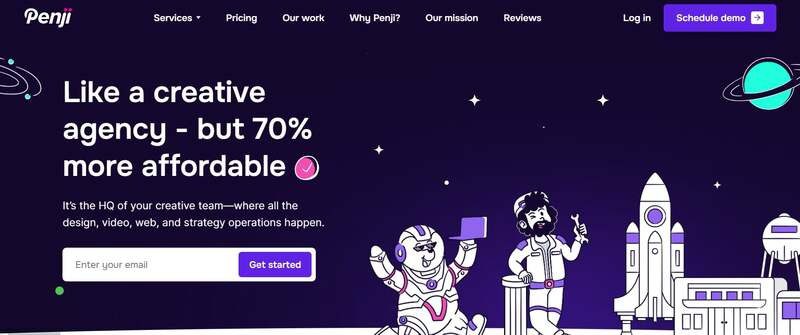
Welcome to the future of design. Penji combines the top 2% of design talent and AI tools for on-demand, monthly subscription, unlimited graphic design, illustration, and UI/UX work.
Get a whole team at your fingertips. Get drafts in 24-48 hours without having to hire a team or deal with inconsistent freelance pricing. From a quick social media graphic to a full web mockup, Penji keeps your project on track at all times.
Pros:
- Unlimited Requests: Submit as many projects as you want.
- Fast Turnaround: Drafts in 24-48 hours.
- Cost-Effective: Flat monthly fee, no hidden charges.
- Expert Designers: Access to top global talent.
Cons:
- Not Strategy-Focused: Best for execution, not long-term brand strategy.
2. Contrast & Co
If you’re looking for the traditional agency model with a little storytelling flair, Contrast & Co is the way to go. Although they’re based in Annapolis, they are experienced with many Houston clients and are known for building brands based on “radical differentiation.” They don’t just design; they tell stories.
Pros:
- Strategic Depth: Excellent for complex rebranding and brand positioning.
- High-End creative: Known for award-winning, narrative-driven visuals.
Cons:
- Cost: Their premium strategic approach often comes with a higher price tag ($10,000+ minimums).
- Timeline: Traditional agency models typically have longer turnaround times than on-demand services.
3. BB Agency
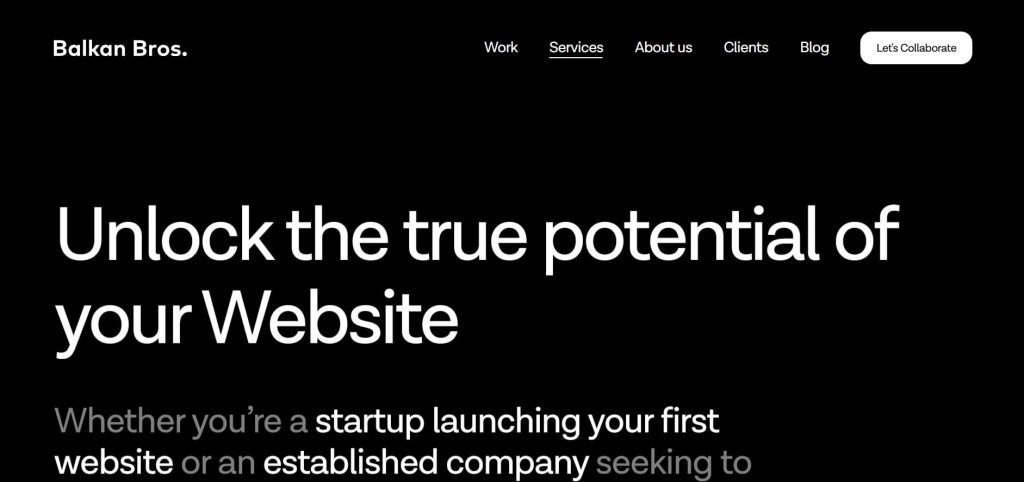
BB Agency works with SaaS and tech companies. They build businesses through thorough B2B branding and digital product design. If you are in the B2B tech space, their portfolio speaks for itself—clean, modern work which places UX at its core.
Pros:
- Tech Focus: Deep expertise in SaaS and B2B sectors.
- Holistic Approach: They handle everything from branding to development.
Cons:
- Niche: Their specific focus on tech might not be the right fit for consumer lifestyle brands.
- Budget: Project costs often range between $50,000 and $200,000.
4. ProDesigns
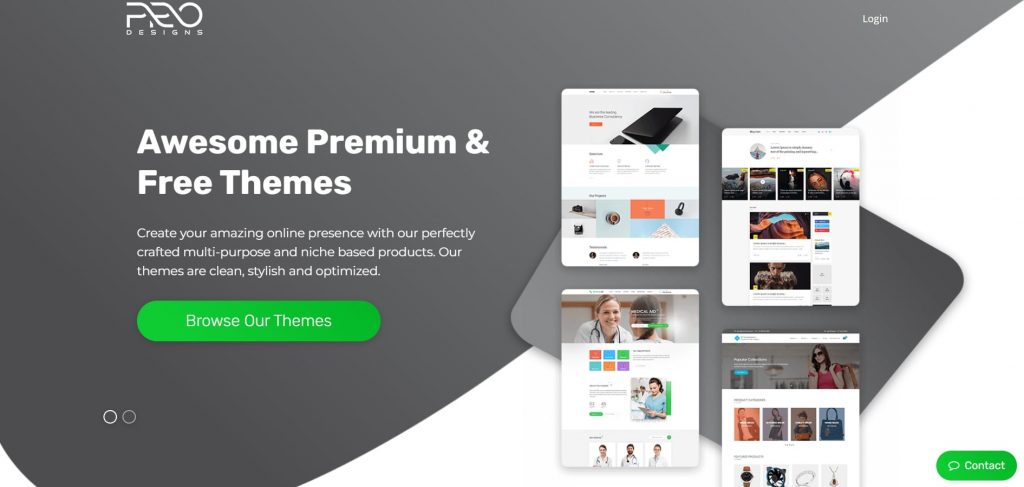
For businesses needing specific, project-based graphic design services, ProDesigns offers a solid middle ground. They focus heavily on logos, corporate design, and packaging. So if you need something created without a subscription or heavy retainer price, they’re great for local one-off projects.
Pros:
- Project-Based: Good for one-off needs like a logo or brochure.
- Affordable: generally more accessible pricing for small businesses compared to large agencies.
Cons:
- Limited Scalability: Managing high-volume, ongoing design needs can become costly on a per-project basis.
- Slower Feedback Loops: Revisions may take longer compared to a subscription model.
FAQs
How much does a graphic design agency cost in Houston?
Agencies in Houston typically charge $100–$175 per hour. Project costs range from $1,000 for small tasks to over $50,000 for full branding. Services like Penji offer a flat monthly rate, often much lower than a single agency project.
What is “design as a service”?
Design as a service offers a subscription model with a flat monthly fee for as much design work as you need for that monthly fee. Instead of paying per hour or project as normal with an agency, this is a way to ensure predictable budgeting and consistency with your design team.
Credit for cover image: Photo by Mikael Blomkvist on pexels

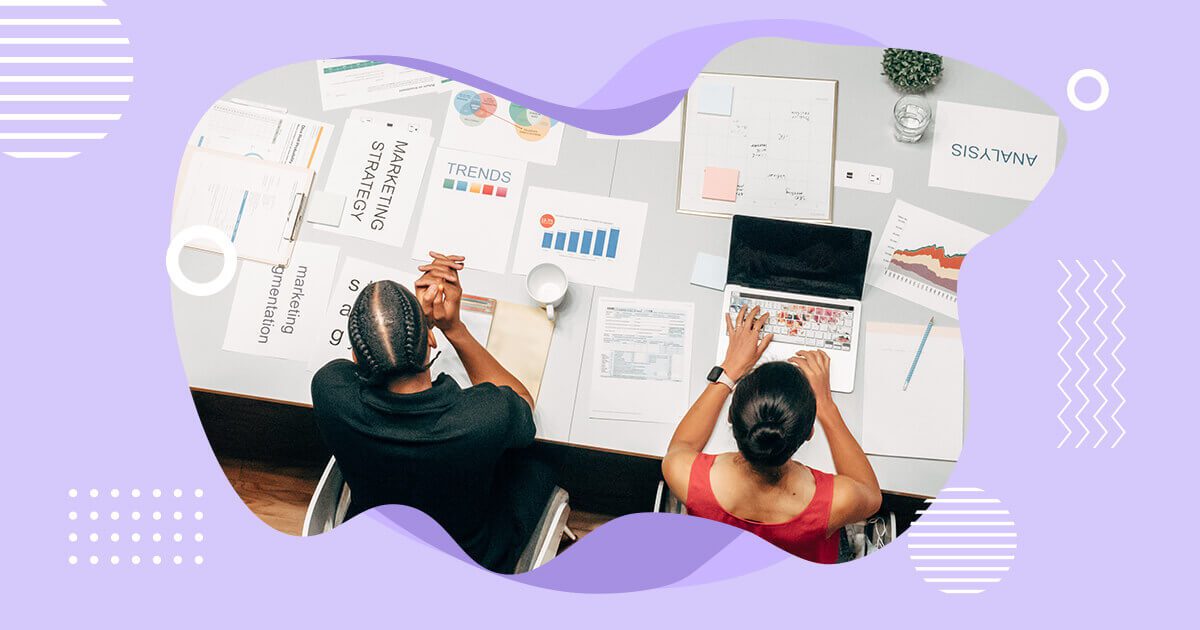
In today’s world, digital advertising is the most effective and efficient way to reach potential customers. Facebook advertising, in particular, has become a crucial tool for marketers to promote their brands, engage with their target audience, and generate a high return on investment (ROI). To stand out from the crowd, it’s crucial to implement the most effective actions. For this year, here are our recommendations for the top 10 Facebook ads strategy ideas you need to try:
1. Create Relevant Content
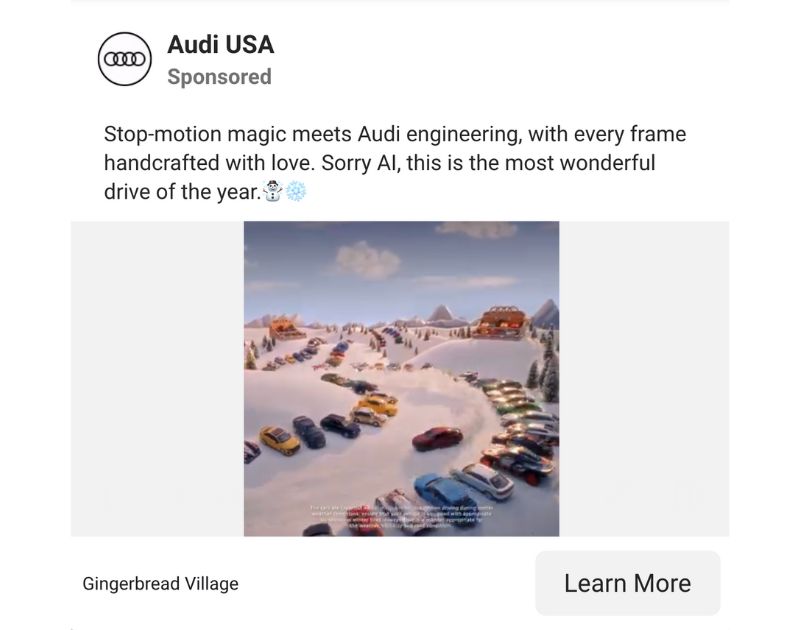
Topping our list is creating relevant content as one of the most effective Facebook ads and marketing strategy. Content tailored to your audience’s interests and needs increases engagement and builds brand awareness. This approach has been effective for years and will continue because it focuses on building a relationship between you and your audience.
Moreover, with the rise of ad-blocking software and decreasing attention spans, creating relevant content is more critical than ever. Creating informative, engaging, and valuable content for the audience ensures businesses that their ads are seen and welcomed by the audience.
2. Create Short-Form Video Ads (Reels & Stories)
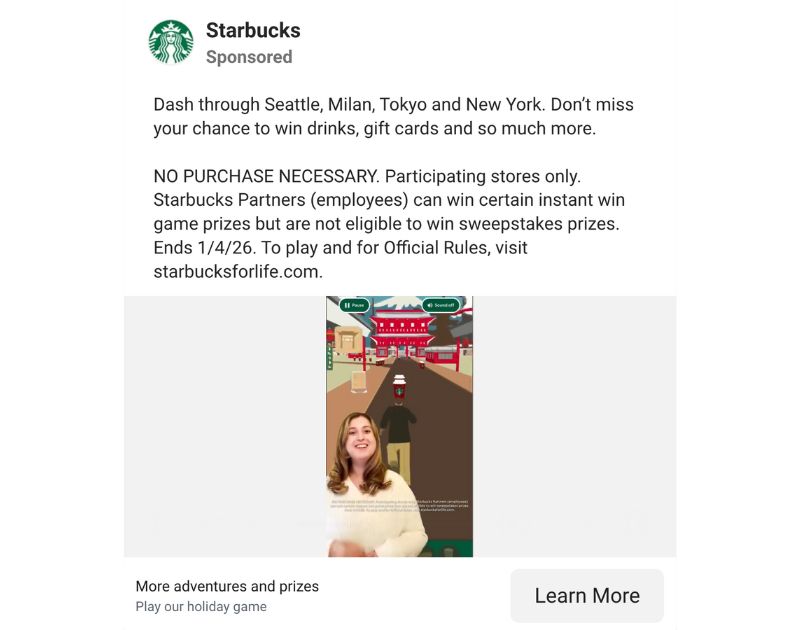
Over the past few years, we’ve seen the shift to vertical, sound-on, mobile-first consumption across Facebook and Instagram. That said, it’s best to adapt your Facebook ads to align with this shift, using Reels ads, Stories ads, and vertical in-feed videos.
To make a high-performing short video ad, include a hook in the first three seconds and use captions for sound-off viewers. It’s also a good idea to create native-looking content and have a clear CTA.
3. Personalize Your Facebook Ads
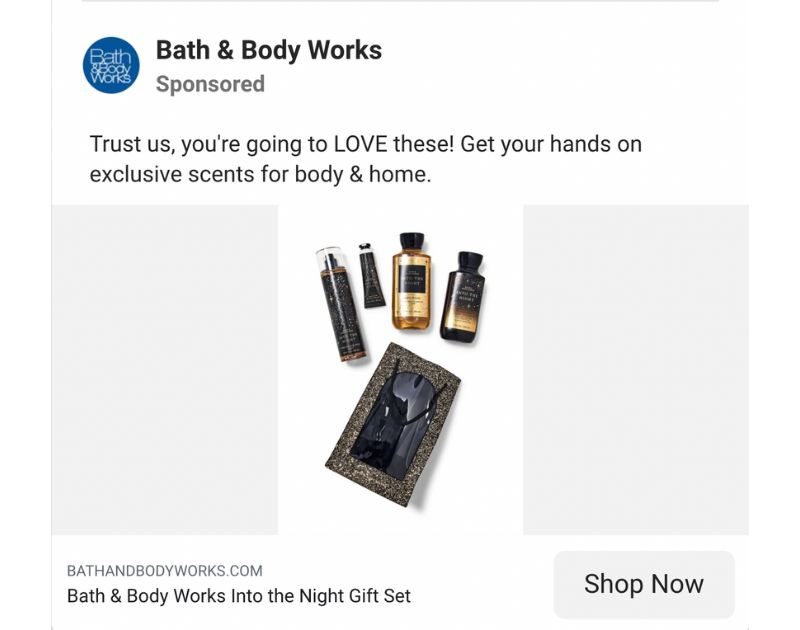
Creating personalized ads on Facebook is an effective strategy because they’re more targeted and relevant to your audience. Businesses can use data from user behavior and interests to provide content that resonates with their audience, leading to higher engagement and conversions.
Plus, personalized ads can help you build trust and brand loyalty by showing you understand and care about your audience’s needs and preferences. This approach helps establish a stronger connection with the audience, leading to increased advocacy and customer loyalty.
You can also explore Advantage+ automated creative, which now personalizes ads using AI.
4. Use Facebook Custom Audiences
Facebook Custom Audiences are essential in a effective Facebook ads strategy in 2026. However, there have been changes in the way they’re used and optimized. Today, Meta’s AI now does much of the heavy lifting.
With Advantage+ targeting, users can start with broad audience signals and allow Meta’s system to automatically expand reach based on real-time performance data.
5. Join the Facebook Video Ad Bandwagon

According to statistics, Facebook videos have 8 billion daily views. This is an excellent Facebook ads strategy idea as they are more engaging than static ads, capturing the audience’s attention and creating an emotional connection. Facebook’s autoplay feature ensures that the video will be seen, making it an effective way to increase brand awareness and drive sales.
Facebook recommends keeping video ads short and adding captions, as these ads increase view time by an average of 12%, making it a more effective strategy.
6. Consider Creating Facebook Custom Landing Pages
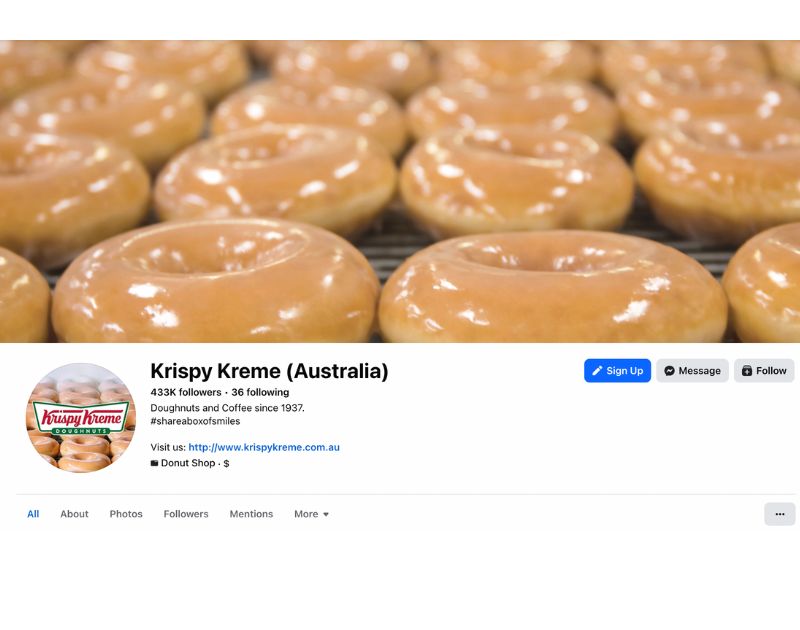
Another highly recommended Facebook ads strategy idea is to create a custom landing page. This means having a specific page for people to visit when they click on your ad instead of just using your website. Using a custom landing page makes it easier for people to take the action you want, like signing up for your email list.
It also ensures they don’t get confused or distracted by other information on your website. So, if you want more people to take action on your ad, a custom landing page is the way to go!
7. Always Think High-Quality
Having a broad reach of audiences, Facebook is also rife with advertisers, making differentiation a challenge. To work around this, you must always strive to create high-quality ads. Invest in producing the finest Facebook ads you can, as these will make your business look more professional and trustworthy. This, in turn, can increase engagement and conversions.
They also make your brand look better overall, leading to better brand recognition and customer loyalty. Ultimately, investing in high-quality ads can pay off with better results and a higher return on investment (ROI) for your Facebook advertising efforts.
8. Familiarize Yourself with Lookalike Audiences
Knowing about Facebook Lookalike Audiences is essential for creating effective Facebook ad strategies because it allows you to reach a larger yet similar audience to your existing customers. With Lookalike Audiences, Facebook will use its data to find people similar to your current customers based on their interests, behavior, and demographics.
This allows you to create more targeted and relevant ads for a group of people who are more likely to be interested in your products or services, leading to higher conversion rates and better return on ad spend.
9. Be a Facebook Remarketing Expert
Learning about the ins and outs of Facebook remarketing is crucial because it allows you to target people who have already shown an interest in your brand, reminding them of your business and increase conversions.
With Facebook’s remarketing tools, you can track potential customers’ behavior and customize your ad strategy accordingly, reaching those most likely to convert. By mastering Facebook remarketing, you can boost your advertising efforts and maximize your return on investment.
10. Hold Contests and Giveaways
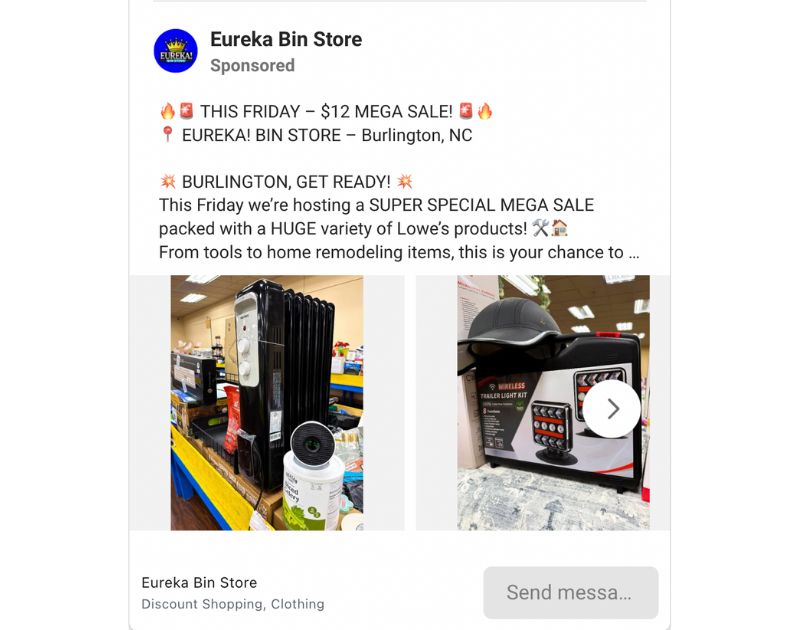
Contests and giveaways on Facebook have always been a great way to increase brand awareness, engagement, and lead generation. It encourages people to interact with your brand and share your content. They can also create a sense of urgency and excitement, driving more conversions and sales while providing valuable customer data and insights.
Holding contests and giveaways can help your business achieve short-term and long-term marketing goals. You can also explore shoppable events, live commerce promotions, and lead ad optimizations to enrich your campaigns.
Final Thoughts
To maximize your ROI in 2026, try implementing the top 10 Facebook ad strategies outlined in this guide. Standing out from the competition, engaging your target audience, and continuously improving your results, Facebook advertising can be a powerful tool for growing your business. It’s also a great idea to exp[lore Meta’s AI, which now helps automate creative, targeting, and placements.

Famous for its vibrant food scene, booming tech hub, and live music, Austin, Texas, also holds some of the best design agencies in the nation. For the coming year, you might want to work with the following agencies to boost your business:
Penji
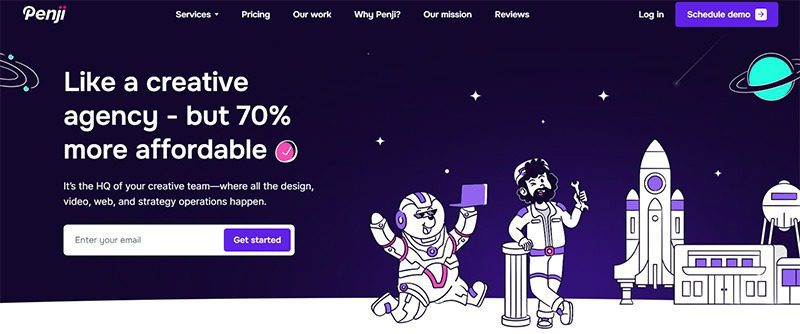
Known for its unlimited graphic design services, Penji tops this list of the best agencies in Austin. Its key services include branding visuals, infographics, social media graphics, custom illustrations, UI and UX design, and more. You can send requests for more than 120 design categories, all for a flat monthly rate. And the best part is its unlimited revisions feature, allowing you to get the exact designs you need without paying extra.
Pushstart Creative
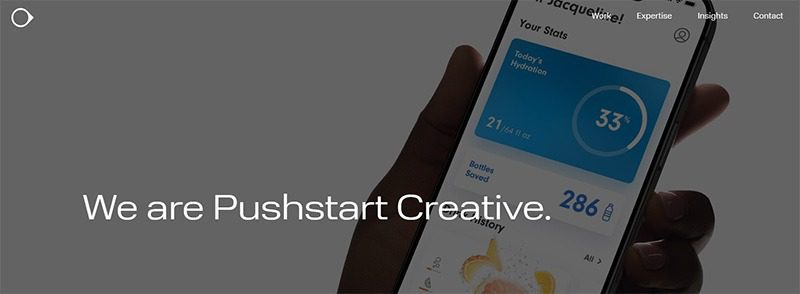
A multidisciplinary design agency, Pushstart Creative specializes in product and industrial design, user experience, research, and strategy. It has worked across various industries, most notably consumer and commercial IoT, consumer electronics, sports, and health and fitness.
Frank & Victor
Reflecting Austin’s creative spirit, Frank & Victor helps businesses resonate more deeply with their audiences. It promises to create branding and identity systems, strategic logo designs, UI/UX designs, and more, with premium quality designs and attention to detail.
Big Gorilla
With a focus on branding and identity design, web design and development, and marketing strategy, Big Gorilla is a highly recommended creative design agency for businesses in Austin. It also offers photography, video, art direction, packaging design, and a wide range of marketing and communications services.
Fahrenheit Marketing
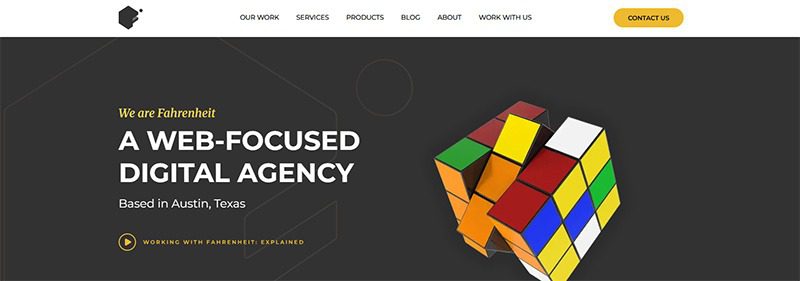
Founded in 2008, Fahrenheit Marketing is a full-service agency that offers both creative design and marketing strategy. Proudly based in Austin, Texas, it offers web development, UX/UI design, SEO, PPC, and ecommerce services. In addition to these, they sell products from Offline Order Importer, HubSpot, Klaviyo, SharpSpring, and many others.

What’s the Best Design Agency in New York City

What’s the Best Design Agency in Houston?

Top 10 App Development Software That Help Create Stunning Apps

Maximizing ROI in 2026: The Top 10 Facebook Ads Strategy Ideas to Try

What’s the Best Design Agency in Austin for Businesses in 2026?

What’s the Best Design Agency in Jacksonville?
