Business
6-Step Guide to Succeed in YouTube Marketing


With over two billion monthly active users, it’s no surprise YouTube has emerged as one of the most popular and influential platforms for marketers to reach their target audience. In 2023, YouTube marketing will be more critical as consumers increasingly turn to video content for information and entertainment. The platform generated approximately $7.9 billion in advertising revenue in the fourth quarter of 2021.
If you don’t have a YouTube marketing strategy, it’s high time you start crafting one now. Here’s a quick run-through on how to start YouTube advertising.
1. Create a YouTube channel
The first is to create a YouTube channel by following these steps:
- Sign in or create a Google Account: To create a YouTube channel, you must have a Google Account.
- Create a new channel: Once you’re signed in to your Google Account, go to YouTube and click on the “Create a Channel” button.
- Choose a channel name: Select a name that reflects your business or brand. Make sure it’s memorable and easy to spell.
- Add channel details: Fill out your channel description, choose a profile picture, and create a cover photo representing your brand.
- Customize your channel: Add a channel trailer, create playlists, and organize your videos to make it easy for viewers to find what they’re looking for.
2. Identify your target audience

Identifying your target audience is crucial in creating a successful YouTube channel. Here’s how:
- Define your niche: Determine the topic or niche of your YouTube channel. What kind of content are you going to create? Who would be interested in that content?
- Research your competition: Look at other YouTube channels in your niche and see who their audience is. What kind of people are they targeting? What type of content do they produce?
- Use demographic data: Use YouTube Analytics to understand the demographics of your current audience. Look at the age, gender, location, and interests of your viewers.
- Create audience personas: Develop a profile of your ideal viewer. Consider their age, gender, interests, income, education level, and other relevant factors.
- Conduct surveys or focus groups: Reach out to your audience or potential audience and ask for their feedback. Conduct surveys or focus groups to better understand their needs, preferences, and behaviors.
- Monitor social media: Keep an eye on social media platforms to see what your audience is talking about and what content they’re sharing. Engage with your audience on social media to build relationships and gain insights.
3. Stalk the competition
When starting a YouTube channel for business, it’s essential to understand the competitive landscape in your niche or industry.
Researching the competition helps you identify gaps and opportunities. By examining your competition, you can identify areas where they’re already succeeding and which market gaps you can fill. This can help you create content that stands out and appeals to your target audience.
By understanding your competition’s strengths and weaknesses, you can position your brand and content in a way that sets you apart. This can help you build a unique brand identity and stand out.
Finally, you learn from their successes and failures. This can help you avoid mistakes and make more informed decisions about your content strategy.
4. Create your first YouTube video
Now comes the most exciting part—creating your first YouTube video! Follow these steps:
- Plan your video: Decide on the topic, format, and length of your video. Write a script or outline to guide your filming.
- Set up your equipment: Choose a camera, microphone, and lighting equipment that suits your needs and budget. Ensure your equipment is correctly set up and tested before filming.
- Film your video: Follow your script or outline and film your video. Be sure to speak clearly and confidently and engage your audience with exciting visuals and examples.
- Edit your video: Use editing software to trim, cut, and rearrange your footage. Add music, graphics, and other effects as desired.
- Add a thumbnail and description: Create an image representing your video and write a clear, engaging description with relevant keywords and tags.
- Upload your video: Sign in to your YouTube account, click the “Upload” button, and select your video file. Fill in the title, description, and other relevant information.
- Optimize your video: Use relevant keywords and tags in your title, description, and tags to help your video rank higher in search results. Choose an appropriate category and thumbnail image that accurately represents your video.
5. Promote your video

Don’t expect your video to go viral once uploaded on your channel. You must create a robust YouTube marketing strategy to gain more views and clicks. Here are some tips:
- Optimize for search: Use relevant keywords in your video’s title, description, and tags to help it rank higher in search results. Choose a thumbnail image that accurately represents your video and attracts clicks.
- Share on social media: Share your video on your business’s social media channels, including Facebook, Twitter, LinkedIn, and Instagram. Encourage your followers to watch and share your video with their networks.
- Collaborate with other YouTubers: Reach out to others in your niche and collaborate on content to help you reach an extensive audience and build relationships with influencers in your industry.
- Run paid ads: Use YouTube’s advertising platform to run targeted ads that reach your ideal audience. You can choose from various ad formats, including display, overlay, skippable, and non-skippable ads.
- Embed on your website: Embed your video on your website or blog to increase visibility and engagement. Use calls to action to encourage visitors to watch your video and subscribe to your channel.
- Engage with your audience: Respond to comments and engage with your audience to build relationships and increase engagement. Encourage viewers to leave comments, share their thoughts, and ask questions.
- Offer value: Provide your audience with high-quality, informative, and engaging content. Focus on solving their problems, answering their questions, and entertaining them.
6. Analyze video performance
Analyzing YouTube metrics and KPIs is essential in YouTube marketing because it provides valuable insights into how your videos and channel perform and helps you make data-driven decisions to improve your content strategy and achieve your goals.
Here are the top YouTube KPIs to analyze for YouTube marketing:
- Views: The number of times your video has been viewed. This metric helps you understand the overall popularity of your content.
- Watch Time: The total time viewers spend watching your videos. This metric helps you comprehend how engaging your content is and how long viewers will watch it.
- Engagement Metrics: Likes, comments, shares, and subscriptions are all essential engagement metrics. They help you understand how viewers interact with your content and how invested they are in your channel.
- Audience Retention: This metric shows how long viewers watch your videos before dropping them off. It helps you identify which parts of your videos are losing viewers’ attention and where you need to improve.
- Click-through Rate: The percentage of viewers who click on your video after seeing it in their search results or suggested videos. This metric helps you comprehend the effectiveness of your video’s title and thumbnail.
- Conversion Rate: The percentage of users who take desired actions, such as subscribing to your channel, visiting your website, or making a purchase. This metric helps you measure the effectiveness of your call-to-actions and overall marketing efforts.
- Revenue: The amount of money generated from your YouTube channel, including ads, sponsorships, and merchandise sales. This metric helps you understand the financial impact of your YouTube marketing efforts.



Known for its legendary cowboy culture, iconic attractions, and deep historical roots, the Lone Star State is also home to thriving businesses. This is thanks to the plethora of graphic design agencies that help boost their visual identity. All you need to do now is choose one that fits your brand well. Here are the best design agencies in Texas you can choose from:
1. Penji
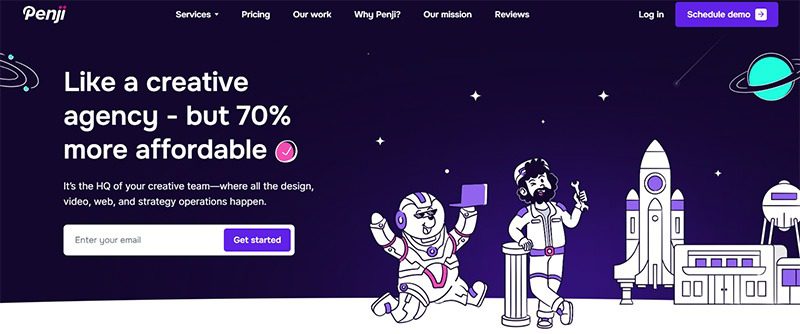
Offering the best unlimited graphic design services, Penji is a design-as-a-service platform that lets you get all your visual asset needs for one flat monthly rate. Its remote-first model allows it to take clients from around the globe, providing them with the highest quality graphic design services.
2. Tenderling

Specializing in hotels, apartments, real estate, restaurants, and wellness, Tenderling is an excellent option for businesses seeking the best design agency in Texas. This award-winning design agency is female-owned and HUB certified by the State of Texas. It offers brand strategy, development, execution, maintenance, and many other services.
3. The Matchbox Studio

Having collaborated with some of the biggest names in the land, The Matchbox Studio takes pride in its work with FedEx, American Airlines, and Fossil. It has a team of strategists, artists, designers, and developers that helps businesses in the entertainment industry achieve attention-grabbing branding and digital design.
4. Left Hand Design

Offering a wide range of graphic design services,Left Hand Design shines in providing design and branding services to its Texas clients. It offers logo design, social media branding, web design, event branding, email template design, and printing services, among others. It also offers ecommerce, print ads, website development, and many other similar services.
5. The Label Collective
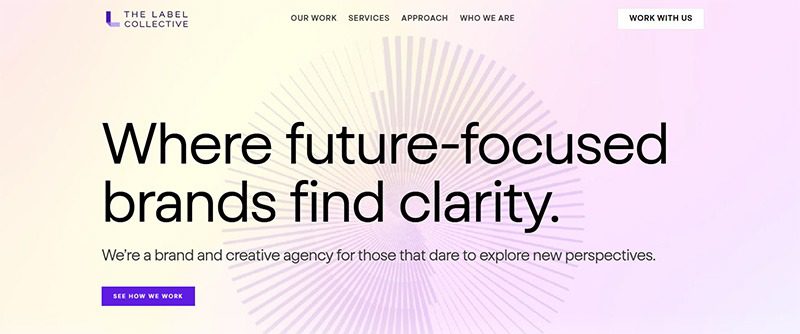
Another award-winner on this list of the best design agencies in Texas is The Label Collective. In addition, it is a women-owned business that offers a wide range of graphic design and related services. This includes brand strategy, visual identity, creative services, and brand management.


Having your own business provides a multitude of benefits, but why is it that not everyone is doing it? The majority of people see the prospect of leaving a steady paycheck behind as scary. They look at opening a business, a task that requires a first step that’s steeped in uncertainty, fear, and self-doubt. Here are a few steps you can take to create your own business without the hesitations:
Set Achievable Goals
Identify your goals and start listing smaller but attainable goals from them. This way, you will become less fearful and avoid being overwhelmed. Small goals will be easier to digest and reduce your chances of failure, enough to help build your confidence gradually.
Stop with the Perfectionist Mindset
You may want that website to be perfectly working or that version of your product to be as perfect as possible. According to Entrepreneur, mixing perfectionism with entrepreneurship is a bad idea. Getting started is hard enough. You’d do better if you ignored perfectionism. It will be so easy to set yourself up for disappointment when goals aren’t met. Make sure they are attainable.
Do Your Research
When starting a business, you’ll find yourself doing a lot of research. Don’t get tired of learning, as this is what will propel you toward success. The more you know about your niche, the better you’ll be equipped to handle it. In this day and age that information is just a few taps away, research, learn, and absorb.
Start Small
Easing into entrepreneurship can be the best route if starting big is daunting for you. Start with a part-time business, and as you grow and build confidence, you can add to it more and more. This will also let you keep your day job and still look forward to that paycheck until your business is stable enough to let you focus on it full time.
Have Realistic Expectations

The idea of having that perfect work-life balance when having your own business may only be a myth for beginners. Of course, it would be difficult, and if it were easy, everybody would be doing it. Having realistic expectations can help you prevent disappointments. The key is to have great support from family and friends and the understanding that you’ll have that balance soon if you remain persistent.
Go For Low-Risk Businesses
It would really be daunting if you start with a high-risk business, but if you go for something smaller, it wouldn’t be as scary as it seems. Make sure to align your goals with your resources. If you have a limited budget, it’s okay to find a business that matches your finances. Just thinking of production and marketing costs can stress you out, so start small.
Identify and Build Your Community
If you have the passion, grit, and a bit of cash, you’re well on your way to beating your fear of starting a business. Back these all up with an equally passionate community, and you have the foundation of a successful business. Build this community of investors, partners, and customers to help you gain confidence and the finances to get your business going. When you know you have a support group to lend you a hand, your fears will slowly melt away.
Believe in Yourself and Your Business
Don’t let fear get into your mindset. Start believing in yourself and your business, thinking that you don’t need others to be confident. You can boost it for yourself. Focus on what you need to do and steer clear of your insecurities and uncertainties. If they can do it, why can’t you? Just remember that failure is part and parcel of doing business and that it shouldn’t be a cause for fear.



What’s the Best Design Agency in Texas for Growing Businesses?

What’s the Best Design Agency in Indianapolis?

How You Can Effectively Beat the Fear of Starting a Business

170 Web Design Questions to Ask Your Clients

What’s the Best Design Agency in Detroit?

What’s the Best Design Agency in Boston? Expert Picks for 2026

Top 4 Best Blog Writing Services for Your Business
170 Web Design Questions to Ask Your Clients
Top 4 Best Blog Writing Services for Your Business
How You Can Effectively Beat the Fear of Starting a Business
What’s the Best Design Agency in Boston? Expert Picks for 2026
What’s the Best Design Agency in Detroit?
What’s the Best Design Agency in Indianapolis?