Business
5 Best Product Management Apps [Updated for Summer 2022]
Published
4 years agoon

Product management apps are software-based tools that help product teams execute all phases of the product lifecycle. This includes planning, researching, developing, and launching products.
Today, we compile the 5 best product management apps for Summer 2022.
Jira
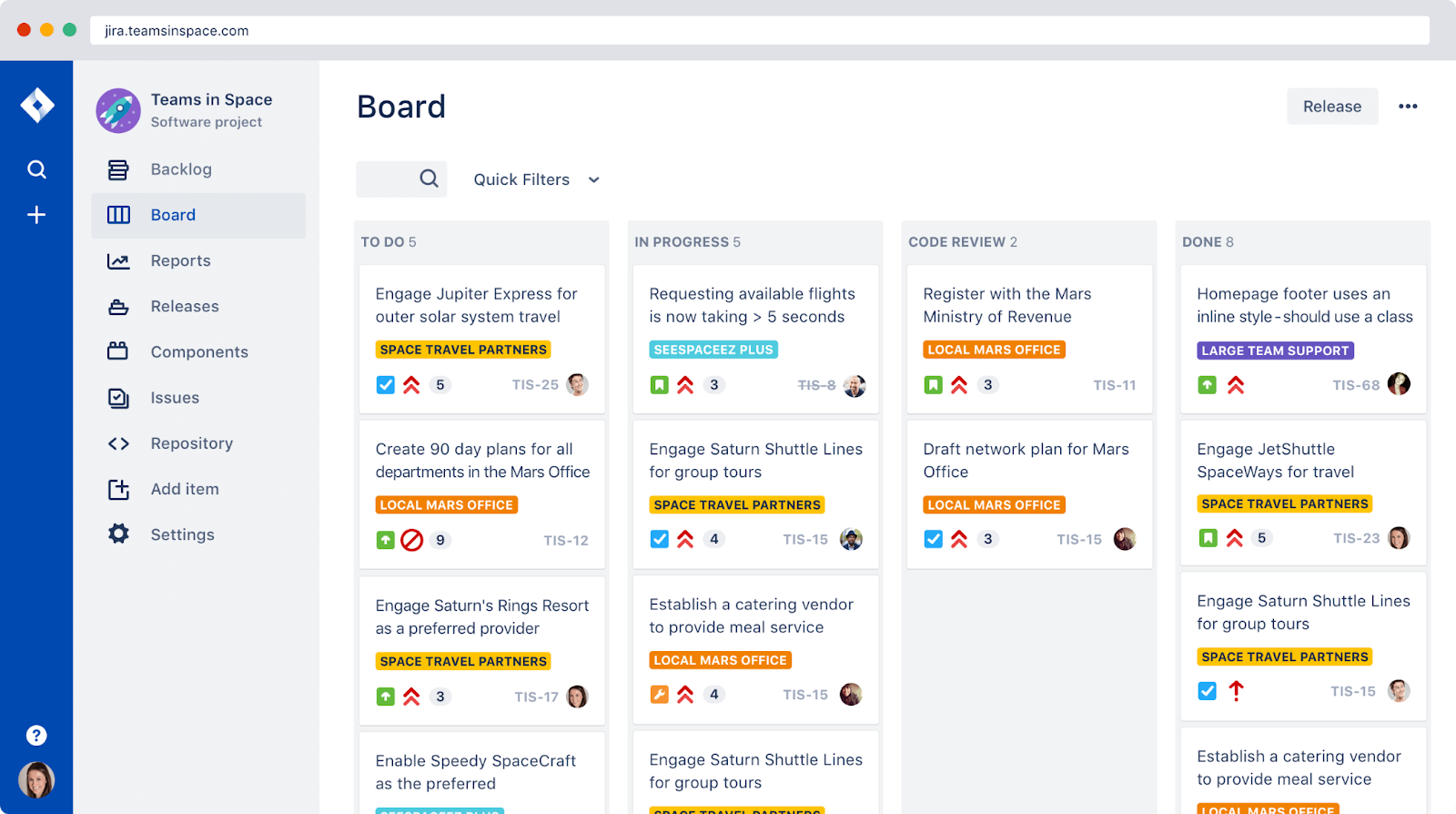
Jira is one of the most affordable product management tools on the market today. It holds this status without offering subpar quality or restricted features. Jira is trusted by over 65,000 organizations worldwide, including innovative leaders like Cisco, Square, Spotify, eBay, and Airbnb.
Jira is also known for its bug tracking functionality— one of the many reasons this app is popular amongst software development teams. It has tools like scrum and Kanban boards that are ideal for organizing tasks and managing agile teams.
Pricing:
Free: Free for teams with under 10 members.
Standard: $7.50 per user per month.
Premium: $14.50 per user per month.
Enterprise: Billed annually. Switch the Billing cycle to Annual to view Enterprise pricing.
Asana
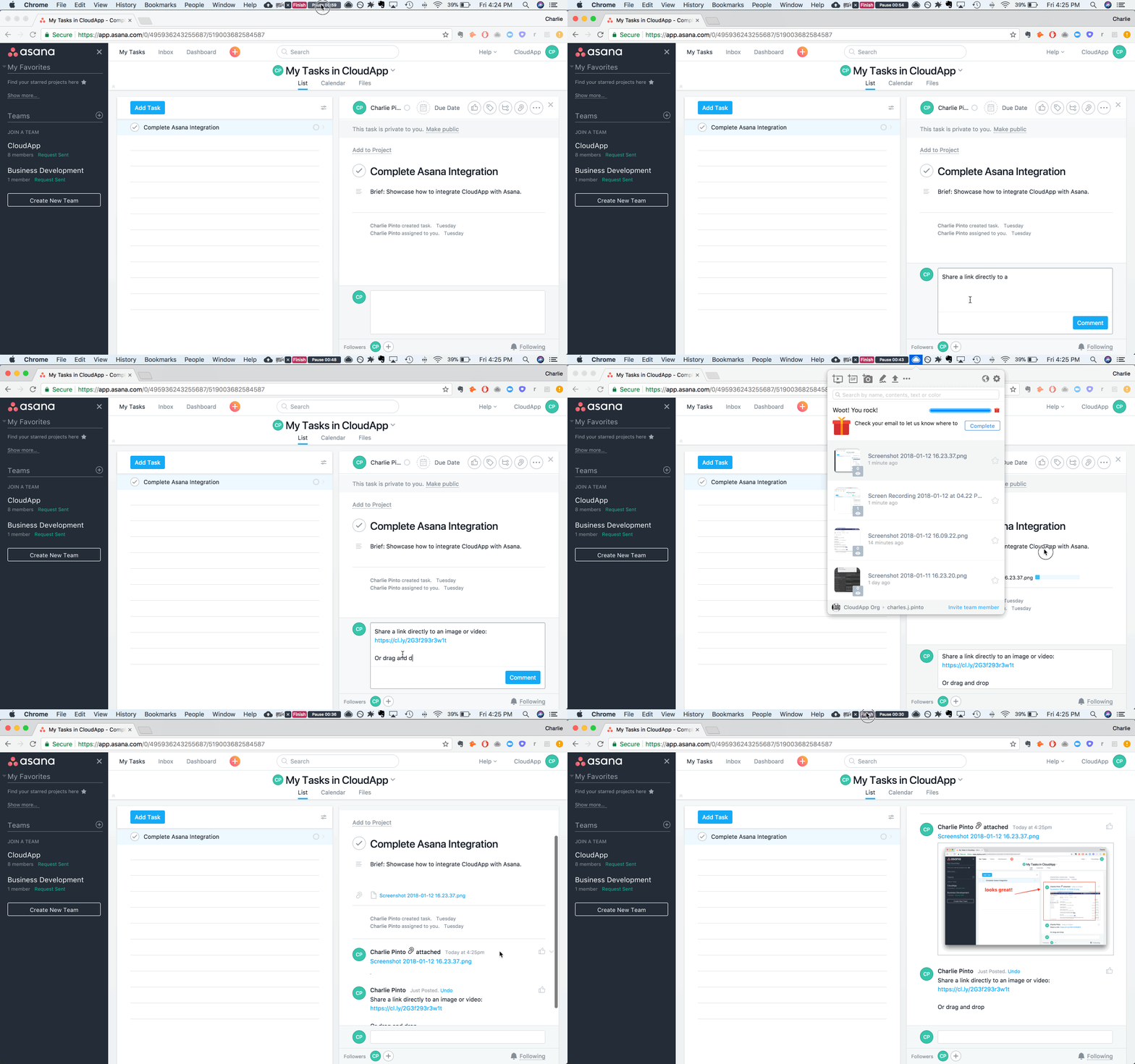
Asana is an excellent choice for businesses in need of advanced customization options. With multiple options for viewing projects and managing tasks (including boards, lists, calendars, portfolios, workloads, and timelines) Asana offers more than most. It allows teams to customize their workplace in a manner that suits them best.
Asana offers a free version, Asana Basic, available for teams of up to 15 people. Additionally, there are two paid tiers: Asana Premium and Asana Business.
Asana Basic is a feature-rich free plan. It supports unlimited teams, projects, messaging, activity logs, file storage, multiple project views, and more. For businesses with less than 15 members, you can rest in the free plan forever.
Pricing:
Basic: Free (for teams up to 15 people)
Premium: $10.99 per user per month if billed annually. $13.49 per user per month if billed monthly.
Business: $24.99 per user per month when billed annually. $30.49 per user per month when billed annually.
ClickUp
Clickup is a cloud-based work platform for teams of all sizes. It combines essential business applications and centralizes company information into a single online solution.
ClickUp allows you to assign tasks to team members, manage projects, and collaborate with colleagues on documents. ClickUp offers a multitude of views for fast-tracking, creating schedules, organizing calendars, and managing capacity.
It’s no surprise that ClickUp is one of the highest-rated project management tools today. The app is used by 800,000+ teams in companies like Airbnb, Google, and Uber.
Pricing:
Free Forever: Free— forever.
Unlimited: $5 a member per month if billed annually. $9 a member per month is billed monthly.
Business: $12 a member per month if billed annually. $19 a member per month if billed monthly.
Business Plus: $19 per member per month if billed annually. $29 per member per month if billed monthly.
Enterprise: Contact ClickUp’s Sales team for a quote.
Monday.com
Monday.com offers a ton of options for visualizing your team’s projects based on your preferences—including Kanban, Gantt, timeline, and calendar views in one click.
It integrates well with the apps you’re already using, helping take your project management processes to the next level. Monday.com’s software syncs up with a number of tools, including Slack, Dropbox, Zoom, Shopify, Google Calendar, Gmail, Todoist, and 40+ other tools.
You can build workflow automations to eliminate repetitive administrative tasks.
Monday.com’s task dependencies are rather limited in comparison to most other project management tools. And dependencies are also only available on the two highest tiers, so they’re inaccessible to small businesses or those on a tighter budget.
Pricing:
Individual: Free forever, up to 2 members.
Basic: $8 per member per month if billed annually. $10 per member per month if billed monthly.
Standard: $10 per member per month if billed annually. $12 per member per month if billed monthly.
Pro: $16 per member per month if billed annually. $20 per member per month if billed monthly.
Enterprise: Contact Monday.com for a quote.
Wrike
Wrike allows you to organize your project tasks, facilitate collaboration with your team, and keep a track of work progress and the project plan.
This app offers a three-pane view for you to view your task management activities. The left pane lets you access your projects, your teams, and your finances for easy resource management. The middle pane is used to create new tasks, set up due dates, and assign tasks to team members. With the right pane, you can see all your tasks and subtasks at once.
With Wrike, you’re able to visualize your data with analytics. You receive detailed insights through intuitive charts and infographics that automatically update every 15 minutes. These insights include team performance statistics, project status and work progress and statistics, and tasks that each user has completed.
Pricing:
Free: Free. Offers centralized task management.
Professional: $9.80 per member per month.
Business: $24.80 per member per month.Enterprise: Contact Wrike for a quote.
You may like
Business
How You Can Effectively Beat the Fear of Starting a Business
Published
5 days agoon
January 15, 2026
Having your own business provides a multitude of benefits, but why is it that not everyone is doing it? The majority of people see the prospect of leaving a steady paycheck behind as scary. They look at opening a business, a task that requires a first step that’s steeped in uncertainty, fear, and self-doubt. Here are a few steps you can take to create your own business without the hesitations:
Set Achievable Goals
Identify your goals and start listing smaller but attainable goals from them. This way, you will become less fearful and avoid being overwhelmed. Small goals will be easier to digest and reduce your chances of failure, enough to help build your confidence gradually.
Stop with the Perfectionist Mindset
You may want that website to be perfectly working or that version of your product to be as perfect as possible. According to Entrepreneur, mixing perfectionism with entrepreneurship is a bad idea. Getting started is hard enough. You’d do better if you ignored perfectionism. It will be so easy to set yourself up for disappointment when goals aren’t met. Make sure they are attainable.
Do Your Research
When starting a business, you’ll find yourself doing a lot of research. Don’t get tired of learning, as this is what will propel you toward success. The more you know about your niche, the better you’ll be equipped to handle it. In this day and age that information is just a few taps away, research, learn, and absorb.
Start Small
Easing into entrepreneurship can be the best route if starting big is daunting for you. Start with a part-time business, and as you grow and build confidence, you can add to it more and more. This will also let you keep your day job and still look forward to that paycheck until your business is stable enough to let you focus on it full time.
Have Realistic Expectations
The idea of having that perfect work-life balance when having your own business may only be a myth for beginners. Of course, it would be difficult, and if it were easy, everybody would be doing it. Having realistic expectations can help you prevent disappointments. The key is to have great support from family and friends and the understanding that you’ll have that balance soon if you remain persistent.
Go For Low-Risk Businesses
It would really be daunting if you start with a high-risk business, but if you go for something smaller, it wouldn’t be as scary as it seems. Make sure to align your goals with your resources. If you have a limited budget, it’s okay to find a business that matches your finances. Just thinking of production and marketing costs can stress you out, so start small.
Identify and Build Your Community
If you have the passion, grit, and a bit of cash, you’re well on your way to beating your fear of starting a business. Back these all up with an equally passionate community, and you have the foundation of a successful business. Build this community of investors, partners, and customers to help you gain confidence and the finances to get your business going. When you know you have a support group to lend you a hand, your fears will slowly melt away.
Believe in Yourself and Your Business
Don’t let fear get into your mindset. Start believing in yourself and your business, thinking that you don’t need others to be confident. You can boost it for yourself. Focus on what you need to do and steer clear of your insecurities and uncertainties. If they can do it, why can’t you? Just remember that failure is part and parcel of doing business and that it shouldn’t be a cause for fear.


Confused about what type of questions to ask a prospect in the crazy world of tech?
Today, a high-performing website has to balance brand, user experience, speed, accessibility, SEO, and conversion goals across devices. That’s why the smartest web builds start with something basic – web design questions.
Having a solid grasp of what your clients want will help you uncover what the site is truly for, including the features it needs. It will also reduce revisions and keep everyone on the same page, including timelines and technical aspects.
Here’s a curated list of 170 web design questions to ask your client before you begin. Think of this as a menu: pick what fits the scope, the platform, and the complexity of the build.
If you’d like to add more to this list, feel free to comment below or email us your additions.
Current Website Web Design Questions
– What is the purpose of your current website?
– Are there any aspects of your current website that you love?
– Are there any aspects of your current website that you hate?
– Is there anything on the current website that needs to be removed entirely?
– Is there anything on the current website that must absolutely stay?
– Do you have multiple locations?
– Where are they located?
– Do you offer different products or services per location?
– What is your business’s unique value proposition (UVP)?
– What are the services you want to highlight on your website?
– Why do visitors currently come to my website?
– Is your website easy to navigate and is it easy to find information?
– Are your current website visitors being converted into sales?
– Are competitors’ websites more functional and have they recently been redesigned?
– Does the content on my website deliver the right message?
– Is your website a good representation of your business?
– Does your current website instill trust and confidence?
– Is it easy to update your website?
– Are visitors who come to your website being tracked and analyzed?
– Does your current website make it easy for website visitors to contact you?
– What tools and apps do you use to run your business?
Web Design Questions About the Redesign
– Why do you want a new website?
– Do you have a proposed sitemap prepared?
– In an ideal world, what do you want your website to become?
– What are your specific goals for your new website that will help indicate if your investment is profitable?
– How quickly do you want to achieve these goals?
– Is there anything that you would like to have included in the new website that you lack currently?
– Will your copy need to be reviewed and approved by legal and compliance?
– Will your legal team need to create the privacy policy for the site?
– At the end of this project, how do you qualify it as a success?
Web Design Questions About Competitive Analysis
– Who are your top seven competitors?
– What about these companies makes then stand apart from others?
– What elements of these companies and/or their online activity would you like to model after
in your redesign?
– What do you currently like about your competitor’s websites?
– What do you hate about your competitor’s websites?
– What are some sites that you like the style of, features, and functionality of?
Web Design Questions About Branding
– Do you have brand guidelines?
– If not, do you need help putting this together?
– What are the brand guidelines?
– Are there any color preferences for the new website?
– Do you have the hex codes for your current brand colors?
– Have you created buyer personas?
– If you did; how many do you have and will we need to set up conversion funnels for each persona?
– Do you have a site architecture completed?
– Do certain products and/or services speak to a different types of clients?
– What differentiates your product or service from your competition
– Is there any legacy on your current website?
– Do you currently have duplicate content on your site?
– What types of content will you publish on the site?
– How do plan to market the website once it is launched?
– What are some images that relate to your business?
– Will you be updating and reusing content and/or images from your current website?
– Do you need help creating new visual components for your website?
– What are some visual components that you’d like to add to your website?
– Do you have a tag line?
– What is your elevator pitch?
– Do you have a mission statement?
– What differentiates your company from your competitors?
Web Design Questions Related to Marketing and Advertising
– Do you have a documented content strategy?
– What types of marketing are you currently involved in or practice on a regular basis?
– Why kind of ads will you be running? (Google, Facebook, native, display, search)
– Do you have a current advertising budget?
– When it comes to marketing (in general), what are your biggest challenges?
– When it comes to obtaining qualified leads, what are your biggest challenges?
– When it comes to closing leads, what are your biggest challenges?
– Will you be blogging on your website?
– Who will be blogging on your website – in-house writers, blog writing services, or guest bloggers?
– When do you see most customers go to your website?
– Do you currently use marketing automation software?
– Do you create ebooks, white papers, and other resources are placed behind a form?
– Do you send email marketing communications?
Web Design Questions Related to Sales and Lead Generation
– Which marketing tools are integrated with your website (email, CRM, landing pages, automation)?
– Would you like to personalize content so that the content shown is targeted and relevant for different types of visitors?- Which marketing tools are integrated with your website (email, CRM, landing pages, automation)?
– Would you like to personalize content so that the content shown is targeted and relevant for different types of visitors?
– Do you use a CRM to store sales and customer information?
– Are there any short-term or long-term goals that need to be considered in the website redesign?
– What social media elements would you like integrated?
– Do you need a subscription option or other offer?
– What is the target demographic of your website visitors? Are there specific sectors, industry segments, company sizes, geography that needs to be focused on more than others?
– What types of emails do you send to subscribers, prospects, leads, and customers?
– Do you want automated emails to be triggered by actions customers take on your website?
– Do you want the ability to create, edit, and publish landing pages and site pages?
– Would you like to run predictive lead scoring every few months to automatically determine the properties and weight of each factor to create a lead score?
– Have you performed A/B tests of your landing pages and calls-to-action to increase clickthrough rates?
Lead Generation and Contact Page Questions
– How do you currently track leads on your website?
– How do you want to collect customer information?
– Are you comfortable with having your phone number on your website?
– What is the email address you want on your website?
– Can you speak to your customer experience?
– How does a user become a customer of yours on your current website?
– Do you currently include relevant call-to-actions on content posts?
– Do you collect information from visitors and store this in a CRM or use it to inform marketing efforts?
– What fields do you currently or want to include in forms?
– Do you use call tracking to track online campaigns?
SEO Questions
– Do you need assistance with search engine optimization?
– How do you maintain SEO—ongoing, occasional, or not at all?
– Do you have someone who can review content for SEO best practices, internally?
– How are meta titles and descriptions currently created—manually, with tools, or with automation?
– Do you have Google Analytics 4 (GA4) set up, and do you have access to it?
– Do you have access to Google Search Console or Bing Webmaster Tools?
– Based on what you know right now, what keywords or phrases would “you” use to search for your products and/or service offering?
– What search terms are your competitors targeting?
– Of the words you just listed, which ones would you like to target with the new website?
– Do you have existing content that can support these keywords or phrases?
– Do your existing website and content rank for these phrases?
– What are your top-performing keywords?
– Which site pages rank high in SERPs?
Web Traffic Questions
– What are your most trafficked pages on your website?
– What percentage of visits are from organic sources?
– What percentage of traffic are referrals from other sites?
– Which referral channel gives your website the most traffic?
– What percentage of traffic is from social media sites?
– What percentage of traffic is from email marketing?
– What percentage of traffic is from direct or people who type your URL into the search bar?
– What percentage of traffic is from mobile devices?
– What percentage of your traffic comes from mobile versus desktop devices?
– What sources — social, referral, organic, etc. — generate traffic from mobile and tablet users?
– How many landing pages do you have?
– What are your top-performing landing pages?
– What are your top-performing blog posts?
– How many visits does your site get each month?
– How many page views does your site get each month?
– How many leads do you generate each month?
– How long do people typically spend on your website?
– What is the bounce rate for your site?
– What is the average amount of sales generated by your site each month?
– What is the page load time of your site?
– How many inbound links are pointing to your current site?
– Is your current site optimized for mobile users?
Reporting Questions
– Do you like data?
– What types of reports and data would you like to receive from our team?
– What reporting format do you prefer (dashboard access, scheduled reviews, async summaries)?
– How would you like to access reports (live dashboards, summaries, or exported files)?
– Would you like the reports to be converted into videos?
Website Functionality Questions (UX and UI)
– Are there specific mobile usability or accessibility considerations we should design for?
– How often will you be updating the content on your site?
– What functional requirements are needed within the new website?
– Is there any specific feature that is needed for your website?
– Do you want users to be able to comment on blog posts and other types of content?
– Do you need to integrate chat features?
– Will you need an internal search engine for your site?
– Do you plan to post audio/video files to the site?
– Do you have a video hosting service or will you be uploading videos to Vimeo or YouTube to embed videos on your site?
– Will you need people to log in on the site either with a username and password or by using social logins?
– Will users need the ability to post product reviews?
– Do you want people to be able to share content from your website?
– Will visitors have to enter credit card information and other personal details on any section of the website?
– Do you plan to sell anything through your website?
Development and Hosting Questions
– Who is your current website host?
– If switching hosting companies, where is your your DNS controlled?
– Do you have any and all logins?
– Hosting
– Domain name
– Website
– Where do you host your site?
– Do you know the current level of hosting you have?
– Do you have or need an SSL certificate?
– Do you have specific accessibility requirements? (Possibilities include, larger text, language conversion, blind-accessible)
– Do you need cookie consent management or privacy compliance features (GDPR, CCPA, or similar)?
– Do you have an existing content management system you prefer or would you like our suggestions on the proper CMS?
Project and Budget Questions
– What is your budget for this project?
– What is your yearly budget for website improvements?
– What kick-off date do you prefer?
– Who all is responsible for reviewing and providing feedback on the site?
– Who will give final approval for the site prior to launch?
– Will you manage the site once it’s completed?
– Will you require training on how to properly maintain the site?
At Owners Magazine, we care deeply about creating an incredible experience for our customers. What better way to get to know our clients than to ask them fun questions? The world of business can be so serious, and with the way our society is becoming, we decided to throw a wrench into your average questions.
DISCLAIMER: These questions don’t work for every company. It all depends on your company culture and how your customers view you.
Get To Know Your Clients Better
– At which store would you like to max-out your credit card?
– If you could have one superpower, what would it be?
– If you could be one character in any movie, Tv show, cartoon, who would you be?
– What movie title describes your life?
– What is your favorite TV show?
– What is your favorite video game?
– If you could choose one Pokemon that relates to your personality, who would it be?
– Do you have any nerdy addictions?
– Have you ever refitted an item, and if so, what did you regift?
– What’s the strangest talent you have?
– Do you have any nicknames?
– Which way does your toilet paper hang on the wall – over or under?
– What is that one song that you’re afraid to admit that you like?
– What are three things still on your bucket list?
– If you could eat one thing for the rest of your life, what would it be?

TLDR: For scalable, high-volume, high-quality design without hiring hassles, Penji is your best bet. For deeply strategic, narrative branding work, go traditional with Contrast & Co, BB Agency, or ProDesigns.
Did you know design is responsible for 94% of first impressions? That means your design is the welcome mat for your soon-to-be customers.
Are you a startup or agency based in Space City looking to launch your design into the stratosphere? You need a design partner who can match your pace.
1. Penji
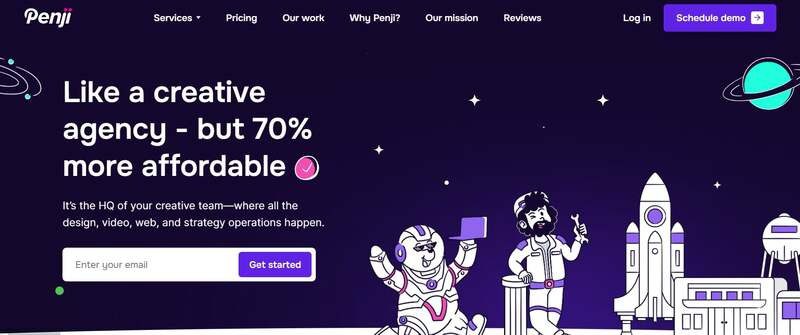
Welcome to the future of design. Penji combines the top 2% of design talent and AI tools for on-demand, monthly subscription, unlimited graphic design, illustration, and UI/UX work.
Get a whole team at your fingertips. Get drafts in 24-48 hours without having to hire a team or deal with inconsistent freelance pricing. From a quick social media graphic to a full web mockup, Penji keeps your project on track at all times.
Pros:
- Unlimited Requests: Submit as many projects as you want.
- Fast Turnaround: Drafts in 24-48 hours.
- Cost-Effective: Flat monthly fee, no hidden charges.
- Expert Designers: Access to top global talent.
Cons:
- Not Strategy-Focused: Best for execution, not long-term brand strategy.
2. Contrast & Co
If you’re looking for the traditional agency model with a little storytelling flair, Contrast & Co is the way to go. Although they’re based in Annapolis, they are experienced with many Houston clients and are known for building brands based on “radical differentiation.” They don’t just design; they tell stories.
Pros:
- Strategic Depth: Excellent for complex rebranding and brand positioning.
- High-End creative: Known for award-winning, narrative-driven visuals.
Cons:
- Cost: Their premium strategic approach often comes with a higher price tag ($10,000+ minimums).
- Timeline: Traditional agency models typically have longer turnaround times than on-demand services.
3. BB Agency
BB Agency works with SaaS and tech companies. They build businesses through thorough B2B branding and digital product design. If you are in the B2B tech space, their portfolio speaks for itself—clean, modern work which places UX at its core.
Pros:
- Tech Focus: Deep expertise in SaaS and B2B sectors.
- Holistic Approach: They handle everything from branding to development.
Cons:
- Niche: Their specific focus on tech might not be the right fit for consumer lifestyle brands.
- Budget: Project costs often range between $50,000 and $200,000.
4. ProDesigns
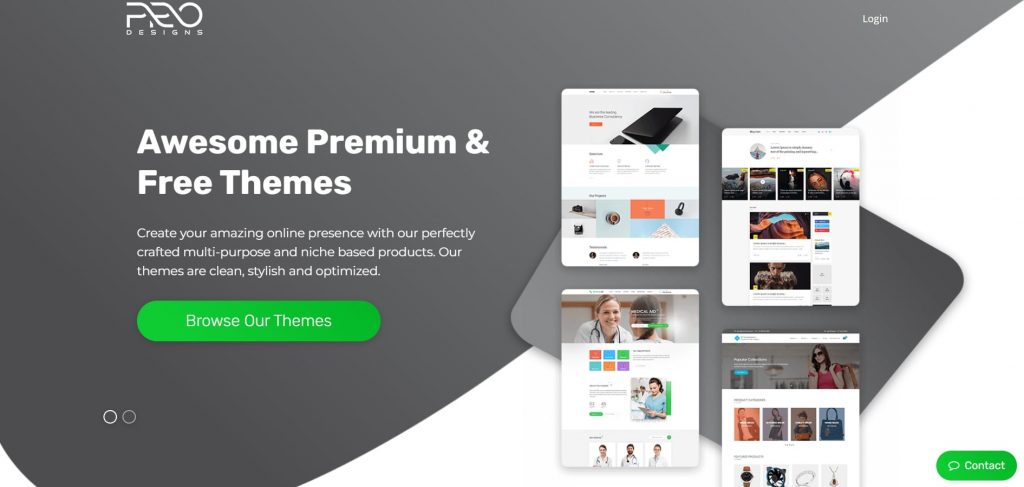
For businesses needing specific, project-based graphic design services, ProDesigns offers a solid middle ground. They focus heavily on logos, corporate design, and packaging. So if you need something created without a subscription or heavy retainer price, they’re great for local one-off projects.
Pros:
- Project-Based: Good for one-off needs like a logo or brochure.
- Affordable: generally more accessible pricing for small businesses compared to large agencies.
Cons:
- Limited Scalability: Managing high-volume, ongoing design needs can become costly on a per-project basis.
- Slower Feedback Loops: Revisions may take longer compared to a subscription model.
FAQs
How much does a graphic design agency cost in Houston?
Agencies in Houston typically charge $100–$175 per hour. Project costs range from $1,000 for small tasks to over $50,000 for full branding. Services like Penji offer a flat monthly rate, often much lower than a single agency project.
What is “design as a service”?
Design as a service offers a subscription model with a flat monthly fee for as much design work as you need for that monthly fee. Instead of paying per hour or project as normal with an agency, this is a way to ensure predictable budgeting and consistency with your design team.
Credit for cover image: Photo by Mikael Blomkvist on pexels

What’s the Best Design Agency in Indianapolis?

How You Can Effectively Beat the Fear of Starting a Business

170 Web Design Questions to Ask Your Clients

What’s the Best Design Agency in Detroit?

What’s the Best Design Agency in Boston? Expert Picks for 2026

Top 4 Best Blog Writing Services for Your Business

What’s the Best Design Agency in New York City

170 Web Design Questions to Ask Your Clients

Top 4 Best Blog Writing Services for Your Business

How You Can Effectively Beat the Fear of Starting a Business

What’s the Best Design Agency in Boston? Expert Picks for 2026

What’s the Best Design Agency in Detroit?